Key takeaways
- Do you need a dedicated console headset or a hybrid device? Decide whether this headset will live permanently next to your media console, or if it needs to pull double-duty as a work-from-home headset for Zoom calls and mobile commuting. Dedicated gaming headsets often use specialized 2.4GHz USB dongles, while hybrid models feature dual-wireless capabilities that let you switch between a console connection and Bluetooth with the press of a button.
- What is your tolerance for heat and isolation? Ear cup design dictates how you interact with your physical environment. Closed-back headsets with leatherette cushions offer excellent passive noise isolation, keeping game sound in and household noise out. Open-back or mesh-fabric options allow your ears to breathe and keep you aware of your surroundings (like a ringing doorbell or a family member speaking to you), but they leak sound into the room.
- How will you store and charge the headset? A headset is a physical object that sits in your living space. Consider whether you want a model that charges via a standard USB-C cable draped over your media console, or if you prefer a premium system that includes a dedicated charging stand or base station to keep your entertainment center looking tidy and organized.
Adding a wireless headset to your PlayStation 5 setup is one of the most impactful upgrades you can make to your home entertainment space. It eliminates the unsightly clutter of cords draping across your living room floor, keeps your gaming sessions quiet for others in the household, and unlocks the spatial audio cues that modern game designers spend years perfecting. However, many buyers approach this purchase with the wrong set of priorities.
The most common mistake is assuming that any high-end Bluetooth headset will work seamlessly with the PS5. Because Sony’s console does not natively support standard Bluetooth audio connections due to latency issues, relying on a generic Bluetooth device often leads to frustrating audio delays or requires buying clumsy third-party adapters. Another frequent misstep is over-indexing on raw audio specifications while ignoring ergonomics. A headset can feature audiophile-grade drivers, but if the clamping force is too high or the earcups trap heat, you will find yourself taking it off after forty-five minutes. To find a headset that integrates beautifully into your home and your daily routine, you must balance technical compatibility with physical construction and real-world comfort.
Our top picks
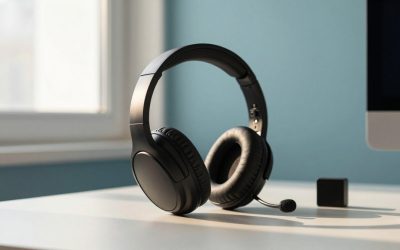
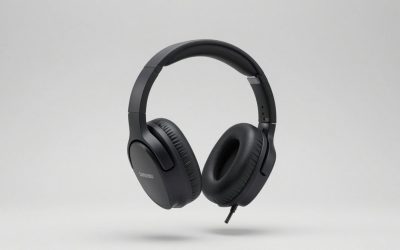
 LEVN Bluetooth 5.0 Headset
- AI Noise Cancellation & Mute Function: This wireless…
- Two Connectivity Methods & Wide Compatibility: LEVN Bluetooth…
- Long Battery Life & Exclusive Charging Base: The…
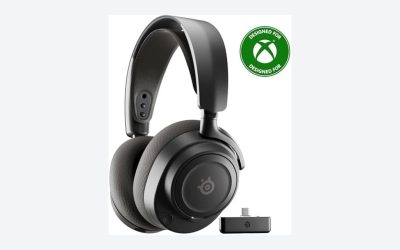
 SteelSeries Arctis Nova 5 Wireless Multi-System Gaming
- 100+ GAME AUDIO PRESETS
- Play longer than ever with the next-gen battery
- Toggle between 2.4GHz gaming and Bluetooth 5.3 with…
 Leitner LH570 2-in-1 Wireless Office Headset with
- Not a Bluetooth headset
- The LH570 offers Dual-Connectivity between desk phone and…
- Sound great on all leading VoIP and desk…
| Product | Key specs | |
|---|---|---|
| LEVN Bluetooth 5.0 Headset | AI Noise Cancellation & Mute Function: This wireless… Two Connectivity Methods & Wide Compatibility: LEVN Bluetooth… Long Battery Life & Exclusive Charging Base: The… | Check price |
| SteelSeries Arctis Nova 5 Wireless Multi-System Gaming | 100+ GAME AUDIO PRESETS Play longer than ever with the next-gen battery Toggle between 2.4GHz gaming and Bluetooth 5.3 with… | Check price |
| Leitner LH570 2-in-1 Wireless Office Headset with | Not a Bluetooth headset The LH570 offers Dual-Connectivity between desk phone and… Sound great on all leading VoIP and desk… | Check price |
 Ozeino Wireless Gaming Headset for PS5 Ozeino Wireless Gaming Headset for PS5 | 【Amazing Stable Connection-Quick Access to Games】Real-time gaming audio… 【Game Communication-Better Bass and Accuracy】The 50mm driver plus… 【Flexible and Convenient Design-Effortless in Game】Ideal intuitive button… | Check price |
As an Amazon Associate we earn from qualifying purchases at no extra cost to you.
Decide These 3 Things First
Before diving into driver diameters and frequency charts, you must narrow your search by answering three fundamental questions about your living space, usage habits, and connectivity needs.
- Do you need a dedicated console headset or a hybrid device? Decide whether this headset will live permanently next to your media console, or if it needs to pull double-duty as a work-from-home headset for Zoom calls and mobile commuting. Dedicated gaming headsets often use specialized 2.4GHz USB dongles, while hybrid models feature dual-wireless capabilities that let you switch between a console connection and Bluetooth with the press of a button.
- What is your tolerance for heat and isolation? Ear cup design dictates how you interact with your physical environment. Closed-back headsets with leatherette cushions offer excellent passive noise isolation, keeping game sound in and household noise out. Open-back or mesh-fabric options allow your ears to breathe and keep you aware of your surroundings (like a ringing doorbell or a family member speaking to you), but they leak sound into the room.
- How will you store and charge the headset? A headset is a physical object that sits in your living space. Consider whether you want a model that charges via a standard USB-C cable draped over your media console, or if you prefer a premium system that includes a dedicated charging stand or base station to keep your entertainment center looking tidy and organized.
1. Weight, Clamping Force, and Physical Dimensions
When it comes to wearable technology, ergonomics are just as important as audio quality. The physical footprint of a headset determines how long you can wear it without experiencing neck strain or localized headaches. In 2026, the industry standard for a comfortable wireless gaming headset sits between 250 and 320 grams (8.8 to 11.3 ounces). Anything under 260 grams is considered lightweight and will virtually disappear on your head, while headsets exceeding 360 grams (12.7 ounces) will likely cause noticeable fatigue during extended sessions.
Equally critical is the clamping force—the lateral pressure the headband exerts to keep the earcups sealed against your head. A clamping force of 1.1 to 1.3 pounds strikes the ideal balance, providing a secure fit without crushing your temples or pinching the arms of your glasses. Look for headbands that offer at least 35mm to 50mm of adjustable vertical travel on each side to accommodate different head shapes and sizes.
2. Earcup Materials and Thermal Performance
The materials touching your face dictate your thermal comfort. Manufacturers primarily use three types of earcup coverings, each with distinct performance trade-offs:
- Protein Leather (Leatherette): This synthetic material provides the best acoustic seal, trapping low-end bass frequencies and blocking external room noise. However, it acts as a thermal insulator. After about 45 minutes of continuous wear, the temperature inside the earcup can rise by 5 to 8 degrees Fahrenheit, leading to sweaty ears.
- Athletic Mesh Fabric: Made from moisture-wicking woven fibers, mesh cushions allow heat to dissipate quickly. They keep your skin cool during multi-hour sessions but offer minimal passive noise isolation, meaning you will hear ambient household sounds.
- Hybrid Cushions: These feature protein leather on the outer ring to seal in sound, and soft fabric on the face where the cushion touches your skin. This is often the best compromise for home settings.
Ensure the internal depth of the earcup chamber is at least 20mm. If the chamber is too shallow, your outer ears will press directly against the hard plastic driver cover, causing sharp pain within an hour of play.
3. Frame Construction and Joint Engineering
A wireless headset is subject to constant mechanical stress. It is stretched open, dropped on desks, and tossed onto couches. Examine the structural joints and the headband core. Budget-tier headsets often rely entirely on ABS plastic frames, which are prone to stress fractures near the adjustment sliders.
For long-term durability, look for a spring-steel or aluminum headband core wrapped in high-grade polymer. The swiveling hinges—the points where the earcups connect to the headband—should be reinforced with metal pins or robust rotation joints. Headsets that allow the earcups to rotate 90 degrees flat are highly recommended; this design allows the headset to rest comfortably around your neck when you step away from your console, and it reduces lateral stress on the joints when storing the device in a drawer or media cabinet.
4. Audio Performance, Drivers, and Tempest 3D Integration
To get the most out of the PlayStation 5, your headset must be tuned to leverage the console’s proprietary Tempest 3D AudioTech. This engine handle spatial audio processing on the console side, meaning any stereo headset connected via USB can technically output 3D audio. However, the physical hardware of the headset determines how accurately that spatial map is translated to your ears.
Look for custom-tuned 40mm or 50mm neodymium dynamic drivers. Larger drivers generally move more air, delivering richer bass and a wider soundstage without distorting at high volumes. The frequency response should cover the standard human hearing range of 20 Hz to 20,000 Hz. If you prefer competitive multiplayer games, prioritize headsets with a bright sound profile that emphasizes the mid-to-high frequencies (2,000 Hz to 8,000 Hz), which makes footstep sounds and reload cues easier to pinpoint. For cinematic, single-player games, a warmer sound profile with robust low-end response (sub-100 Hz) provides a more cinematic experience.
5. Connection Protocols and Latency
Wireless performance is defined by connection speed. Standard Bluetooth connections typically suffer from 150 to 250 milliseconds of latency, creating a noticeable delay between an action happening on your screen and the corresponding sound reaching your ears. For gaming, this lag is unacceptable.
Your chosen headset must include a 2.4GHz wireless USB transmitter (dongle). This proprietary connection bypasses standard Bluetooth protocols to deliver lossless, ultra-low latency audio under 20 milliseconds. Look for compact USB-C dongles that fit flush against the front ports of your PS5. If you own the original PS5 console, ensure the dongle does not block the adjacent USB-A port. If you want a clean setup, some transmitters are designed with extension cables that let you hide the receiver inside your media console cabinet.
6. Battery Life and Charging Efficiency
A dead battery is the ultimate gaming buzzkill. Modern wireless headsets have made massive leaps in power management. Budget options typically offer 15 to 30 hours of battery life per charge, while mid-range and premium models routinely achieve 40 to 60 hours of continuous playback.
Pay close attention to charging speeds. Look for quick-charge capabilities: a premium headset should yield 3 to 5 hours of playtime from a quick 15-minute charge via USB-C. Additionally, verify whether the headset supports “play-and-charge” functionality, which allows you to use the headset as a wired device via a long USB cable while it juices up from the console.
7. Price Tiers and Value Propositions
Understanding what you get at different price points prevents you from overpaying for features you do not need, or under-buying and ending up with a fragile product.
- Budget ($30 – $60): These models focus on core functionality. They are almost entirely plastic, offer basic stereo sound with decent bass, and feature shorter battery lives (15 to 30 hours). Microphones are usually non-detachable, and comfort padding is thin.
- Mid-Range ($100 – $160): This is the sweet spot for most home users. Here you will find steel-reinforced headbands, memory foam ear cushions covered in breathable fabric, dual-wireless connectivity (2.4GHz and Bluetooth simultaneously), 40 to 60 hours of battery life, and companion software apps that allow you to load custom EQ presets directly onto the headset’s onboard memory.
- Premium ($200 – $300+): These products offer luxury materials (such as genuine leather, milled aluminum, and carbon fiber details), active noise cancellation (ANC), swappable battery systems, audiophile-grade planar magnetic drivers, and premium charging docks that serve as attractive display pieces for your gaming room.
Spec Checklist
Use this comparative table to quickly evaluate headsets across the three major market segments:
| Feature / Spec | Budget Tier ($30 – $60) | Mid-Range Tier ($100 – $160) | Premium Tier ($200 – $300+) |
|---|---|---|---|
| Primary Wireless Connection | 2.4GHz USB-A or USB-C Dongle | 2.4GHz USB-C Dongle + Bluetooth | Dual-Simultaneous 2.4GHz & BT |
| Battery Life | 15 to 30 Hours | 40 to 60 Hours | 60+ Hours (or Hot-Swappable Batteries) |
| Weight | 280g – 340g | 250g – 300g | 320g – 370g (due to premium metals/ANC) |
| Headband Construction | All-Plastic (ABS) | Steel-Reinforced Plastic | Spring Steel, Aluminum, or Suspension Band |
| Earcup Cushion Padding | Standard Foam / Thin Fabric | High-Density Memory Foam / Mesh | Premium Cooling-Gel Infused Memory Foam |
| Microphone Design | Fixed or simple flip-to-mute | Retractable or Detachable Boom Mic | Studio-grade retractable with AI noise reduction |
| Onboard EQ Storage | None (Standard Stereo) | Yes (App-based profile saving) | Yes (Independent DAC / Transmitter Controls) |
Red Flags to Avoid
When shopping for a PS5 wireless headset, keep an eye out for these design and technical warning signs that indicate a poor purchase:
- “Bluetooth-Only” Labeling: If a product listing mentions Bluetooth but does not explicitly state it includes a 2.4GHz USB receiver, do not buy it for your PS5. You will experience terrible audio lag, or it won’t connect to the console at all.
- Micro-USB Charging Ports: In today’s home tech ecosystem, there is no reason to buy a device that uses outdated Micro-USB ports. USB-C is the standard; it charges faster and matches the cables you likely already use for your PS5 controllers.
- Extremely High Weight with Thin Headband Padding: A headset weighing over 330 grams that features only a thin strip of rubberized padding on the underside of the headband will create a painful pressure point on the crown of your head within thirty minutes.
- Non-Detachable, Rigid Microphone Booms: If you plan to use your headset for solo immersion or movie watching, a giant, rigid plastic microphone permanently stuck in your peripheral vision is incredibly annoying. Look for mics that retract completely into the earcup or detach entirely.
- Lack of Physical Volume Controls: Avoid headsets that force you to navigate the PlayStation’s system menus just to change the volume or adjust the chat-to-game audio balance. Tactile, physical wheels on the earcups are mandatory for a seamless home gaming experience.
FAQ
Can I use a standard office wireless headset with my PlayStation 5?
Generally, no. Most enterprise office headsets rely on Bluetooth or specialized DECT wireless standards designed for PC softphones and landline base stations. While some DECT headsets with USB base stations can output basic stereo sound when plugged into a PS5, they usually do not support the PS5’s mic input protocols, and they will completely lack integration with Tempest 3D spatial audio features or console-side volume adjustments.
Do I need to buy Sony’s official headset to get 3D spatial audio?
No. Sony’s Tempest 3D AudioTech is processed entirely inside the PlayStation 5 console, not the headset. Any high-quality stereo wireless headset connected via a compatible 2.4GHz USB dongle will receive and output the spatial 3D audio signal. Third-party headsets from reputable audio manufacturers often provide superior comfort, better battery life, and more robust construction than the official basic console accessories.
What is “dual-simultaneous wireless” and why does it matter for a home setup?
Dual-simultaneous wireless is a premium feature that allows your headset to connect to two audio sources at the same time. It keeps a low-latency 2.4GHz connection active with your PS5 console while simultaneously maintaining a Bluetooth connection to your smartphone. This means you can play your favorite games while listening to a podcast from your phone, or seamlessly answer an incoming phone call without having to take off your headset or pause your game.
How do I care for my headset cushions to prevent them from peeling?
If your headset uses protein leather (leatherette) cushions, they will eventually peel or crack if exposed to skin oils and sweat over time. To maximize their lifespan, wipe down the ear cushions with a dry, microfiber cloth after every long session to remove body oils. Never use harsh rubbing alcohol or chemical cleaners, which break down the synthetic materials. If you sweat heavily, consider purchasing a headset that features easily replaceable ear cushions, allowing you to swap them out for a fresh set every couple of years.