Key takeaways
- Aim for 2TB as your baseline in 2026; it is the best balance of capacity and price for a modern library.
- Choose NVMe over SATA for your game drive; the load-time and streaming benefits are well worth it.
- Check your motherboard’s PCIe generation so you buy a drive that fully matches its speed capability.
- Keep at least 10 to 15 percent of any SSD free, as drives slow down when packed completely full.
What's inside
Modern games are enormous, with flagship titles routinely passing 100GB and some crossing 200GB once updates and high-resolution texture packs land. That makes storage one of the easiest specs to underestimate when building or buying a gaming PC, and running out mid-download is a frustration you can avoid with a little planning. Speed matters too, because fast storage cuts load times and stutter.
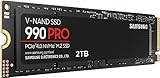
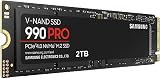
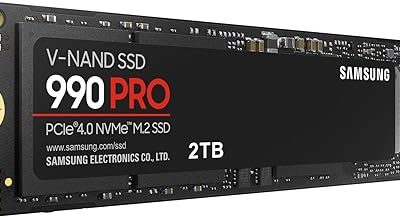
This 2026 guide explains how much storage you actually need, why NVMe SSD speed matters, how to balance capacity against budget, and when to add more later. We will reference real drives like the Samsung 990 PRO 2TB and WD_Black SN7100 so you can translate the advice into a concrete shopping decision.
As an Amazon Associate we earn from qualifying purchases.


⚡ Save on Your Next PC — Amazon Prime
Prime members get fast free shipping on the systems above, plus early access to Prime Day & Black Friday PC deals. New members get a 30-day free trial.
Watch: How Much Storage for a Gaming PC in 2026? — Video Review
How Much Capacity You Really Need
For a comfortable modern setup, 2TB is the current sweet spot; it holds Windows, your apps, and a healthy library of large games without constant juggling. 1TB works if you only keep a few titles installed at once, while 4TB is ideal for people who never want to uninstall anything. Drives like the Samsung 990 PRO and Crucial P310 come in 2TB precisely because it hits that balance.
Why NVMe Speed Matters
Not all SSDs are equal. A Gen4 NVMe drive like the WD_Black SN7100 reads well over 7,000 MB/s, dramatically faster than a SATA SSD and worlds beyond a hard drive. That speed shortens game load times, smooths texture streaming in open worlds, and is increasingly relied on by newer titles using direct-storage technology. For your main game drive, an NVMe SSD is the clear choice in 2026.
PCIe Gen3, Gen4, and Gen5
Match the drive to your motherboard. Gen3 drives like the Silicon Power 2TB are affordable and still much faster than SATA, a fine budget pick. Gen4 drives such as the Crucial P310 hit the mainstream performance sweet spot. Gen5 drives like the Samsung 9100 PRO push past 14,000 MB/s but cost more and run hotter; they are for enthusiasts whose boards support them and who want the absolute cutting edge.
Single Large Drive vs Multiple Drives
A single 2TB NVMe keeps things simple and fast. Some builders prefer a fast NVMe for the operating system and current games plus a larger secondary drive for a big backlog. Because prices on 2TB drives are so reasonable now, a single spacious NVMe is the easiest path for most people, with room to add a second drive later if your library grows.
Planning for Future Upgrades
Leave yourself an upgrade path. Check how many M.2 slots your motherboard has so you can add a drive without removing your first one. Value-oriented QLC drives like the WD Green SN350 are great for cheap bulk storage of games you play less often, while your fast drive holds current favorites. This tiered approach stretches your budget while keeping load times snappy where it counts.
Tips
- Aim for 2TB as your baseline in 2026; it is the best balance of capacity and price for a modern library.
- Choose NVMe over SATA for your game drive; the load-time and streaming benefits are well worth it.
- Check your motherboard’s PCIe generation so you buy a drive that fully matches its speed capability.
- Keep at least 10 to 15 percent of any SSD free, as drives slow down when packed completely full.
Frequently Asked Questions
Is 1TB enough for a gaming PC in 2026?
It can work if you keep only a few large games installed at once, but 2TB is far more comfortable given today’s huge install sizes and frequent updates.
Do I need a Gen5 SSD for gaming?
No. Gen4 drives already load games extremely fast, and most titles cannot saturate them. Gen5 is for enthusiasts who want the highest numbers and have a supporting board.
Should I use an SSD or a hard drive for games?
Use an SSD, ideally NVMe. Hard drives are much slower to load games and cause stutter in modern open-world titles. Reserve HDDs only for archival storage.
Can I add more storage later?
Yes, if your motherboard has spare M.2 or SATA slots. Adding a second drive later is easy and lets you expand as your game library grows.
Conclusion
For a 2026 gaming PC, aim for a 2TB NVMe SSD as your baseline, favor Gen4 for the best balance of speed and price, and match the drive to your motherboard’s capabilities. Keep some free space for performance, and leave an M.2 slot open for future expansion. Get storage right and you will spend your time playing, not deleting games to make room for the next download.