Key takeaways
- For responsiveness: An SSD offers dramatically faster boots and load times, making it the top priority for daily use.
- For maximum capacity: An HDD like the WD Blue Mobile gives you the most storage per dollar for archives.
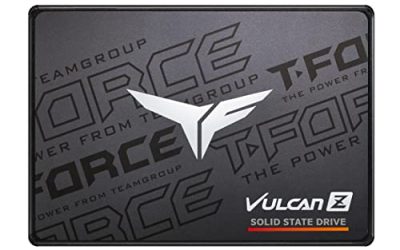
- For gaming: An SSD such as the TEAMGROUP T-Force Vulcan Z shortens loading screens and reduces stutter.
- For a budget refresh: A low-cost SSD like the Kingston A400 or KingSpec breathes new life into an older PC.
- For a balanced build: Use an SSD for your OS and games and an HDD for backups and rarely-used files.
SSD or HDD is one of the first questions any PC builder or upgrader runs into, and the answer shapes how fast and smooth your computer feels for years. Solid state drives use flash memory to deliver near-instant access, while hard disk drives use spinning platters to offer far more storage per dollar. Neither is simply better than the other; they solve different problems, and the ideal setup often uses both.
To keep things practical, we frame this around drives you can order right now, from SSD standouts like the Samsung 870 EVO, TEAMGROUP T-Force Vulcan Z, and Kingston A400 to a genuine mechanical drive in the WD Blue Mobile HDD. Comparing them directly shows exactly what you gain and give up with each format.
Our top picks
 Samsung SSD 870 EVO SATA III 2.5”
- The latest 870 EVO has indisputable performance, reliability…
- Enjoy professional level SSD performance which maximizes the…
- Meet the demands of every task
 PNY CS900 250GB 2.5" SATA III Internal
- Upgrade your laptop or desktop computer and feel…
- Exceptional performance offering up to 535MB/s seq
- Superior performance as compared to traditional hard drives…
 Kingston 480GB A400 SATA 3 2.5" Internal
- Fast start up, loading and file transfers
- More reliable and durable than a hard drive
- Multiple capacities with space for applications or a…
| Product | Key specs | |
|---|---|---|
| Samsung SSD 870 EVO SATA III 2.5” | The latest 870 EVO has indisputable performance, reliability… Enjoy professional level SSD performance which maximizes the… Meet the demands of every task | Check price |
| PNY CS900 250GB 2.5" SATA III Internal | Upgrade your laptop or desktop computer and feel… Exceptional performance offering up to 535MB/s seq Superior performance as compared to traditional hard drives… | Check price |
| Kingston 480GB A400 SATA 3 2.5" Internal | Fast start up, loading and file transfers More reliable and durable than a hard drive Multiple capacities with space for applications or a… | Check price |
 TEAMGROUP T-Force Vulcan Z 1TB SLC Cache TEAMGROUP T-Force Vulcan Z 1TB SLC Cache | [Gaming & PC Upgrade] Boost your PC with… [High-Speed SLC Cache] Features a built-in SLC Cache… [Universal Compatibility] Standard 2.5-inch 7mm slim design fits… | Check price |
 KingSpec 1TB 2.5 SSD SATA III Internal KingSpec 1TB 2.5 SSD SATA III Internal | [ Fast and Extraordinary ]: KingSpec 2.5 SATAIII… [ High-Performance ]: KingSpec 2.5 SATA SSD has… [ More Reliable &More Stable ]:The 2.5" SATA… | Check price |
 Western Digital 1TB WD Blue Mobile Hard Western Digital 1TB WD Blue Mobile Hard | Check price | |
 Seagate 1TB Mobile HDD SATA 6Gb/s 128MB Seagate 1TB Mobile HDD SATA 6Gb/s 128MB | Seagate's highest capacity thin, 7mm, laptop drives at… Light in weight to support portable computers Enables drop-in 2TB capacity transition without the weight… | Check price |
 Patriot P210 256GB SATA 3 2.5 Inch Patriot P210 256GB SATA 3 2.5 Inch | Capacity 256GB Latest SATA 3 Controller Built in end-to-end data path protection, SmartECC technology,… SEQ Performance Read up to 500MB/s, Write up… | Check price |
As an Amazon Associate we earn from qualifying purchases at no extra cost to you.
🎮 Get More From Your Setup — Free
Prime Gaming gives you free PC games every month, in-game loot, and a free Twitch channel sub — plus fast free shipping on all the gear above. New members get a 30-day free trial.
Watch: Ssd Hdd Vs: Full Comparison — Video Review
Quick Verdict
For your operating system, applications, and games, an SSD is the smarter buy thanks to its enormous speed advantage. An HDD like the WD Blue Mobile still makes sense as cheap, high-capacity storage for backups and large media. Many builders combine an SSD boot drive with an HDD for overflow storage.
Solid State Drives (SSD)
SSDs store data on flash chips with no moving components, so files, apps, and games load almost immediately. SATA drives such as the Samsung 870 EVO and TEAMGROUP T-Force Vulcan Z deliver read speeds around 550MB/s, transforming a sluggish system into a snappy one.
They also run silently, use little power, and survive bumps thanks to their solid-state design, which benefits both desktops and laptops. Affordable models like the Kingston A400, KingSpec, and PNY CS900 make it easy to add flash speed to multiple machines without a big outlay.
Hard Disk Drives (HDD)
An HDD records data on magnetic platters spun by a motor while a mechanical head reads and writes. The WD Blue Mobile HDD highlights the format’s appeal, packing plenty of capacity at a low price, which suits backups, video libraries, and files you open only now and then.
The trade-off is speed. Because the drive physically moves to find data, an HDD feels slow next to an SSD for booting and loading. The moving parts also make it more vulnerable to drops and can create faint noise during intensive use.
Head-to-Head: Which Should You Buy?
- For responsiveness: An SSD offers dramatically faster boots and load times, making it the top priority for daily use.
- For maximum capacity: An HDD like the WD Blue Mobile gives you the most storage per dollar for archives.
- For gaming: An SSD such as the TEAMGROUP T-Force Vulcan Z shortens loading screens and reduces stutter.
- For a budget refresh: A low-cost SSD like the Kingston A400 or KingSpec breathes new life into an older PC.
- For a balanced build: Use an SSD for your OS and games and an HDD for backups and rarely-used files.
Frequently Asked Questions
What is the main advantage of an SSD?
Speed. An SSD boots your system, opens programs, and loads games far faster than an HDD, which is the single most noticeable improvement most users experience.
Why would I still buy an HDD?
HDDs offer much more storage for the money, making them ideal for backups, media collections, and any large files where instant access is not important.
Can I clone my HDD to an SSD?
Yes. Free cloning tools let you copy your existing drive to a new SSD like the Samsung 870 EVO, so you keep your files and settings while gaining a big speed boost.
Do I need an NVMe SSD or is SATA enough?
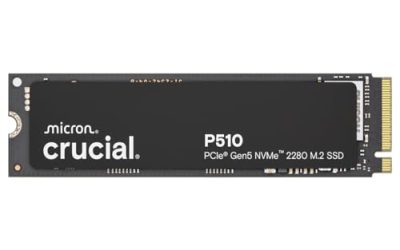
A SATA SSD is a massive upgrade over an HDD and is plenty for most gamers. NVMe drives are even faster and worth it if your motherboard has an M.2 slot and you want top performance.
Final Verdict
For the drive that runs your OS and games, the SSD wins decisively. Options like the Samsung 870 EVO, TEAMGROUP T-Force Vulcan Z, and Kingston A400 deliver a speed jump that no HDD can rival, improving every startup and load. Keep an HDD like the WD Blue Mobile for cheap bulk storage, and let the SSD handle the work you actually notice.