Our Short List of 3
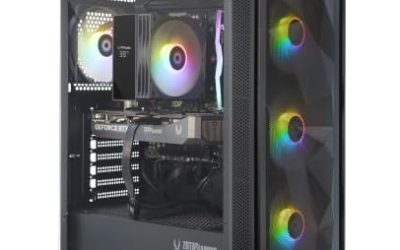
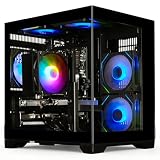
- Best Overall: Skytech Gaming Nebula — Intel Core i5-13400F, NVIDIA RTX 4060, 16GB DDR4 RAM, 1TB NVMe SSD — https://www.amazon.com/dp/B0C9PNZJCF
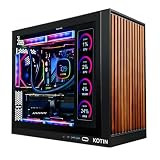
- Best DDR5 Value: CyberPowerPC Gamer Xtreme VR GXiVR8060A24 — Intel Core i5-13400F, NVIDIA RTX 4060, 16GB DDR5 RAM, 1TB PCIe Gen4 SSD — https://www.amazon.com/dp/B0DCMPRRFD
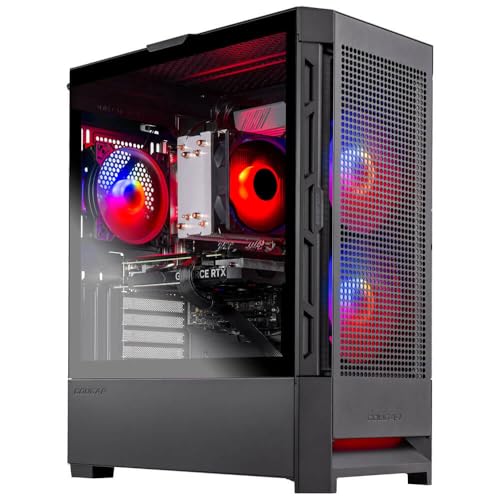
- Best First Gaming PC: iBUYPOWER Slate MESH SMA5N4601 — AMD Ryzen 5 5500, NVIDIA RTX 4060, 16GB DDR4 RAM, 1TB NVMe SSD — https://www.amazon.com/dp/B0G4LWD7B5
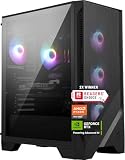
- Best for Multitasking: MSI Codex Z2 B8NUC-269US — AMD Ryzen 7 8700F, NVIDIA RTX 4060, 32GB DDR5 RAM, 1TB NVMe SSD — https://www.amazon.com/dp/B0DGJVL81P

- Keyboard and mouse included, so fewer extra purchases are needed to begin playing
- Mesh front panel helps keep the system cool
- RTX 4060 graphics card handles modern games at 1080p with high detail settings
- 1TB NVMe SSD and 16GB of memory cover a first game library

- 32GB of DDR5 memory, the most in this guide, for heavy multitasking
- Ryzen 7 processor with more cores for streaming and editing
- USB Type-C port for modern peripherals
- VR-ready branding on the listing, for players who plan to add a headset later
All 4 Picks at a Glance
| Product | Specs | Action |
|---|---|---|
| Our Top Picks |
| Check price on Amazon |
| 3. iBUYPOWER Slate MESH SMA5N4601 — Best First Gaming PC |
| Check price on Amazon |
| 4. MSI Codex Z2 B8NUC-269US — Best for Multitasking |
| Check price on Amazon |
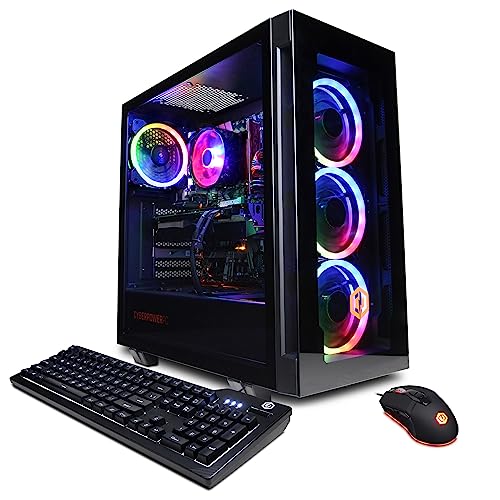 5. CyberPowerPC Gamer Xtreme VR GXiVR8040A14 — Best High-End Pick |
| Check price on Amazon |
Key takeaways
- The best pc setups start with the right prebuilt gaming PC. Compare five complete systems and learn how to arrange the monitor, desk and gear around them.
As an Amazon Associate I earn from qualifying purchases.
The Direct Answer
A good PC setup is a balanced system where the tower, monitor, keyboard, mouse, audio and desk all work together without one part holding the others back. The tower matters most, because the processor and graphics card decide which games run smoothly and at what detail level, while the monitor, seating and lighting decide how comfortable the setup feels during long sessions. The five prebuilt gaming PCs below give you a complete foundation, and the rest of this guide shows how to arrange everything around the tower you choose.
Our Top Picks
- Best Overall: Skytech Gaming Nebula — Intel Core i5-13400F, NVIDIA RTX 4060, 16GB DDR4 RAM, 1TB NVMe SSD — https://www.amazon.com/dp/B0C9PNZJCF
- Best DDR5 Value: CyberPowerPC Gamer Xtreme VR GXiVR8060A24 — Intel Core i5-13400F, NVIDIA RTX 4060, 16GB DDR5 RAM, 1TB PCIe Gen4 SSD — https://www.amazon.com/dp/B0DCMPRRFD
- Best First Gaming PC: iBUYPOWER Slate MESH SMA5N4601 — AMD Ryzen 5 5500, NVIDIA RTX 4060, 16GB DDR4 RAM, 1TB NVMe SSD — https://www.amazon.com/dp/B0G4LWD7B5
- Best for Multitasking: MSI Codex Z2 B8NUC-269US — AMD Ryzen 7 8700F, NVIDIA RTX 4060, 32GB DDR5 RAM, 1TB NVMe SSD — https://www.amazon.com/dp/B0DGJVL81P
Every pick in this guide is a complete prebuilt gaming PC. The guide covers the rest of the setup — monitor, peripherals and desk — around those towers, and the five linked products are all full desktop computers.
Quick Comparison
| Pick | Processor | Graphics Card | Memory | Storage | Operating System |
|---|---|---|---|---|---|
| Skytech Gaming Nebula | Intel Core i5-13400F | NVIDIA RTX 4060 8GB | 16GB DDR4 | 1TB NVMe SSD | Windows 11 Home |
| CyberPowerPC Gamer Xtreme VR GXiVR8060A24 | Intel Core i5-13400F | NVIDIA RTX 4060 8GB | 16GB DDR5 | 1TB PCIe Gen4 SSD | Windows 11 Home |
| iBUYPOWER Slate MESH SMA5N4601 | AMD Ryzen 5 5500 | NVIDIA RTX 4060 8GB | 16GB DDR4 | 1TB NVMe SSD | Windows 11 Home |
| MSI Codex Z2 B8NUC-269US | AMD Ryzen 7 8700F | NVIDIA RTX 4060 | 32GB DDR5 | 1TB NVMe SSD | Windows 11 Home |
| CyberPowerPC Gamer Xtreme VR GXiVR8040A14 | Intel Core i7-13700F | NVIDIA RTX 4060 Ti 16GB | 16GB DDR5 | 1TB NVMe SSD | Windows 11 Home |
Confirm the exact configuration on the listing before ordering, because makers sometimes change memory or storage brands within the same model line.
How to Choose
Begin with the tower, then match the monitor
The tower sets the ceiling for everything else in a PC setup. A system built around an RTX 4060 is aimed at smooth 1080p play and capable 1440p play, so a 1080p or 1440p monitor with a high refresh rate is a sensible match. A 4K monitor creates a mismatch, because the graphics card has to work far harder to fill all those pixels, while an old 60 Hz monitor wastes the hardware, because it cannot show the frames the PC produces.
Balance the processor and the graphics card
Games lean on the graphics card more than on the processor, but a weak processor still limits the whole system. All five picks pair a modern multi-core processor with a current-generation graphics card, so none of them has an obvious weak spot for gaming at 1080p or 1440p. The difference is headroom: the Ryzen 7 and Core i7 systems have more cores for streaming, recording and editing, while the Core i5 and Ryzen 5 systems focus on gaming alone.
Memory and storage are not places to cut corners
Sixteen gigabytes of memory is the sensible minimum for a gaming PC setup in 2026, and it is what four of the five picks carry. Thirty-two gigabytes, as in the MSI Codex Z2, gives extra room for multitasking and for games that load large worlds into memory. A 1TB NVMe SSD holds the operating system plus a reasonable game library, while a 500GB drive fills up fast. Every pick here ships with a 1TB SSD. Confirm on the listing whether a second drive slot is available.
Think about the desk and the room, not just the hardware
A PC setup lives on a desk, and the desk decides how comfortable the whole arrangement feels. Measure the space before you buy anything: a full tower needs floor or desk space with clear airflow on the intake side, and a monitor arm or a deep desk keeps the screen at a comfortable distance. Leave room behind the tower for cables, keep the tower off carpet so the power supply intake does not choke on dust, and add a surge protector power strip for the whole desk.
Cooling, noise and lighting
Prebuilt gaming PCs in this guide use air cooling and case fans, and the case design affects both temperature and noise. A mesh front panel lets more air through than a solid glass front, and that matters if the PC sits in a warm room or under a desk. Check the case layout and fan count on the listing, because fans that spin up loudly during every loading screen get tiring fast. RGB lighting does not change performance, but it does change how the setup looks.
Plan the peripherals around how you play
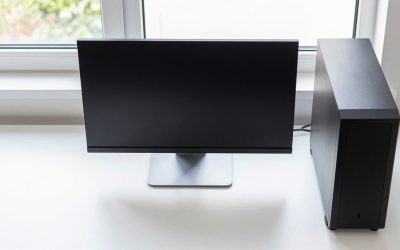
The keyboard, mouse and headset are the parts of a PC setup you touch every minute, so they deserve as much thought as the tower. A mechanical keyboard suits fast-paced games, a lightweight mouse suits competitive shooters, and a comfortable headset matters for long sessions and voice chat. None of the five towers includes a monitor, and only some bundles include a keyboard and mouse, so check the listing for exactly what is in the box and budget for the display and peripherals on top of the tower.
The Picks in Detail
1. Skytech Gaming Nebula — Best Overall
The Skytech Gaming Nebula pairs an Intel Core i5-13400F processor with an NVIDIA RTX 4060 graphics card, 16GB of DDR4 RAM and a 1TB NVMe SSD, running Windows 11 Home. It is a straightforward mid-range gaming tower in a black Nebula case with RGB fans, a 600W Gold power supply and Wi-Fi built in. The combination covers the games most people actually play — competitive shooters, open-world adventures, racing games and battle royales — at 1080p with high detail settings, and it handles 1440p well in many titles.
Pros:
- Balanced Core i5 and RTX 4060 combination for 1080p and 1440p gaming
- 1TB NVMe SSD leaves room for a real game library
- 600W Gold power supply and Wi-Fi included
- RGB case with four fans for airflow and a clean desk look
Cons:
- DDR4 memory rather than newer DDR5
- Graphics card brand may vary by production run, so confirm on the listing
- No keyboard or mouse included
View the Skytech Gaming Nebula on Amazon
2. CyberPowerPC Gamer Xtreme VR GXiVR8060A24 — Best DDR5 Value
The CyberPowerPC Gamer Xtreme VR GXiVR8060A24 uses the same Core i5-13400F processor and RTX 4060 graphics card as the Skytech Nebula, but pairs them with 16GB of DDR5 memory and a 1TB PCIe Gen4 SSD. DDR5 memory and a Gen4 drive give the system a newer platform feel, and the faster storage shows up in shorter loading times and quicker game installs. The tower is Wi-Fi ready and runs Windows 11 Home. The choice between this and the Nebula comes down to whether DDR5 and Gen4 storage matter more to you than the Nebula case design.
Pros:
- DDR5 memory and PCIe Gen4 SSD on a modern platform
- Same proven Core i5 and RTX 4060 pairing as the top pick
- Wi-Fi ready and Windows 11 Home included
- Good foundation for a 1440p monitor in the setup
Cons:
- 16GB of memory is the minimum for heavy multitasking, so confirm on the listing whether more memory can be added later
- Check the listing photos for case airflow and fan layout
- No monitor included, so the display is a separate purchase
View the CyberPowerPC Gamer Xtreme VR GXiVR8060A24 on Amazon
3. iBUYPOWER Slate MESH SMA5N4601 — Best First Gaming PC
- Keyboard and mouse included, so fewer extra purchases are needed to begin playing
- Mesh front panel helps keep the system cool
- RTX 4060 graphics card handles modern games at 1080p with high detail settings
- 1TB NVMe SSD and 16GB of memory cover a first game library
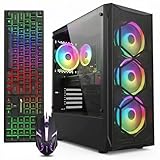
The iBUYPOWER Slate MESH SMA5N4601 is built around an AMD Ryzen 5 5500 processor and an NVIDIA RTX 4060 graphics card, with 16GB of DDR4 memory and a 1TB NVMe SSD, running Windows 11 Home. What sets it apart as a first gaming PC is that the listing includes a gamer keyboard and mouse in the box, so a new player can get the whole setup running with only a monitor and a desk to add. The Slate Mesh case uses a mesh front panel for airflow, and the Ryzen 5 processor handles everyday gaming without trouble.
Pros:
Cons:
View the iBUYPOWER Slate MESH SMA5N4601 on Amazon
4. MSI Codex Z2 B8NUC-269US — Best for Multitasking
- 32GB of DDR5 memory, the most in this guide, for heavy multitasking
- Ryzen 7 processor with more cores for streaming and editing
- USB Type-C port for modern peripherals
- VR-ready branding on the listing, for players who plan to add a headset later
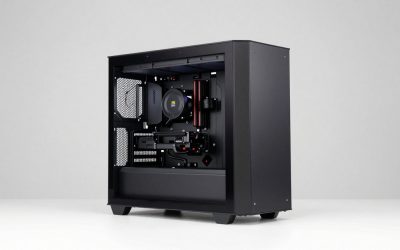
The MSI Codex Z2 B8NUC-269US pairs an AMD Ryzen 7 8700F processor with an NVIDIA RTX 4060 graphics card, 32GB of DDR5 memory and a 1TB NVMe SSD, running Windows 11 Home. The 32GB of memory is the standout feature here: it is double what the other picks carry, and it makes the system comfortable for gaming with a browser full of tabs, a chat app, a stream and a recording tool all running at once. The Ryzen 7 processor adds cores for editing and streaming, and the tower includes a front USB Type-C port.
Pros:
Cons:
View the MSI Codex Z2 B8NUC-269US on Amazon
5. CyberPowerPC Gamer Xtreme VR GXiVR8040A14 — Best High-End Pick
- RTX 4060 Ti with 16GB of graphics memory for high-detail 1440p play and creative work
- Core i7 processor with strong multitasking headroom
- DDR5 memory and 1TB NVMe SSD on a modern platform
- White case option suits light-coloured desk setups
The CyberPowerPC Gamer Xtreme VR GXiVR8040A14 is the most powerful tower in this guide, with an Intel Core i7-13700F processor, an NVIDIA RTX 4060 Ti graphics card with 16GB of memory, 16GB of DDR5 RAM and a 1TB NVMe SSD, running Windows 11 Home. The 16GB graphics card is the key upgrade: it gives the system more room for high-detail textures at 1440p and for creative work such as video editing and 3D rendering. The Core i7 processor adds cores for streaming and multitasking, and the white case option suits a light-coloured desk setup.
Pros:
Cons:
View the CyberPowerPC Gamer Xtreme VR GXiVR8040A14 on Amazon
Who Should Choose What
- First-time buyers should pick the iBUYPOWER Slate MESH SMA5N4601, because the included keyboard and mouse mean fewer extra purchases.
- Players who want the safest all-round choice should pick the Skytech Gaming Nebula, because its balanced Core i5 and RTX 4060 combination fits the widest range of games.
- Players who care about a modern platform should pick the CyberPowerPC Gamer Xtreme VR GXiVR8060A24, because DDR5 memory and a Gen4 SSD give it a newer foundation.
- Streamers, students and multitaskers should pick the MSI Codex Z2 B8NUC-269US, because 32GB of memory and a Ryzen 7 processor keep the system smooth when many apps run at once.
- Players building a long-term setup should pick the CyberPowerPC Gamer Xtreme VR GXiVR8040A14, because the Core i7 processor and 16GB graphics card give it the most headroom in the group.
Common Mistakes
Buying a monitor that does not match the tower
The most common mistake in PC setups is a mismatch between the tower and the display. A 4K monitor on a mid-range tower forces the graphics card to work far harder than it needs to, while a basic 60 Hz monitor on a strong tower hides the frames the PC is producing. Decide on the tower first, then choose a monitor the graphics card can actually drive.
Ignoring airflow and desk space
A gaming PC needs air. Pushing the tower into a closed cabinet, against a wall with no gap, or onto thick carpet blocks the intake and raises temperatures, which makes fans louder and can shorten the life of the hardware. Leave a clear gap behind the tower and keep the intake vents free of dust.
Forgetting the rest of the setup in the budget
The tower is only part of a PC setup. A monitor, keyboard, mouse, headset, desk chair and surge protector all add up, and forgetting them means the tower sits unused while the rest is ordered. List every part of the setup before you buy, and check each listing for what is in the box.
Skipping cable management
Cables multiply fast in a PC setup: power, display, keyboard, mouse, headset, charging and network cables all converge under one desk. Without a plan, the tangle makes cleaning harder, traps dust and makes it easy to pull a connector loose when moving the chair. A few cable ties and a cable tray under the desk solve most of the problem.
Choosing looks over cooling
A glass-fronted showcase case looks great in photos, but a mesh front panel moves more air. If the PC will sit in a warm room, under a desk or next to a heater, airflow matters more than appearance. Check the case design on the listing and think about where the tower will actually live.
FAQ
What is the most important part of a PC setup?
The tower is the most important part, because its processor and graphics card decide which games run smoothly and at what detail level. The monitor comes next, and then the keyboard, mouse and chair, because they decide how comfortable long sessions feel.
Do I need a 4K monitor for a good PC setup?
No. For the mid-range towers in this guide, a 1080p or 1440p monitor with a high refresh rate is a better match than a 4K display. A 4K monitor needs far more graphics power to fill, and the extra resolution adds little when the frame rate drops.
Can a prebuilt gaming PC be upgraded later?
Most prebuilt gaming PCs can be upgraded, and memory and storage are usually the easiest parts to change. Check the listing for the number of memory slots, the spare drive bays and the power supply wattage before you buy, because those three details decide how far the system can grow.
How much memory does a gaming PC setup need in 2026?
Sixteen gigabytes is the sensible minimum for gaming, and it is what most of the picks in this guide carry. Thirty-two gigabytes gives extra room for streaming, editing and heavy multitasking, and it is worth having if the PC doubles as a work machine.
Should the tower sit on the desk or on the floor?
Either works as long as the tower has airflow and stays clean. On the desk, the tower is easy to reach and shows off its lighting, but it takes up desk space. On the floor, it frees the desk but picks up more dust, so keep it off carpet and give the intake vents a clear gap.
Conclusion
The best pc setups are built around a tower that matches the games you play and the monitor you own, with a desk and peripherals that make the arrangement comfortable to live with. Any of the five prebuilt gaming PCs in this guide gives you a solid foundation: the Skytech Nebula for the safest all-round choice, the CyberPowerPC GXiVR8060A24 for a modern DDR5 platform, the iBUYPOWER Slate MESH for first-time buyers, the MSI Codex Z2 for multitasking, and the CyberPowerPC GXiVR8040A14 for the strongest long-term tower. Pick the tower that fits your games, match the monitor to it, and build the rest of the setup around it.
FAQ
What is the most important part of a PC setup?
Do I need a 4K monitor for a good PC setup?
Can a prebuilt gaming PC be upgraded later?
How much memory does a gaming PC setup need in 2026?
Should the tower sit on the desk or on the floor?
More from Amazon
Programs that pair well with the guide above. Offers and eligibility are set by Amazon and may change.
Free shipping on eligible items, Prime Video and more. Eligible new members can start with a free trial.
Start a Prime free trialAd-free music streaming. Eligible new subscribers can start with a free trial.
Try Music Unlimited freeA Prime membership for ages 18-24 with a trial period. Eligibility is set by Amazon.
See Prime for Young AdultsAudiobooks and podcasts to listen to on the go. Eligible new members can start with a free trial.
Try Audible freeAs an Amazon Associate we earn from qualifying purchases.