Key takeaways
- Prioritize the GPU above all else: The graphics card determines your frame rates far more than the CPU at this budget. An RX 580 8GB or RTX 2060 will run modern titles at 1080p medium settings; a GT 1030 or integrated graphics will not. Treat the GPU as your first filter and everything else as secondary.
- Watch for “gaming PC” listings with no discrete GPU: Several sub-$500 builds rely on integrated graphics from APUs like the Ryzen 5 5600GT. These are genuinely capable for esports titles at 1080p, but they are not equivalent to a dedicated card, and marketing copy rarely makes the distinction clear.
- 16GB of RAM is the floor in 2026: Modern games and background applications routinely exceed 8GB. Every serious contender at this price now ships with 16GB DDR4, and anything less should be treated as a red flag rather than a cost-saving.
- Check storage type and capacity: A 512GB SSD is workable but fills quickly with two or three modern installs. NVMe drives load noticeably faster than SATA SSDs, and a 1TB NVMe is worth paying a small premium for if you install more than a handful of games.
- Understand what “Renewed” means: Refurbished systems can offer excellent value, but they typically use older platforms with limited upgrade paths. Verify the warranty terms and confirm the power supply has enough headroom if you plan to fit a better GPU later.
What's inside
Shopping for a gaming PC under $500 in 2026 is an exercise in managing expectations. The market at this price point is dominated by refurbished office towers with entry-level GPUs bolted on, budget system integrators using last-generation parts, and listings whose specs sound impressive until you look up what the graphics card actually does. The gap between a machine that runs modern titles at a playable 60 FPS and one that stutters through 2018 games is often invisible in a bullet-point spec sheet.
This guide cuts through that noise. We’ve focused on prebuilt systems that stay realistically within a $500 budget and prioritized the single component that matters most for gaming — the GPU — while flagging where each build cuts corners. Below you’ll find what to look for before you buy, honest reviews of the strongest options, and answers to the questions budget buyers ask most often.
As an Amazon Associate we earn from qualifying purchases.




⚡ Save on Your Next PC — Amazon Prime
Prime members get fast free shipping on the systems above, plus early access to Prime Day & Black Friday PC deals. New members get a 30-day free trial.
Watch: Best Gaming PC Under $500 — Video Review
How to Choose Gaming PC Under $500
- Prioritize the GPU above all else: The graphics card determines your frame rates far more than the CPU at this budget. An RX 580 8GB or RTX 2060 will run modern titles at 1080p medium settings; a GT 1030 or integrated graphics will not. Treat the GPU as your first filter and everything else as secondary.
- Watch for “gaming PC” listings with no discrete GPU: Several sub-$500 builds rely on integrated graphics from APUs like the Ryzen 5 5600GT. These are genuinely capable for esports titles at 1080p, but they are not equivalent to a dedicated card, and marketing copy rarely makes the distinction clear.
- 16GB of RAM is the floor in 2026: Modern games and background applications routinely exceed 8GB. Every serious contender at this price now ships with 16GB DDR4, and anything less should be treated as a red flag rather than a cost-saving.
- Check storage type and capacity: A 512GB SSD is workable but fills quickly with two or three modern installs. NVMe drives load noticeably faster than SATA SSDs, and a 1TB NVMe is worth paying a small premium for if you install more than a handful of games.
- Understand what “Renewed” means: Refurbished systems can offer excellent value, but they typically use older platforms with limited upgrade paths. Verify the warranty terms and confirm the power supply has enough headroom if you plan to fit a better GPU later.
The Best Picks Reviewed
STGAubron Core i7 with RX 580 8GB
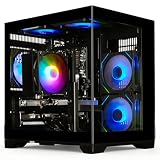
This is the most balanced pure-gaming build on the list: the RX 580 8GB remains a genuinely capable 1080p card in 2026, and its generous VRAM buffer handles texture-heavy titles better than several newer budget cards. The Core i7 pairing is more CPU than the GPU strictly needs, which leaves headroom if you upgrade the graphics card down the line.
STGAubron Ryzen 5 2600 with RTX 2060 6GB
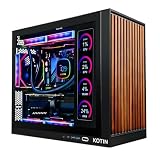
The RTX 2060 is the fastest GPU you’ll realistically find near this budget, and it unlocks DLSS support plus usable ray tracing in older titles — features the RX 580 simply cannot offer. The Ryzen 5 2600 will bottleneck it slightly in CPU-heavy games, but for most 1080p workloads this is the strongest frame-rate-per-dollar option here.
YAWYORE Ryzen 7 5700X with RTX 5060
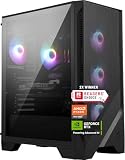
This is the most modern platform on the list by a wide margin, pairing a genuinely fast eight-core CPU with a current-generation GPU that comfortably handles 1080p high settings and entry-level 1440p. Expect it to sit at or slightly above the $500 ceiling depending on configuration and sale timing — but if you can catch it in budget, nothing else here comes close on longevity.
YAWYORE Ryzen 5 5600GT with 1TB NVMe
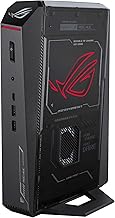
There’s no discrete GPU here, so temper expectations: the 5600GT’s integrated graphics handle Valorant, CS2, Rocket League and similar esports titles well at 1080p, but struggle with demanding AAA releases. The 1TB NVMe drive and 16GB of RAM make it a solid all-rounder and an easy candidate for adding a graphics card later.
Dell Gaming Tower i5-7500 (Renewed)
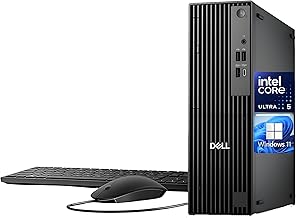
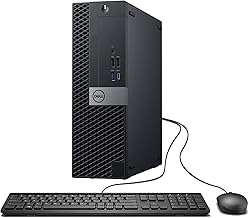
The 16GB of RAM, 256GB SSD and bundled peripherals make this a tidy complete package, but the GT 1030 is the weakest GPU in this roundup and will limit you to older or lightweight titles at reduced settings. Consider it an entry point for light gaming and general use rather than a machine for current AAA releases.
Frequently Asked Questions
Can a $500 gaming PC really run modern games?
Yes, with realistic settings. Systems built around an RX 580 or RTX 2060 will handle most 2026 releases at 1080p on medium presets at playable frame rates, and esports titles will run comfortably above 100 FPS. You will need to lower settings sooner than a mid-range buyer would.
Is a prebuilt better value than building my own?
At this specific price point, usually yes. Budget system integrators buy components in volume and often use surplus or previous-generation parts that individual buyers can’t source at the same cost, making a DIY build of equivalent specification difficult to assemble for under $500.
Should I buy a renewed or refurbished system?
Renewed machines can stretch your budget considerably, but check the seller’s warranty length and return window carefully. The main trade-off is platform age — older motherboards and power supplies limit how far you can upgrade the system later.
What should I upgrade first?
The graphics card, in almost every case. If your build already has 16GB of RAM and an SSD, adding a stronger GPU delivers the largest single improvement to gaming performance — just confirm your power supply and case can accommodate it before buying.
Final Thoughts
For most buyers, the STGAubron Ryzen 5 2600 with RTX 2060 offers the best frame rates per dollar and the added benefit of DLSS support, while the STGAubron Core i7 with RX 580 8GB is the safer pick if you value VRAM headroom and a stronger CPU for future upgrades. If your budget can stretch slightly and you want a system that stays relevant for several years, the YAWYORE Ryzen 7 5700X with RTX 5060 is worth watching for a sale — it’s the only genuinely current-generation build in this bracket.