Key takeaways
- A gaming PC bundle with a monitor sells you the first night of play as a single box: tower, screen, keyboard and mouse, sometimes a headset or soundbar too.
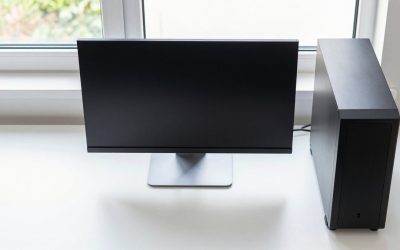
A gaming PC bundle with a monitor sells you the first night of play as a single box: tower, screen, keyboard and mouse, sometimes a headset or soundbar too. The appeal is obvious for anyone who has priced out the pieces and realized the monitor alone can eat a quarter of the budget. The catch is that the headline graphics card and the quality of the included screen vary widely, and a bundle that looks complete on the listing can hide a weak panel or a thin power supply.
This guide compares six bundles that range from an HP office-style package with a curved display to a Ryzen 7 tower paired with a Radeon RX 9060 XT. Instead of ranking by the number of freebies, it sorts them by what the tower can actually run and what you are likely to replace first. Everything is drawn from the listing titles, so where a title is cut off or silent, such as the monitor refresh rate, treat it as a question for the seller before you buy in 2026.
Quick Picks
Our top picks


As an Amazon Associate we earn from qualifying purchases at no extra cost to you.
| Product | Best for | Key spec taken from the product title |
|---|---|---|
| SAAV CORE Ryzen 5 5500 Bundle | Two-screen entry gaming | RTX 3050 6GB, 16GB DDR4, 512GB NVMe, dual curved 24in monitors |
| HP Phoenix Ryzen 3 PRO Bundle | Everyday use with a curved screen | Ryzen 3 PRO, 16GB RAM, 512GB SSD, 24-inch curve monitor, soundbar |
| Gigatech Gaming Titan 3 | Newest mid-tier graphics | Ryzen 5 5500, RTX 5060, 16GB DDR4, 1TB PCIe M.2 |
| Gigatech Gaming Apollo 7 | Lower-tier current graphics | Ryzen 5 5500, RTX 5050, 16GB DDR4, 512GB PCIe M.2 |
| SAAV CORE Ryzen 7 5800X Bundle | Highest-spec tower here | Ryzen 7 5800X, RX 9060 XT 8GB, 32GB DDR4, 1TB NVMe |
| HP G3 Carbon Black Bundle | Older-graphics starter setup | Core i5, GTX 1650, 16GB RAM, 512GB SSD, 24-inch curved monitor |
The 6 Best Options
One listing was left out on purpose: a second SAAV CORE bundle with the same Ryzen 5 5500 and RTX 3050 6GB, differing from the first only in memory and storage capacity. Listing both would have been padding.
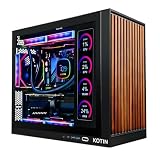
SAAV CORE Ryzen 5 5500 Bundle With Dual Curved 24-Inch Monitors
This bundle is built for the player who wants two screens from day one: one for the game, one for chat, guides or a stream. It targets a first desk setup where the budget has to cover the tower and the displays together, and where cable management matters less than getting everything in one delivery.
The title lists a prebuilt tower with an AMD Ryzen 5 5500, a GeForce RTX 3050 6GB with GDDR6 memory, dual curved 24-inch monitors, 16GB of DDR4 and a 512GB NVMe SSD, plus WiFi. The graphics card is entry-level, so expect 1080p play at moderate settings rather than high-refresh ambitions. The refresh rate of the included monitors is not stated in the visible title, which is the first thing to confirm. A Ryzen 5 5500 is a six-core processor that pairs sensibly with a card at this tier, so the tower is balanced even if it is not ambitious, and the second screen lets a buyer keep a guide or a chat window visible without alt-tabbing out of the game.
- Two monitors are included, which is rare at this tier.
- The RTX 3050 6GB handles popular esports titles and older games well.
- NVMe storage keeps loading and boot times short.
- 512GB fills quickly once a few large games are installed.
- 6GB of video memory limits settings in newer titles.
Skip it if you want one larger, higher-quality screen instead of two modest ones. The HP Phoenix bundle that follows takes a very different approach, trading graphics ambition for an office-friendly package with a soundbar, so read it as the quieter alternative. Families that want both gaming and schoolwork on one desk should note that two cheaper curved screens cost more desk space than one, and a buyer with a narrow desk may prefer the single-monitor bundles later in the list.
HP Phoenix Ryzen 3 PRO Computer Bundle With Curved Monitor
This one sits at the edge of the category. It is a computer bundle with gaming-style accessories rather than a graphics-card-first gaming PC, and it fits a buyer who wants a complete desk for school, work and casual games in a single purchase.
The title lists an AMD Ryzen 3 PRO, 16GB of RAM, a 512GB SSD, Windows 11, a 24-inch curve monitor, an RGB keyboard and mouse set, a soundbar and a USB Wi-Fi and Bluetooth adapter. No dedicated graphics card is named in the visible text, so treat the machine as an everyday computer that can run lighter games, not as a match for the RTX towers in this guide. The word PRO on the Ryzen 3 signals a business-oriented variant of the processor family, which fits the office-style character of the bundle. Its main attraction is the finished desk: soundbar, curved screen and an RGB-lit keyboard and mouse arrive together, so there is little left to buy.
- The most complete accessory kit in the group, including a soundbar.
- 16GB of RAM and a 512GB SSD are solid for general use.
- A named HP brand offers a more familiar support path.
- No dedicated graphics card is named, which limits gaming.
- Wi-Fi and Bluetooth come from a USB adapter rather than a built-in card.
Skip it if you want to play recent 3D titles at decent settings. Against the Gigatech Titan 3 that follows, it gives up graphics power and gains a soundbar and a more office-like profile, so it suits a mixed family computer more than a gamer. If a child will use it for homework on weekdays and a few light games on weekends, the memory and storage are comfortable, and the cost of stepping up to a graphics-card tower may not be justified.
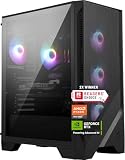
Gigatech Gaming Titan 3 PC Monitor Bundle (RTX 5060)
The Titan 3 is the graphics-forward bundle in the group. It targets a player who wants a current-generation card and a roomy drive, and who accepts that the money goes into the tower first and the accessories second.
The title lists a Ryzen 5 5500, an RTX 5060, 16GB of DDR4, a 1TB PCIe M.2 SSD, Windows 11, Wi-Fi, RGB lighting, a keyboard and a mouse, all in a monitor bundle. The monitor size and refresh rate are not given in the visible title, so confirm both. Pairing a Ryzen 5 5500 with a newer RTX 5060 is a common prebuilt choice, and the processor may become the limit in some games, especially those that lean on the CPU for large crowds or simulation. For most 1080p titles the card is the bigger factor, which is why the combination still makes sense for a mid-tier build.
- RTX 5060 is a newer generation of graphics than the RTX 3050 bundles.
- 1TB of PCIe M.2 storage holds a sizable library.
- Keyboard, mouse and monitor are included with the tower.
- The Ryzen 5 5500 is an older-platform processor for a card this new.
- Monitor specifications are not given in the title.
Skip it if you need to know the monitor refresh rate before buying. Compared with the Apollo 7 next, it spends more on the graphics card and the drive, and the Apollo keeps the same processor and memory with a smaller SSD and a lower-tier card. A buyer who expects to install many large games should treat the extra terabyte as part of the price of the step up, since adding a drive later is possible but means another purchase.
Gigatech Gaming Apollo 7 PC Monitor Bundle (RTX 5050)
The Apollo 7 is the same family with a lower graphics tier, suited to a player who wants a current-generation card and a complete setup but has less to spend. It fits a younger gamer or a second room where 1080p is the target.
The title lists a Ryzen 5 5500, an RTX 5050, 16GB of DDR4, a 512GB PCIe M.2 SSD, Windows 11, Wi-Fi, RGB and a keyboard and mouse in a monitor bundle. As with the Titan 3, the monitor details are not shown in the visible title. The relationship between the two is clean: same processor and memory, different card and drive size. That makes the pair easy to compare: the card tier and the SSD are the only meaningful differences, so the decision comes down to how many games you will install and how new they are.
- A current-generation RTX 5050 graphics card at the lower tier.
- Same Ryzen 5 5500 and 16GB of memory as the Titan 3.
- Keyboard, mouse and monitor included.
- 512GB of storage is limiting for a game library.
- Monitor refresh rate and size are not stated in the title.
Skip it if you plan to play the latest releases at higher settings, because the Titan 3 is the better graphics value. Compared with the SAAV Ryzen 7 bundle next, it is a smaller, simpler package with a lighter processor. It makes sense for a second room, a younger player or a buyer who wants current graphics features without paying for a workstation-class tower, and the 512GB drive can be supplemented later with a second SSD.
SAAV CORE Ryzen 7 5800X Bundle With Radeon RX 9060 XT
This is the top-specification tower in the group, aimed at a player who wants a stronger processor and more memory for gaming and streaming at once. It also suits someone who edits video on the side and wants the memory headroom.
The title lists a prebuilt tower with an AMD Ryzen 7 5800X, a Radeon RX 9060 XT 8GB with GDDR6 memory, dual curved 27-inch monitor wording, 32GB of DDR4 and a 1TB NVMe SSD, with Wi-Fi 6 and Windows. The wording on the monitors is ambiguous between one and two, so confirm how many arrive in the box. The 8GB of video memory is a step above the 6GB cards elsewhere in this list. The Ryzen 7 5800X is an eight-core processor, which helps when a game, a stream encoder and a browser all compete for the same chip, and DDR4 at 32GB gives the system room to breathe during editing sessions.
- Ryzen 7 5800X is the strongest processor named in the group.
- 32GB of memory suits streaming, multitasking and editing.
- 27-inch curved monitor wording is the largest display size listed.
- It is likely the highest-priced bundle on the page.
- DDR4 means a platform with a more limited upgrade path than newer ones.
Skip it if you do not need that much processor or memory. Against the HP G3 next, it is in a different performance class, while the HP is aimed at a gentler budget with older graphics. If a high-end card is not part of your plan, the extra processor and memory here are capacity you may not use, and the Gigatech towers will deliver comparable gaming for less.
HP G3 Carbon Black Gaming PC Bundle With GTX 1650
The G3 is the entry-level gaming option, for a buyer who wants a recognizable brand and a complete bundle at the lowest tier. It targets a casual player who runs lighter games, a young gamer on a first computer, or a household that wants a single setup for study and play.
The title lists a Core i5, 16GB of RAM, a 512GB SSD, Windows 11, a GTX 1650 graphics card, a 24-inch curved monitor, an RGB keyboard and mouse, and another accessory whose name is cut off. The GTX 1650 is an older, entry-level card, and no video memory size is given. It will run esports titles and older games but struggle with recent releases. Because the title does not state the monitor refresh rate or the video memory of the card, treat both as open questions, and expect the curved screen to be a basic panel suited to casual use.
- A named HP brand with a complete accessory set.
- 16GB of RAM and a 512GB SSD are solid for the tier.
- A 24-inch curved monitor is included.
- The GTX 1650 is the oldest graphics card in the group.
- The processor generation is not stated in the title.
Skip it if you want to play recent games at good settings. It sits at the bottom of the graphics range here, so the other bundles step up from it, and the Ryzen 7 SAAV sits at the top. As a stepping stone it is reasonable for a first computer, but a buyer who can stretch to the RTX 3050 bundle gets a noticeably more capable card for the next few years of releases.
Why Buy a Bundle Instead of Parts
You want one purchase and one setup
A bundle removes the planning work. You do not have to match a monitor to a graphics card, find a keyboard that fits or check which cables are in the box. For a first gaming setup, especially for a younger player, that simplicity is the product. Parents shopping for a teenager often prefer it for the same reason, since one listing, one delivery and one warranty contact replace a long checklist of parts and compatibility questions.
The monitor would eat a large share of your budget
When the cap is tight, a separate monitor can take a large slice of it, leaving less for the graphics card. A bundle spreads the cost and often delivers a curved panel and accessories that would be a stretch if bought individually. The panel quality varies, but even a modest monitor is useful as a starting point. Many players keep the bundled screen as a second display after they buy a better one, so the included panel is rarely wasted.
You plan to upgrade the tower later
A bundle gets you running now and lets you improve parts as money allows. The tower is the long-term asset: memory, storage and eventually the graphics card can be swapped, while the monitor and keyboard can be replaced one at a time as you learn what you prefer. The caution is that prebuilt towers may use compact power supplies, so check the wattage before you plan a big card upgrade. Even so, adding storage and memory is straightforward on most towers, which gives a bundle buyer a long list of low-risk improvements to make over time.
How to Choose
Graphics card first, because it sets the ceiling
For 1080p gaming, look for a dedicated card with at least 6GB of video memory, and prefer 8GB if you want to play recent releases. The RTX 3050 6GB is entry-level, the RTX 5050 and RTX 5060 are newer, and the RX 9060 XT 8GB gives more video memory. A GTX 1650 is an older, weaker option. Match the card to the monitor resolution: a 1080p monitor does not benefit from a card chosen for higher resolutions. Also read the video memory figure, because the same card name can appear with different memory amounts, and the titles here state 6GB for the RTX 3050 and 8GB for the RX 9060 XT. Treat any listing that omits the memory size as incomplete.
Processor and memory thresholds
A six-core processor such as the Ryzen 5 5500 is a reasonable baseline, and an eight-core chip such as the Ryzen 7 5800X helps with streaming and background tasks. 16GB of RAM is the minimum for current gaming, and 32GB is helpful if you stream or edit. Check that the memory is two modules, not one, so it runs in dual-channel mode. Memory speed matters less than capacity at this tier; DDR4 at 3200MHz is a typical figure, and a bundle that lists it is describing a normal modern configuration. Also look at the processor generation, because a chip several generations old can hold back a newer graphics card.
Storage: size and interface
A 512GB NVMe drive is workable but fills fast, as many modern games are large. A 1TB drive is the more comfortable target. NVMe or PCIe M.2 drives are quicker than SATA drives for loading, but you will not see a large difference in frame rates. Avoid any bundle that uses a hard disk as the main drive. If you plan to install several big titles, add up the space they need before choosing, and remember that Windows and updates also take a share of the drive. Budget models sometimes pair a fast graphics card with a small drive, which is a corner cut that is easy to fix later but worth noting.
The monitor: size, refresh rate and panel
For 1080p gaming, a 24-inch panel is a good size. Look for a refresh rate of 144Hz or higher if you want smooth motion; many bundled monitors run at 60Hz or 75Hz, and the listing may not say. Curved panels add immersion but are not a performance feature. If two monitors are included, check that both are the same model so colors and size match. Check the connectors too: the graphics card should have enough HDMI or DisplayPort outputs for every screen included, and the monitors need matching cables, which are sometimes missing from the box.
Power supply, cooling and case
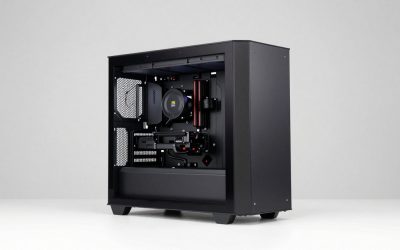
Budget prebuilts often cut corners on the power supply and case airflow. Look for a named power supply with a stated wattage, and avoid listings that omit it. Air cooling is common and fine at this tier. A case with a mesh front helps airflow, while a closed glass front can trap heat. These details are often missing from titles, so ask the seller. A quality power supply protects the whole system, and a card upgrade later depends on its wattage and connectors, so it is the part to scrutinize before buying anything else.
Warranty, accessories and what to ignore
Check who provides the warranty: a prebuilt maker, the seller or no one. Keyboard and mouse included in a bundle are usually basic, so expect to replace them over time. Ignore marketing about RGB lighting, cooling fans that are not described and claims about frames per second. Focus on the graphics card, memory, storage and warranty, which determine how the machine ages. Budget bundles usually cut corners on the power supply, the case and the peripherals, so those are the places where hidden costs appear later.
Bundle vs Building the Parts Yourself
The comparison every bundle buyer faces is simple: should you pay for convenience or assemble the pieces yourself? The table shows how the two routes differ in ways that matter to a first-time buyer, from the hours spent on setup to who answers the phone when a part fails. Neither route is always cheaper, because the monitor and peripherals tilt the math toward the bundle.
| Factor | Prebuilt bundle with monitor | Separate parts |
|---|---|---|
| Setup effort | Plug in and play | Assembly and installation required |
| Parts choice | Chosen by the seller | You choose every part |
| Monitor and accessories | Included, quality varies | Bought separately |
| Warranty | One seller or maker for everything | Separate warranties per part |
| Upgrade path | Possible, may use compact parts | Planned from the start |
| Best fit | First gaming setup, simple buying | Enthusiasts who want exact parts |
When the bundle wins
A bundle wins for buyers who value time and simplicity. If you have never assembled a PC, or you want a working setup the moment the box arrives, it removes the risk of incompatible parts and a missing cable. The single support contact is also a benefit when something fails in the first weeks. Bundles also arrive with the operating system installed and activated, which saves an evening of setup and an extra license purchase for a buyer who would otherwise build from scratch.
When separate parts win
Separate parts win when you want a particular case, a quality power supply or a monitor with a high refresh rate. You control each part, so the money goes where it matters most. The cost is time, research and the need to handle warranties individually, which suits builders who enjoy the process. For a buyer whose time is limited, the bundle’s premium is the price of skipping that work, and the premium is smaller when a monitor and peripherals are part of the package, since those would be additional purchases anyway.
Setup, Compatibility and Upgrade Tips
What to check before buying
Confirm the monitor count, size and refresh rate, the number of video outputs on the graphics card, and whether the keyboard and mouse are wireless or wired. Look for the power supply wattage and the warranty terms. If the title is cut off, as several are here, ask the seller to confirm the full contents. Also measure your desk: dual 24-inch curved screens take real width, and a tower with RGB lighting is still a tower that needs airflow on at least two sides.
What to upgrade first
The easiest early upgrade is more storage, since a second drive is simple to add. After that, a better monitor or a mechanical keyboard improves daily comfort. Memory can be raised to 32GB if the tower leaves free slots, and the graphics card is the major upgrade once you know what you want. Spend a few weeks with the bundle as delivered before changing anything; you will quickly learn whether the screen, the storage or the graphics card is the real bottleneck for the games you play.
Common compatibility traps
Connect the monitor to the graphics card, not the motherboard, or the card will sit unused. Prebuilt power supplies may be small, so verify the wattage and connectors before planning a card swap. Some cases have limited clearance for large cards, and a USB Wi-Fi adapter can be weaker than a built-in card. Cable length is another small trap: a bundle may ship with short cables that do not reach a monitor on a wide desk. Finally, update the graphics driver on first boot, since the preinstalled version may be old. Set the monitor refresh rate in the display settings as well, because a screen that supports a faster rate often defaults to 60Hz until you change it.
Which One Fits Your Situation
A first PC with two screens for gaming and chat
The SAAV CORE Ryzen 5 5500 bundle fits. Two curved 24-inch monitors, an RTX 3050 6GB and 16GB of memory cover the basics for a desk where games and communication run side by side.
A family desk that also plays light games
The HP Phoenix Ryzen 3 PRO bundle is the match. It brings a curved monitor, a soundbar and a familiar brand, and suits schoolwork and casual play more than demanding titles.
A player who wants current graphics and a large drive
The Gigatech Titan 3 with the RTX 5060 and a 1TB SSD is the pick. It spends the budget where it counts for frame rates and storage, though the unstated monitor details should be confirmed before ordering.
A streamer who also edits video
The SAAV CORE Ryzen 7 5800X bundle fits. An eight-core processor, 32GB of memory and a Radeon RX 9060 XT 8GB give room for streaming and editing alongside play.
Common Mistakes
- Counting the freebies and ignoring the graphics card, which sets the real performance.
- Assuming the included monitor has a high refresh rate without checking.
- Choosing a 512GB drive and running out of space after a few installs.
- Overlooking the power supply and warranty on an unfamiliar brand.
- Plugging the monitor into the motherboard instead of the graphics card.
- Buying an office-style bundle and expecting it to play recent games.
Related guides
- Logitech G Pro X Superlight 2 Vs Razer Viper V3 Pro
- Motherboard Io Panel And Back Connectors Explained
- Motherboards For Intel Core I7 14700K
Frequently Asked Questions
Is a gaming bundle with a monitor worth it?
For a first setup, usually yes, because it removes compatibility worries and spreads cost. The trade-off is that the monitor and accessories are often basic, so expect to upgrade them later.
Is 16GB of RAM enough for gaming?
Yes for most games today. 32GB helps when you stream or edit video while playing, and it gives more headroom for future titles.
Do bundled monitors support 144Hz?
Some do, but many run at 60Hz or 75Hz, and the title often does not say. Ask the seller or check the listing details before you buy if refresh rate matters to you.
Is the RTX 3050 6GB still useful?
It runs popular esports titles and older games at 1080p without trouble. Recent, demanding games may need lower settings because of the 6GB of video memory.
Can I upgrade the graphics card in a prebuilt?
Often yes, but check the power supply wattage and the case clearance first. Compact power supplies and small cases can limit which cards fit.
Should I worry about Wi-Fi on a prebuilt?
Wi-Fi works, but a wired Ethernet connection is more stable for online play. If the bundle uses a USB adapter, signal strength can vary with where the tower sits.
Final Words
A gaming PC bundle with a monitor makes the most sense when you value a finished desk over exact parts. Choose by the graphics card first, then memory and storage, and treat the monitor and accessories as a bonus to be replaced when you can. Based on the listed specs, the Gigatech Titan 3 and the Ryzen 7 SAAV bundle lead on performance, the first SAAV bundle wins on two screens, and the HP models suit lighter, family-style use. Confirm the monitor details and warranty before you order. Remember too that a bundle is a starting point, not a finish line: the tower can grow with extra storage and memory, and the accessories can be swapped one at a time as your taste develops.