Key takeaways
- Massive expandability through high-speed USB4/Thunderbolt-class ports.
- Tiny footprint that mounts behind a display or tucks into a shelf.
- Quiet operation, especially the NUC-style models.
- Strong multi-display support, up to 4K quad output on several units.
Thunderbolt has quietly become the deciding feature for anyone building a compact desktop around a mini PC. The bandwidth it unlocks means a machine the size of a paperback can drive multiple 4K displays, hang external GPUs and SSD enclosures off a single cable, and still fit behind a monitor. As Thunderbolt 5 and USB4 v2 filter into the market, the mini PC category has genuinely caught up to full towers for most workloads.
This review looks at the current crop of high-bandwidth mini PCs, from the ASUS NUC 13 Pro to the workstation-class MINISFORUM MS-02, to help you understand what the newest connectivity standards actually buy you and which model fits your setup.
Our top picks


As an Amazon Associate we earn from qualifying purchases at no extra cost to you. Ratings are shown as listed on Amazon.
🎮 Get More From Your Setup — Free
Prime Gaming gives you free PC games every month, in-game loot, and a free Twitch channel sub — plus fast free shipping on all the gear above. New members get a 30-day free trial.
Watch: Mini Pc With Thunderbolt 5: Review & Buyer’s Guide — Video Review
Design & Build
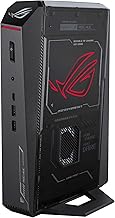
Mini PCs in this class range from the ultra-quiet, palm-sized ASUS NUC 13 Pro Tall to the substantial, expansion-focused MINISFORUM MS-02 and GMKtec K15. Build quality is generally excellent, with aluminum shells, VESA mounts, and tool-light access to storage bays. The GEEKOM IT15 and ACEMAGIC M5 strike a middle ground: small enough to hide, roomy enough for proper cooling.
The key differentiator is I/O. Higher-end units expose USB4 or Thunderbolt-class ports plus dual NICs (2.5GbE or 10GbE), letting you daisy-chain displays and fast storage without a dedicated card. That connectivity is the whole reason to shop this segment.
Performance
Silicon spans a wide band. The Intel Core Ultra chips in the GEEKOM IT15 and GMKtec K15 bring strong NPU-accelerated AI performance and Arc-class integrated graphics, while the ACEMAGIC M5’s Core 14450HX punches well above older mobile parts. The MINISFORUM MS-02 goes furthest with a 14-core Ultra 5 235HX, PCIe 5.0 x16, and quad DDR5 slots, blurring the line between mini PC and small workstation.
For everyday multitasking, 4K office work, and light content creation, any of these feels snappy. Where high-bandwidth ports matter most is external expansion: an eGPU, a Thunderbolt SSD array, or multiple high-refresh monitors from one connection.
Pros & Cons
- Massive expandability through high-speed USB4/Thunderbolt-class ports.
- Tiny footprint that mounts behind a display or tucks into a shelf.
- Quiet operation, especially the NUC-style models.
- Strong multi-display support, up to 4K quad output on several units.
- Confusing port labeling across brands makes true Thunderbolt 5 hard to confirm.
- Limited discrete GPU options without an external enclosure.
- Barebone models like the MS-02 need separate RAM, SSD, and OS.
Alternatives to Consider
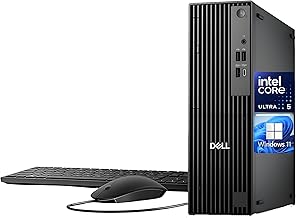
If your priority is a turnkey machine with maximum AI horsepower, the GEEKOM IT15 with Ultra 9 285H and Arc 140T graphics is a strong all-in-one choice. Buyers who want serious expansion and don’t mind sourcing their own components should target the MINISFORUM MS-02, while budget-minded office setups are well served by the simpler i5-based dual-LAN mini PC.
Frequently Asked Questions
Do these mini PCs really have Thunderbolt 5?
Confirm the exact port spec before buying. Many list USB4 or USB4 v2, which overlaps with Thunderbolt capabilities, but true Thunderbolt 5 certification is still rolling out and varies by model.
Can I connect an external GPU?
Yes, if the unit exposes a Thunderbolt or Oculink port, as the GMKtec K15 does. External GPU enclosures let you add serious graphics power.
How many monitors can they drive?
Most support 4K quad-display output through a mix of HDMI, DisplayPort, and USB-C/Thunderbolt connections.
Is a barebone model worth it?
Only if you’re comfortable installing your own RAM, SSD, and operating system. The payoff is choosing exactly the components and capacities you want.
Verdict
A high-bandwidth mini PC is the smartest compact desktop you can buy in 2026 if expansion matters to you. For a ready-to-run powerhouse, the GEEKOM IT15 leads; for a build-it-yourself workstation, the MINISFORUM MS-02 delivers the most future-proof connectivity in a footprint no tower can match.