Key takeaways
- Licensing & Cost: G-Sync is a proprietary technology developed by NVIDIA, requiring a hardware module in the monitor, which often leads to higher monitor prices. FreeSync is an open standard developed by AMD, built into the DisplayPort Adaptive-Sync standard, meaning monitor manufacturers don’t incur licensing fees, generally resulting in more affordable displays.
- Hardware Requirements: G-Sync monitors require specific NVIDIA hardware modules. While “G-Sync Compatible” monitors are certified by NVIDIA to work with their GPUs, they typically utilize the VESA Adaptive-Sync standard that FreeSync also relies on. FreeSync is designed to work with AMD Radeon GPUs, though newer NVIDIA cards can often leverage FreeSync displays as G-Sync Compatible.
- Performance & Quality Control: Historically, G-Sync offered a more consistently refined experience due to NVIDIA’s stringent testing and hardware requirements. This often resulted in better overdrive performance and minimal black crush. FreeSync’s open nature meant quality could vary more widely between monitors, though FreeSync Premium and Premium Pro tiers have introduced more robust standards.
- HDR Support: FreeSync Premium Pro is specifically designed to support High Dynamic Range (HDR) content, ensuring that HDR visuals are delivered without the artifacts that can occur when HDR is combined with basic adaptive sync. G-Sync Ultimate also offers advanced HDR capabilities.
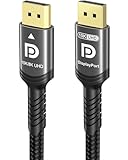
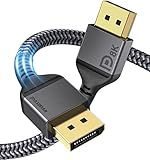
- Connectivity: Both technologies primarily utilize DisplayPort. However, FreeSync has wider adoption across various monitor refresh rates and resolutions. For high-bandwidth needs, such as 8K or high refresh rate 4K gaming, a certified cable like the Ubluker 10K 8K DisplayPort 2.1 Cable or the Capshi 8K 4K DisplayPort 1.4 Cable is essential.
What's inside
For gamers, a smooth, tear-free experience is paramount. The visual stutter and lag introduced by inconsistent frame rates can mean the difference between victory and defeat. Historically, two competing technologies have dominated the adaptive-sync landscape: NVIDIA’s G-Sync and AMD’s FreeSync. While both aim to solve the same problem, their implementation, cost, and compatibility differ significantly. This guide will break down FreeSync vs. G-Sync, helping you make an informed decision for your next gaming monitor purchase.
Understanding these technologies is crucial, especially in 2026, with ever-increasing refresh rates and resolutions. Whether you’re building a new rig or upgrading your display, this comparison will equip you with the knowledge to choose the adaptive-sync technology that best suits your needs and budget.
As an Amazon Associate we earn from qualifying purchases.






⚡ Save on Your Next PC — Amazon Prime
Prime members get fast free shipping on the systems above, plus early access to Prime Day & Black Friday PC deals. New members get a 30-day free trial.
Watch: FreeSync vs G-Sync: Which Is Better? — Video Review
Quick Verdict
In 2026, the lines between FreeSync and G-Sync have blurred considerably. While G-Sync still offers a premium, often more consistent experience, FreeSync has matured into a highly capable and widely adopted standard. For most gamers, especially those with AMD GPUs or those seeking wider monitor compatibility and potentially lower costs, FreeSync (particularly FreeSync Premium and Pro) is the more practical choice. However, if you’re heavily invested in the NVIDIA ecosystem and prioritize the absolute best in visual fidelity and guaranteed performance, a G-Sync or G-Sync Compatible monitor remains an excellent, albeit often pricier, option. The key is understanding your GPU and desired feature set.
Key Differences
- Licensing & Cost: G-Sync is a proprietary technology developed by NVIDIA, requiring a hardware module in the monitor, which often leads to higher monitor prices. FreeSync is an open standard developed by AMD, built into the DisplayPort Adaptive-Sync standard, meaning monitor manufacturers don’t incur licensing fees, generally resulting in more affordable displays.
- Hardware Requirements: G-Sync monitors require specific NVIDIA hardware modules. While “G-Sync Compatible” monitors are certified by NVIDIA to work with their GPUs, they typically utilize the VESA Adaptive-Sync standard that FreeSync also relies on. FreeSync is designed to work with AMD Radeon GPUs, though newer NVIDIA cards can often leverage FreeSync displays as G-Sync Compatible.
- Performance & Quality Control: Historically, G-Sync offered a more consistently refined experience due to NVIDIA’s stringent testing and hardware requirements. This often resulted in better overdrive performance and minimal black crush. FreeSync’s open nature meant quality could vary more widely between monitors, though FreeSync Premium and Premium Pro tiers have introduced more robust standards.
- HDR Support: FreeSync Premium Pro is specifically designed to support High Dynamic Range (HDR) content, ensuring that HDR visuals are delivered without the artifacts that can occur when HDR is combined with basic adaptive sync. G-Sync Ultimate also offers advanced HDR capabilities.
- Connectivity: Both technologies primarily utilize DisplayPort. However, FreeSync has wider adoption across various monitor refresh rates and resolutions. For high-bandwidth needs, such as 8K or high refresh rate 4K gaming, a certified cable like the Ubluker 10K 8K DisplayPort 2.1 Cable or the Capshi 8K 4K DisplayPort 1.4 Cable is essential.
NVIDIA G-Sync
NVIDIA’s G-Sync technology is renowned for its premium performance and consistent visual quality. Monitors equipped with the dedicated G-Sync hardware module undergo rigorous testing by NVIDIA to ensure a flawless adaptive-sync experience. This often translates to superior motion blur reduction, no visible tearing, and minimal artifacts like black crush. For NVIDIA GPU users, a native G-Sync monitor guarantees optimal performance, though it typically comes at a higher price point.
While native G-Sync monitors are the gold standard, NVIDIA also offers “G-Sync Compatible” certification. These monitors adhere to the VESA Adaptive-Sync standard (the same foundation as FreeSync) and have been tested by NVIDIA to ensure a good experience with GeForce GPUs. This opens up a wider range of monitor choices, including many FreeSync-certified displays, at more competitive price points. Examples of high-performance displays that often support G-Sync compatibility include models like the ASUS TUF Gaming 27” 1440P HDR Monitor (VG27AQ3A).
AMD FreeSync
AMD FreeSync, built on the VESA Adaptive-Sync standard, is AMD’s answer to tearing and stuttering. Its open-source nature has led to widespread adoption across a vast array of monitors, making it significantly more accessible in terms of price and variety. FreeSync monitors are generally more affordable than their G-Sync counterparts, offering excellent value for gamers looking to improve their visual experience without breaking the bank.
FreeSync has evolved through several tiers. FreeSync, FreeSync Premium, and FreeSync Premium Pro offer increasing levels of performance and features. FreeSync Premium mandates a minimum refresh rate of 120Hz at FHD resolution and includes Low Framerate Compensation (LFC), ensuring a smooth experience even when frame rates drop below the monitor’s native refresh rate. FreeSync Premium Pro further enhances this with dedicated HDR support. Many gaming monitors, such as the Samsung 27” Odyssey G5 (G50F) Series QHD Gaming Monitor, come with FreeSync capabilities, offering a great balance of features and affordability for AMD GPU users and increasingly for NVIDIA users as G-Sync Compatible.
Which Should You Buy?
- If you have an NVIDIA GPU: A native G-Sync monitor offers the most guaranteed performance. However, consider “G-Sync Compatible” monitors, which are plentiful and often leverage the same adaptive-sync technology found in FreeSync displays, providing excellent value.
- If you have an AMD GPU: FreeSync is your native technology. Opt for FreeSync Premium or Premium Pro for the best features, especially if HDR gaming is a priority.
- Budget-conscious gamers: FreeSync monitors generally offer better value and a wider selection at lower price points. Many of these can also be used as G-Sync Compatible displays with NVIDIA cards.
- Prioritizing the absolute best visual fidelity: If budget is no object and you want the most refined, artifact-free experience, especially with HDR, a high-end G-Sync Ultimate or FreeSync Premium Pro monitor is worth the investment.
- Future-proofing your setup: Ensure your monitor and chosen cables (like the Capshi 8K 4K DisplayPort 1.4 Cable or the IVANKY VESA Certified 8K DisplayPort Cable 1.4) support the latest standards to handle high resolutions and refresh rates.
Frequently Asked Questions
What is Adaptive-Sync?
Adaptive-Sync is a VESA standard that allows a monitor’s refresh rate to dynamically adjust to the frame rate output by the graphics card. This synchronizes the display’s refresh with the GPU’s rendering, eliminating screen tearing and reducing stuttering for a smoother visual experience.
Can I use FreeSync with an NVIDIA GPU?
Yes, in most cases. NVIDIA has enabled support for many FreeSync monitors on their GeForce GPUs, marketing them as “G-Sync Compatible.” While not all FreeSync monitors are certified, the vast majority work well. Always check NVIDIA’s official list of tested G-Sync Compatible displays for confirmation.
Can I use G-Sync with an AMD GPU?
No. G-Sync is proprietary NVIDIA technology and requires an NVIDIA GeForce GPU to function. AMD GPUs can only utilize adaptive-sync technologies that are based on the VESA Adaptive-Sync standard, such as FreeSync.
What’s the difference between FreeSync Premium and FreeSync Premium Pro?
FreeSync Premium guarantees a minimum 120Hz refresh rate at FHD resolution and includes Low Framerate Compensation (LFC). FreeSync Premium Pro builds upon this by adding support for High Dynamic Range (HDR) content, ensuring that HDR visuals are delivered without the visual artifacts that can sometimes occur when HDR is combined with adaptive sync.
Final Verdict
As of 2026, both FreeSync and G-Sync offer excellent solutions for eliminating screen tearing and stuttering. The choice largely depends on your existing hardware, budget, and priorities. For most gamers, especially those with AMD GPUs or those looking for wider monitor availability and competitive pricing, FreeSync (particularly its Premium and Premium Pro variants) is the pragmatic and highly effective choice. NVIDIA users have the benefit of both native G-Sync and the increasingly robust G-Sync Compatible program, which opens up a vast array of FreeSync monitors for use with GeForce cards. Ultimately, investing in an adaptive-sync capable monitor, regardless of its specific branding, is a significant upgrade for any PC gamer seeking a more immersive and fluid experience.