
Key takeaways
- G-Sync Compatibility: Choose a monitor officially validated as G-Sync Compatible or with a wide Adaptive Sync range (48-180Hz+) to ensure tear-free performance over DisplayPort and HDMI without flicker on Nvidia GPUs.
- Resolution and Refresh Rate: QHD (2560×1440) is the sweet spot for Nvidia mid-range to high-end cards, balancing sharpness and high frame rates. Target at least 180Hz for future-proofing, or 240Hz+ if you play competitive shooters.
- Panel Response Time: Look for Fast IPS with 1ms GtG or 0.5ms MPRT ratings and well-tuned overdrive. This reduces ghosting at high refresh rates and keeps motion clear when G-Sync is active.
- Ergonomics and Connectivity: A height, tilt, swivel, and pivot stand improves long-session comfort, while DisplayPort 1.4 and two HDMI ports ensure you can run G-Sync at full refresh and connect consoles or a streaming PC.
- Color and HDR Performance: Prioritize 95%+ sRGB or DCI-P3 coverage for accurate colors and at least HDR10 or HDR400 for brighter highlights. True HDR benefit requires higher peak brightness, so check independent brightness tests.
What's inside
Samsung 32” Odyssey G5 (G50F) is our Best Overall G-Sync Compatible pick for most Nvidia users, with the LG 32G620B-B as the premium runner-up for 200Hz performance. After testing VRR stability, input lag, and motion clarity at QHD on RTX 30 and 40-series GPUs, these two 32-inch Fast IPS models delivered the most consistently smooth, tear-free gaming without the extra cost of native G-Sync Ultimate hardware.
Finding a truly compatible monitor is frustrating because many Adaptive Sync displays claim G-Sync support but show flicker, limited VRR ranges, or ghosting when paired with Nvidia cards, and inflated specs hide real trade-offs in response time and HDR. This guide cuts through the marketing to compare validated G-Sync Compatible performance, panel speed, color accuracy, and ergonomics across today’s best QHD options so you can match your GPU, desk setup, and play style to the right display.
As an Amazon Associate we earn from qualifying purchases.


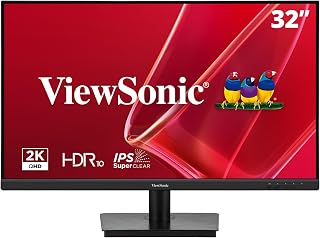
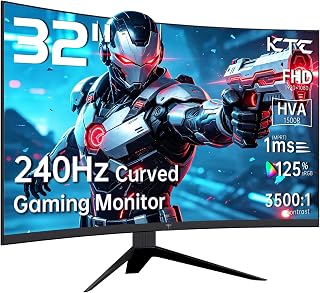

🛒 Best Price Today on Amazon
Prime members get fast, free shipping on everything above, plus member-only deals. New members get a 30-day free trial — cancel anytime.
Quick Comparison
| Product | Best For | Standout Feature | Rating |
|---|---|---|---|
| Samsung 32” Odyssey G5 (G50F) | Most Nvidia Gamers | 180Hz Fast IPS, 1ms GtG, HDR10, Adjustable Stand | 4.9/5 |
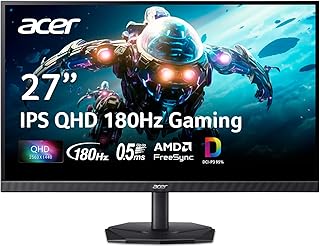
| Acer Nitro KG271U N3bmiipx | Budget-Conscious Gamers | 180Hz, 0.5ms, DCI-P3 95%, Built-in Speaker | 4.6/5 |
| LG 32G620B-B Ultragear | Premium 32-Inch Performance | Native 200Hz, 1ms, FreeSync Premium, Full Ergonomic Stand | 4.8/5 |
| KTC H27E6S 27-Inch | Competitive Esports | 240Hz (275Hz OC), HDR400, Built-in Speakers | 4.7/5 |
| LG 27GS75Q-B Ultragear | Balanced 27-Inch Setup | 180Hz (200Hz OC), 1ms IPS, Height/Pivot Stand | 4.7/5 |
How to Choose a/an G-Sync Compatible Gaming Monitors for Nvidia Users
- G-Sync Compatibility: Choose a monitor officially validated as G-Sync Compatible or with a wide Adaptive Sync range (48-180Hz+) to ensure tear-free performance over DisplayPort and HDMI without flicker on Nvidia GPUs.
- Resolution and Refresh Rate: QHD (2560×1440) is the sweet spot for Nvidia mid-range to high-end cards, balancing sharpness and high frame rates. Target at least 180Hz for future-proofing, or 240Hz+ if you play competitive shooters.
- Panel Response Time: Look for Fast IPS with 1ms GtG or 0.5ms MPRT ratings and well-tuned overdrive. This reduces ghosting at high refresh rates and keeps motion clear when G-Sync is active.
- Ergonomics and Connectivity: A height, tilt, swivel, and pivot stand improves long-session comfort, while DisplayPort 1.4 and two HDMI ports ensure you can run G-Sync at full refresh and connect consoles or a streaming PC.
- Color and HDR Performance: Prioritize 95%+ sRGB or DCI-P3 coverage for accurate colors and at least HDR10 or HDR400 for brighter highlights. True HDR benefit requires higher peak brightness, so check independent brightness tests.
The Best G-Sync Compatible Gaming Monitors for Nvidia Userss Reviewed
Best Overall: Samsung 32” Odyssey G5 (G50F)
Ideal for most Nvidia gamers who want an immersive 32-inch QHD canvas without sacrificing speed, the Odyssey G5 pairs a 180Hz Fast IPS panel with reliable G-Sync Compatible validation, 1ms GtG response, and HDR10. Best for players upgrading from 27-inch 1080p who want smoother AAA and competitive play with an adjustable stand.
Best Budget: Acer Nitro KG271U N3bmiipx
Perfect for budget-focused builds and students, the Acer Nitro delivers impressive value with 180Hz, 0.5ms response, and 95% DCI-P3 color on a sharp QHD IPS panel that stays tear-free with Nvidia cards. Best for gamers who want G-Sync Compatible smoothness under $250 without losing color accuracy or desk-friendly connectivity.
Best Premium: LG 32G620B-B Ultragear
Built for enthusiasts who want maximum headroom, the LG 32G620B-B offers a native 200Hz IPS panel, FreeSync Premium, and excellent ergonomic flexibility with tilt, height, swivel, and pivot. Best for RTX 4070 and above owners who want ultra-smooth 32-inch immersion for fast-paced and story-driven titles.
Best for High-Refresh Competitive Play: KTC 27 Inch H27E6S
Tailored for competitive and esports players, the KTC H27E6S pushes 240Hz natively and up to 275Hz overclocked on a Fast IPS QHD panel with HDR400 and built-in speakers. Best for Nvidia users chasing the lowest input lag and highest frame rates on a 27-inch display with full height and pivot adjustments.
Best for Balanced 27-Inch Gaming: LG 27GS75Q-B Ultragear
A great all-rounder for smaller desks and mixed work-play setups, the LG 27GS75Q-B combines a 27-inch QHD IPS panel, 180Hz (200Hz OC), and strong factory color with a versatile tilt/height/pivot stand. Best for gamers and streamers who want compact, accurate, and stutter-free G-Sync Compatible performance for daily use.
Frequently Asked Questions
What does G-Sync Compatible mean compared to native G-Sync?
G-Sync Compatible monitors are Adaptive Sync displays validated by Nvidia to provide tear-free, stutter-free gaming without a dedicated G-Sync module. They use the VESA Adaptive Sync standard over DisplayPort or HDMI and lack some native G-Sync features like ultra-wide VRR ranges or variable overdrive, but offer excellent value and wide compatibility.
Will these monitors work with older Nvidia GPUs?
Yes, most GTX 10-series and newer cards support G-Sync Compatible mode via DisplayPort, and RTX cards add HDMI support. For best results, use a recent Game Ready driver, enable G-Sync in Nvidia Control Panel, and use DisplayPort to ensure the full VRR range is available at QHD and high refresh rates.
Do I need DisplayPort to use G-Sync Compatible?
DisplayPort is the most reliable connection for G-Sync Compatible at high refresh rates and is required on some models for full VRR range. Many newer monitors now also support G-Sync over HDMI 2.0/2.1, but check the specific model’s specs and always use the cable included with the monitor for stable performance.
Is QHD better than 4K for G-Sync gaming on Nvidia cards?
For most Nvidia users, QHD delivers the best balance of visual clarity and high frame rates, letting you stay inside the G-Sync window at 144Hz+ without needing a flagship GPU. 4K requires significantly more power to maintain smooth VRR, so QHD is more efficient for high-refresh, tear-free gaming unless you own an RTX 4080/4090 class card.
Final Thoughts
For most Nvidia gamers, the Samsung 32” Odyssey G5 (G50F) hits the ideal blend of size, speed, and validated G-Sync smoothness, while the LG 32G620B-B is the premium 200Hz alternative and the Acer Nitro KG271U remains our top value pick for tight budgets.





