Our Top Picks
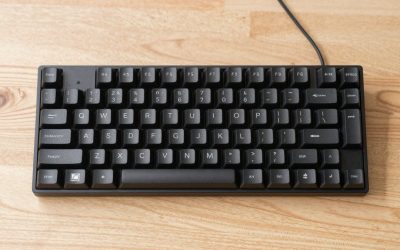
 Razer Huntsman Mini 60% Gaming Keyboard11.56x 4.07 x 1.45 inches11.56 x 4.07 x 1.45 inches1.1 poundsCheck on Amazon
 Razer Huntsman V3 Pro 8KHz Esports Gaming KeyboardFull Size17.54 x 5.48 x 1.52 inches3.7 PoundsCheck on Amazon
 Gateron KS-15 Optical Switches for MX Mechanical Gaming65 Pcs0.4 x 0.4 x 0.4 Inches0.1 PoundsCheck on Amazon
The best optical switch keyboard in this set is the Razer Huntsman V3 Pro 8KHz if you want adjustable actuation, rapid trigger and a high polling rate, the Huntsman V2 if you want similar analog features in a lower price tier, and the Huntsman Mini if you want a small 60 percent board with linear optical switches. The other four listings are not like those three, and that matters more than any spec line. One is a budget mechanical board, two are loose Gateron optical switch packs, and one is a pack of clicky mechanical switches.
Optical keyboards are still a narrow category on Amazon, so a search for the keyword returns a mixed bag. This guide sorts it out. It explains what the optical label means, shows which listings are true optical keyboards and which are parts or look-alikes, and gives you a small calculator for the DIY route. Nobody on the team used or measured these units, so everything below comes from listing titles and general switch knowledge, with specifics hedged where the maker’s own page should be the last word.
Top picks at a glance
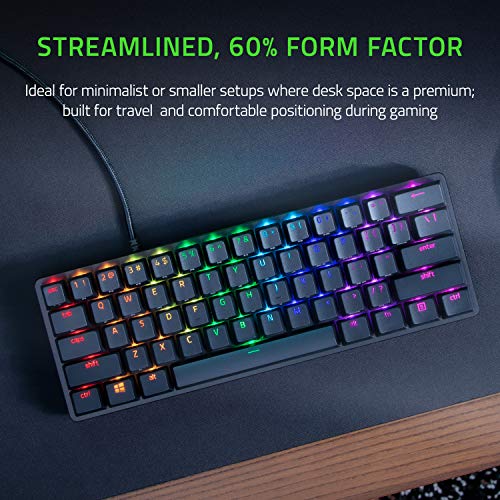
Razer Huntsman Mini 60% Gaming Keyboard, Linear Optical Switches, Black | Aluminum Top Frame, Chroma RGB Lighting, PBT Keycaps, Onboard Memory, Snap Tap


As an Amazon Associate we earn from qualifying purchases. Product prices and availability are accurate as of the date/time indicated.
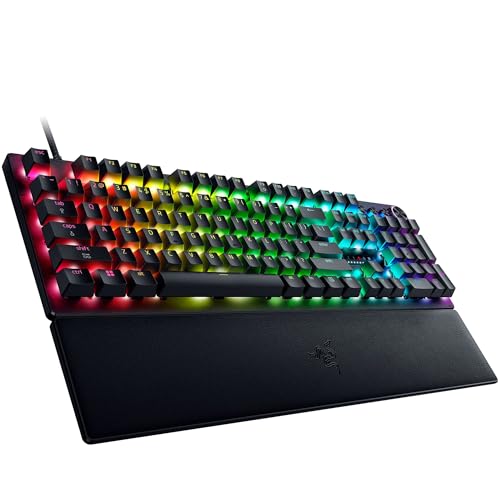
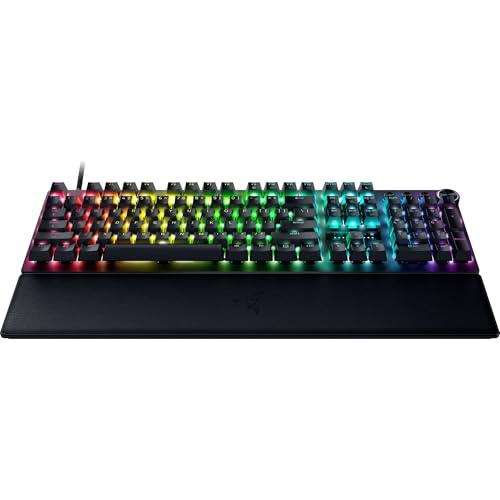
Razer Huntsman V3 Pro 8KHz Esports Gaming Keyboard, Analog Optical, Black | Gen-2 Analog Optical Switches, Rapid Trigger, Adjustable Actuation, Media Controls, PBT Keycaps


As an Amazon Associate we earn from qualifying purchases. Product prices and availability are accurate as of the date/time indicated.

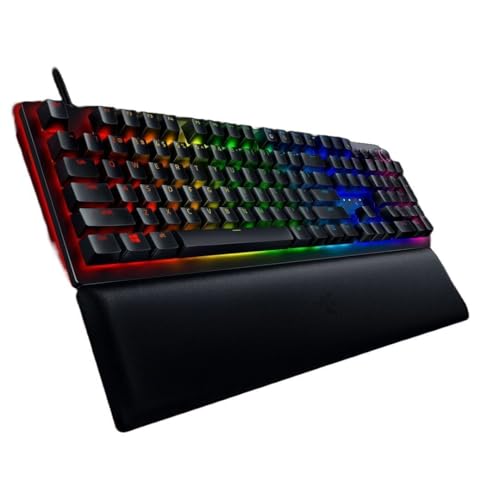
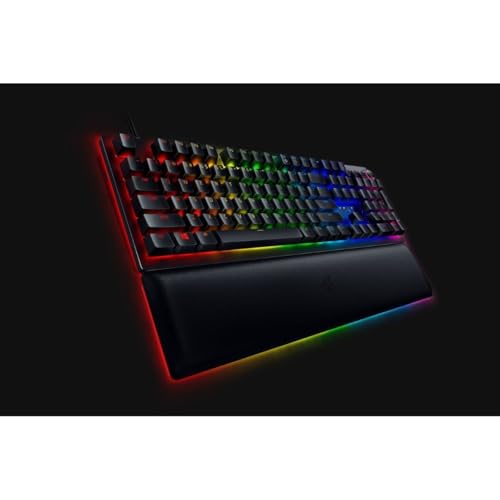
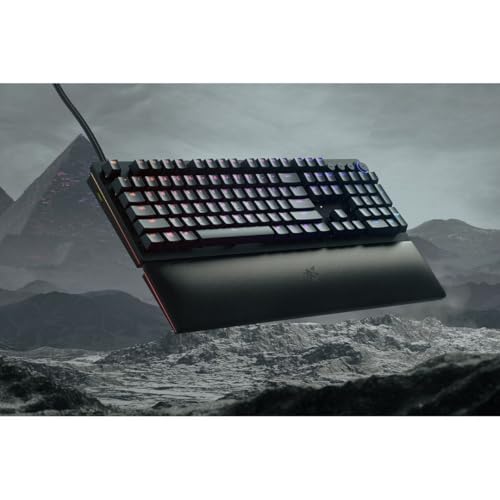
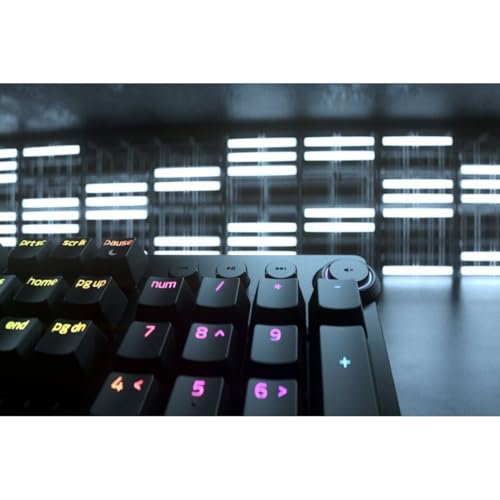
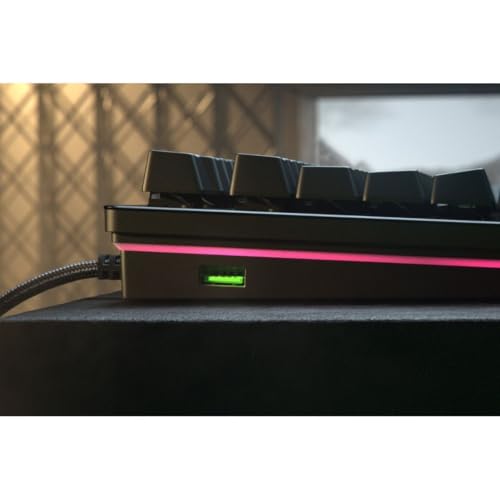
Razer Huntsman V2 Gaming Keyboard, Analog Optical Switches, Black | Adjustable Actuation, Rapid Trigger Mode, Dedicated Media Keys & Dial, Chroma RGB Lighting, Magnetic Plush Wrist Rest
As an Amazon Associate we earn from qualifying purchases. Product prices and availability are accurate as of the date/time indicated.

Redragon Mechanical Gaming Keyboard Wired, 11 Programmable Backlit Modes, Hot-Swappable Red Switch, Anti-Ghosting, Double-Shot PBT Keycaps, Light Up Keyboard for PC Mac


As an Amazon Associate we earn from qualifying purchases. Product prices and availability are accurate as of the date/time indicated.

GATERON KS-15 Optical Keyboard Switches(35PCS,Silver) | 45gf,RGB LED,Infrared Path,Linear,compatible for Optical Mechanical Keyboard


As an Amazon Associate we earn from qualifying purchases. Product prices and availability are accurate as of the date/time indicated.
Gateron KS-15 Optical Switches for MX Mechanical Gaming Keyboard | 35g Force | Linear | Clear Top RGB Switches for Backlit Keyboard | (65 PCS, Yellow)


As an Amazon Associate we earn from qualifying purchases. Product prices and availability are accurate as of the date/time indicated.

Deftomo 50 Pcs Blue Keyboard Switches, 3-Pin Clicky Tactile Mechanical Keyboard Switches, Complete DIY Replacement Kit with Switch Puller & Brush


As an Amazon Associate we earn from qualifying purchases. Product prices and availability are accurate as of the date/time indicated.
| Model | What the title says | Type | Price tier | Best for |
|---|---|---|---|---|
| Razer Huntsman V3 Pro 8KHz | Gen-2 analog optical, rapid trigger, adjustable actuation, 8KHz, media controls | Complete keyboard | Premium | Competitive shooters who want tunable keys |
| Razer Huntsman V2 | Analog optical, adjustable actuation, rapid trigger mode, media keys and dial, wrist rest | Complete keyboard | Mid to premium | Players who want analog features plus comfort extras |
| Razer Huntsman Mini 60% | Linear optical, aluminum top frame, PBT keycaps, onboard memory, Snap Tap | Complete keyboard | Mid-range | Small desks and low-sensitivity mouse setups |
| Redragon mechanical keyboard | Hot-swappable Red switch, anti-ghosting, PBT keycaps, 11 backlight modes | Mechanical (not stated as optical) | Budget | A cheap contrast point, not an optical pick |
| Gateron KS-15 optical, 35 pcs | 45gf, infrared path, linear, RGB LED | Loose switches | Budget | Owners of an optical-compatible board |
| Gateron KS-15 optical, 65 pcs | 35g, linear, clear top, “for MX” wording | Loose switches | Budget | Larger boards, after confirming compatibility |
| Deftomo 50 blue switches | 3-pin, clicky tactile, puller and brush included | Mechanical switches | Budget | Not an optical option |
What “optical” means, and what it does not
In a conventional mechanical switch, pressing the stem pushes two metal leaves together to close a circuit. In an optical switch, the stem moves a small shutter or blocker through a beam of infrared light, and a sensor reads the change. There is no metal-to-metal contact to register the press, which is why makers talk about longer life and a shorter debounce delay. Debounce is the short wait that firmware adds so a bouncing contact is not counted twice. Both claims come from the makers, and neither tells you how a given board will feel.
Analog optical goes one step further. Instead of a simple on or off beam, the sensor measures how much light passes as the key moves, so the keyboard knows how far down each key is. That is what allows adjustable actuation and rapid trigger. It is also why the two analog Razer listings sit above the linear Mini in feature depth, even though all three carry the optical label.
| Spec concept | What to look for | Why it matters |
|---|---|---|
| Actuation point | Fixed or adjustable, and the stated range on the maker’s page | Shorter distance registers sooner but raises accidental presses |
| Rapid trigger | Named in the title or spec sheet, plus the reset sensitivity | Faster repeated taps and cleaner direction changes |
| Polling rate | 1000 Hz, or higher such as 8000 Hz | Sets how often the keyboard reports to the PC |
| Switch force | Grams listed per switch type | Lower force tires fingers less but misfires more |
| Board compatibility | Optical PCB for loose optical switches | Wrong pairing means keys that never register |
| Layout | 60 percent, tenkeyless or full size | Desk space against missing keys |
How these were picked
The basis here is published specifications, manufacturer documentation and buyer reviews. Nobody on the team used or measured these units. Titles were read for what they actually claim, and anything a title leaves out is marked “check the listing” instead of guessed. Seller claims such as latency figures and lifetime counts are treated as claims. Where sources disagree, as they do on the exact actuation figures for the Mini, the advice is to read the maker’s product page for your exact variant.
Listings were then sorted by type. Three are real optical keyboards. Two are optical switch parts. Two are mechanical products that do not match the keyword. Each of those groups is labeled in its card so you do not mistake a switch pack for a keyboard.
The seven listings, one by one
Razer Huntsman V3 Pro 8KHz Esports Gaming Keyboard, Analog Optical
This is the feature-heavy pick. The title names Gen-2 analog optical switches, rapid trigger, adjustable actuation, media controls, PBT keycaps and an 8KHz polling rate. Razer’s own product page for the full-size model lists a per-key actuation range of roughly 0.1 to 4.0 mm and a 40 g force at its default setting, but the layout is not stated in this listing’s title, so check which variant you are ordering before relying on those figures.
It suits a player who will actually tune the keys, for example a shallow actuation on movement keys and a deeper one on abilities that are easy to hit by mistake. A scenario: a shooter player sets the strafe keys to the shortest range and turns on rapid trigger so a counter-strafe stops the character the moment the finger rises.
- Pros: adjustable actuation and rapid trigger named in the title; 8KHz polling; PBT keycaps; media controls.
- Cons: sits in the premium price tier; a very sensitive setting causes accidental presses until you adjust; 8KHz can add CPU load on older machines.
Ask before buying: do you play fast enough to use more than a 1000 Hz rate? If not, the V2 below covers most of the feature set for less.
Razer Huntsman V2 Gaming Keyboard, Analog Optical Switches
The V2 keeps analog optical switches, adjustable actuation and a rapid trigger mode, and adds a dedicated media key and dial, Chroma RGB and a magnetic plush wrist rest. That wrist rest is the quiet reason many buyers prefer it for long sessions. Buyer reviews and some retailer pages describe a narrower adjustable range than the V3 Pro, so read the maker’s spec page for the exact numbers instead of assuming the newer model’s range applies.
It fits a player who types and games on the same board. The dial handles volume without alt-tabbing, and the wrist rest takes some strain off the hand. A scenario: a streamer who adjusts audio mid-match can do it by hand without touching the mouse.
- Pros: analog adjustment plus rapid trigger mode; media dial and keys; wrist rest included; lower tier than the V3 Pro.
- Cons: the title does not list a polling rate beyond what the maker states, so check it; an older design than the V3 Pro; full-size footprint takes desk room.
Ask before buying: do you need the adjustable range to reach the shortest distances? If you only want rapid trigger and a comfortable board, this model is enough.
Razer Huntsman Mini 60% Gaming Keyboard, Linear Optical Switches
The Mini is the compact pick. The title lists linear optical switches, an aluminum top frame, Chroma RGB, PBT keycaps, onboard memory and Snap Tap. Its switches are linear and not described as analog, so there is no per-key adjustable actuation named in the title. Sources disagree on the exact actuation point and force for the Mini, with figures around 1.0 to 1.2 mm turning up in different places, so use the maker’s page for the version you receive.
The 60 percent layout drops arrow keys, the function row and the number pad onto a function layer. That frees mouse space, which helps low-sensitivity players who swing wide. A scenario: someone playing with a large mouse pad on a small desk gains several inches of lateral room.
- Pros: small footprint; linear optical feel; aluminum top frame; onboard memory keeps profiles on the board.
- Cons: no arrow cluster or function row without a layer; no adjustable actuation named in the title; typing in documents feels cramped.
Ask before buying: how often do you need arrow keys and function keys? If daily, a larger layout is less work.
Redragon Mechanical Gaming Keyboard, Hot-Swappable Red Switch
This listing belongs in the roundup only as a contrast. The title says mechanical, hot-swappable Red switch, 11 backlit modes, anti-ghosting and double-shot PBT keycaps, and it does not say optical anywhere. In keyboard shorthand, a Red switch is normally a linear mechanical type, so assume contact sensing unless the maker’s page states otherwise. It is the lowest-priced complete keyboard in the group.
It suits someone who wants hot-swap sockets to learn about switches cheaply and is not set on optical sensing. A scenario: a first-time builder pulls the stock switches and tries different mechanical types without soldering.
- Pros: budget tier; hot-swap sockets; PBT keycaps; wired with no pairing to manage.
- Cons: not stated as optical; no analog features; do not assume it can take optical switches, since the board is likely built for contact switches.
Ask before buying: are you buying for the optical label, or for a cheap hot-swap board? If the first, skip this listing.
GATERON KS-15 Optical Keyboard Switches, 35 Pcs, Silver
This is a pack of loose switches, not a keyboard. The title lists 45gf force, RGB LED, an infrared path, linear action and compatibility with optical mechanical keyboards. Thirty-five pieces covers a small gap-filling swap but not a whole board, so the quantity is the first thing to check against your layout.
It suits an owner of an optical-compatible keyboard who wants to replace a few worn or mismatched switches. A scenario: you have an optical board with five dead keys and want to repair them without buying a second keyboard.
- Pros: optical sensing path named in the title; linear; low pack cost.
- Cons: useless without an optical-compatible PCB; 35 pieces will not fill most boards; the force here conflicts with the other Gateron listing, so check the listing for the exact spec.
Ask before buying: does your keyboard maker list optical switch compatibility? If not, do not order.
Gateron KS-15 Optical Switches for MX Mechanical Gaming Keyboard, 65 Pcs, Yellow
This is the larger pack, and its title mixes signals. It says optical switches but also “for MX mechanical gaming keyboard” and lists a 35g force with clear-top RGB switches. The MX wording is ambiguous: it may describe the stem shape or mounting style, not electrical compatibility with a contact PCB. The yellow label in the title is a color tag, not a spec you can rely on.
At 65 pieces it covers a 60 percent layout with a few spares, which makes it the more sensible pack for a full re-switch of a small board, provided the PCB is optical. A scenario: a compact optical build with 61 keys and a handful of spares for fit problems.
- Pros: enough for a 60 percent board; linear; clear-top housing suits RGB lighting.
- Cons: ambiguous MX wording; 35g is lighter and may misfire for heavy typists; not usable on a standard contact PCB.
Ask before buying: does the listing or the seller confirm the pins and board type it expects? Ask before opening the pack.
Deftomo 50 Pcs Blue Keyboard Switches, 3-Pin Clicky Tactile
This listing does not match the keyword. The title describes blue, clicky tactile mechanical switches with three pins, sold as a DIY replacement kit with a switch puller and brush. Blue clicky switches use a metal contact, make an audible click and do not use an infrared path. Nothing in the title says optical.
It suits someone replacing worn switches on a 3-pin mechanical board who wants clicky feedback. A scenario: a typist whose blue switches have started double-typing swaps in a fresh set. It is included here so a reader who finds it in search knows plainly what it is.
- Pros: low cost; puller and brush included; clear 3-pin and clicky description.
- Cons: not optical; loud clicks are unpopular on voice chat and in shared rooms; the 3-pin fit has to match your socket.
Ask before buying: do you want clicky feedback while gaming? Many players find it tiring, so confirm your preference first.
Which one for which user
| If you are… | Choose | Reason | Watch out for |
|---|---|---|---|
| A competitive shooter player | Huntsman V3 Pro 8KHz | Adjustable actuation, rapid trigger, 8KHz named in the title | Premium tier and CPU load on older PCs |
| A mixed gamer and typist | Huntsman V2 | Analog features with a dial and wrist rest | Check the range on the maker’s page |
| Short on desk space | Huntsman Mini | 60 percent layout, optical linear | Needs a function layer for arrows |
| A budget learner who wants hot-swap | Redragon board | Cheapest complete keyboard | Not optical |
| Fixing an optical board | Gateron KS-15 pack | Optical path in the title | Confirm PCB compatibility |
| Wanting clicky feel on a 3-pin board | Deftomo blue pack | Description is clear | Not optical, noisy |
Worked example: how many switches, and where to set the actuation
Two small calculations help before you click buy. The first covers switch counts. Assume you own an optical-compatible board and want to replace every switch, and that you keep a spare for roughly every ten keys in case one arrives with bent legs. The key counts below are typical layout sizes, not the count on your exact board, so count yours.
| Board size | Typical keys | Spares at one per ten | Total needed | 35-pack covers it? | 65-pack covers it? |
|---|---|---|---|---|---|
| 60 percent | 61 | 7 | 68 | No | No, a few short |
| 60 percent, no spares | 61 | 0 | 61 | No | Yes |
| Tenkeyless | 87 | 9 | 96 | No | No |
| Full size | 104 | 11 | 115 | No | No, buy two packs |
The lesson is that even the 65-piece pack just covers a bare 60 percent board, and larger layouts need more than one pack. Larger keys such as the spacebar and shift keys often use stabilizers that need no extra switch, but they still count as a key position on your board, so verify the switch count with your keyboard’s documentation.
The second calculation covers actuation. Assume a key has 4.0 mm of total travel, which is a common figure but not guaranteed for every switch. The actuation point as a share of travel is simply the distance divided by 4.0.
| Actuation distance | Share of travel | Likely use |
|---|---|---|
| 0.5 mm | 12.5 percent | Movement keys in fast shooters, if the keyboard allows this setting |
| 1.5 mm | 37.5 percent | Balanced default for mixed use |
| 2.0 mm | 50 percent | Typing and ability keys that are easy to graze |
| 3.6 mm | 90 percent | Near-bottom press, only when you want to avoid accidental input |
Polling intervals follow the same easy arithmetic: 1000 Hz is one report every 1.0 ms, 4000 Hz is 0.25 ms and 8000 Hz is 0.125 ms. Doubling the rate only halves the interval, so the gain is small after the first jump, and the keyboard is only one link between your finger and the screen.
Decision flow
- Do you want a complete keyboard? If yes, go to the three Razer listings. If you only want to swap parts, go to step 4.
- Do you want per-key adjustable actuation and rapid trigger? Choose the V3 Pro or the V2.
- Is desk space tight and arrow keys optional? Choose the Mini.
- Replacing switches? Confirm your board has an optical PCB, count keys, then pick a pack large enough with spares.
- Still want hot-swap and a low price? The Redragon board is a mechanical alternative, with no optical claim in its title.
Mistakes buyers make
| Mistake | Why it happens | Fix |
|---|---|---|
| Buying switch packs as if they were keyboards | Search results mix parts and boards | Look for “keyboard” and a layout in the title |
| Assuming any hot-swap board takes optical switches | The socket looks similar | Confirm optical PCB support from the maker |
| Treating latency claims as proven | Marketing quotes a single figure | Compare polling rate and actuation settings, not slogans |
| Setting the shortest actuation on every key | It sounds faster | Use short settings on movement keys only |
| Ignoring layout | Compact boards look neat | List the keys you use daily before choosing 60 percent |
| Buying clicky switches for gaming | The word “tactile” sounds precise | Check the noise level and your room |
Verdict by use case
For a complete optical keyboard with the most tuning, the Razer Huntsman V3 Pro 8KHz is the strongest match for the keyword. For a lower tier with analog features and comfort items, the Huntsman V2 is the sensible step down. For small desks, the Huntsman Mini is the compact option, though its title does not list adjustable actuation. The Redragon board is a budget mechanical contrast, the two Gateron KS-15 listings are parts for optical-compatible boards, and the Deftomo pack is a mechanical clicky kit that does not belong in this category.
Before ordering any of them, open the maker’s page and check the layout, actuation range and polling rate for the exact SKU. Third-party sources disagree on several figures, and a listing title is a seller summary, not a spec sheet.
Related guides
- Logitech G Pro X Superlight 2 Vs Razer Viper V3 Pro
- Motherboard Io Panel And Back Connectors Explained
- Budget Motherboards For Intel Desktop
Frequently asked questions
What is an optical switch keyboard?
An optical switch keyboard detects a keypress with a light beam instead of a metal contact. When the stem moves down it blocks or lets through light, and a sensor registers the change. Because nothing has to touch to complete a circuit, makers say there is no contact bounce and little wear on the sensing part. The trade-off is that optical switches need a matching optical circuit board, so you cannot freely mix them with ordinary mechanical boards.
Is an optical keyboard faster than a mechanical one?
Not automatically. Optical sensing can shorten the debounce delay that contact switches need, and makers market that as a latency edge, but total input delay also depends on polling rate, firmware, actuation distance, the game and your display. A fast mechanical board with a high polling rate can feel the same in practice. Treat latency claims as manufacturer figures and compare the polling rate and actuation settings listed for each model.
What does rapid trigger mean on a gaming keyboard?
Rapid trigger lets a key reset as soon as it moves upward by a small amount, instead of waiting for a fixed reset point. That makes quick repeated taps and counter-strafing possible without lifting the key fully. It needs a switch that tracks key position, which is why it appears on analog optical boards. Two of the Razer listings in this roundup name it in their titles, and the third Razer board is a simpler linear design.
Can I put optical switches in any hot-swap keyboard?
No. A hot-swap socket only helps if the circuit board underneath is built for the switch type. Optical switches rely on an infrared sensor path on the board, while ordinary mechanical switches close a metal contact. Check that the keyboard maker lists optical compatibility before buying a switch pack, and note that one Gateron listing here says MX mechanical in its title while the other says optical, so confirm which board you own.
Is a 60 percent optical keyboard good for gaming?
Yes, many players pick a 60 percent layout for desk space and mouse room, especially in shooters. You give up the arrow cluster, function row and number pad, and reach them through a function-key layer instead. If you use macros, media keys or a numeric pad often, a larger layout is less frustrating. The Razer Huntsman Mini listing here is the compact option in this set.
Do I need an 8000 Hz polling rate?
Most players do not. A 1000 Hz rate reports every 1.0 ms and is smooth for nearly all games. An 8000 Hz rate reports every 0.125 ms, which can matter to a small group of competitive players on fast monitors, though it can also raise CPU load on older systems. If you are choosing between price and polling rate, put your money into layout, switch feel and actuation control first.