Key takeaways
- A document camera in a home office solves a narrow but annoying problem: you need to show a physical page to someone on a video call.
A document camera in a home office solves a narrow but annoying problem: you need to show a physical page to someone on a video call, or capture paper without a flatbed scanner eating half your desk. Signed contracts, handwritten notes, invoices, a printed floor plan, a textbook spread during a tutoring session. The decision comes down to resolution, how the focus works, and whether the stand folds away when the call ends.
This guide is for remote workers, freelancers, tutors, and small-business owners who handle paper a few times a week rather than all day. It covers eight USB models, all judged from the specifications stated in their listings. A webcam with a gooseneck and a wired indoor security camera also appeared in the candidate list; neither is a true overhead document camera, so both were left out.
Quick Picks
Our top picks




As an Amazon Associate we earn from qualifying purchases at no extra cost to you.
| Product | Best for | Key spec from the title |
|---|---|---|
| 4K A3 Foldable Document Camera | Large pages and live demos | 8MP, A3 size, dual microphones, 3-level LED |
| IPEVO V4K | Mac and Chromebook offices | 8MP, Mac OS, Windows, Chromebook compatible |
| INSWAN INS-1 Classic | Plug-and-play simplicity | 8MP, auto focus, built-in LED and mic |
| THUSTAR 8MP Document Camera | Image flip and dual mics | 8MP, A3 size, image invert |
| ZSEEWCAM 5MP | Entry-level setups | 5MP, Mac OS, Windows, Chromebook |
| Gawervan USB Document Camera | Classroom-style calls | Built-in mic, cross-platform |
| Manual-Focus Foldable Document Camera | Fixed-distance desk use | Manual focus, mic, foldable design |
| VIISAN DB8401 | Digitizing books and paperwork | 16MP, auto focus, OCR, text-to-speech |
How to Choose
Resolution and capture area
For reading printed text on a call, 5MP is workable and 8MP is comfortable, because video software compresses the feed anyway. A 16MP sensor only pays off if you save still images for archiving or want to crop into small print later. Check the stated paper size too. An A3 label means a tabloid-sized sheet fits in frame, while smaller stands may crop a legal page and force you to shoot it in two halves.
Focus type
Auto focus suits mixed work, such as switching from a flat invoice to a thick binder. Manual focus is fine if you always place pages at the same height, but expect to twist the ring each time you move to something thicker. Units that skip auto focus are the most common source of soft, hard-to-read text on calls, so weigh this feature above a headline megapixel number.
Lighting and microphones
A built-in LED with several brightness levels beats a desk lamp because it removes the shadow your own arm casts across the page. Glossy paper and laminated sheets need the lowest setting to avoid glare. Built-in microphones are a convenience, not a replacement for a headset, so treat them as a backup when your main audio fails mid-meeting.
Software and compatibility
Look for explicit Windows, Mac OS, and Chromebook compatibility, and a plain USB connection with no driver hunt. Features like image invert matter if you aim the camera at an angle to face a remote viewer. OCR is worth having only if you want searchable PDFs; people who only share pages on video calls can ignore it and spend the difference on better focus.
One more filter worth applying is desk footprint. Overhead cameras need clear space beneath the arm, so measure the area you can dedicate before comparing capture sizes. Where budget models cut corners is usually the stand: thin arms that wobble when you type nearby will blur a live feed more than a lower megapixel count ever would, so favor designs that fold flat and sit firmly.
The 8 Best Options
4K A3 Foldable Document Camera
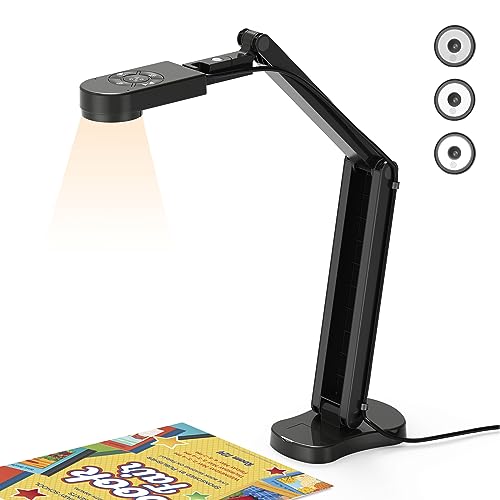
This listing leads with an 8MP sensor sold as a 4K webcam and visualiser, with an A3 capture size, dual microphones, a 3-level LED light, and image invert. That mix suits someone who presents large printed drawings or lays out several pages side by side during a client walkthrough, and who also wants the same device to double as a webcam.
- Strength: A3 coverage means oversized sheets fit without repositioning.
- Strength: Three light levels let you handle both matte and glossy paper.
- Trade-off: The title is generic, so confirm the seller’s support details before relying on it for client work.
Skip it if your desk is cramped, because a larger capture area implies a taller reach.
IPEVO V4K
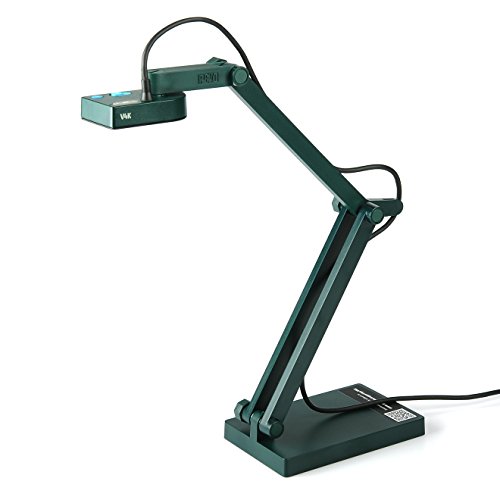
IPEVO’s V4K is described as an 8MP ultra high definition USB document camera, with Mac OS, Windows, and Chromebook support called out for live demos, web conferencing, and distance learning. It fits a mixed-device household where one person works on a Chromebook and another on a MacBook, and the same camera moves between them.
- Strength: Broad operating system support reduces setup friction.
- Strength: A named brand with a model number is easier to find guides and drivers for.
- Trade-off: The title does not list a built-in LED, so plan on a separate desk lamp.
Skip it if you want integrated microphones and lights in the same box.
INSWAN INS-1 Classic
The INS-1 Classic combines an 8MP sensor with auto focus, a built-in LED, and a microphone, billed as plug and play for Windows, Mac, and Chromebook. It reads like the easiest option for someone who wants to connect the cable and begin a call, with nothing else to buy or configure.
- Strength: Auto focus handles thin pages and thicker bound material.
- Strength: LED and mic are included, so there is little to add.
- Trade-off: The title does not mention a large paper size, so oversized sheets may need two shots.
Skip it if you regularly work with A3 plans or posters.
THUSTAR 8MP Document Camera
THUSTAR lists an 8MP 4K document camera and webcam with dual microphones, A3 capture, three LED levels, image invert, and a folding body. The feature set mirrors the first generic model, but the brand name gives you something concrete to search when you need setup help or a replacement part.
- Strength: Image invert corrects orientation when the camera faces the audience.
- Strength: Foldable construction suits a desk you clear at the end of each day.
- Trade-off: Dual microphones can pick up keyboard noise in a shared room.
Skip it if you already own a good headset and want fewer features to manage.
ZSEEWCAM 5MP
ZSEEWCAM offers a 5MP USB document camera in blue with compatibility for Mac OS, Windows, and Chromebook, aimed at demos and distance learning. The lower resolution is the main compromise and the likely reason it sits in the entry tier, but for sharing a typed page with a colleague it covers the basics without extras.
- Strength: Five megapixels is enough for legible printed text on a call.
- Strength: Cross-platform support keeps the setup simple.
- Trade-off: Less detail when you zoom into fine print or small handwriting.
Skip it if you plan to save high-detail scans of receipts or contracts.
Gawervan USB Document Camera
Gawervan pitches this unit to teachers and classrooms, with a built-in microphone and Mac OS, Windows, and Chromebook support for live demos and web conferencing. A home office tutor, coach, or trainer will recognize the use case right away, since it is built around showing material to a remote audience.
- Strength: Mic included, so one cable covers audio and video.
- Strength: Classroom-oriented design tends to prioritize quick setup.
- Trade-off: The title lists no resolution figure, so verify it before buying.
Skip it if you need a confirmed megapixel count for archiving.
Manual-Focus Foldable Document Camera
This model is a USB document camera and webcam with a mic, manual focus, and a foldable design, compatible with Mac OS, Windows, and Chromebook. It is the budget-minded pick where the focus ring is the trade for a low cost of entry, and it works best when your documents are always the same thickness.
- Strength: The folding body stores in a drawer between calls.
- Strength: Works across the three common desktop platforms.
- Trade-off: Manual focus means re-adjusting whenever page thickness changes.
Skip it if you flip between single sheets and thick binders all day.
VIISAN DB8401
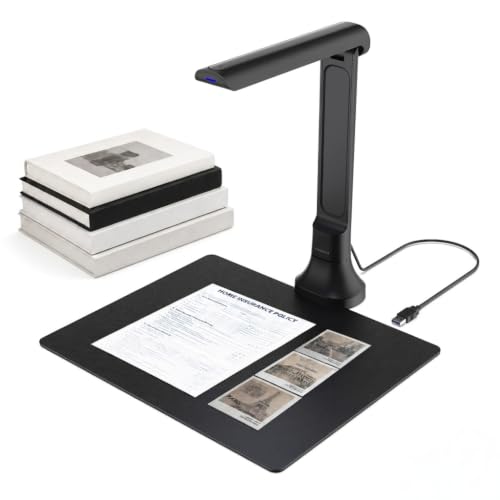
VIISAN calls the DB8401 a document camera and book scanner with a 16MP sensor, auto focus, OCR, and text-to-speech. It leans toward digitizing rather than live presenting, which makes it the odd one out in this group and the clear choice for anyone whose real problem is a backlog of paper.
- Strength: 16MP capture suits archiving contracts and book pages.
- Strength: OCR turns scans into searchable text.
- Trade-off: Features aimed at scanning add complexity if you only need video-call sharing.
Skip it if you just want a simple overhead view for meetings.
Which One Fits Your Situation
You tutor or train over video
The IPEVO V4K is a sensible pick when you share a machine and need predictable cross-platform behavior. The Gawervan is a lower-key alternative with a mic built in, handy if your headset fails during a session.
You review plans or large printouts
Go for the 4K A3 Foldable Document Camera, since the A3 capture area removes the need to stitch two photos together when a client sends a big drawing.
You are digitizing a pile of paperwork
The VIISAN DB8401 is the one built around scanning, with 16MP and OCR doing the heavy lifting on contracts, receipts, and book pages.
You want the simplest possible setup
The INSWAN INS-1 Classic bundles auto focus, LED, and mic with a plug-and-play approach, which keeps your pre-call routine to a single cable. That matters for people who join several short meetings a day and cannot afford to fiddle with lighting or focus before each one.
Common Mistakes
- Buying on megapixels alone and ignoring focus type, which decides whether text stays sharp.
- Skipping a lighting plan and fighting glare from glossy pages.
- Assuming a webcam on a gooseneck can replace an overhead document camera; the framing and capture area are different.
- Ignoring the stated paper size and discovering later that your pages do not fit in frame.
- Paying extra for OCR and text-to-speech when the plan is only to share pages on calls.
Related guides
- Logitech G Pro X Superlight 2 Vs Razer Viper V3 Pro
- Motherboard Io Panel And Back Connectors Explained
- How To Record Your Computer Screen With Audio
Frequently Asked Questions
Is 8MP enough for a home office?
Yes. Video platforms compress the feed, so 8MP shows printed text clearly on most calls. Higher figures mainly help when you save still images and zoom in afterward.
Do I need auto focus?
If you handle pages of varying thickness, auto focus saves time and avoids blurry text. Manual focus works when everything sits at the same height on the desk.
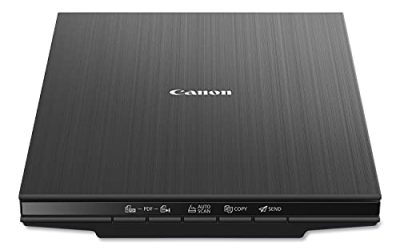
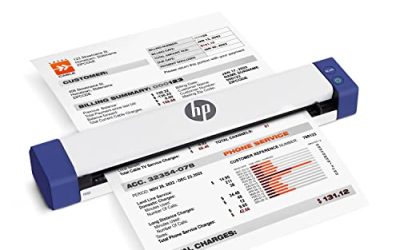
Can a document camera replace a scanner?
For occasional pages, yes. For stacks of documents every day, a sheet-fed or flatbed scanner remains faster, although a 16MP model with OCR narrows the gap in 2026.
Should I buy a document camera or a flatbed scanner?
Pick the camera if you present pages live, work with bound books, or lack desk space for a scanner. Pick a scanner if your main goal is high-volume archiving with consistent color and no shadows at all.
FAQ
Is 8MP enough for a home office?
Do I need auto focus?
Can a document camera replace a scanner?
Should I buy a document camera or a flatbed scanner?
More from Amazon
Programs that pair well with the guide above. Offers and eligibility are set by Amazon and may change.
Free shipping on eligible items, Prime Video and more. Eligible new members can start with a free trial.
Start a Prime free trialAd-free music streaming. Eligible new subscribers can start with a free trial.
Try Music Unlimited freeA Prime membership for ages 18-24 with a trial period. Eligibility is set by Amazon.
See Prime for Young AdultsAudiobooks and podcasts to listen to on the go. Eligible new members can start with a free trial.
Try Audible freeAs an Amazon Associate we earn from qualifying purchases.