Our Top Picks
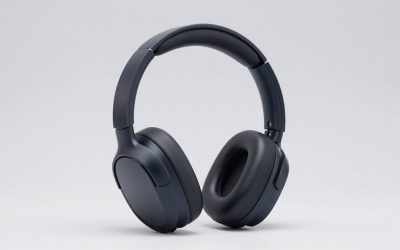
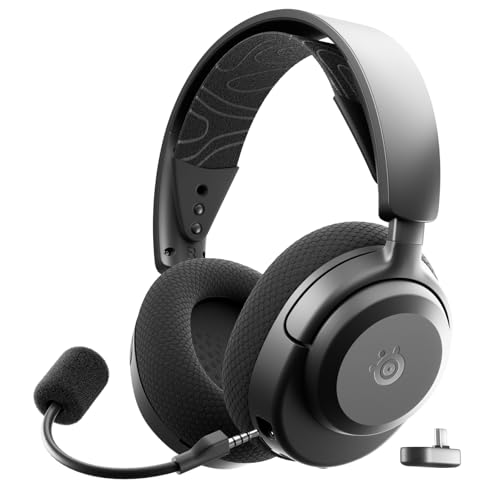 SteelSeries Arctis Nova 3P Wireless Multi-Platform Gaming HeadsetInformation Not Available3.58 x 6.89 x 7.32 inches0.57 poundsCheck on Amazon
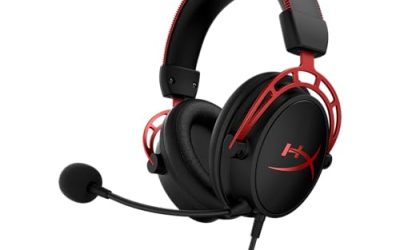
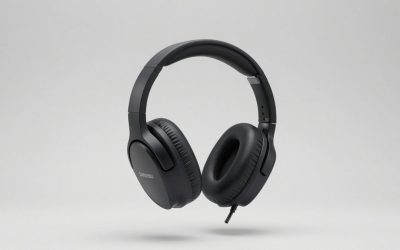
 HyperX Cloud III Wired Gaming Headset for PCRegular3.41 x 6.1 x 7.48 inches0.7 poundsCheck on Amazon


The SteelSeries Arctis 3 gaming headset is a closed-back, over-ear headset with 40 mm neodymium drivers, a retractable microphone and a plain 3.5 mm analog connection that works on PC, consoles and phones. The wired model stays simple and durable, while the Bluetooth edition adds a wireless link. It is a sensible pick for casual and mixed-platform play, but it is no longer the newest design in the Arctis line.
Verdict: Who the Arctis 3 Still Suits
The Arctis 3 is a plug-in headset with no software requirement. It suits players who want one headset for a PC, a console controller and a phone, and who value a light, wide headband over extra features. It does not suit anyone who needs USB audio, a game and chat mixer, or true wireless play on a console.
- Buy it if: you want a straightforward 3.5 mm headset for mixed platforms, a retractable mic that stays out of the way, and a comfortable suspended headband.
- Skip it if: you need USB or 2.4 GHz wireless, active noise cancelling, or modern app control. Newer SteelSeries models cover those needs.
- Bluetooth edition note: only the Bluetooth edition has Bluetooth. The standard Arctis 3 is wired only, so do not buy it expecting a wireless link.
In short, the Arctis 3 is a “good enough, easy to live with” headset. It rewards people who do not want to configure anything and who plan to use it across several devices in the same week.
Steelseries Arctis 3 Specs at a Glance
The specs below come from SteelSeries listings and editorial reviews of the Arctis 3 Bluetooth (2019 Edition). Where a detail was not confirmed for the wired-only model, the table says so instead of guessing.
| Spec | Arctis 3 (wired) | Arctis 3 Bluetooth (2019 Edition) |
|---|---|---|
| Design | Closed-back, over-ear | Closed-back, over-ear |
| Drivers | 40 mm neodymium | 40 mm neodymium |
| Impedance / sensitivity | Check the maker | 32 ohm / 98 dB |
| Frequency response | Check the maker | 20-22,000 Hz |
| Microphone | Retractable, bidirectional | Retractable, bidirectional, 100-10,000 Hz |
| Wired connection | 3.5 mm 4-pole | 3.5 mm 4-pole |
| Wireless | None | Bluetooth 4.1 (A2DP, HFP, HSP) |
| Battery | Not applicable | Up to 28 hours, Micro-USB charging |
| In the box | Headset, 1.2 m cable, 3 m extension | Headset, 1.2 m cable, 3 m extension |
| Weight | Not listed, check the maker | Not listed, check the maker |
The Bluetooth edition lets you keep the 3.5 mm cable plugged in while Bluetooth is connected, so you can hear a game from a controller and a phone call at the same time. That dual-audio trick is the main reason people pick it over the wired version.
Steel Series Arctis 3: Comfort and Build
The Arctis 3 uses SteelSeries’ suspended headband, a flexible strap that rests on the head instead of clamping it. That spreads weight over a wide area and helps with long sessions, especially for people who find rigid steel headbands tiring after an hour or two.
Ear cushions are fabric-covered foam. Fabric breathes better than leatherette, so ears stay cooler, though it isolates a little less. Because the cups are closed-back, outside noise is reduced but not removed, and the headset can leak some sound at high volume. If you share a room with someone sleeping, keep the volume sensible.
Build is mostly plastic. That keeps it light, but it lacks the metal-frame feel of some higher-priced headsets. Expect it to survive ordinary desk use. If you are rough with gear, the cable is the part most likely to wear out first, which is why the replacement cable section below matters.
Fit tips
- Adjust the strap so the band floats slightly above your head, not pressing on it.
- Glasses wearers should check that the cushions seal around the frame arms; a poor seal thins out the bass.
- If the cushions feel warm after long sessions, take short breaks rather than loosening the fit, which loses isolation.
Sound and Microphone by Use
PC and console gaming
The 40 mm drivers deliver a balanced, slightly bass-forward sound that suits action games, racing and story titles. Footsteps and directional cues are fine for casual play, but this is not a competitive-grade positional headset. If you chase ranked FPS play, look at newer models with stronger spatial processing and a better mic.
Surround processing in this family is tied to SteelSeries software on PC. Reviews note it is not available over Bluetooth, on mobile, or on consoles, where you simply get stereo. That is normal for a 3.5 mm headset and worth knowing before you buy. Check the maker’s page for the exact surround feature on the wired model.
Voice chat
The mic is a retractable, bidirectional design. Pull it out to talk, push it in to mute and hide it. It is clear enough for party chat and calls, though a bidirectional capsule picks up some room sound. In a quiet room it is fine. In a noisy household you may want a mic with stronger noise rejection.
Music and mobile
Over Bluetooth the sound is serviceable for music, podcasts and video. It will not replace a dedicated pair of music headphones, but switching between a phone and a game on one pair of ears is handy, especially for players who talk to friends on a phone call while playing.
Connection Guide: How to Plug It Into Each Device
| Device | How to connect | Notes |
|---|---|---|
| PC with a headset jack | 1.2 m 3.5 mm cable, 4-pole | Single jack covers audio and mic |
| PC with separate mic and headphone jacks | Needs a splitter | The 4-pole plug carries both on one connector |
| PS5 / PS4 controller | 3.5 mm cable into the controller | Stereo only; set the output to headphones |
| Xbox controller | 3.5 mm cable into the controller | Check the controller’s headset jack type |
| Nintendo Switch handheld | 3.5 mm jack on the console | Works in handheld mode |
| Phone | 3.5 mm cable or Bluetooth (BT edition) | A USB-C adapter may be needed for wired use |
The 3 m extension is useful on a couch with a console, where the controller sits far from your seat. For a desk setup, the short 1.2 m cable is neater and has fewer connection points that can fail.
Steelseries Arctis 3 Bluetooth: Is It Worth the Extra?
Yes, if you will actually use Bluetooth. The Bluetooth edition adds version 4.1 wireless, a rechargeable battery rated up to 28 hours and a Micro-USB charging port. If you only play wired, the standard model avoids the battery entirely and never needs charging.
- Choose Bluetooth if you take calls on a phone while gaming or want to watch video on a tablet without unplugging.
- Choose wired if you want zero charging, or plan to keep the headset for years without a battery that will age.
- Do not expect Bluetooth to connect to a console as a game audio source. Consoles use the 3.5 mm controller jack instead.
One caution: Bluetooth 4.1 is an older standard. Range and stability are fine for a desk, but it lacks the low-latency tricks of newer wireless gaming headsets, so keep fast-paced games on the cable.
Steelseries Arctis 3 Cable and Cord: Replacement Guide
If your cable has failed, you do not have to replace the whole headset. The wired model ships with a 1.2 m 3.5 mm cable plus a 3 m extension, so first work out whether the fault is the extension or the main cable.
- Check the plug. Make sure the headset end is fully seated and the connector at your controller or PC is clean.
- Swap the extension out. Try the headset on the short 1.2 m cable alone. If the problem disappears, the extension was the culprit.
- Listen for crackle when you move the cord. That usually points to a broken conductor near the plug.
- Try another device. If the headset works on a phone but not a controller, the controller jack may be the issue, not the cord.
- Pick a compatible cable. Third-party cables for the Arctis line list compatibility with the Arctis 3, 5, 7 and Prime. Check the listing wording and cable length before buying.
Always confirm the connector type on your own unit. If a listing does not clearly name the Arctis 3, ask the seller or check the maker’s support page before ordering.
Arctis 3 Cards: Options in the Store
The original Arctis 3 itself is not listed in our product store, so the picks below are the closest real alternatives, plus a cable that names the Arctis 3 in its listing.
SteelSeries Arctis Nova 3 (USB-C)
As an Amazon Associate we earn from qualifying purchases at no extra cost to you.
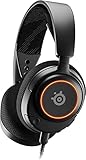
A modern step up that keeps the lightweight spirit of the Arctis 3. The listing names PC, PS4, PS5 and Switch support, a USB-C connection, AirWeave memory foam earcups, a ClearCast Gen 2 mic and Hi-Fi drivers. It also lists 360-degree spatial audio and RGB lighting. Best if you want the Arctis feel with a USB connection and a cleaner mic.
SteelSeries Arctis Prime

A wired Arctis aimed at competitive play. The listing describes high-fidelity audio drivers and multiplatform compatibility. It is the closest in spirit to a wired Arctis 3 if you want to stay in the same family. Check the maker’s page for the connection and mic details before buying.
Replacement cable compatible with Arctis 3

A 1.3 m (4.3 ft) third-party replacement audio cable. The listing says it is compatible with the SteelSeries Arctis 3, 5, 7, Arctis Prime and Pro headsets. It is a cheap fix if your original cable has frayed, but confirm the connector end matches your headset before ordering.
Alternatives to Consider
| Model | Connection (per listing) | Best for |
|---|---|---|
| Arctis Nova 3P Wireless | 2.4 GHz and Bluetooth | Wireless play on PS5, PC and Switch |
| Arctis Nova 5 Wireless | 2.4 GHz or Bluetooth | Longer battery and app tuning |
| HyperX Cloud III Wired | USB-C, USB-A and 3.5 mm | A strong wired all-rounder |
SteelSeries Arctis Nova 3P Wireless

The listing describes a multi-platform wireless headset for PS5, PS4, PC, Switch and mobile, with 2.4 GHz and Bluetooth connectivity, mobile app control, neodymium magnetic drivers and a stated 40-hour battery. A real wireless upgrade if the old Bluetooth 4.1 limits bother you.
HyperX Cloud III Wired

The listing names PC, PS5, PS4 and Xbox Series X|S support with USB-C, USB-A and 3.5 mm connections, memory foam and a durable frame, plus a clear 10 mm mic. A strong wired choice if you want cable simplicity with more connection options than the Arctis 3.
Arctis 3 vs Newer SteelSeries Models: What Actually Changes
If you are deciding between the Arctis 3 and a newer SteelSeries headset, the differences come down to connection type, microphone design and software. The table compares the Arctis 3 with two newer models using only details from the listings and the maker’s published descriptions.
| Feature | Arctis 3 | Arctis Nova 3 (USB-C) | Arctis Nova 3P Wireless |
|---|---|---|---|
| Main connection | 3.5 mm analog | USB-C | 2.4 GHz and Bluetooth |
| Console use | Via controller jack | PS4, PS5, Switch per listing | PS5, PS4, Switch per listing |
| Microphone | Retractable bidirectional | ClearCast Gen 2 per listing | Check the maker |
| Software or app | None needed | Desktop software per maker | Mobile app control per listing |
| Battery | None (wired) | None (wired) | 40 hours per listing |
The practical takeaway is that the Arctis 3 is the simplest of the three. It has nothing to update, nothing to charge in its wired form, and nothing that can stop working because a driver or app changed. The newer models give you cleaner mics and extra features in exchange for more moving parts.
Common Problems and Quick Fixes
No sound from one ear
Reseat the 3.5 mm plug first, then try the short cable without the extension. A half-seated 4-pole plug often drops one channel or the mic. If it still fails, test another device before blaming the headset.
Mic not working on PC
Check that the PC recognises the jack as a headset and not as plain headphones. Some desktops have separate mic and headphone ports, which need a splitter. Also confirm the mic is pulled out and not muted in the operating system.
Quiet audio on console
Raise the headset volume in the console’s audio settings and check the controller’s own volume control. The 32 ohm design in the Bluetooth edition is easy to drive, so low volume usually points to a setting rather than a fault.
Bluetooth will not pair
Turn the headset off, hold the power button until pairing starts, and remove old pairings from your phone. Keep the 3.5 mm cable unplugged during the first pairing if the connection fails repeatedly.
Ear cushions worn out
Fabric cushions flatten and fray with long use. Replacing them is usually cheaper than a new headset, but match the cushion to the exact Arctis model, because sizes differ across the line.
Checklist Before You Buy a Used or Older Arctis 3
- Confirm the version. Look for the word Bluetooth in the name if you want wireless. A plain Arctis 3 will never connect by Bluetooth.
- Ask about the cables. The 1.2 m cable and the 3 m extension should both be included. Missing cables are the most common gap.
- Inspect the cushions. Peeling or flattened fabric is a sign of heavy use and affects both comfort and bass.
- Check the mic slide. The retractable mic should move smoothly and mute cleanly when pushed in.
- Look at the headband. Cracks near the hinges or a loose strap suggest it has been dropped.
- Ask about the battery on the Bluetooth edition. An old battery may hold far less than the maker’s 28 hours.
Who Should Skip the Arctis 3 Entirely
- Competitive FPS players who rely on precise positional audio and a low-noise mic. A newer wired or 2.4 GHz model fits better.
- Streamers who need a clean voice. A separate USB microphone will beat any retractable headset mic.
- Console players who want cable-free play. Bluetooth does not carry console game audio, so a 2.4 GHz model is the right category.
- Anyone who wants active noise cancelling. The Arctis 3 relies on passive isolation from its closed cups only.
For everyone else, the Arctis 3 remains a comfortable, easy headset that does the basics without drama. If you find one in good condition or already own one, there is little reason to rush to replace it unless a specific feature, such as USB audio or wireless console support, is missing.
How We Chose and Evaluated
This review is research-based. We did not use these headsets ourselves. We compared the maker’s stated specs with several editorial reviews and with the store listings above, and we flag any figure that sources disagreed on. The microphone sensitivity, for example, differs between older and newer listings, so we left it out. Where a spec was not confirmed for a specific model, the article says to check the maker.
Frequently Asked Questions
Is the SteelSeries Arctis 3 wireless?
No, the standard Arctis 3 is wired only. The Arctis 3 Bluetooth edition adds Bluetooth 4.1 on top of the 3.5 mm cable. Check which version you are buying before you order.
Does the steelseries arctis 3 bluetooth work on PS5 or Xbox?
Not over Bluetooth. Consoles use the 3.5 mm jack on the controller. Bluetooth is for phones, tablets and PCs, and you can keep the cable plugged in at the same time.
What cable does the Arctis 3 use?
It uses a 3.5 mm 4-pole cable. The headset ships with a 1.2 m cable and a 3 m extension. Confirm the connector on your own unit before buying a replacement.
Can I use a replacement cord from another brand?
Yes, if the listing names the Arctis 3 and the connector matches. Compare the length and plug type, because some cables are made for later headsets only.
Does the Arctis 3 have a detachable microphone?
The mic is retractable, not removable. It slides into the earcup when you are not using it, which also works as a quick way to hide it.
How long does the Bluetooth edition battery last?
The maker lists up to 28 hours. Real results depend on volume and use, and any battery will age over the years.
Is the Arctis 3 still worth buying?
For simple 3.5 mm play and casual use, yes. For USB, wireless console play or modern software, newer Arctis Nova models are a better match.
Which One Should You Buy?
Pick the wired Arctis 3 if you want a no-fuss 3.5 mm headset, the Bluetooth edition if you want phone calls alongside a game, and a newer Arctis Nova if you need USB or wireless console support. If you only need to fix a broken cord, start with a compatible replacement cable and keep the headset you already own.
Sources
- SteelSeries product and support pages
- KitGuru Arctis 3 Bluetooth review
- TechPowerUp Arctis 3 Bluetooth review
- Legit Reviews Arctis 3 review
Last updated: November 2026
FAQ
Steelseries Arctis 3 Bluetooth: Is It Worth the Extra?
Is the SteelSeries Arctis 3 wireless?
Does the steelseries arctis 3 bluetooth work on PS5 or Xbox?
What cable does the Arctis 3 use?
Can I use a replacement cord from another brand?
Does the Arctis 3 have a detachable microphone?
How long does the Bluetooth edition battery last?
Is the Arctis 3 still worth buying?
More from Amazon
Programs that pair well with the guide above. Offers and eligibility are set by Amazon and may change.
Free shipping on eligible items, Prime Video and more. Eligible new members can start with a free trial.
Start a Prime free trialAd-free music streaming. Eligible new subscribers can start with a free trial.
Try Music Unlimited freeA Prime membership for ages 18-24 with a trial period. Eligibility is set by Amazon.
See Prime for Young AdultsAudiobooks and podcasts to listen to on the go. Eligible new members can start with a free trial.
Try Audible freeAs an Amazon Associate we earn from qualifying purchases.