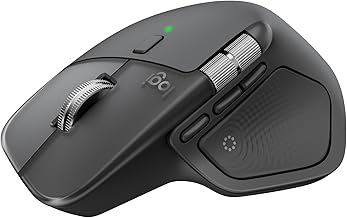
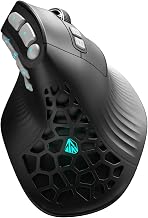
Our Top Picks
 Logitech G305 LIGHTSPEED Wireless Gaming Mouse4.6" x 2.4" x 1.5"2.45 x 1.5 x 4.6 inches0.21 poundsCheck on Amazon

The SteelSeries Sensei family is a line of ambidextrous, 8-button gaming mice: the Sensei Raw (laser sensor, 90 g), the Sensei 310 (TrueMove3 sensor, up to 12,000 CPI) and the Sensei Ten (TrueMove Pro sensor, up to 18,000 CPI). If you want the best of the three, the Sensei Ten has the newest sensor and the highest click rating. The 310 is the simpler middle option, and the Raw is a legacy classic.
Verdict: Which SteelSeries Sensei Is Worth Choosing?
- Sensei Ten: the strongest overall spec. Pick it for the best sensor, a symmetrical body and mechanical switches rated for 60 million clicks.
- Sensei 310: pick it if you want a similar shape with a still-capable sensor and 50-million-click Omron switches.
- Sensei Raw: pick it only if you want the historic shape or a particular laser feel. It is the oldest and has the lowest tracking speed.
- Newer Sensei Pro models: a later wireless generation exists in the shop listings, covered below.
SteelSeries Sensei Specs Side by Side
Numbers are taken from SteelSeries product information and independent reviews. Where sources differ slightly, we say so.
| Spec | Sensei Ten | Sensei 310 | Sensei Raw |
|---|---|---|---|
| Sensor | TrueMove Pro (optical) | TrueMove3 (optical) | Avago ADNS-A9500 (laser) |
| CPI range | 50 to 18,000, steps of 50 | 100 to 12,000, steps of 100 | 90 to 5,670 |
| Tracking speed | 450 IPS | 350+ IPS | 150 IPS |
| Acceleration | 50 G | 50 G | 30 G |
| Switches | SteelSeries mechanical, 60M clicks | Omron, 50M clicks | Not listed in our sources |
| Buttons | 8 | 8 | 8 |
| Shape | Ambidextrous | Ambidextrous | Ambidextrous |
| Weight | About 92 g | About 92 g | 90 to 92 g, sources differ |
| Connection | Wired | Wired | Wired |
The Sensei original, which predates the Raw version, is listed by one comparison page at roughly 1 to 5,700 CPI. For anything beyond these figures, check the maker.
What Makes the Sensei Line Special
Every Sensei mouse follows the same idea: a medium-large, symmetrical body with thumb buttons on both sides, built so that left-handed and right-handed players can use the same shape. The result is a mouse that suits palm and claw grips well and offers extra buttons for macros or shooters.
Across generations, SteelSeries replaced the sensor and switches while keeping the overall shape, so a player moving from a Raw to a Ten finds a very familiar hand feel with modern tracking.
SteelSeries Sensei Ten Review
Verdict first
The Sensei Ten is the best Sensei for most people. It combines a TrueMove Pro optical sensor, a 450 IPS tracking rating and switches rated for 60 million clicks in an ambidextrous body that weighs about 92 g.
Sensor and tracking
TrueMove Pro is an optical sensor with CPI from 50 to 18,000 in steps of 50. That granularity helps if you want a precise sensitivity. It is rated for 50 G acceleration, which is ample for fast mouse flicks in shooters.
Switches and buttons
The main buttons use SteelSeries mechanical switches rated for 60 million clicks, the highest of the three. There are 8 buttons overall, including those on both sides.
Comfort
The body is a medium-large ambidextrous shape. Palm and relaxed claw grips are natural. Very small hands may find it long, and fingertip players may prefer a lighter mouse.
Who should buy it
Buyers who want a premium wired mouse with a strong sensor, who may switch hands, or who like extra buttons.
Who should skip it
Players who want wireless, an ultralight body under 70 g or a very compact shape.
SteelSeries Sensei 310 Review
Verdict first
The Sensei 310 is a strong middle option. It shares the Ten’s ambidextrous shape and 8 buttons, with a TrueMove3 sensor that goes up to 12,000 CPI and Omron switches rated for 50 million clicks.
Sensor and tracking
The sensor tracks at 350+ IPS and 50 G acceleration, according to the listings we found. CPI steps are 100, with a 100 to 12,000 range. That is more than enough for ordinary gaming.
Comfort and weight
Weight is about 92.1 g, essentially the same as the Ten. The body is a comfortable fit for medium to large hands.
Who should buy it
Anyone who prefers the Sensei shape and is happy with a slightly lower CPI ceiling and click rating than the Ten.
Who should skip it
People who need the finer 50 CPI steps or the highest tracking spec.
SteelSeries Sensei Raw Review
Verdict first
The Sensei Raw is a legacy mouse with a laser sensor, a 90 to 5,670 CPI range and 150 IPS tracking. It is worth a look for fans of the original design, but its sensor is the oldest of the three.
Sensor and tracking
The Avago ADNS-A9500 laser sensor has a 150 IPS tracking rating and 30 G acceleration. Laser sensors differ from optical ones in how they read surfaces, and they can behave differently on some pads.
Weight
Sources list 90 g with some saying 92 g without the cable, so treat it as roughly the same as the later models.
Who should buy it
Collectors and players who prefer the older shape.
Who should skip it
Anyone who wants a modern optical sensor or high CPI.
Sensei Ten vs 310 vs Raw: Key Differences
- Sensor type: Ten and 310 are optical; the Raw is laser.
- CPI ceiling: 18,000, 12,000 and 5,670 respectively.
- Tracking speed: 450, 350+ and 150 IPS.
- Switch rating: 60 million (Ten), 50 million (310), not listed (Raw).
- Weight: all within a couple of grams of 92 g.
Which SteelSeries Sensei Is Best to Buy?
Many people search for the best Sensei to buy, so here is a simple rule. If you can find the Sensei Ten in stock, it is the best of the older trio. If it is not available, the Sensei 310 is the practical alternative. Choose the Raw only for nostalgia.
Always check that the listing is the exact model, that it is new and that the seller is reputable. Where possible, confirm stock on the maker’s own store as well.
SteelSeries Sensei Mice Currently in the Shop
The store does not list the Ten or the 310 right now, but these items fit the same buyer. Descriptions follow the listing details.
SteelSeries Sensei Laser Gaming Mouse RAW
As an Amazon Associate we earn from qualifying purchases at no extra cost to you.

The listing is for the SteelSeries Sensei Laser Gaming Mouse RAW in rubberized black. It is the older, laser-sensor model discussed above, with an ambidextrous design and a coating that gives a soft grip. It is mainly of interest to people who want the classic Sensei body. Because this is an older model, check the condition and seller notes carefully, and compare it with the newer options before you decide.
Best for: fans of the original Sensei shape. Skip if: you want a modern optical sensor.
SteelSeries Sensei Pro Wireless Symmetrical Gaming Mouse

The listing describes the SteelSeries Sensei Pro Wireless as a symmetrical gaming mouse with Ultra Wideband wireless and true 8K polling. It carries the Sensei name into a wireless generation. We cannot confirm its sensor, weight or battery figures from the information in the listing, so check the maker’s page for the full spec sheet. It is the one to look at if you want the Sensei lineage without a cable.
Best for: wireless players who like symmetrical shapes. Skip if: you need verified specs before ordering.
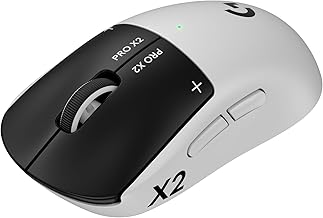
Logitech G PRO 2 Lightspeed Ambidextrous Wireless Gaming Mouse

The Logitech G PRO 2 Lightspeed is an ambidextrous wireless gaming mouse with a symmetrical design and customizable magnetic side buttons, per the listing. It is a good alternative for Sensei buyers who want a lighter wireless mouse from another brand. The listing is the place to confirm weight, battery and sensor figures, which we have not verified here.
Best for: ambidextrous wireless play. Skip if: you want the Sensei’s 8-button wired layout.
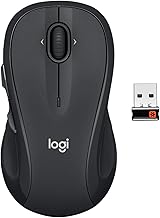
Logitech G305 Lightspeed Wireless Gaming Mouse

The Logitech G305 Lightspeed (white) is a wireless gaming mouse with a Hero 12K sensor, 12,000 DPI and six programmable buttons, according to the listing. It is a modest, light alternative if the Sensei body feels too large, and it is easy to set up with a small USB receiver. You give up the Sensei’s extra buttons and ambidextrous shape.
Best for: small to medium hands and wireless play. Skip if: you need many buttons.
Sensei Ten Features Worth Knowing About
- Two-sided thumb buttons: useful for left-handed players and for those who like extra binds.
- Customization: SteelSeries software handles CPI steps, button binds and lighting. Review the current version on the maker’s site.
- Lighting: the Sensei Ten is known for its RGB lighting zones; check the maker’s page for the exact count and effects.
- Cable: wired, so no charging to manage.
Performance by Use
FPS and tactical shooters
The Ten and 310 are the better fits. Their optical sensors, fast tracking ratings and 50 G acceleration handle quick flicks without losing track. The Raw’s 150 IPS rating is lower, so very fast swipes are more likely to exceed it.
MMO and RPG play
Eight buttons give room for hotkeys and macros. Thumb buttons on both sides mean you can place binds where they feel natural for your grip.
MOBA and strategy
The medium-large body suits palm and claw grips, and the extra buttons handle camera and ability binds well. Players with small hands may prefer a lighter, shorter mouse.
Creative and office work
A wide CPI range helps on multi-monitor desks. The Ten’s 50 CPI steps make fine adjustment easy, which is handy in design and editing apps.
Which Grip Suits the Sensei Shape?
| Grip | Fit with the Sensei body | Notes |
|---|---|---|
| Palm | Good | Medium-large shape supports the whole hand |
| Claw | Good | Works well with medium to large hands |
| Fingertip | Fair | At about 92 g it is not especially light |
Left-handed users benefit most from this line, since the thumb buttons exist on both sides and the body shape does not favour one hand.
Starting CPI Settings
| Play style | Starting CPI | Why |
|---|---|---|
| Tactical shooter, 1080p | 400 to 800 | Slow, precise aim |
| Fast arena shooter, 1440p | 800 to 1,600 | More travel per swipe |
| Desktop and creative work | 1,600 to 3,200 | Short movement across wide screens |
The Ten’s finer 50 CPI steps help you land on exactly the value you want. The 310 uses 100 steps, which is still fine for most players. The Raw’s range stops at 5,670 CPI, which is enough for these settings.
Sensei Family Compared With Other Brands
If you are comparing the Sensei line with competitors, think about what you gain and lose.
- Versus lighter ambidextrous mice: the Sensei is heavier at about 92 g but offers more buttons.
- Versus the Logitech G305: the G305 is wireless, lighter and cheaper in tier, but has six buttons and a single-handed shape.
- Versus the Logitech G PRO 2: a wireless, symmetrical rival that suits esports-style play; confirm exact specs on the maker’s page.
Common Problems and Quick Fixes
Cursor drifts or jitters
Clean the sensor lens with a dry cotton swab and check your pad. Laser sensors on the Raw may react more to textured or glossy surfaces.
Buttons not doing what you set
Confirm the active profile in SteelSeries software. Profiles can be overwritten when you reinstall the software.
Double clicks
This can indicate switch wear on older units. Check the maker’s warranty and support information.
Lighting not working
Update the software and firmware, then reset the lighting profile.
Care Tips
- Wipe the shell with a slightly damp, lint-free cloth. The Raw’s rubberized finish can wear with heavy use, so avoid harsh cleaners.
- Replace worn mouse feet when glide becomes rough.
- Keep the cable free from sharp bends near the strain relief.
- Store away from direct sunlight to keep the finish from fading.
Setup Tips for the Sensei Family
- Install SteelSeries software and update firmware if prompted.
- Pick a base CPI. 400 to 1,600 suits most shooters.
- Bind the extra thumb buttons to the actions you need most, such as push-to-talk or grenade.
- Disable the operating system’s pointer acceleration.
- Save the profile to the mouse if your model supports onboard storage.
How We Chose These Picks
This article is based on research. We did not use these mice ourselves. We compared SteelSeries product information, independent review sites and comparison tables, and we kept to values that appeared consistently. Where sources disagreed, such as the Raw’s weight, we say so. Alternatives were chosen to cover buyers who want wireless, a smaller body or a similar symmetrical shape.
Buying Guide: What to Check Before You Order
- Exact model name: Sensei, Sensei Raw, Sensei 310, Sensei Ten and Sensei Pro are different mice.
- Condition: skip anything listed as used, open-box or refurbished unless you want that.
- Sensor type: optical sensors are common now. Laser sensors can behave differently on glossy or textured pads.
- Hand size: the Sensei shape is medium-large. Measure your hand if you are unsure.
- Weight target: about 92 g is mid-weight. Choose lighter if you play fast flick styles.
- Wired or wireless: the Ten, 310 and Raw are wired.
Frequently Asked Questions
What is the SteelSeries Sensei?
It is a line of ambidextrous, 8-button gaming mice from SteelSeries, covering the Raw, 310 and Ten models, with newer Pro versions as well.
Is the SteelSeries Sensei 310 still good?
Yes. A TrueMove3 sensor up to 12,000 CPI and Omron switches rated for 50 million clicks remain suitable for most players.
What is the difference between Sensei Ten and Sensei 310?
The Ten has a newer TrueMove Pro sensor with 18,000 CPI, 450 IPS and 60-million-click switches. The 310 has 12,000 CPI and 50-million-click switches.
What is the SteelSeries Sensei Raw?
It is an older Sensei model with a laser sensor, a 90 to 5,670 CPI range and a rubberized shell.
Is the SteelSeries Sensei wireless?
The Ten, 310 and Raw are wired. A newer Sensei Pro model is listed as wireless, so check the maker for details.
Is the Sensei good for left-handed players?
Yes. The Ten, 310 and Raw are ambidextrous, with buttons on both sides.
How do I tell a Sensei 310 from a Sensei Ten?
Check the model name on the listing and the sensor. The 310 lists TrueMove3 with 12,000 CPI, while the Ten lists TrueMove Pro with 18,000 CPI.
Is a laser sensor worse than an optical one?
Not automatically, but laser sensors can behave differently on glossy or textured surfaces, and the Raw’s laser has a lower tracking-speed rating than the newer optical sensors.
Does the Sensei work without SteelSeries software?
Basic movement and clicks work without it. Software is needed to change CPI steps, rebind buttons and set lighting.
Sensei Buyer Mistakes to Avoid
- Mixing up model names: a listing titled only “Sensei” may be the older original, the Raw, the 310 or a Pro. Read the full title and photos.
- Ignoring condition: because the Raw and the 310 are older designs, used units appear often. Choose new unless you accept wear.
- Assuming all Senseis are wireless: the Ten, 310 and Raw are wired.
- Paying for a spec you will not use: if you play at 800 CPI, the Ten’s 18,000 CPI ceiling is headroom you may never need.
- Skipping hand size: measure your hand first. A medium-large body will feel awkward for very small hands.
Quick Decision Table
| If you want | Choose | Reason |
|---|---|---|
| Best wired spec in the family | Sensei Ten | Highest CPI, fastest tracking, 60M clicks |
| Same shape, simpler spec | Sensei 310 | TrueMove3 and 50M-click Omron switches |
| Historic design | Sensei Raw | Laser sensor and rubberized shell |
| Wireless symmetrical | Sensei Pro Wireless or Logitech G PRO 2 | Wireless with similar ambidextrous idea |
| Light, budget wireless | Logitech G305 | Hero 12K sensor, six buttons |
How the Sensei Line Evolved
The original Sensei introduced the ambidextrous eight-button layout. The Raw refined that design with a laser sensor and a rubberized shell. The 310 moved to an optical sensor and Omron switches, and the Ten added a faster optical sensor and mechanical switches rated for 60 million clicks. Across all of these, the hand feel stayed close, which is why many owners upgrade within the family rather than switch brands. If you liked an earlier Sensei, the Ten or 310 will feel familiar from the first minute.
Sensei Pros and Cons
Strengths of the family
- Ambidextrous shape with thumb buttons on both sides.
- Eight programmable buttons across all three models.
- Optical sensors on the Ten and 310 with strong tracking ratings.
- Comfortable for palm and claw grips.
Limitations
- About 92 g is mid-weight, not ultralight.
- All three are wired.
- The medium-large body may feel big for small hands.
- The Raw’s laser sensor is the oldest and slowest of the three.
Which One Should You Buy?
- Want the best of the classic trio: Sensei Ten, if you can find it.
- Want a capable, lower-cost shape: Sensei 310.
- Want the historic design: Sensei Raw.
- Want wireless: the Sensei Pro Wireless, the Logitech G PRO 2 or the G305.
Sources
- SteelSeries, Sensei Ten product page
- Tom’s Hardware, SteelSeries Sensei Ten review
- Vortez, SteelSeries Sensei 310 review specifications
- GamerGear, Sensei comparison pages
Last updated: November 2026
FAQ
Which SteelSeries Sensei Is Best to Buy?
What is the SteelSeries Sensei?
Is the SteelSeries Sensei 310 still good?
What is the difference between Sensei Ten and Sensei 310?
What is the SteelSeries Sensei Raw?
Is the SteelSeries Sensei wireless?
Is the Sensei good for left-handed players?
How do I tell a Sensei 310 from a Sensei Ten?
More from Amazon
Programs that pair well with the guide above. Offers and eligibility are set by Amazon and may change.
Free shipping on eligible items, Prime Video and more. Eligible new members can start with a free trial.
Start a Prime free trialAd-free music streaming. Eligible new subscribers can start with a free trial.
Try Music Unlimited freeA Prime membership for ages 18-24 with a trial period. Eligibility is set by Amazon.
See Prime for Young AdultsAudiobooks and podcasts to listen to on the go. Eligible new members can start with a free trial.
Try Audible freeAs an Amazon Associate we earn from qualifying purchases.