Our Top Picks
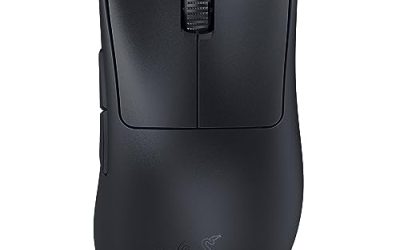
 Logitech G Pro X Superlight 2 Lightspeed WirelessClassic1.57 x 2.5 x 4.92 inches0.1 poundsCheck on Amazon


For most players, the Logitech G502 HERO is the best gaming mouse because its 11 programmable buttons, adjustable weights and HERO 25K sensor cover shooters, strategy and everyday work in one wired body. Competitive players who want wireless freedom should look at the Logitech G PRO X Superlight 2 instead, while the Logitech G305 LIGHTSPEED is the pick for anyone who wants reliable wireless play on a smaller outlay.


A gaming mouse is the one peripheral your hand touches for every minute of a session, so the wrong shape or the wrong button layout follows you into every match. The real decision is not which sensor posts the biggest number, since every mouse here tracks far beyond what most players use, but which combination of weight, grip shape, button count and connection fits the games you actually play and the desk you play them on.
This guide is written for first-time buyers replacing an office mouse, competitive players chasing a lighter wireless setup, and MMO or strategy players who need extra buttons within thumb reach. Each pick below is a standalone gaming mouse with its key specifications taken from its Amazon listing, so you can compare sensor range, weight, battery life and button counts on the same terms before you choose.
Quick Picks
As an Amazon Associate we earn from qualifying purchases
| Product | Best for | Key spec from title |
|---|---|---|
| Logitech G502 HERO | All-round play with many buttons | HERO 25K sensor, 25,600 DPI, 11 buttons |
| Razer DeathAdder V3 | Lightweight wired FPS play | 59g, Focus Pro 30K sensor, 8K Hz HyperPolling |
| Logitech G PRO X Superlight 2 | Competitive wireless FPS | 60g, 44K DPI sensor, 8kHz report rate |
| SteelSeries Rival 3 Wireless | Long battery life on two connections | 400+ hour battery, 2.4 GHz and Bluetooth 5.0 |
| Logitech G305 LIGHTSPEED | Portable wireless play on one AA battery | HERO 12K sensor, 12,000 DPI, 250h battery |
How to Choose
Start with grip and shape, not the sensor
Your grip decides comfort long before any sensor number matters. Palm-grip players with larger hands suit a taller, contoured shell such as the DeathAdder V3, while claw and fingertip players usually prefer a lower, symmetrical body like the Superlight 2 or the G305. A mouse that forces your wrist into an awkward angle will show up as fatigue within a week, so measure your hand against the listed length and width before you commit. If you share a desk or switch between games, a neutral symmetrical shape is the safer compromise, since it adapts to more grips than a strongly sculpted right-handed shell.
Decide wired or wireless before you compare models
Wired mice remove charging and battery worries entirely, and a flexible cable such as the Speedflex cord on the DeathAdder V3 stays out of the way during fast flicks. Wireless mice trade that cable for freedom of movement, but they ask you to manage power: the Superlight 2 runs on a rechargeable cell with USB-C charging, while the Rival 3 Wireless and the G305 run on replaceable batteries that last hundreds of hours. If your desk sits far from a free outlet or you travel with a laptop, battery-powered wireless is the simpler choice; if the mouse never leaves one desk, wired is one less thing to think about.
Count the buttons you will actually press
Button count is a trade-off between control and clutter. Eleven programmable buttons on the G502 HERO suit players who map abilities, push-to-talk and macros to the mouse, and the same logic applies to the G305 and Rival 3 Wireless with six buttons each. Competitive shooter players often do better with fewer, well-placed buttons, which is why the Superlight 2 and DeathAdder V3 keep the layout lean. Before you choose, list the actions you reach for mid-match: if the list fits on two thumb buttons, a simple mouse will serve you better than a crowded one you never fully learn.
Read weight and DPI as ranges, not headlines
Manufacturers headline the biggest numbers, so read them in context. A 25,600 or 44,000 DPI ceiling matters far less than a sensor that tracks cleanly at the sensitivity you use, and most players settle well below 3,200 DPI for aimed play. Weight is the number you will feel every session: the 59-gram DeathAdder V3 and the 60-gram Superlight 2 flick with far less effort than a heavier mouse, while the G502 HERO adds five 3.6-gram weights for players who prefer a planted feel. Check whether the listed weight includes batteries, since a wireless mouse can gain a noticeable amount once cells are fitted.
The 5 Best Options
1. Logitech G502 HERO
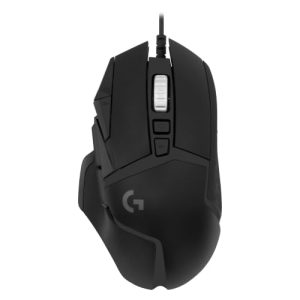
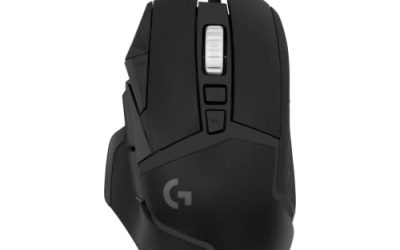
The G502 HERO is the all-round pick in this guide because it covers more roles than any other mouse here. Eleven programmable buttons and a dual-mode hyper-fast scroll wheel give MMO and strategy players room for abilities and macros, while the HERO 25K sensor tracks up to 25,600 DPI for aimed play. Five 3.6-gram weights slot into the base so you can tune the balance, and the wired connection means there is nothing to charge. It is a large, right-handed mouse, so small hands should check the dimensions first.
Specs
- HERO 25K sensor, 200–25,600 DPI range
- 11 programmable buttons, dual-mode hyper-fast scroll wheel
- Five 3.6g adjustable weights
- LIGHTSYNC RGB lighting, approx. 16.8 million colors
- On-board memory, wired connection, PC/Mac compatible
Best for: Players who want one wired mouse for shooters, strategy and everyday work.
Watch out for: The right-handed shell and 4.3-ounce weight suit larger hands; confirm it is still sold before buying, as stock on this listing can change.
2. Razer DeathAdder V3
The DeathAdder V3 is the wired pick for players who want a light mouse with a comfortable ergonomic shell. At 59 grams it moves with very little effort, and the Focus Pro 30K optical sensor reaches 30,000 DPI with 8K Hz HyperPolling for fast response. Six programmable buttons keep the layout simple, Gen-3 optical switches are listed with a 90-million-click lifecycle, and the Speedflex cable is designed to drag less than a stiff cord. There is no wireless mode and no RGB lighting, so it suits players who value feel over features.
Specs
- Focus Pro 30K optical sensor, up to 30,000 DPI
- 59g ultra-lightweight, ergonomic right-handed shape
- Fast Optical Switches Gen-3, 90-million-click lifecycle
- 8K Hz HyperPolling, Speedflex cable
- 6 programmable buttons, USB wired, Windows and macOS
Best for: FPS players who want a light wired mouse with a shaped, palm-friendly shell.
Watch out for: Right-handed only, with no wireless option; confirm it is still sold before buying, as stock on this listing can change.
3. Logitech G PRO X Superlight 2
The Superlight 2 is the wireless pick for competitive players who want the lightest possible setup without giving up sensor performance. It weighs 60 grams, pairs a HERO 2 sensor with a 44,000 DPI ceiling and an 8kHz report rate, and uses LIGHTFORCE hybrid switches in a low-profile symmetrical shell. Five programmable buttons keep the layout focused, USB-C charging handles top-ups, and the listed battery life runs to 95 hours. It is a specialist mouse: no extra thumb buttons, no RGB, just speed and a shape built for fast aim.
Specs
- HERO 2 sensor, 44K DPI, 8kHz report rate
- 60g pro-grade, low-profile symmetrical shape
- LIGHTFORCE hybrid switches, 5 programmable buttons
- LIGHTSPEED wireless, USB-C charging
- 95-hour battery life, PC/Mac compatible
Best for: Competitive FPS players who want a featherweight wireless mouse with a high report rate.
Watch out for: Availability on this listing has been thin at times; confirm it is still sold before buying, and check the return terms before ordering.
4. SteelSeries Rival 3 Wireless
The Rival 3 Wireless is the pick for players who want wireless freedom without thinking about charging. Its headline feature is a 400+ hour battery life on replaceable AAA batteries, and Quantum 2.0 Dual Wireless gives you both a 2.4 GHz dongle for gaming and Bluetooth 5.0 for laptops and other devices. The TrueMove Air optical sensor reaches 18,000 CPI, the shell is ergonomic and right-handed, and the mechanical switches are listed for 60 million clicks. It runs heavier than the featherweight picks, at 106 grams with two batteries fitted.
Specs
- TrueMove Air optical sensor, 18,000 CPI, 400 IPS, 40G
- 400+ hour battery life, 2 AAA batteries included
- Dual wireless: 2.4 GHz and Bluetooth 5.0
- 6 buttons, 60-million-click mechanical switches
- Ergonomic right-handed shape, claw and fingertip grip
Best for: Players who switch between a gaming PC and a laptop and want months of battery life.
Watch out for: Runs on AAA batteries rather than a rechargeable cell; confirm it is still sold before buying, as stock on this listing can change.
5. Logitech G305 LIGHTSPEED
The G305 is the portable pick, a compact wireless mouse that travels well and asks very little of its owner. LIGHTSPEED wireless delivers a 1ms report rate through a tiny USB receiver that stows inside the body, the HERO 12K sensor reaches 12,000 DPI, and a single AA battery is listed for 250 hours of continuous play. Six programmable buttons and on-board memory cover the essentials, and the 99-gram symmetrical body suits claw and palm grips alike. There is no Bluetooth, so the receiver must travel with the mouse.
Specs
- HERO 12K sensor, 200–12,000 DPI, 400 IPS
- LIGHTSPEED wireless, 1ms report rate, USB receiver
- 250 hours on a single AA battery
- 99 grams, compact symmetrical design
- 6 programmable buttons, on-board memory, PC/Mac
Best for: Laptop gamers and travellers who want a light wireless mouse with long battery life.
Watch out for: No Bluetooth fallback if the receiver is lost; confirm it is still sold before buying, as stock on this listing can change.
Which One Fits Your Situation
You play a mix of genres on one desk
Pick the G502 HERO. Its eleven buttons handle abilities in strategy and MMO sessions, the adjustable weights let you set the feel for long evenings, and the wired connection never needs charging. The DeathAdder V3 is the better choice only if you play mostly shooters and want a lighter mouse in hand.
You play competitive shooters and want wireless
Pick the G PRO X Superlight 2. At 60 grams with an 8kHz report rate and a HERO 2 sensor, it is built for fast, precise aim without a cable in the way. If you would rather keep a cable and spend less on the setup, the 59-gram DeathAdder V3 gives you the same lightweight feel with a wired connection.
You switch between a PC and a laptop
Pick the Rival 3 Wireless. Bluetooth 5.0 pairs with a laptop while the 2.4 GHz dongle stays on the gaming PC, and the 400+ hour battery life means you will rarely think about power. The G305 is the alternative if you want a smaller mouse to carry, though it works only through its USB receiver.
You want your first gaming mouse
Pick the G305 LIGHTSPEED. It is light, wireless and simple, with six buttons to learn rather than eleven, and one AA battery lasts for months of regular play. Start here to learn what grip and weight you prefer, then move to a specialist mouse such as the Superlight 2 or the G502 HERO once you know what your games demand.
Common Mistakes
- Buying on the highest DPI number alone, when sensor feel at your usual sensitivity and the shape in your hand matter far more.
- Ignoring grip style and hand size, then finding a sculpted right-handed shell uncomfortable after a week of use.
- Choosing a wireless mouse without checking how it charges or which batteries it needs, and whether it has Bluetooth as a fallback.
- Mapping every button on day one instead of learning two or three first, which leaves a crowded mouse half-used.
- Assuming a mouse with a rechargeable battery and one that takes replaceable cells behave the same on a trip — one needs a cable, the other needs spares.
Frequently Asked Questions
Do I need a high DPI gaming mouse?
No. Every mouse in this guide tracks well beyond the sensitivity most players use, and aimed play usually happens at a fraction of the listed ceiling. What matters is a sensor that tracks cleanly without smoothing or acceleration at your setting, plus a shape and weight that suit your grip. Treat DPI as a range to choose from, not a score to chase.
Is a wireless gaming mouse as responsive as a wired one?
For the mice in this guide, yes in practical terms. LIGHTSPEED and Quantum 2.0 Dual Wireless links are designed for gaming, with report rates that match wired connections during play. The real difference is upkeep: wireless mice need charging or fresh batteries, while wired mice never do. If you forget to charge, a wired mouse is the safer habit.
How many buttons does a gaming mouse need?
Two thumb buttons cover most players, including push-to-talk and a couple of mapped actions. Six buttons suit players who want a few more without learning a new layout, which is why the G305 and Rival 3 Wireless sit there. Eleven buttons on the G502 HERO make sense only if you play games with many abilities and will actually map them.
What should I check before buying a gaming mouse?
Confirm the hand orientation and dimensions against your grip, check whether it is wired, rechargeable or battery powered, and make sure your operating system is listed as compatible. Read the listing for the exact model and ASIN, since similar names can hide different sensors or polling rates. Confirm the listing is still sold before buying, as stock changes.
FAQ
Do I need a high DPI gaming mouse?
Is a wireless gaming mouse as responsive as a wired one?
How many buttons does a gaming mouse need?
What should I check before buying a gaming mouse?
More from Amazon
Programs that pair well with the guide above. Offers and eligibility are set by Amazon and may change.
Free shipping on eligible items, Prime Video and more. Eligible new members can start with a free trial.
Start a Prime free trialAd-free music streaming. Eligible new subscribers can start with a free trial.
Try Music Unlimited freeA Prime membership for ages 18-24 with a trial period. Eligibility is set by Amazon.
See Prime for Young AdultsAudiobooks and podcasts to listen to on the go. Eligible new members can start with a free trial.
Try Audible freeAs an Amazon Associate we earn from qualifying purchases.