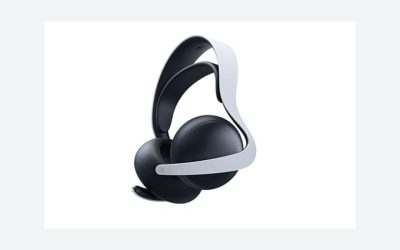
Our Top Picks
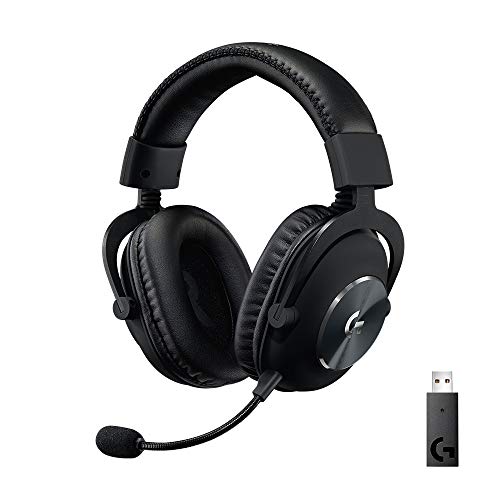 Logitech G PRO X Wireless Lightspeed Gaming HeadsetWireless (1-Pack)9.7 x 9.2 x 4.2 inches0.8 poundsCheck on Amazon
 Razer BlackShark V3 X HyperSpeed Wireless Gaming Headset6.9 x 3.7 x 7.9 inches1.7 poundsCheck on Amazon


The HyperX Cloud Alpha is a closed-back gaming headset built around 50mm dual-chamber drivers, an aluminum frame, memory foam and a detachable microphone. It is worth buying if you want a durable, comfortable wired headset for PC and consoles. Pick the Cloud Alpha Wireless if you want cable-free play and a battery HyperX rates at up to 300 hours.
Verdict: Is the HyperX Cloud Alpha Worth It?
For most buyers the original wired Cloud Alpha is a safe, comfortable all-rounder, and the Alpha Wireless is the pick for anyone who hates charging. This review is based on maker specifications, editorial reviews and the product listings in our store; we did not use the headsets ourselves, so there are no personal sound impressions here. Where a detail is not confirmed, we say so.
- Buy the wired Cloud Alpha if: you want a durable metal-frame headset that works across PC, PlayStation, Xbox and Switch through a 3.5mm connection.
- Buy the Cloud Alpha Wireless if: you play on PC with a USB dongle and want very long battery life.
- Skip both if: you need a built-in surround sound card, active noise cancellation or Bluetooth on the original models; check the newer Alpha 2 Wireless or other HyperX lines instead.
HyperX Cloud Alpha Specs at a Glance
The figures below come from HyperX support pages and editorial coverage. HyperX lists them per model, and different revisions can differ slightly, so confirm against the box or the maker’s page for the unit you are buying.
| Spec | Cloud Alpha (wired) | Cloud Alpha Wireless |
|---|---|---|
| Driver | 50mm dynamic, dual chamber | 50mm dynamic, dual chamber (slimmer, lighter) |
| Frequency response | 13Hz to 27kHz | 15Hz to 21kHz |
| Impedance | 65 ohm | 62 ohm |
| Weight | 298g (336g with mic) | 322g (335g with mic) |
| Microphone | Detachable, 50Hz to 18kHz | Detachable, 50Hz to 7.2kHz, noise-cancelling |
| Connection | 3.5mm cable | 2.4GHz USB dongle, up to 20m range |
| Battery | Not applicable | Up to 300 hours (HyperX figure at 50% volume), 4.5 hour charge |
The 300-hour battery figure is HyperX’s own rating, rated at moderate volume, and real life varies with volume and usage. Independent reviewers who used the headset daily reported that it lasted through more than a week of regular play.
Which Cloud Alpha Version Is Which?
Shoppers often meet several names for what looks like one headset. Here is how they sort out.
Cloud Alpha (Original Wired)
The wired Cloud Alpha is the original model with a detachable microphone and a 3.5mm cable. The listing in our store describes it as working on PC, PS4, PS5, Xbox One, Xbox Series X|S, Nintendo Switch and mobile. Because it relies on a 3.5mm plug, it needs no dongle or driver.
As an Amazon Associate we earn from qualifying purchases at no extra cost to you.

The HyperX Cloud Alpha listing highlights dual chamber drivers, an aluminum frame, a detachable microphone and what HyperX calls legendary comfort. The listing shows the red colorway. Because it is a wired design, it never needs charging, and the detachable microphone lets you use it as plain headphones when you do not need voice chat.
Cloud Alpha S
The Cloud Alpha S is a separate model name, and queries about its microphone are common. We could not confirm the Alpha S specifications from a maker page in our research for this review, so we are not stating its microphone or sound-card details here. Check HyperX’s product page for the current specification before you buy.
Cloud Alpha Pro
Searches for the Cloud Alpha Pro wired gaming headset appear regularly, but a model by that exact name is not listed in the HyperX sources we reviewed, and no listing in our store carries it. Retailers sometimes label products loosely, so treat the name with caution and confirm it against HyperX’s own catalog.
Cloud Alpha Wireless
The wireless model keeps the dual chamber drivers but uses a slimmer, lighter driver design, according to HyperX. It connects through a 2.4GHz USB dongle and is aimed at PC players first.
The HyperX Cloud Alpha Wireless listing mentions a 300-hour battery life, DTS Headphone:X spatial audio, memory foam, dual chamber drivers, a noise-canceling microphone and a durable aluminum frame. The listing shows the red version. Note that DTS Headphone:X is a software feature that is commonly tied to Windows; check HyperX’s page for platform details.
Cloud Alpha 2 Wireless
The newer Cloud Alpha 2 Wireless is listed with simultaneous 2.4GHz and Bluetooth connectivity, a 250-hour battery rating, an RGB base station and dual-chamber drivers. It sits at a higher tier than the original wireless model, and it is a separate product to consider if Bluetooth matters to you.
Performance by Use
Comfort and Build
HyperX builds the Alpha family around an aluminum frame and memory foam ear cushions. The wired model weighs 298g without the mic and 336g with it, and the wireless model is 322g or 335g with the microphone, per the maker figures. That places the headsets in the middle of the weight range for full-size gaming headsets. Metal construction usually means the headband and sliders hold up well over time, though the ear cushions are the part that wears out first on any headset.
Sound Character
We are not describing sound quality beyond what the specifications and editorial coverage support. The headsets use 50mm drivers with a dual-chamber design that HyperX says separates bass from mids and highs. The wired model lists a wider frequency range on paper (13Hz to 27kHz) than the wireless (15Hz to 21kHz), but a frequency range on a spec sheet says little about how a headset sounds. Reviewers generally describe the Alpha family as having a bass-forward, fun signature, which suits action games and general media; if you want a flat, analytical sound for competitive footsteps, listen before you commit if possible.
Microphone
Both microphones detach, which is handy when you want headphones only. The wireless microphone is listed as noise-cancelling with a 50Hz to 7.2kHz response; the wired microphone lists a 50Hz to 18kHz range. As with any gaming headset boom mic, expect clear chat, not studio-grade recording. If you stream or record often, a separate USB microphone is a better upgrade.
Wireless Range and Latency
The Alpha Wireless uses a 2.4GHz dongle with a range of up to 20 meters according to the maker. Dongle-based wireless is generally the right choice for gaming because it avoids the delay common on Bluetooth. If you need Bluetooth to pair with a phone, look at the Alpha 2 Wireless instead, since the original wireless model is dongle-based.
Battery Life
HyperX rates the Alpha Wireless at up to 300 hours at 50% volume with a 4.5-hour charge time. Even if real use is considerably lower at higher volumes, it is long enough that daily charging is not part of your routine. A battery that lasts weeks is the main reason many people pick this model.
Platform Compatibility
| Platform | Wired Cloud Alpha | Cloud Alpha Wireless |
|---|---|---|
| PC | Yes (3.5mm) | Yes (USB dongle) |
| PlayStation 4 and 5 | Yes (3.5mm in controller) | Check HyperX; dongle support varies by listing |
| Xbox One and Series X|S | Yes via 3.5mm in the controller, per the store listing | Not confirmed here; check HyperX |
| Nintendo Switch | Yes via 3.5mm, per the store listing | Check HyperX |
| Mobile | Yes via 3.5mm | Check HyperX |
Does HyperX Cloud Alpha Wireless Work With Xbox Series X?
We could not confirm Xbox Series X support for the Cloud Alpha Wireless from a maker source. Xbox consoles generally require Xbox-licensed wireless protocols, so check HyperX’s compatibility page, or use the wired Alpha through the controller’s 3.5mm jack.
Who Should Buy and Who Should Skip
Buy the Cloud Alpha Family If
- You want a durable headset with a metal frame and removable cable or microphone.
- You value comfort for long sessions and a bass-forward sound.
- You want the option of a wired model that works on many consoles.
Skip It If
- You need active noise cancellation; the Alpha family does not list it.
- You want built-in Bluetooth on the original wireless model; it is dongle-only.
- You need a USB sound card with virtual surround on the original wired model; it connects via 3.5mm.
Alternatives to Consider
HyperX Cloud II
The Cloud II is the older and equally popular sibling, with virtual 7.1 surround through its USB sound card. If surround software matters to you, it is worth comparing. It appears in the store as a wired multi-platform headset.
HyperX Cloud III
The Cloud III is a newer wired model with USB-C, USB-A and 3.5mm connections and memory foam, according to its listing. It is worth a look if you want a more recent HyperX wired headset with multiple connection options.
HyperX Cloud Core
The Cloud Core is a lower-cost wired headset with DTS Headphone:X listed, positioned for PC and Xbox. It is a sensible alternative for buyers who want the HyperX name on a smaller budget.
Logitech G PRO X Wireless
The Logitech G PRO X Wireless Lightspeed listing mentions a Blue VO!CE mic filter and 50mm PRO-G drivers. It is a competing wireless pick from a different brand if you want a Lightspeed dongle connection and an esports-oriented design.
Razer BlackShark V3 X HyperSpeed

The Razer BlackShark V3 X HyperSpeed Wireless listing mentions a 70-hour battery, a HyperClear microphone and 7.1 surround sound. It is an option if you want a lighter-feeling wireless headset with software surround from another brand.
How to Choose Among the Alpha Models
- Decide wired or wireless. Wired means no battery and broad console support; wireless means freedom from the cable on PC.
- Check your platform. Confirm support for your console and connection type on HyperX’s page.
- Check the exact name. Alpha, Alpha S, Alpha Wireless and Alpha 2 Wireless are different products.
- Check the seller. Avoid Renewed or used listings unless you want them.
- Keep the return window in mind. Comfort is personal, and a returnable purchase lets you confirm fit.
Cloud Alpha vs Cloud Alpha Wireless: Side-by-Side Decision Guide
The two main models share a design but differ in how they connect and how they are used day to day. This table summarizes the practical differences, using the maker figures above.
| Factor | Wired Cloud Alpha | Cloud Alpha Wireless |
|---|---|---|
| Setup | Plug into a 3.5mm jack | Plug in the USB dongle |
| Ongoing upkeep | None | Charge about once every few weeks, per the maker rating |
| Best platform | Any device with a 3.5mm jack | PC first |
| Cable clutter | Cable to the device | None, but the dongle must stay plugged in |
| Weight with mic | 336g | 335g |
| Failure points | Cable and jack wear | Battery ageing over years, dongle loss |
The weights are almost identical with the microphone attached, so weight alone should not decide it. The real choice is whether you prefer never thinking about batteries or never thinking about cables.
Setup Tips for the Cloud Alpha Family
Getting the Best Fit
Adjust the headband first, then reposition the ear cups until the cushions fully surround your ears. A poor seal weakens bass on any closed-back headset. If you wear glasses, check that the arms do not break the seal; memory foam helps, but thick frames can still cause gaps.
Connecting to a PC
For the wired model, use the 3.5mm combined jack on the case or an adapter if your PC has separate headphone and microphone ports. For the wireless model, plug the dongle into a USB port, then pick the headset as the default playback and recording device in your system sound settings.
Connecting to a Console
The wired Cloud Alpha plugs into the controller 3.5mm jack on PlayStation and Xbox. Because the jack passes chat audio and game audio through the controller, volume is adjusted from the console or controller menus as well as the headset. For the wireless model, confirm console compatibility on HyperX’s page first.
Using the Detachable Microphone
Remove the microphone when you do not need voice chat, and store it somewhere safe. When using it, place the capsule near the corner of your mouth rather than directly in front, which helps reduce breath pops.
Cloud Alpha vs Cloud II: Which HyperX Headset Suits You?
Both are long-running HyperX favorites, but they have different strengths. The Cloud Alpha is built around the dual-chamber driver design and a bass-forward sound. The Cloud II is known for virtual 7.1 surround through a USB sound card in the box. Surround software changes the soundstage, but many players keep plain stereo for competitive games, so the extra feature matters less than it sounds. If you want a physical volume control and a surround toggle, the Cloud II offers those; if you want a simple plug-and-play analog headset, the Alpha is cleaner. Check the current spec pages before deciding.
Care and Long-Term Ownership
- Ear cushions: They are the first part to wear out. HyperX sells replacements, so you can refresh them rather than replace the headset. Check the maker’s store for the right size.
- Cable: On the wired model, avoid yanking the cable. Wrap it loosely when storing.
- Battery: On the wireless model, avoid leaving it fully drained for long stretches, which is good practice for any rechargeable battery.
- Cleaning: Wipe the cushions with a slightly damp cloth, never soak them, and let them dry fully before use.
- Storage: Keep the headset on a stand or hook so the headband is not under constant pressure.
What We Could Not Verify
For transparency, these points came up while researching this review and are not confirmed by the maker sources we used. Check them on HyperX’s site before purchase.
- The exact microphone and sound-card hardware of the Cloud Alpha S.
- Whether a model called Cloud Alpha Pro exists in HyperX’s current catalog.
- Whether the Cloud Alpha Wireless dongle works on Xbox or PlayStation consoles.
- Exact battery life for your own volume habits; the 300-hour figure is a maker rating.
Is the HyperX Cloud Core 7.1 Gaming Headset the Same as the Cloud Alpha?
No. The Cloud Core is a separate, lower-cost wired headset with DTS Headphone:X listed for PC and Xbox. The Cloud Alpha uses dual-chamber 50mm drivers and an aluminum frame. Check the listing for the exact surround details of your Cloud Core.
Quick Buying Checklist
- Confirm whether you want wired (3.5mm) or wireless (USB dongle) before comparing anything else.
- Read the full product title on the listing; the Alpha, Alpha S and Alpha Wireless names are easy to mix up.
- Check that the listing is a new unit sold by a seller with clear return terms.
- Compare the ear cushion material and size information on HyperX’s page if you wear glasses.
- Decide whether you need Bluetooth; if so, look at the Alpha 2 Wireless or another line instead.
- Keep the box and packing for the return period so you can confirm fit and sound for yourself.
Spending a few minutes on this list prevents the most common mistake with this family, which is buying the right brand but the wrong connection type for your device.
FAQ
Does the HyperX Cloud Alpha S have a microphone?
Yes, headsets in the Alpha family come with a microphone, but we could not confirm the Alpha S details from a maker page. Check HyperX’s current specification for its microphone type.
Is the HyperX Cloud Alpha Pro a real model?
We found no Cloud Alpha Pro in the HyperX sources we reviewed. Search results may be labeling the standard Cloud Alpha loosely, so verify the name on HyperX’s site.
Does the HyperX Cloud Alpha Wireless really last 300 hours?
HyperX rates it at up to 300 hours at 50% volume. Real battery life varies with volume and usage, though reviewers report weeks of regular use per charge.
Does the HyperX Cloud Alpha Wireless work on Xbox Series X?
We could not confirm that from a maker source. Use the wired Cloud Alpha through the controller’s 3.5mm jack, or check HyperX’s compatibility information.
Is the wired Cloud Alpha good for Xbox Series X?
The store listing says the wired Cloud Alpha works with Xbox One and Series X|S, using a 3.5mm connection. Plug it into the controller jack.
What is the difference between Cloud Alpha and Cloud Core?
The Cloud Alpha uses dual-chamber 50mm drivers and an aluminum frame, while the Cloud Core is a lower-cost wired headset with DTS Headphone:X listed. Compare current specs before buying.
Which One Should You Buy?
If you want the simplest, most flexible option, the wired HyperX Cloud Alpha does the job on nearly every platform. If you play on PC and want to ditch the cable, the Cloud Alpha Wireless offers a very long battery rating. If you want Bluetooth too, the Alpha 2 Wireless is the model to compare. Confirm the exact model name before you order.
Sources
- HyperX Support Center: Cloud Alpha specifications
- HyperX Support Center: Cloud Alpha Wireless specifications
- Tom’s Guide: HyperX Cloud Alpha Wireless review
- HotHardware: HyperX Cloud Alpha Wireless review
- Store listing data for the HyperX, Logitech G and Razer headsets
Last updated: November 2026
FAQ
Verdict: Is the HyperX Cloud Alpha Worth It?
Which Cloud Alpha Version Is Which?
Does HyperX Cloud Alpha Wireless Work With Xbox Series X?
Cloud Alpha vs Cloud II: Which HyperX Headset Suits You?
Is the HyperX Cloud Core 7.1 Gaming Headset the Same as the Cloud Alpha?
Does the HyperX Cloud Alpha S have a microphone?
Is the HyperX Cloud Alpha Pro a real model?
Does the HyperX Cloud Alpha Wireless really last 300 hours?
More from Amazon
Programs that pair well with the guide above. Offers and eligibility are set by Amazon and may change.
Free shipping on eligible items, Prime Video and more. Eligible new members can start with a free trial.
Start a Prime free trialAd-free music streaming. Eligible new subscribers can start with a free trial.
Try Music Unlimited freeA Prime membership for ages 18-24 with a trial period. Eligibility is set by Amazon.
See Prime for Young AdultsAudiobooks and podcasts to listen to on the go. Eligible new members can start with a free trial.
Try Audible freeAs an Amazon Associate we earn from qualifying purchases.