Key takeaways
- Eye strain and glare: a monitor-mounted lamp that lights the desk without reflecting on the screen.
- Dark room, flat atmosphere: bias lighting behind the monitor or wall panels that react to the game.
- Clutter: cable tray, clamp-on power strip, USB hub, headset stand.
- Posture: monitor arm or riser, wrist rest.
- Streaming or calls: boom-arm microphone, macro pad.
The best gaming room accessories are the ones that fix a specific problem: a monitor light bar or screen-sync lighting for glare and atmosphere, a large desk mat and cable tray for tidiness, a headset stand for storage, and a monitor arm to free desk space. Start with the item that addresses your biggest annoyance rather than buying a full set of lighting. This guide covers current lighting kits, desk accessories and wall panels, with maker-listed details where available, plus fit notes so purchases actually work with your monitor and desk.
Our top picks
 Paladone Playstation Controller Icons Light with 3
- Light up your bedroom with the iconic symbols…
- When hosting your next party or game night…
- This light has 3 different light modes with…

As an Amazon Associate we earn from qualifying purchases at no extra cost to you.
Priorities by Problem
- Eye strain and glare: a monitor-mounted lamp that lights the desk without reflecting on the screen.
- Dark room, flat atmosphere: bias lighting behind the monitor or wall panels that react to the game.
- Clutter: cable tray, clamp-on power strip, USB hub, headset stand.
- Posture: monitor arm or riser, wrist rest.
- Streaming or calls: boom-arm microphone, macro pad.
At a Glance
| Accessory | Best for | Key stated specs | Limits |
|---|---|---|---|
| Govee DreamView G1 Pro | Screen-sync gaming light kit | Kit includes a strip for the back of the monitor, two light bars and a camera; listings give a 24 to 32 inch monitor range; 2.4GHz Wi-Fi and Bluetooth; each bar about 16.7 inches tall | Camera-based sync needs setup; check Razer Chroma support on your specific model |
| Govee Light Bar H6054 | Entry-tier ambient bars | Named the budget pick in one 2026 roundup | Less advanced sync than a kit with a camera |
| BenQ ScreenBar Halo 2 | Desk lighting with minimal screen glare | The maker lists 500 lx over a 33.5 by 19.7 inch area, 2700K to 6500K, CRI of 95 or higher, USB-C power, rear backlight, monitors 0.43 to 6 cm thick, curves 1000R to 1800R | Lights the desk rather than creating game-reactive color |
| Nanoleaf Shapes Hexagons | Wall panels behind or beside the monitor | Seven-panel starter kit named in roundups | Needs wall space and mounting |
| Nanoleaf 4D | Camera-based bias lighting | Described as a screen-mirror kit | Mounting and screen size limits apply |
| Audio-Technica AT-HPS700 | Headset stand | Named the headset stand pick in one roundup | Check headphone size |
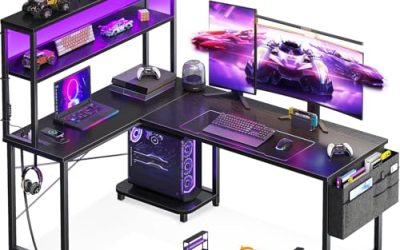
| XXL desk mat, monitor arm, cable tray | Desk organisation | Listed among top desk accessories by several guides | Measure desk first |
Monitor Lighting
Govee DreamView G1 Pro
The G1 Pro is the 2026 overall pick in at least one smart-light-bar roundup. The kit pairs a light strip for the back of the monitor with two vertical bars and a camera that reads on-screen colours. Listings describe a fit for roughly 24 to 32 inch monitors, though one review says 24 to 30 inches, so confirm your screen size. Govee describes connectivity over 2.4GHz Wi-Fi and Bluetooth. Razer Chroma support is confirmed for other Govee products, including the G1 strip and the newer Gaming Light Bars Pro, but the sources found do not confirm it for the G1 Pro, so read the maker’s page if you use Chroma.
BenQ ScreenBar Halo 2
If your goal is comfort rather than colour effects, the Halo 2 is the better fit. BenQ lists a front light that covers a 33.5 by 19.7 inch area at 500 lx with a cut-off angle intended to keep light off the screen, a backlight with a wider coverage than the first generation, adjustable colour temperature from 2700K to 6500K, and auto-dimming with presence detection. It mounts on monitors 0.43 to 6 cm thick including curves from 1000R to 1800R. The Quntis monitor bar is another option reviewers describe as task lighting that avoids glare. None of these should be treated as medical solutions for eye strain; if you have persistent symptoms, see an eye-care professional.
Wall and Ambient Lighting
Nanoleaf remains a favourite for wall lighting. The Shapes Hexagons starter pack uses seven panels, and the Nanoleaf 4D uses a camera to mirror the screen. Govee’s Glide wall lights are an alternative. Most of these connect to phone apps where you can create a gaming scene: reactive lights behind the monitor, a dim underglow and the main light off. Keep the strip or panels away from heat sources and follow the maker’s power and mounting instructions.
Desk Organisation Essentials
- XXL desk mat: covers keyboard and mouse area and protects the desk; choose a size that fits your desk depth.
- Monitor arm or riser: frees desk space and aligns screen height. Check VESA hole spacing and the arm’s weight rating for your monitor.
- Headset stand: keeps the headset off the desk; the Audio-Technica AT-HPS700 is a roundup pick, while budget stands such as the UPERGO walnut model also hold a controller.
- Cable tray and clamp-on power strip: keep plugs off the floor. Use strips rated for your load and follow the maker’s guidance on daisy-chaining.
- USB hub: adds ports without crawling behind the PC.
- Wrist rest: optional comfort accessory; pick a height matching your keyboard.
Streaming and Productivity Add-Ons
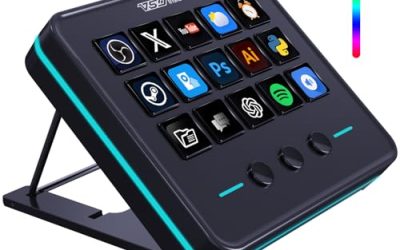
A boom-arm microphone clears desk space and places the mic near your mouth; a macro pad such as a Stream Deck helps with scene switching or shortcuts. These are most useful if you stream or work from the same desk. Guides list both among the top accessories for gaming desks, but they matter less for pure play.
Budget Tiers
Entry tier
A desk mat, cable tray, budget light bars such as the Govee H6054 and a simple headset stand deliver the biggest visual and comfort improvement per outlay.
Mid-range
Add a screen-sync kit like the G1 Pro, a monitor arm and a boom-arm microphone.
Premium
Wall panels such as Nanoleaf Shapes, the BenQ ScreenBar Halo 2 and a full cable management system complete a polished room.
Pick X If…
| If you… | Pick | Why |
|---|---|---|
| Want game-reactive color | Govee DreamView G1 Pro or Nanoleaf 4D | Camera-based screen sync |
| Want glare-free desk light | BenQ ScreenBar Halo 2 | Front light aimed at the desk |
| Want a lit wall | Nanoleaf Shapes Hexagons | Panel layout is customisable |
| Want a tidy desk | Cable tray, monitor arm, headset stand | Frees surface area |
| Stream or take calls | Boom-arm mic and macro pad | Clear desk and quick controls |
Fit and Compatibility Notes
- Confirm monitor size, thickness and curvature before buying a light bar.
- Check that the monitor stand allows a strip or camera to sit flush.
- Use power adapters supplied by the maker and keep within the strip’s maximum length.
- Confirm Wi-Fi band support; many smart lights use 2.4GHz only.
- Choose a monitor arm rated for your screen weight and with VESA compatibility.
Alternatives
- Plain bias-light strip: a simple strip behind the monitor adds ambience without a camera.
- Smart bulbs: inexpensive ambient lighting with a scene for gaming.
- Acoustic panels: if sound or echo bothers you, foam or fabric panels can improve room acoustics for voice chat.
Planning the Room as a Whole
Treat the room as a set of zones. The desk zone needs task light, tidy cables and a comfortable monitor height. The wall zone is where ambient lighting and panels add atmosphere. The storage zone covers the headset stand, controller holders and a shelf for consoles. Choose a single colour family for lights so the room looks cohesive, and keep the brightest effects behind the screen rather than in your direct line of sight. If you share the room, pick lights with dimming and scenes so you can switch between a gaming mode and a neutral mode. Use the maker’s app or voice-assistant integration only if you are comfortable with the privacy settings, and keep device firmware up to date.
Mistakes to Avoid
Common errors are buying a light bar that does not fit a curved or thick monitor, stacking too many power strips, and choosing a mat that is wider than the desk. Another is placing lights where they reflect off the screen, which defeats the comfort goal. Measure the desk, the monitor and the wall before ordering, and read the mounting instructions so adhesive strips are applied to clean, dry surfaces.
Frequently Asked Questions
Do monitor light bars reduce eye strain?
They can reduce harsh contrast between a bright screen and a dark room, and models like the BenQ ScreenBar aim to avoid glare. They are not medical devices, so see an eye-care professional if discomfort persists.
What is bias lighting?
It is soft light behind the monitor that reduces contrast with the wall. Strips or panels can provide it, and camera-based kits can match the screen’s colours.
Will Govee lights work with Razer Chroma?
Some do. Reports confirm Chroma support for the Govee G1 strip and the Gaming Light Bars Pro, but check the maker’s page for the specific kit you buy.
How do I pick a monitor arm?
Match its weight rating to your monitor, confirm the VESA hole pattern and check the clamp’s maximum desktop thickness.
Are smart lights safe to leave on?
Follow the maker’s instructions for power, ventilation and mounting, and use the supplied adapter. If you notice heat, odour or flicker, unplug and contact the maker.
What is the best first accessory to buy?
A large desk mat or a cable tray gives the most immediate improvement for most setups. Add lighting after the desk is organised so the cables do not spoil the effect.
FAQ
Do monitor light bars reduce eye strain?
What is bias lighting?
Will Govee lights work with Razer Chroma?
How do I pick a monitor arm?
Are smart lights safe to leave on?
What is the best first accessory to buy?
More from Amazon
Programs that pair well with the guide above. Offers and eligibility are set by Amazon and may change.
Free shipping on eligible items, Prime Video and more. Eligible new members can start with a free trial.
Start a Prime free trialAd-free music streaming. Eligible new subscribers can start with a free trial.
Try Music Unlimited freeA Prime membership for ages 18-24 with a trial period. Eligibility is set by Amazon.
See Prime for Young AdultsAudiobooks and podcasts to listen to on the go. Eligible new members can start with a free trial.
Try Audible freeAs an Amazon Associate we earn from qualifying purchases.