Key takeaways
- Socket: AM5 for the Ryzen 9000 series; Intel options use different boards.
- Memory: DDR5 only on AM5; match the kit speed to the board’s listed support.
- Cooler: the 9700X ships without one, so budget for a cooler rated for AM5.
- GPU length and slots: compare the card’s listed length with the case’s clearance.
- Power connectors: confirm your PSU has the right PCIe leads for the chosen card.
- BIOS: a new board may need an update to run the CPU; read the board maker’s support page.
For a 1500-class gaming PC aimed at 1440p, the strongest balance is usually a Ryzen 7 9700X with a 16GB graphics card: an RTX 5060 Ti 16GB if you want DLSS and better ray tracing, an RX 9060 XT 16GB if you want similar raster frame rates for less hardware cost, or an RX 9070 XT if you can shift budget from the CPU and storage into the graphics card. Memory prices make 32GB of DDR5 the biggest swing factor in 2026, so the parts list below is by hardware class rather than by quoted price.
Our top picks
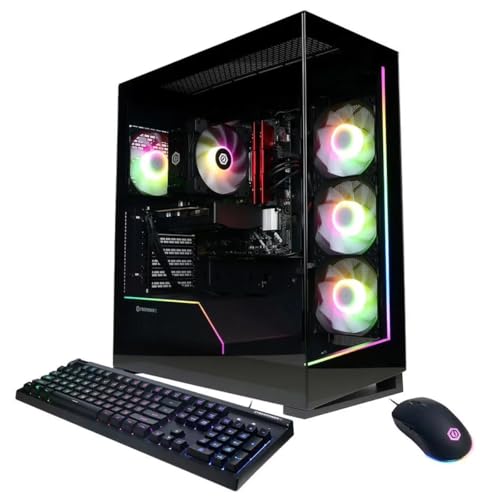

As an Amazon Associate we earn from qualifying purchases at no extra cost to you.
Where the Budget Should Go
At this tier the graphics card decides your frame rate, so it should take the largest share. Reviewers and builders in 2026 broadly agree on a few points: 16GB of VRAM avoids the memory shortfall that 8GB cards hit at 1440p, 32GB of DDR5 is the baseline, a Gen4 NVMe SSD is plenty, and a Gold-rated 650W to 850W power supply depends on the card. Verdictbits warns that the 2026 memory shortage makes DDR5-6000 32GB the single biggest budget line, so expect your parts mix to shift with current listings.
Three Build Paths at a Glance
| Build | Core parts | Best for | Limits |
|---|---|---|---|
| A: Balanced Nvidia | Ryzen 7 9700X, GeForce RTX 5060 Ti 16GB, B650 or B850 board, 32GB DDR5-6000, 1TB Gen4 SSD, 650W Gold PSU | 1440p high settings with DLSS 4 and frame generation | Memory bandwidth of 448 GB/s on a 128-bit bus; PCIe 5.0 x8 interface |
| B: Value AMD | Ryzen 5 9600X or Ryzen 7 9700X, Radeon RX 9060 XT 16GB, same platform | 1440p raster gaming without heavy ray tracing | Club386 and others report ray tracing roughly 20% behind the 5060 Ti |
| C: Graphics-first | Ryzen 7 9700X, Radeon RX 9070 XT 16GB, B850 board, 32GB DDR5-6000, 2TB Gen4 SSD, 850W Gold PSU | High-refresh 1440p and capable 4K | 304W board power; ray tracing trails Nvidia; tight on the rest of the budget |
Part-by-Part Notes
CPU: Ryzen 7 9700X
AMD lists the 9700X as an 8-core, 16-thread Zen 5 processor on the AM5 socket with a 3.8 GHz base clock, up to 5.5 GHz boost, 32MB of L3 cache and a 65W default TDP, which corresponds to a package power limit of 88W. It does not include a cooler, so add a tower cooler to your list. Newegg’s guide offers the Core i5-14400F as a cheaper alternative where the budget is tighter. A Ryzen 5 9600X is the choice in Newegg’s lower-cost build and leaves more room for the graphics card.
GPU: three 16GB options
The RTX 5060 Ti 16GB is rated at 180W with 16GB of GDDR7 on a 128-bit bus at 448 GB/s. The RX 9060 XT 16GB is rated at 160W with GDDR6 at 320 GB/s but a full PCIe 5.0 x16 interface. TechSpot measured the AMD card about 1% behind the Nvidia card at native 1440p across 18 games, averaging 70 FPS, while Technical City puts the gap nearer 7%, and the ray-tracing difference is larger. Club386 measured slightly higher system power with the AMD card despite its lower rating. The RX 9070 XT carries 16GB of GDDR6 on a 256-bit bus at 640 GB/s with a 304W rating, and AMD recommends a 750W supply. Beware of prebuilt listings that use an 8GB version of the 5060 Ti, as one result in this research did.
Motherboard, memory and storage
Newegg’s guide uses an ASUS PRIME B850-PLUS WiFi with G.Skill Flare X5 DDR5-6000 32GB and a WD Black SN850X 1TB, and notes that a WD Blue SN580 or Kingston NV3 are cheaper storage choices. Build PC Guide pairs the 9700X with an MSI MAG B650 Tomahawk WiFi. Both B650 and B850 boards work with the 9700X, so choose by connectivity and VRM needs rather than the badge.
Power supply and case
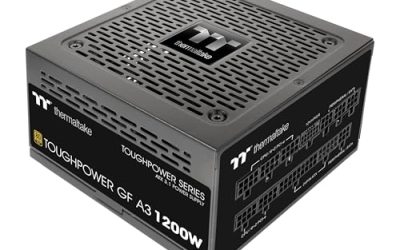
Newegg suggests a quality 650W unit for the 180W RTX 5060 Ti and uses a Corsair RM750e in its lower-cost build, while BuildRanked specifies an 850W Gold unit for the RX 9070 XT. For cases, Newegg picks the Lian Li Lancool 207 and Build PC Guide picks the NZXT H5 Flow, both airflow-focused designs. A mesh front matters more than looks at this power level.
Compatibility Checklist
- Socket: AM5 for the Ryzen 9000 series; Intel options use different boards.
- Memory: DDR5 only on AM5; match the kit speed to the board’s listed support.
- Cooler: the 9700X ships without one, so budget for a cooler rated for AM5.
- GPU length and slots: compare the card’s listed length with the case’s clearance.
- Power connectors: confirm your PSU has the right PCIe leads for the chosen card.
- BIOS: a new board may need an update to run the CPU; read the board maker’s support page.
Budget Tiers by Hardware Class
Tight: Ryzen 5 9600X or Core i5-14400F with an RX 9060 XT 16GB and a 1TB drive. Balanced: Ryzen 7 9700X with an RTX 5060 Ti 16GB or RX 9060 XT 16GB. Stretch: an RX 9070 XT with the same CPU, trimming SSD capacity or RAM speed to protect the graphics card.
Pick X If
| Your situation | Pick |
|---|---|
| You want DLSS and ray tracing | Build A with RTX 5060 Ti 16GB |
| You mainly play raster games and want better value | Build B with RX 9060 XT 16GB |
| You want the highest frame rates at 1440p | Build C with RX 9070 XT |
| You stream or edit alongside gaming | Ryzen 7 9700X in any build |
| Cost is the tightest limit | Ryzen 5 9600X or Core i5-14400F |
Alternatives
- GeForce RTX 4070: used in Build PC Guide’s 1500 list with the 9700X, though it is a previous-generation card.
- Prebuilt systems: some lists include Ryzen 7 9700X and RTX 5060 Ti prebuilts, but listings vary in GPU memory, so read the spec sheet.
- Core i5-14400F platform: cheaper CPU option per Newegg, with a different socket and board.
Expected Performance and Settings
Sources describe these builds as 1440p machines. Newegg expects high or ultra settings at 1440p from the RTX 5060 Ti build, with DLSS 4 raising frame rates, and TechSpot’s 70 FPS average at native 1440p across 18 games is a useful reference for the RX 9060 XT. Treat these as indicative figures, since results depend on the game, driver version and settings. If you prefer 4K, the RX 9070 XT build is the more realistic starting point, and you can lean on upscaling to hold frame rates. Competitive players on a 1080p high-refresh monitor can save money with a lower-tier card and put the difference into the display.
Upgrade Path
AM5 is the key advantage of the AMD options: the platform supports later processors, so you can upgrade the CPU without changing the board. Choose a power supply with spare connector capacity and a case with room for a longer card, so a future graphics upgrade needs no other changes. Leave a free M.2 slot for added storage.
Common Mistakes to Avoid
Three errors come up repeatedly in build guides. Pairing a strong processor with a weak graphics card wastes budget, because frame rates at 1440p follow the GPU. Buying a single stick of memory instead of a matched pair halves memory bandwidth on a dual-channel platform. Skipping the cooler on a CPU that ships without one, such as the 9700X, leaves the build unable to run safely. Also confirm that the case fans are included, since some airflow cases ship with only one.
Frequently Asked Questions
Is 8GB of VRAM enough in 2026?
It is borderline at 1440p in demanding titles, which is why the builds here use 16GB cards. Verdictbits calls the 8GB limit a trap for new builds.
RTX 5060 Ti or RX 9060 XT?
Reviewers find the two close at 1440p raster, with the Nvidia card slightly ahead and clearly ahead in ray tracing. The AMD card is rated at lower board power and costs less, so it suits players who skip ray tracing.
How much power supply do I need?
Newegg suggests a quality 650W unit for the RTX 5060 Ti, and AMD recommends 750W for the RX 9070 XT. Pick a reputable Gold-rated model and follow the card maker’s connector guidance.
Should I buy 16GB or 32GB of RAM?
Guides treat 32GB of DDR5 as the 2026 baseline. If memory costs force a compromise, 16GB works for many games but leaves less headroom for multitasking.
Do I need a Ryzen 7 for 1440p gaming?
Not necessarily. A Ryzen 5 9600X or Core i5-14400F can pair with these graphics cards and free up budget. The 9700X offers extra cores for streaming and background tasks.
Is building cheaper than buying a prebuilt?
It depends on current parts pricing and bundles. Building gives control over parts quality and GPU memory, while a prebuilt can include a warranty on the whole system. Compare the full spec list either way.
FAQ
Is 8GB of VRAM enough in 2026?
RTX 5060 Ti or RX 9060 XT?
How much power supply do I need?
Should I buy 16GB or 32GB of RAM?
Do I need a Ryzen 7 for 1440p gaming?
Is building cheaper than buying a prebuilt?
More from Amazon
Programs that pair well with the guide above. Offers and eligibility are set by Amazon and may change.
Free shipping on eligible items, Prime Video and more. Eligible new members can start with a free trial.
Start a Prime free trialAd-free music streaming. Eligible new subscribers can start with a free trial.
Try Music Unlimited freeA Prime membership for ages 18-24 with a trial period. Eligibility is set by Amazon.
See Prime for Young AdultsAudiobooks and podcasts to listen to on the go. Eligible new members can start with a free trial.
Try Audible freeAs an Amazon Associate we earn from qualifying purchases.