Key takeaways
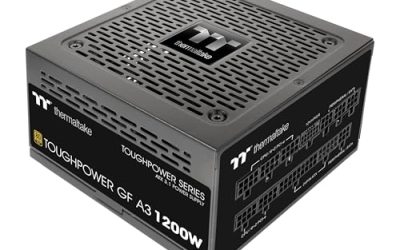
- Power supply: RTX 5060-class cards are low-draw, so a 550W to 650W unit is typical. Look for a named brand and an 80 Plus rating on the spec page rather than a generic unit.
- Motherboard socket: AM5 (Ryzen 5 9600X, 7700) is upgradable; AM4 (Ryzen 5 5600X, 5700X) is a dead end, as one roundup puts it. A Core i5-14400F sits on LGA1700, which Intel has already moved past.
- Memory: DDR5 is the better long-term pick, though DDR4 systems exist at the bottom tier. A single stick of RAM runs in single channel, so a listing that says 2x8GB or 2x16GB is preferable.
- Storage: A 1TB NVMe drive fills quickly with modern games. Confirm the board has a spare M.2 slot.
- Cooling and case: A mesh-front case helps airflow. Stock coolers on the cheapest systems are basic; reviewers repeatedly flag them.
- Warranty: Compare warranty length and whether the system uses standard parts. Proprietary power supplies or boards in some big-brand towers make later upgrades harder.
For a tight prebuilt budget, the sensible choice is an entry-level system built around an RTX 5050, RTX 5060 or Radeon RX 7600-class graphics card with a six-core CPU, and the buyers who should hesitate are those expecting 1440p or high-refresh esports on a bargain tier. Reviewers in late 2026 note that memory and GPU costs have squeezed the lowest tier, so genuinely cheap towers are scarcer than they were, and the parts list matters more than the brand sticker on the case.
Our top picks


As an Amazon Associate we earn from qualifying purchases at no extra cost to you.
At a Glance: Budget Prebuilt Families in 2026
| Option | Best for | Typical listed parts | Limits |
|---|---|---|---|
| CyberPowerPC Gamer Xtreme VR | Lowest-tier entry into 1080p gaming | Six-core Intel or AMD CPU, RTX 5050/5060-class GPU, 16GB RAM, 1TB SSD (configurations vary) | Basic PSU and cooler on cheaper configurations |
| Thermaltake LCGS Quartz i1460 | Buyers who want a Core i5-14400F system | Core i5-14400F, RTX 5060, 16GB DDR4, 1TB SSD as reviewers list it | DDR4 and an older Intel socket limit upgrades |
| iBUYPOWER RTX 5060 series | Balanced 1080p to light 1440p | Often a Ryzen 7 7700 with DDR5 and a mesh-front case, per reviewers | Reviewers mention shipping damage and slow support queues |
| KOTIN Ryzen 5 9600X build | Newest AM5 platform at a modest tier | Ryzen 5 9600X, RTX 5060 8GB, 16GB DDR5, 1TB SSD, 650W Gold PSU, Wi-Fi 7 as listed by roundups | Lesser-known brand, so support depth is a question |
| Skytech Archangel | More RAM out of the box | RTX 5060 with 32GB of memory, per reviewers | Sits above the entry tier |
| MSI Aegis R2 | 144Hz esports at 1080p | Ryzen 7 8700F, RTX 5060, DDR5, large SSD, per roundups | Higher tier than the other picks |
Specs above come from review roundups and product listings, and makers rotate configurations often. Treat each row as a family description and read the exact parts list on the product page before ordering.
What an Entry-Level Prebuilt Can Realistically Do
An RTX 5060 paired with a current Ryzen 5 or Core i5 is described by multiple outlets as a comfortable 1080p high-settings system. That is the target for this guide. The RTX 5060 carries 8GB of video memory according to the maker, and several reviewers flag that 8GB can force lower texture settings in the newest titles. If a listing offers an RTX 5060 Ti with 16GB, reviewers see it as a better long-term pick, but it belongs to the mid-range tier rather than the budget one.
Below the RTX 5060 sit the RTX 5050 and older cards like the Radeon RX 7600 or RTX 4060. These still handle popular esports and older games at 1080p, and they are what a tight cap tends to buy. Do not expect ray tracing at high settings from them.
The Budget Tiers by Hardware Class
Entry tier
Six-core CPU (Ryzen 5 5600-class or Core i5-12400-class), RTX 5050 or RX 7600-class GPU, 16GB RAM, 500GB to 1TB NVMe. Aim for 1080p at medium to high settings. Expect an AM4 or older Intel socket, which means limited upgrade paths.
Upper-budget tier
Ryzen 5 9600X or Ryzen 7 7700 class CPU, RTX 5060, 16GB to 32GB DDR5, 1TB NVMe, Wi-Fi. This is where most reviewers point first-time buyers. AM5 boards let you drop in a faster processor later.
Mid-range tier
RTX 5060 Ti or RTX 5070, Ryzen 7 CPU, 32GB DDR5. This is the 1440p entry point according to roundups. It falls outside a strict budget but is worth knowing as the step up.
Compatibility and Fit Notes
- Power supply: RTX 5060-class cards are low-draw, so a 550W to 650W unit is typical. Look for a named brand and an 80 Plus rating on the spec page rather than a generic unit.
- Motherboard socket: AM5 (Ryzen 5 9600X, 7700) is upgradable; AM4 (Ryzen 5 5600X, 5700X) is a dead end, as one roundup puts it. A Core i5-14400F sits on LGA1700, which Intel has already moved past.
- Memory: DDR5 is the better long-term pick, though DDR4 systems exist at the bottom tier. A single stick of RAM runs in single channel, so a listing that says 2x8GB or 2x16GB is preferable.
- Storage: A 1TB NVMe drive fills quickly with modern games. Confirm the board has a spare M.2 slot.
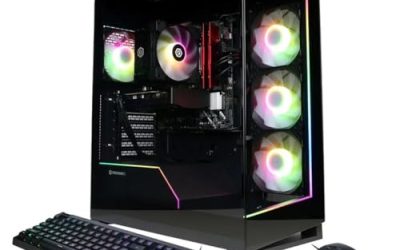
- Cooling and case: A mesh-front case helps airflow. Stock coolers on the cheapest systems are basic; reviewers repeatedly flag them.
- Warranty: Compare warranty length and whether the system uses standard parts. Proprietary power supplies or boards in some big-brand towers make later upgrades harder.
Pick X If… Decision Table
| Pick this | If you… |
|---|---|
| Thermaltake LCGS Quartz i1460 | want an RTX 5060 system at the low end and accept a DDR4 platform |
| KOTIN Ryzen 5 9600X build | want AM5, DDR5 and Wi-Fi 7 now, and accept a smaller brand |
| iBUYPOWER RTX 5060 series | want a widely stocked system with a Ryzen 7 and mesh case |
| Skytech Archangel | care about 32GB RAM for multitasking and streaming |
| CyberPowerPC Gamer Xtreme VR | have the smallest allowance and play 1080p esports |
| MSI Aegis R2 | want high-refresh esports and a larger SSD |
Prebuilt Versus Building Your Own at This Tier
Several reviewers observe that a self-built machine can beat a prebuilt on component quality for the same spend, particularly in the PSU and cooler. In 2026, though, GPU supply and memory costs have narrowed the gap, and a prebuilt arrives with a warranty and an operating system installed. If you are comfortable with a screwdriver, list out a parts build first. If not, a prebuilt with standard parts is a fair choice.
Alternatives Worth Considering
- Refurbished or open-box towers: Business-class systems with a new graphics card fitted can undercut prebuilts, but PSU capacity needs care.
- Mini PCs with fast integrated graphics: Ryzen-based mini PCs run 1080p at lower settings and use little power. They do not match a dedicated RTX 5060.
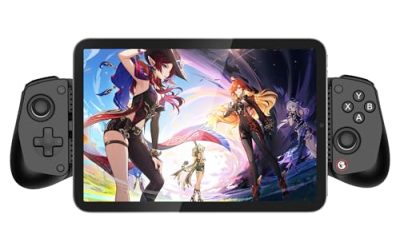
- Handheld gaming PCs: If portability matters, a handheld replaces a low-end tower for many games, though it costs more per unit of performance.
Red Flags in Budget Prebuilt Listings
- Listings that hide the PSU wattage or brand.
- “Gaming PC” systems with an old GTX-class card or integrated graphics only.
- One memory stick in a single-channel setup.
- No Wi-Fi where the buyer needs it, and no spare M.2 slot.
- Very short or unclear warranty terms.
How to Read a Prebuilt Spec Sheet
Start with the graphics card, because it sets gaming performance most. Look for the exact name, such as RTX 5060 or RTX 5050, and the amount of video memory. Then read the CPU model, not just “Core i5” or “Ryzen 5”, since generation matters. A Ryzen 5 9600X is several generations ahead of a Ryzen 5 3600 yet both carry the same label in some listings.
Next, read the power supply, which many listings hide at this tier. A named unit with an 80 Plus Bronze or Gold rating from a recognized maker is the target. Check the motherboard chipset, because it decides RAM speed and upgrade paths, and note whether Wi-Fi is built in. Finally, read the cooling: a tower air cooler or liquid cooler suits sustained loads better than the thin stock cooler that ships with some CPUs.
Timing Your Purchase
Prices in 2026 move with memory and graphics card supply, and reviewers note that seasonal sales, including the late-year holiday period, are when many prebuilt families see their lowest offers. If you can wait, watching a few systems over several weeks tells you the usual range. If you need a PC now, favor a system whose parts are standard and replaceable, as you can fix weak points like the PSU or cooler later.
Support, Returns and Warranty
Prebuilt makers differ in support. Reviewers mention shipping damage and slow support queues for some large brands, so look at the return window, whether the warranty covers parts and labor, and whether the maker ships the system with extra packing. Photograph the unboxing, test the machine soon after arrival with a demanding game and a monitoring tool, and keep the packaging until you are sure everything works. If a seller allows a swap rather than a repair for dead-on-arrival units, that is a plus.
Frequently Asked Questions
Is an RTX 5060 prebuilt good enough for 1080p gaming?
Multiple reviewers describe an RTX 5060 with a modern six-core CPU as a comfortable 1080p high-settings system. The 8GB of video memory can limit texture quality in the most demanding new releases, so expect to lower one or two settings in those cases.
Should I choose AM5 or an older platform?
AM5 is the safer long-term choice because Ryzen processors can be swapped in later and DDR5 is the current memory standard. AM4 and older Intel sockets work fine today but have no real upgrade path.
How much RAM do I need?
16GB is the entry standard for 1080p gaming. If you stream, run Discord and a browser, or play large open-world titles, 32GB gives more headroom, and some listings include it at the same tier.
Are prebuilt gaming PCs a bad deal?
Not necessarily. Reviewers note that the weak points are usually the power supply, cooler and RAM configuration, not the GPU. A system with a named PSU, dual-channel memory and a standard motherboard improves the deal considerably.
Can I upgrade a budget prebuilt later?
Usually yes if it uses standard parts. The most common upgrades are a second SSD, more RAM and a stronger graphics card. Read the PSU wattage and the number of power connectors before planning a GPU swap.
Is an 8GB graphics card enough in 2026?
For 1080p it still works in most games with sensible settings. Buyers planning 1440p or heavy texture mods should look at 12GB or 16GB cards instead.
FAQ
Is an RTX 5060 prebuilt good enough for 1080p gaming?
Should I choose AM5 or an older platform?
How much RAM do I need?
Are prebuilt gaming PCs a bad deal?
Can I upgrade a budget prebuilt later?
Is an 8GB graphics card enough in 2026?
More from Amazon
Programs that pair well with the guide above. Offers and eligibility are set by Amazon and may change.
Free shipping on eligible items, Prime Video and more. Eligible new members can start with a free trial.
Start a Prime free trialAd-free music streaming. Eligible new subscribers can start with a free trial.
Try Music Unlimited freeA Prime membership for ages 18-24 with a trial period. Eligibility is set by Amazon.
See Prime for Young AdultsAudiobooks and podcasts to listen to on the go. Eligible new members can start with a free trial.
Try Audible freeAs an Amazon Associate we earn from qualifying purchases.