Key takeaways
- Amount: a pea-sized dot or small line is enough for most desktop CPUs. Too much squeezes out and wastes the tube.
- Cleaning: remove old paste with isopropyl alcohol and a lint-free cloth before applying new paste.
- Viscosity: thick pastes like MX-6 spread under cooler pressure rather than by hand, so tighten screws evenly in a cross pattern.
- Pre-applied paste: coolers that ship with paste can be used as-is, but you can clean and replace it.
- Liquid metal: it is electrically conductive and can corrode aluminium, so it does not belong in a search for non-conductive paste. Follow the cooler maker’s manual if you consider it.
- Laptops and consoles: check the manufacturer’s warranty terms before opening a device.
Arctic MX-6 or its newer sibling MX-7 suits most builders who want a non-conductive paste that works straight out of the syringe, Noctua NT-H2 suits anyone who wants to apply it once and leave it for years, and Thermal Grizzly Kryonaut or Duronaut suit enthusiasts chasing the last few degrees or longer stability. All four are listed by their makers as not electrically conductive, which means a stray smear on the CPU socket or GPU board is far less risky than with liquid metal.
Our top picks
 ARCTIC MX-4
- Our thermal paste packaging design has evolved over…
- ARCTIC MX-4 thermal paste is made of carbon…
- The MX-4 is metal-free and non-electrical conductive which…
 Thermal Grizzly Kryonaut 1 g Thermal Paste
- END THERMAL PASTE FOR CPU, GPU AND CONSOLES
- Designed for the requirements of the overclocking community…
- Supports efficient heat transfer in gaming PCs, workstations,…
| Product | Key specs | |
|---|---|---|
| ARCTIC MX-4 | Our thermal paste packaging design has evolved over… ARCTIC MX-4 thermal paste is made of carbon… The MX-4 is metal-free and non-electrical conductive which… | Check price |
| Thermal Grizzly Kryonaut 1 g Thermal Paste | END THERMAL PASTE FOR CPU, GPU AND CONSOLES Designed for the requirements of the overclocking community… Supports efficient heat transfer in gaming PCs, workstations,… | Check price |
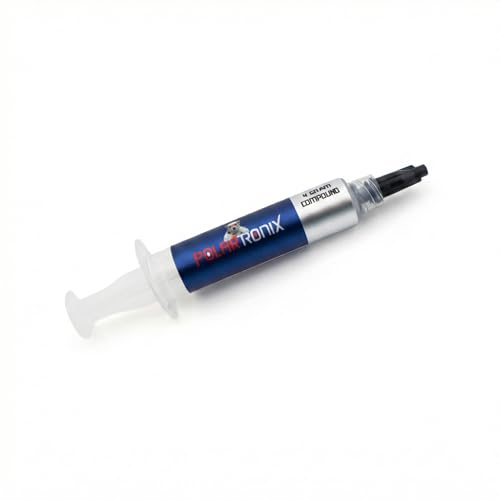 Thermal Paste for Computer CPU GPU Laptop | Check price | |
 ARCTIC MX-7 | MX-7 features a performance-optimized, dense, and highly viscous… High cohesion prevents pump-out, dry-out, or bleeding even… MX-7 cannot be spread manually by design | Check price |
As an Amazon Associate we earn from qualifying purchases at no extra cost to you.
Non-Conductive vs Non-Capacitive
These two terms are often mixed up. A non-conductive paste does not carry current, so it will not short pins if it spreads. A non-capacitive paste additionally avoids storing charge between nearby contacts. Arctic describes MX-6 and MX-7 as neither electrically conductive nor capacitive. Thermal Grizzly’s Kryonaut page states it is not electrically conductive but does not mention capacitance, and Noctua lists NT-H2 as non-conductive and non-corroding. For ordinary desktop CPUs with a heat spreader, the difference rarely matters. It matters more on bare GPU dies and laptop boards, where components sit close to the die, so read the maker’s wording for those jobs.
At a Glance
| Paste | Best for | Key stated specs | Limits |
|---|---|---|---|
| Arctic MX-6 | Everyday builds | Neither conductive nor capacitive, density 2.6 g/cm3, viscosity 45,000 poise, -50C to 150C, 2g, 4g and 8g syringes, no burn-in period | Very viscous; Arctic says not to spread it with a spatula; conductivity figure not published |
| Arctic MX-7 | Newer formula from the same maker | Neither conductive nor capacitive, density 2.9 g/cm3, viscosity 35,000 to 38,000 poise, launched around December 2025 to January 2026 | Performance gap versus MX-6 rests largely on Arctic’s own test |
| Noctua NT-H2 | Long service life | Not electrically conductive, non-corroding, -50C to +200C, density 2.81 g/cm3, 3.5g and 10g packs, up to 3 years storage and up to 5 years in use | Premium over basic pastes; small differences in temperature |
| Thermal Grizzly Kryonaut | Enthusiast and overclocked systems | Not electrically conductive, density 3.7 g/cm3, viscosity 130 to 170 Pa-s, no cure time, minimal drying up to 80C, 1g to 10ml sizes | No published conductivity figure; small tubes; capacitance not addressed |
| Thermal Grizzly Duronaut | Long-term stability | Non-conductive, developed for -150C to +150C, long-term stability focus | Maker notes it can be affected by pump-out in direct-die CPU use |
The Picks in Detail
Arctic MX-6: the broad default
Arctic’s page lists a density of 2.6 g/cm3, a volume resistivity of 1.8 x 10^12 ohm-cm, a breakdown voltage of 7.5 kV/mm, and a continuous range from -50C to 150C. It states that maximum performance arrives directly after application, so no burn-in is needed. Arctic does not publish a thermal conductivity number, so be wary of reviewers who quote one. Roundups name MX-6 the usual overall pick because it is easy to apply, safe on electronics, and close to costlier compounds in temperature results, though most of those roundups are affiliate-style sites rather than lab tests.
Arctic MX-7: the refreshed formula
Arctic lists lower viscosity than MX-6 and a higher density, and says its own testing on a Core Ultra 9 285K gave 68.0C against 70.3C for MX-6 and 72.1C for MX-4. That is a maker claim for one processor and one cooler, so treat the margin as an upper estimate for your own system. The new formula is offered in 2g, 4g and 8g tubes, sometimes bundled with a cleaner.
Noctua NT-H2: apply once and forget
Noctua lists NT-H2 as grey, non-conductive and non-corroding, with an operating range of -50C to +200C. Its storage and service-life statements, up to three years before use and up to five years on the CPU, are the clearest in this group. A review roundup credits it with strong longevity and no cure time, and another notes that its edge over MX-6 is below the measurement noise in normal use. It makes the most sense for builds you do not plan to reopen.
Thermal Grizzly Kryonaut: the enthusiast standard
Thermal Grizzly lists Kryonaut as electrically non-conductive, with a density of 3.7 g/cm3, no curing process, and minimal drying at temperatures up to 80C. The company has not published conductivity ratings since 2020. A roundup states that it runs about 1C to 3C cooler than MX-6 under heavy loads, and another suggests re-pasting every year or two under high heat. Small tubes also mean it runs out quickly if you build often.
Thermal Grizzly Duronaut: stability over peak numbers
Thermal Grizzly describes Duronaut as non-conductive with very long-term stability. Its own page notes it can be affected by pump-out in direct-die CPU applications, which is relevant for delidded processors and bare-die GPUs. The newer Duronaut Pro uses a silicone oil carrier with aluminium microparticles and zinc oxide nanoparticles, according to Thermal Grizzly.
Application and Compatibility Notes
- Amount: a pea-sized dot or small line is enough for most desktop CPUs. Too much squeezes out and wastes the tube.
- Cleaning: remove old paste with isopropyl alcohol and a lint-free cloth before applying new paste.
- Viscosity: thick pastes like MX-6 spread under cooler pressure rather than by hand, so tighten screws evenly in a cross pattern.
- Pre-applied paste: coolers that ship with paste can be used as-is, but you can clean and replace it.
- Liquid metal: it is electrically conductive and can corrode aluminium, so it does not belong in a search for non-conductive paste. Follow the cooler maker’s manual if you consider it.
- Laptops and consoles: check the manufacturer’s warranty terms before opening a device.
Budget Tiers by Hardware Class
Budget: Arctic MX-6 in a 2g or 4g syringe covers one to several builds. Mid-range: MX-7 or NT-H2, where the buyer wants a newer formula or maximum durability. Premium: Kryonaut or Duronaut for overclocked or tuned systems, in a larger tube if you re-paste often.
Pick X If
| Your situation | Pick |
|---|---|
| First build, want simple and safe | Arctic MX-6 |
| Want the latest Arctic formula | Arctic MX-7 |
| Rarely reopening the PC | Noctua NT-H2 |
| Overclocking and chasing temperature | Thermal Grizzly Kryonaut |
| Prioritise stability over peak performance | Thermal Grizzly Duronaut |
Alternatives
- Arctic MX-4: an earlier Arctic formula that Arctic’s own comparison places behind MX-6 and MX-7, still a sensible budget option.
- Corsair TM30: listed in one roundup as a non-conductive choice.
- Thermal pads or phase-change pads: a different approach to repeatable contact for laptops and some GPUs; follow the device maker’s guidance.
Applying Paste Step by Step
- Power down, unplug the system and ground yourself before touching components.
- Remove the cooler following the maker’s manual, then wipe old paste from both the heat spreader and the cooler plate.
- Apply a small central dot for square CPUs, or a thin line for long, rectangular heat spreaders.
- Lower the cooler straight down without twisting, then tighten the screws gradually in a cross pattern.
- Boot, read temperatures at idle and under load, and reseat the cooler if one core reads far above the others.
Storage and Reuse
Close syringes tightly and store them upright away from heat. Noctua gives a storage figure of up to three years before use for NT-H2, and Arctic describes its pastes as non-drying and non-bleeding. Small syringes cover a handful of applications depending on the CPU size, so match the tube size to how often you rebuild. If paste smears onto socket pins, wipe it away gently with isopropyl alcohol and a soft, lint-free swab.
Frequently Asked Questions
Does non-conductive paste mean I can be careless?
It lowers the risk if some spreads, but you should still keep paste off sockets and pins. Wipe up any excess with isopropyl alcohol and a lint-free cloth.
How often should I replace thermal paste?
Makers give long figures, such as Noctua’s up to five years on the CPU. In practice, replace it when temperatures climb or when you remove the cooler, and roundups suggest sooner for hot, overclocked parts.
Do I need a burn-in or cure period?
Arctic states MX-6 performs fully straight after application, and Thermal Grizzly lists Kryonaut as having no curing process. Some other pastes need hours of use to settle, so read the label.
Is thermal conductivity the number to shop by?
Not always. Arctic and Thermal Grizzly stopped publishing figures, and real temperatures depend on mounting pressure, surface finish and application. Reviewers report differences of a few degrees at most.
Can I mix different pastes?
Clean the old paste off completely before applying new paste. Mixing leaves uneven layers and can reduce performance.
Is it safe to use these pastes on a graphics card?
The pastes above are listed as non-conductive, so they are generally used on GPU dies, but the card maker’s warranty terms vary, and bare dies sit near small components. Take care and consult the maker’s instructions.
FAQ
Does non-conductive paste mean I can be careless?
How often should I replace thermal paste?
Do I need a burn-in or cure period?
Is thermal conductivity the number to shop by?
Can I mix different pastes?
Is it safe to use these pastes on a graphics card?
More from Amazon
Programs that pair well with the guide above. Offers and eligibility are set by Amazon and may change.
Free shipping on eligible items, Prime Video and more. Eligible new members can start with a free trial.
Start a Prime free trialAd-free music streaming. Eligible new subscribers can start with a free trial.
Try Music Unlimited freeA Prime membership for ages 18-24 with a trial period. Eligibility is set by Amazon.
See Prime for Young AdultsAudiobooks and podcasts to listen to on the go. Eligible new members can start with a free trial.
Try Audible freeAs an Amazon Associate we earn from qualifying purchases.