Key takeaways
- An everyday laptop has a modest job description: open a browser with a dozen tabs, join a video call, edit a spreadsheet, stream a show at night.
An everyday laptop has a modest job description: open a browser with a dozen tabs, join a video call, edit a spreadsheet, stream a show at night, and still have charge left when you reach the couch. The word “everyday” is also where shoppers get tripped up, because it covers everything from a basic Windows machine with 4GB of memory to a thin Apple notebook with a custom chip. This guide narrows six listings down to what the titles actually promise, so you can match the machine to the routine you really have. Think about where the laptop will sit most days, how many people will touch it, and how long you expect to keep it before you would consider replacing it. Those three answers narrow the field faster than any spec chart.
It is written for people who want one reliable computer for email, school or office documents, banking, photo storage, and entertainment, and who do not want to pay for gaming graphics or workstation power. If that sounds like you in 2026, the main questions are how much memory you need, how much local storage you can live with, and whether the screen size suits where you will use it.
Quick Picks
Our top picks


 Dell 15.6 Laptop
- Effortlessly chic
- Designed for easy learning: Energy-efficient batteries and Express…
- Stay connected to what you love: Spend more…

As an Amazon Associate we earn from qualifying purchases at no extra cost to you.
| Product | Best for | Key spec from the title |
|---|---|---|
| HP 14 Everyday (N150) | Light use on a small screen | 14-inch, Intel N150, 128GB SSD, Microsoft 365 included |
| HP Everyday (Intel, WiFi 6) | Cloud-first households | 128GB storage, Copilot AI, Office 365, WiFi 6, fast charge |
| HP Everyday Slim (AMD) | Portable AMD option | AMD processor, 4GB DDR5 RAM, 128GB SSD |
| Dell 15.6 (Core 3 100U) | Roomier storage and screen | FHD 300 nits anti-glare, 8GB DDR5, 512GB SSD |
| HP Everyday (8GB RAM) | Budget multitasking | 8GB RAM, 128GB SSD, Office 365 included |
| Apple MacBook Neo 13 | Mac users who want a thin build | A18 Pro chip, 8GB unified memory, 256GB SSD |
How to Choose
Memory is the first number to read
For a Windows machine that stays useful for several years, 8GB of RAM is a sensible floor and 16GB is comfortable. Two listings here carry 4GB, which can feel cramped once a browser, a video call, and a document are open together. If you only run a couple of apps at a time, 4GB can work, but treat it as the minimum rather than a bargain. The Apple option lists 8GB of unified memory, which Apple designs differently from Windows RAM, though the number is still worth noting.
Storage: local space versus cloud space
Several HP titles pair a 128GB drive with 1TB of cloud storage. That arrangement suits someone who keeps files online and rarely stores large local libraries. Windows and updates take a chunk of 128GB, so expect to be managing space within a year if you keep photos or downloads locally. A 256GB or 512GB drive, like the Dell and Apple listings show, gives a lot more breathing room. Skip bundled storage promises if you are often offline.
Screen size and panel details
A 14-inch screen travels better, while a 15.6-inch screen with full HD resolution is easier on the eyes for spreadsheets. The Dell title lists a 300-nit anti-glare panel, which is a useful detail for rooms with windows. Several listings simply say “HD” or leave the panel unspecified, so confirm resolution on the product page before buying if you plan long sessions of reading or editing.
What to ignore, and where budget models cut corners
Phrases such as “long battery life” and “stunning color” carry no number, so they do not help you compare. Look for concrete items: Wi-Fi 6, USB-C or fast charging, an included Office subscription, and a clear processor name. Budget models usually cut memory, storage, and screen quality first. Also note that a bundled Microsoft 365 subscription is typically time-limited, so factor in the renewal if you want to keep it. Finally, remember the basics that rarely appear in a title: keyboard feel, trackpad size, and speaker quality. If you can, look at close-up photos and owner questions on the listing to judge them, because a laptop you type on for hours should be comfortable as well as capable.
The 6 Best Options
HP 14 Everyday Laptop (N150)
This compact HP lists a 14-inch screen, an Intel N150 processor, a 128GB SSD, 1TB of cloud storage, Windows 11, and Microsoft 365. It is aimed at someone who mostly browses, writes, and video chats, and who wants a smaller footprint for a backpack or kitchen table.
- Strength: Microsoft 365 is part of the listing, so documents are covered from day one.
- Strength: the 14-inch size and Copilot AI mention suit a simple, portable routine.
- Trade-off: the title does not state RAM, so check the listing before assuming it handles many tabs.
Skip it if you plan to keep large photo or video libraries on the drive.
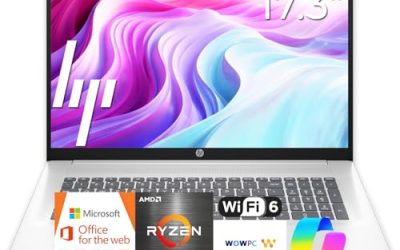
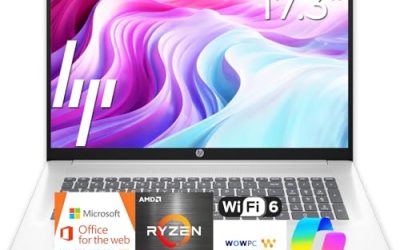
HP Everyday Laptop (Intel, WiFi 6)
Another HP built around cloud storage, this one lists an Intel CPU, 128GB of storage, Copilot AI, Office 365, Windows 11, fast charge, and WiFi 6. It reads like a household computer for web, streaming, and homework, where speedy wireless matters more than local capacity.
- Strength: WiFi 6 helps in busy homes with many connected devices.
- Strength: fast charge is a practical perk for people who top up between tasks.
- Trade-off: the exact processor model and RAM are not shown in the truncated title, so verify them on the listing.
Skip it if you want a clearly named processor you can research ahead of time. Shoppers who compare spec sheets line by line will find the Dell easier to evaluate.
HP Everyday Slim Laptop (AMD)
This slim HP uses an AMD processor with 4GB of DDR5 RAM, a 128GB SSD, and 1TB of cloud storage on Windows 11. It is the AMD alternative among the HP picks, built for light work and travel.
- Strength: DDR5 memory is a newer standard than the older DDR4 found on many budget machines.
- Strength: the slim design is aimed at carrying it from room to room.
- Trade-off: 4GB of RAM is the lowest tier here and limits heavy multitasking.
Skip it if you keep many browser tabs and apps running at once. It makes the most sense as a light-duty travel companion for browsing, email, and streaming, where you close extra tabs as you go.
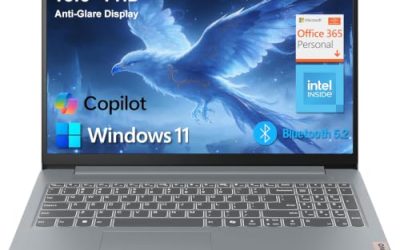
Dell 15.6 Laptop (Core 3 100U)
The Dell stands apart with the most generous storage and a better-described screen. It lists a 15.6-inch full HD display, Intel Core 3 100U, 8GB of DDR5 RAM, a 512GB SSD, Intel UHD Graphics, Wi-Fi 6, Bluetooth, and Windows 11 Home. The 300-nit anti-glare panel is a plus for bright rooms.
- Strength: 512GB of SSD space means you are not forced to rely on cloud storage.
- Strength: 8GB of DDR5 RAM and a named processor make it easy to compare.
- Trade-off: Intel UHD Graphics is integrated, so it is not meant for demanding games or video editing.
Skip it if you want the smallest, lightest 14-inch body.
HP Everyday Laptop (8GB RAM)
This HP lists an Intel processor, 8GB of RAM, a 128GB SSD, 1TB of cloud storage, Microsoft Office 365, Windows 11, and fast charging. It splits the difference between the 4GB HP options and the roomier Dell.
- Strength: 8GB of RAM gives more headroom for everyday multitasking.
- Strength: Office is included, which saves a separate purchase.
- Trade-off: 128GB of local storage fills quickly if you save downloads and photos.
Skip it if your files are large and you rarely connect to the internet.
Apple MacBook Neo 13-inch
The only non-Windows entry, this Apple notebook lists an A18 Pro chip, a Liquid Retina display, 8GB of unified memory, and a 256GB SSD. It suits people already in the Apple ecosystem who want a thin 13-inch machine for web, writing, and media.
- Strength: the Liquid Retina display is a clear step up from a plain HD panel.
- Strength: 256GB of storage is double the base size of most HP listings here.
- Trade-off: it runs macOS, so Windows-only software will not install.
Skip it if your workplace or school requires Windows programs.
Which One Fits Your Situation
A student carrying it all day
The HP 14 Everyday (N150) keeps size down and includes Microsoft 365 for papers and slides. Pair it with a USB drive if the 128GB fills up, and confirm the RAM figure on the listing before you order, since the title leaves it out.
A family sharing one computer
The Dell 15.6 with its 512GB SSD and 8GB of RAM handles multiple user files without leaning on the cloud. Full HD resolution and a matte-style anti-glare finish also make shared homework and budgeting sessions easier on the eyes.
Someone on a tight budget who still multitasks
The HP Everyday with 8GB of RAM gives the most memory among the HP picks, so it is the better entry point than the 4GB models. It still relies on cloud space, so schedule an occasional cleanup of the downloads folder.
Anyone already using an iPhone
The MacBook Neo fits that setup, with a sharp display and a larger 256GB drive than the HP options. Photos, messages, and files typically move across devices without much setup, which is the real draw for iPhone owners.
Common Mistakes
- Buying 4GB of RAM and expecting it to feel quick two years from now, when web apps keep getting heavier.
- Counting cloud storage as if it were free local space, then discovering it needs a connection.
- Trusting vague phrases like “long battery life” instead of looking for a stated number.
- Ignoring the operating system, then finding a required program will not run, which is a particular risk when moving between Windows and macOS.
- Forgetting that bundled Office subscriptions usually expire and need renewing.
Related guides
- Logitech G Pro X Superlight 2 Vs Razer Viper V3 Pro
- Motherboard Io Panel And Back Connectors Explained
- Travel Backpack With Laptop Compartment
Frequently Asked Questions
How much RAM does an everyday laptop need?
Aim for 8GB as a practical minimum on Windows. Sixteen gigabytes is better if you keep many tabs open. Four gigabytes can work for very light use but leaves little room, and it is rarely upgradeable on thin models, so decide before you buy rather than hoping to add more later.
Is 128GB of storage enough?
It is enough if you store files online and keep few downloads. If you save photos, music, or video locally, a 256GB or 512GB drive is the safer choice.
Is cloud storage a good substitute for a bigger drive?
It helps for backups and sharing, but you need an internet connection to reach files that are not synced locally. Treat it as a complement rather than a replacement, and keep a small external drive or USB stick as a second backup.
Should I pick Windows or a Mac for daily use?
Choose based on the software you need. If your work or school uses Windows-only programs, stay with Windows. If you already own Apple devices, the MacBook Neo integrates easily.