Key takeaways
- HP sells laptops at nearly every point on the spectrum, from stripped-down 14 inch machines with 4GB of memory to 17 inch notebooks with Ryzen 5.
HP sells laptops at nearly every point on the spectrum, from stripped-down 14 inch machines with 4GB of memory to 17 inch notebooks with Ryzen 5 chips and a numeric keypad. That breadth is why a search for the best HP laptop rarely ends with one model. The real decision is which HP tier matches your work: light browsing and documents, a bigger-screen office machine, or a touchscreen laptop that doubles as a family device.
This guide is for buyers shopping the HP brand specifically in 2026, whether for a student, a home office, or a parent who needs something dependable. It compares seven HP laptops using only what each listing states about processor, memory, storage, screen size, and bundled software. Where a listing is thin on detail, the text says so instead of guessing.
Quick Picks
Our top picks


As an Amazon Associate we earn from qualifying purchases at no extra cost to you.
| Product | Best for | Key spec from the title |
|---|---|---|
| HP 14 inch (N150, HD) | Basic browsing and email | Intel N150, 4GB RAM, 128GB UFS |
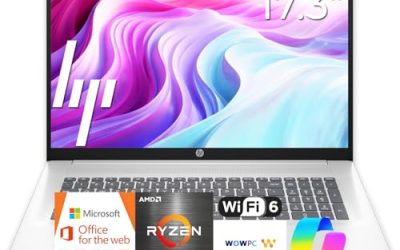
| HP 17 Business Laptop | Big-screen office work | Ryzen 5, 16GB RAM, 512GB SSD, 17.3 inch FHD |
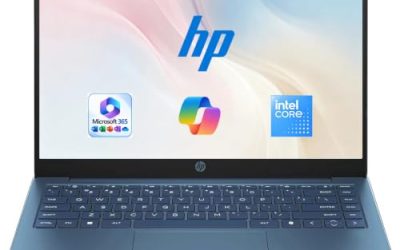
| HP 14 Everyday (N150) | Light work with cloud storage | Intel N150, 128GB SSD, Microsoft 365 |
| HP Everyday Slim | Portable AMD option | 4GB DDR5 RAM, 128GB SSD |
| HP OmniBook 3 17 | Mid-range large screen | Core Ultra 5 225U, 8GB RAM, 512GB SSD |
| HP OmniBook 3 16 | Touchscreen versatility | 2K touchscreen, Ryzen 3, 512GB SSD |
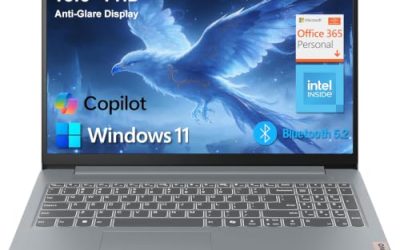
| HP 15.6 inch (N200) | Entry-level business use | Intel N200, 4GB RAM, 128GB SSD |
How to Choose
Memory and Storage Come First
Treat 8GB of RAM as the floor for comfortable multitasking and 16GB as the target if you keep many browser tabs and documents open. A 4GB configuration will work for a single task at a time but slows down quickly. For storage, 512GB SSD configurations leave room for apps and files, while 128GB drives fill up fast once Windows updates arrive.
Read the Processor Tier
Intel N150 and N200 chips are entry-level processors meant for web and office tasks. Core Ultra 5 and Ryzen 5 sit a tier above and handle heavier multitasking. A Ryzen 3 sits between the two groups. Match the chip to what you do instead of paying for power you will not use.
Pick Screen Size and Touch for How You Work
A 14 inch screen travels easily, 15.6 inches is the mainstream choice, and 16 to 17.3 inches suit desk work and spreadsheets. A numeric keypad, listed on the 17 inch business model, helps with data entry. A touchscreen, listed on the OmniBook 3 16, adds flexibility but can cost battery life.
Understand Bundles and Operating System Modes
Several listings include a year of Microsoft 365 or cloud storage, which can offset software costs for the first year. One listing mentions Windows 11 Home in S Mode, which limits installs to the Microsoft Store unless you switch out of it. Check that mode before buying if you rely on desktop programs.
The 7 Best Options
HP 14 Inch (Intel N150)
This 14 inch model pairs an Intel N150 with 4GB of RAM, 128GB of UFS storage, an HD display, and Windows 11 Home, plus a one-year Microsoft 365 Personal subscription. It targets simple daily tasks for buyers who value a small footprint and bundled software, such as a student or retiree who mostly uses a browser and word processor.
- Strength: the included Microsoft 365 subscription covers documents and spreadsheets from day one.
- Strength: the 14 inch size is easy to carry between rooms.
- Trade-off: 4GB of RAM and UFS storage limit multitasking and file space.
Skip it if you plan to keep many tabs open or install large programs, because the memory and storage are at the low end of the field. It fits a spare-room or kitchen-counter laptop better than a primary work machine, and anyone planning to store photos locally will want a bigger drive.
HP 17 Business Laptop (Ryzen 5)
The most capable configuration here lists an AMD Ryzen 5, 16GB of RAM, a 512GB SSD, a 17.3 inch FHD display, a numeric keypad, and long battery life wording. It reads as a desk-centered office machine for people who work in spreadsheets all day.
- Strength: 16GB of RAM and a 512GB SSD give real headroom for multitasking.
- Strength: the 17.3 inch FHD screen and numeric keypad suit data entry.
- Trade-off: a 17 inch body is less convenient to carry daily.
Skip it if you commute with your laptop in a small bag, since screen size matters more here than portability. Buyers who mostly work on a couch or in transit are better served by a 14 or 15.6 inch model that weighs less in a bag.
HP 14 Everyday (Intel N150, 128GB SSD)
This 14 inch Everyday model lists an Intel N150, a 128GB SSD, 1TB of cloud storage, Microsoft 365, Windows 11, Copilot AI features, and long battery life wording. It is positioned as a simple, connected laptop for routine work, leaning on the cloud rather than local files.
- Strength: the SSD, rather than UFS, is listed for the main drive.
- Strength: cloud storage and Microsoft 365 reduce the need for local files.
- Trade-off: the title does not state the RAM, so confirm it before purchase.
Skip it if you want a documented memory size or plan to work offline with large local files. The title also leaves processor generation unstated, so shoppers who compare chips closely may want a listing with more detail.
HP Everyday Slim (AMD)
The Everyday Slim lists an AMD high-performance processor, 4GB of DDR5 RAM, a 128GB SSD, 1TB of cloud storage, long battery life wording, and Windows 11. DDR5 memory is a newer standard, though the capacity here is still modest.
- Strength: DDR5 RAM is faster than older memory types at the same capacity.
- Strength: the slim design and cloud storage suit light mobile use.
- Trade-off: 4GB and 128GB leave little room to grow.
Skip it if you need to multitask, since the title lists no processor model and a small memory pool. The appeal here is the newer DDR5 standard in a slim body, not raw capacity, and buyers who want headroom should look at the 8GB and 16GB models.
HP OmniBook 3 17
The OmniBook 3 17.3 inch lists an FHD display, an Intel Core Ultra 5 225U, 8GB of RAM, a 512GB SSD, Intel Graphics, and Windows 11 Home in Glacier Silver. It balances a large screen with a modern processor tier, making it a natural step up from the N-series models.
- Strength: Core Ultra 5 is a step above the N-series chips in this list.
- Strength: 512GB of storage and a 17.3 inch FHD screen suit home offices.
- Trade-off: only 8GB of RAM, with no mention of upgrades.
Skip it if you want a thin travel laptop or a touchscreen, since this one is built around screen size. A 17.3 inch chassis suits a fixed desk or a home office, and commuters would likely prefer the 14 inch options on this list.
HP OmniBook 3 16
This 16 inch OmniBook lists a 2K touchscreen, an AMD Ryzen 3, 8GB of RAM, a 512GB SSD, Radeon 610M graphics, and Windows 11 Home in Mica Silver. It is the touch-capable pick of the group.
- Strength: a 2K touchscreen offers a sharper image than basic HD panels.
- Strength: 512GB of storage and 8GB of RAM sit in a comfortable middle tier.
- Trade-off: Ryzen 3 is an entry-level processor and Radeon 610M is basic integrated graphics.
Skip it if you plan gaming or heavy creative work, because the graphics are integrated and entry-level. Buyers who want the touchscreen but also need more processing power may want to compare it with the Core Ultra 5 model before deciding.
HP 15.6 Inch (Intel N200)
This 15.6 inch model lists a four-core Intel N200, 4GB of RAM, a 128GB SSD, long battery life wording, and Windows 11 Home in S Mode. It is pitched as a portable laptop for business basics.
- Strength: the 15.6 inch screen is a familiar, roomy size.
- Strength: the four-core N200 handles documents and web apps.
- Trade-off: S Mode restricts software to the Microsoft Store until you change it.
Skip it if you depend on desktop programs not offered in the store, or if you need more than 4GB of memory. Because the title flags S Mode, check that setting first, and consider another model if your workflow depends on programs from outside the store.
Which One Fits Your Situation
You Work in Spreadsheets All Day
The HP 17 Business Laptop is the clearest fit, with a Ryzen 5, 16GB of RAM, and a numeric keypad on a 17.3 inch screen. That combination keeps large spreadsheets readable and leaves room for a browser, email, and reporting tools to run side by side.
You Want a Large Screen on a Moderate Budget
Choose the HP OmniBook 3 17, which pairs a Core Ultra 5 with 512GB of storage without moving to the premium tier. It suits a household that wants one shared machine on a desk, where the extra screen real estate matters more than weight.
You Want Touch and a Sharp Display
The HP OmniBook 3 16 offers a 2K touchscreen and 512GB of storage in a mid-range package. It is a sensible choice for a family laptop that gets used for video calls, reading, and homework, though not for demanding games.
You Just Need Email, Browsing, and Documents
The HP 14 Inch (Intel N150) bundles Microsoft 365 and keeps the footprint small for lightweight daily use. It is the simplest route for someone who wants a ready-to-go laptop without paying for performance they will not use.
Common Mistakes
- Buying a 4GB configuration for multitasking and then wondering why it slows down.
- Ignoring whether the storage is an SSD or slower UFS or eMMC memory.
- Overlooking S Mode, which blocks installs from outside the Microsoft Store.
- Paying for a large screen when a lighter 14 inch model suits a commute better.
- Assuming included cloud storage replaces local capacity for large files.
Related guides
- Logitech G Pro X Superlight 2 Vs Razer Viper V3 Pro
- Motherboard Io Panel And Back Connectors Explained
- Travel Backpack With Laptop Compartment
Frequently Asked Questions
Is 4GB of RAM enough for a laptop?
It can handle a single browser window and a document, but it struggles with several apps open at once. For anything beyond basic use, look for 8GB or more.
What is the difference between an SSD and UFS storage?
Both are flash-based, and SSDs are the standard in most laptops. UFS is more common in phones and tends to appear on budget laptops, so check capacity carefully.
Does Windows 11 S Mode matter?
It limits app installs to the Microsoft Store for security and simplicity. You can switch out of it, but confirm that before relying on it.
Should I choose an Intel or AMD HP laptop?
Both appear across the line. Compare the specific tier, such as Core Ultra 5 versus Ryzen 3, along with RAM and storage, rather than choosing on brand alone. Memory, storage type, and screen size usually affect daily use more than the logo on the processor.