Key takeaways
- A student laptop has to do a short list of jobs reliably: run a browser with a dozen tabs, open Word and PowerPoint, join a video call.
A student laptop has to do a short list of jobs reliably: run a browser with a dozen tabs, open Word and PowerPoint, join a video call, and survive a backpack. The tricky part is that listings in this tier are packed with big-sounding numbers, and the ones that matter most, memory, storage type, and the processor name, are easy to overlook. Anyone asking for recommended laptops for students is really asking which compromises are safe and which will cause trouble by midterms.
This guide is written for parents, college freshmen, and high schoolers shopping in 2026 for a no-frills machine. It compares six budget-tier laptops using only the facts printed in each listing, such as RAM, storage, screen size, processor, and battery wording. No performance numbers are invented, and where a listing is vague the text says so.
Quick Picks
Our top picks


As an Amazon Associate we earn from qualifying purchases at no extra cost to you.
| Product | Best for | Key spec from the title |
|---|---|---|
| Windows 11 Pro 15.6 Inch (8GB) | Office-centered coursework | 8GB RAM, 256GB SSD, Office 365 included |
| DRKAKO 15.6 Inch | Multitasking on a budget | 12GB RAM, 256GB SSD, FHD IPS |
| HP 14 Inch (628GB Total) | Portable note-taking | 4GB RAM, 128GB UFS plus 500GB external |
| TRHRO 15.6 Inch | Fast ports and a bright panel | 12GB RAM, Pentium Gold 6500Y, USB-C |
| HP 14 Inch Ultra-Light | Battery-first carry | 12-hour battery wording, Celeron N4500 |
| ASUS Vivobook Go 15 | Recognizable brand, simple setup | 15.6 inch, 128GB SSD, Windows 11 |
How to Choose
Memory Decides How Long It Stays Usable
Browsers are the heaviest app most students run. With 4GB of RAM, a dozen tabs plus a video call will stutter. Eight gigabytes is a safer floor, and 12GB, which several listings here advertise, gives extra breathing room for four years of coursework. Prioritize memory over a slightly faster processor in this budget class.
Look at Storage Type, Not Only Size
An SSD loads Windows and apps quickly. Listings that say eMMC or UFS use slower flash, and one title counts a 500GB external drive toward its 628GB total, which is not internal space. Check which portion is built in, since an external drive will not follow you in a backpack the way internal storage does. For most coursework, 256GB is comfortable, 128GB works if you lean on cloud storage, and anything smaller needs a memory card plan from day one.
Screen and Everyday Comfort
FHD means 1920×1080 and is the minimum worth considering for reading and split windows. IPS panels hold their color from side angles, which helps when several people look at one screen, like a study group around a table. A 14 inch model travels easily, while 15.6 inches is better for papers and spreadsheets.
Ports, Wi-Fi, and Software Bundles
USB-C, USB 3.2, and a Mini HDMI port cover charging, flash drives, and projectors in classrooms. Wi-Fi 5 is adequate for school networks and home routers, so do not pay extra for a newer standard unless your campus supports it. Many titles include a year of Office 365, which saves a software purchase initially but expires, so ask whether your school offers it free. Also check that a camera and microphone are listed, since online classes and group calls are routine now.
The 6 Best Options
Windows 11 Pro 15.6 Inch (8GB)
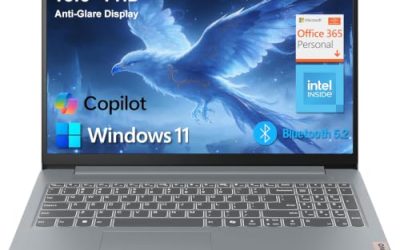
This 15.6 inch laptop lists Windows 11 Pro, Office 365 included, 8GB of RAM, a 256GB SSD, an Intel Pentium processor, and 6-hour battery wording, plus a Mini HDMI port and camera and microphone. It targets students who live in documents and slides, and who want an Office bundle available on the first day of class without setting up a separate purchase.
- Strength: 8GB of RAM and a 256GB SSD are a workable base for coursework.
- Strength: Mini HDMI helps when presenting to a projector or monitor.
- Trade-off: 6 hours of listed battery life is short for a full school day.
Skip it if you spend long days away from outlets, because the listed battery runtime is the shortest of the group. Buyers who want a better-known brand name on the lid may also prefer one of the HP or ASUS options.
DRKAKO 15.6 Inch Student Laptop
DRKAKO lists a 15.6 inch FHD IPS display, 12GB of RAM, a 256GB SSD, a J4105 quad-core processor, a 180-degree lay-flat hinge, Wi-Fi 5, Bluetooth, an AI assistant, and Office 365. It pairs generous memory with an IPS panel in an affordable package. The lay-flat hinge is a small touch that helps when two people share a screen during a group project or a tutoring session.
- Strength: 12GB of RAM leaves room for many tabs and a video call.
- Strength: an FHD IPS screen and lay-flat hinge suit group study.
- Trade-off: the J4105 is an entry-level chip, so heavy software will feel slow.
Skip it if you plan video editing or demanding programs, since memory alone will not offset the processor tier.
HP 14 Inch (628GB Total)
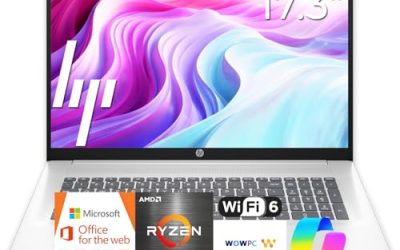
This HP lists a 14 inch ultra-portable design for student and business use, MS Office, Copilot AI, an Intel four-core CPU, 4GB of RAM, and a 628GB total made of 128GB UFS plus a 500GB external drive. The compact size is the main draw, and the bundled external drive adds a place to back up essays and slides, which is useful for a student who loses files to a spilled drink or a crash.
- Strength: the 14 inch body is easy to slip into a backpack.
- Strength: the 500GB external drive provides backup space for files.
- Trade-off: 4GB of RAM and UFS flash are limiting for multitasking.
Skip it if you plan to run many apps together, because the internal storage is only 128GB and the memory is minimal. Treat the 628GB figure as a combined number, not one drive.
TRHRO 15.6 Inch Laptop
TRHRO lists a 15.6 inch FHD IPS screen, 12GB of RAM, a 128GB SSD, and a Pentium Gold 6500Y at up to 3.4GHz, with USB-C, USB 3.2, Wi-Fi 5, and Bluetooth 5.2. The listing says it outperforms the N4020, a claim made by the seller rather than a result you can verify from the title. The port selection is the more concrete selling point for students with several accessories.
- Strength: 12GB of RAM and an FHD IPS display support daily multitasking.
- Strength: USB-C and USB 3.2 cover modern accessories and fast transfers.
- Trade-off: a 128GB SSD fills up with apps and class files.
Skip it if you store a lot of video or large projects locally, unless you add cloud or external storage.
HP 14 Inch Ultra-Light (Celeron N4500)
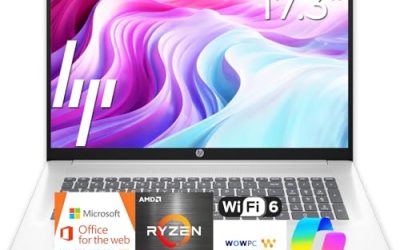
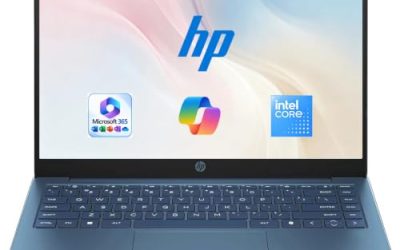
This HP lists a 14 inch ultra-light build for student and home use, a one-year Office 365 subscription, a Celeron N4500, 4GB of RAM, 64GB eMMC plus a 64GB SD card, and 12-hour battery wording. It is the battery-focused choice in the set, built for students who move between lectures, a library, and a dorm without carrying a charger every time.
- Strength: the 12-hour battery wording is the longest claim here.
- Strength: the 14 inch size and light build suit all-day carry.
- Trade-off: 64GB of eMMC plus an SD card is the thinnest storage in the group.
Skip it if you want ample internal space or smooth multitasking, since 4GB of RAM and 64GB of built-in storage limit both.
ASUS Vivobook Go 15
The Vivobook Go lists a slim 15.6 inch design, an Intel dual-core N4500, 4GB of RAM, a 128GB SSD, Windows 11, and model L510KA-ES04. It is aimed at students who want a familiar brand and a straightforward setup, with Windows 11 on a solid-state drive rather than slower flash. It reads as a safe, plain choice for a first laptop.
- Strength: an SSD rather than eMMC speeds up boot times and app launches.
- Strength: the slim 15.6 inch body balances screen space and portability.
- Trade-off: 4GB of RAM and a dual-core chip limit heavier multitasking, especially with many browser tabs.
Skip it if you need 8GB or more of memory for research, coding, or many open tabs. Students in programming or data courses will outgrow 4GB sooner than classmates who mostly write papers.
Which One Fits Your Situation
You Run Many Tabs and Video Calls
The DRKAKO 15.6 Inch pairs 12GB of RAM with an FHD IPS screen, which suits heavy browsing and study groups, and keeps the screen readable for long reading sessions. It is the best match here for a student who keeps research tabs, a document, and a call open at the same time.
You Need All-Day Battery in a Small Package
Go with the HP 14 Inch Ultra-Light, which lists 12-hour battery wording, and add cloud storage to make up for the small built-in drive. A student who walks across a large campus gets the most from that battery claim.
You Present Often and Want Office Ready to Go
The Windows 11 Pro 15.6 Inch (8GB) includes Office 365, a camera and microphone, and a Mini HDMI port for projectors, so presentations do not depend on an adapter hunt before class.
You Prefer a Well-Known Brand and Simple Setup
The ASUS Vivobook Go 15 offers an SSD and a slim body from a familiar name, which makes support and accessories easy to find. It is a reasonable first laptop for a high schooler who needs reliable basics and no extras.
Common Mistakes
- Counting an external drive as if it were part of the laptop’s built-in storage.
- Accepting 4GB of RAM for a laptop that must last four years of school, when 8GB or 12GB is listed on several machines here.
- Trusting comparison claims in a title, like outperforming another chip, without a source.
- Skipping the battery wording and then hunting for outlets in a lecture hall or a crowded library.
- Forgetting that bundled Office subscriptions expire after the first year, then facing a surprise renewal in the middle of a semester.
Related guides
- Logitech G Pro X Superlight 2 Vs Razer Viper V3 Pro
- Motherboard Io Panel And Back Connectors Explained
- Travel Backpack With Laptop Compartment
Frequently Asked Questions
How much RAM does a student laptop need?
Eight gigabytes is a sensible minimum for modern browsing and office apps, and 12GB adds comfort for students who plan to keep the same laptop through graduation. Four gigabytes can work for light use but ages quickly, particularly once operating system updates and browser extensions pile up over the school year.
Is eMMC storage a problem?
It is slower and usually smaller than an SSD, which makes it fine for basic use but less pleasant over time. Choose an SSD if the budget allows, because it affects boot time and app loading every single day.
Do I need a touchscreen for school?
Not for most coursework. None of the listings here mention touch, so rely on a good keyboard and screen instead.
Is a 14 inch or 15.6 inch laptop better for students?
A 14 inch laptop is easier to carry, and 15.6 inches gives more room for split windows and papers. Choose based on whether you commute or study mostly at a desk. A 14 inch model also tends to fit better in a crowded lecture hall seat.