The best gaming PC rig in 2026 is the one whose graphics card matches your monitor: an RTX 5060 Ti or Radeon RX 9060 XT class rig for 1080p high refresh, an RTX 5070 or RX 9070 class rig for 1440p, and an RTX 5070 Ti or better for 4K. Buy by GPU tier first, then check the CPU, power supply and cooling around it. A rig with a strong card and a weak power supply or sealed-in proprietary parts is a worse buy than a plainer tower you can upgrade.
Our top picks
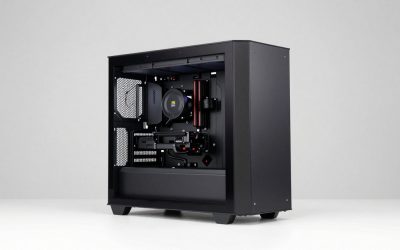
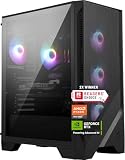
 CyberPowerPC Gaming PC
- System: AMD Ryzen 7 8700F 4.1GHz 8 Cores…
- Graphics: NVIDIA GeForce RTX 5060 Ti 8GB Graphics…
- Connectivity: 2 x USB-C 3.2 | 4 x…
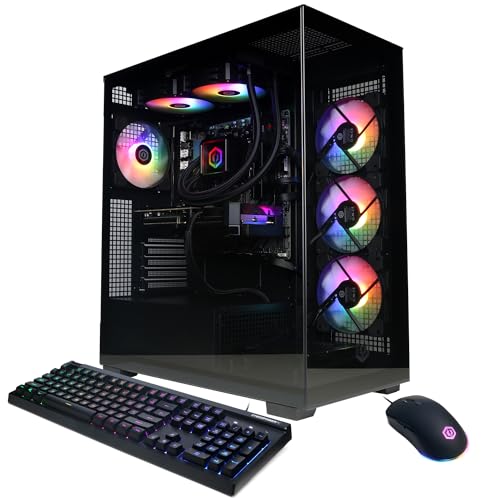 CyberPowerPC Gaming PC
- System: AMD Ryzen 9 9900X 4.4GHz 12 Cores…
- Graphics: NVIDIA GeForce RTX 5070 12GB Graphics |…
- Connectivity: 2 x USB-C 3.2 | 4 x…
 CyberPowerPC Gaming PC
- System: Intel Core i5-14400F 2.5GHz 10 Cores |…
- Graphics: NVIDIA GeForce RTX 5060 8GB Graphics |…
- Connectivity: 2 x USB-A 3.2 | 6 x…
| Product | Key specs | |
|---|---|---|
| CyberPowerPC Gaming PC | System: AMD Ryzen 7 8700F 4.1GHz 8 Cores… Graphics: NVIDIA GeForce RTX 5060 Ti 8GB Graphics… Connectivity: 2 x USB-C 3.2 | 4 x… | Check price |
| CyberPowerPC Gaming PC | System: AMD Ryzen 9 9900X 4.4GHz 12 Cores… Graphics: NVIDIA GeForce RTX 5070 12GB Graphics |… Connectivity: 2 x USB-C 3.2 | 4 x… | Check price |
| CyberPowerPC Gaming PC | System: Intel Core i5-14400F 2.5GHz 10 Cores |… Graphics: NVIDIA GeForce RTX 5060 8GB Graphics |… Connectivity: 2 x USB-A 3.2 | 6 x… | Check price |
 CyberPowerPC Gaming PC CyberPowerPC Gaming PC | System: AMD Ryzen 5 5500 3.6GHz 6 Cores… Graphics: AMD Radeon RX 6500 XT 4GB Graphics… Connectivity: 4 x USB-A 3.2 | 4 x… | Check price |
As an Amazon Associate we earn from qualifying purchases at no extra cost to you.
Quick comparison of the rig classes and example systems
| Rig class | Best for | Typical GPU | Typical CPU / RAM / SSD | Price tier |
|---|---|---|---|---|
| Entry 1080p rig (e.g. CyberPowerPC Gamer Master or Skytech entry builds) | 1080p at 144 Hz, esports titles | RTX 5060 or RTX 5060 Ti 8GB | Ryzen 5 / Core i5, 16GB DDR5, 1TB | Budget |
| Mainstream rig (e.g. Alienware Aurora, HP Omen 45L, MSI Aegis R2 configs) | 1440p high settings | RTX 5060 Ti 16GB or RTX 5070 | Ryzen 7 / Core Ultra 7, 32GB DDR5, 1–2TB | Mid-range |
| Performance rig (e.g. Lenovo Legion Tower 5i, MSI Aegis R2 AI) | 1440p ultra, entry 4K | RTX 5070 Ti (16GB) or RX 9070 XT | Core Ultra 7/9 or Ryzen 7 X3D, 32GB, 2TB | Upper-mid |
| Compact rig (e.g. NZXT Player ONE, Thermaltake LCGS Traveler) | Small desks, living room | RTX 5070 class | Ryzen 7 X3D, 32GB, 2TB | Upper-mid |
| Flagship rig (e.g. Alienware Area-51 class) | 4K high refresh, streaming plus gaming | RTX 5080 / RTX 5090 | Ryzen 9 / Core Ultra 9, 32–64GB, 2TB+ | Premium |
Exact configurations change often because system builders swap parts between batches. Treat the listed parts as typical for each model line and confirm the GPU, VRAM size and power supply on the spec sheet before buying.
Best overall: a 1440p rig with an RTX 5070 or RX 9070 class card
For most buyers the sweet spot is a rig built around an RTX 5070 (12GB) or a Radeon RX 9070 (16GB). That tier is enough to run current games at 1440p with high settings at roughly 80 to 140 frames per second in many titles, though results vary a great deal with the game, upscaling, CPU and patch. Lines such as the Alienware Aurora, HP Omen 45L and MSI Aegis family regularly ship in this tier, and the tower cases leave room for a second SSD and a later GPU swap.
The trade-off is that 12GB of VRAM is the practical floor for 1440p with ray tracing and high-resolution textures in newer releases. If you plan to keep the rig for five years, a 16GB card is the safer choice, and that pushes you toward the next tier.
Best for high refresh and entry 4K: RTX 5070 Ti or RX 9070 XT rigs
The RTX 5070 Ti and RX 9070 XT both carry 16GB of VRAM and are the cheapest cards that treat 4K as a normal resolution with upscaling enabled. Prebuilts such as the Lenovo Legion Tower 5i and MSI Aegis R2 AI are commonly sold with an RTX 5070 Ti and a Core Ultra 7 or 9 processor, while Skytech and similar builders pair the same GPU class with Ryzen X3D chips for the highest frame rates in CPU-limited esports and strategy games.
The main downside is cost and power. Expect a power supply of 750W or more and a case with real front-to-back airflow; a rig at this tier with a thin 600W unit is a warning sign.
Best budget: RTX 5060 and RTX 5060 Ti rigs for 1080p
An RTX 5060 or 5060 Ti rig comfortably drives a 1080p 144 Hz monitor and can handle 1440p in lighter games. CyberPowerPC Gamer Master and Skytech entry towers are the usual examples. The critical check is which 5060 Ti you are getting: the card exists in 8GB and 16GB versions, and the 16GB model holds up much better when texture settings are high. If the listing does not name the VRAM size, assume the cheaper variant.
Budget rigs usually save money on the power supply, motherboard and SSD. That is acceptable if the PSU is a recognised 80 Plus Bronze or better unit, but avoid listings that hide the brand.
Best compact rig: small form factor towers
If desk space is tight, small Mini-ITX systems such as the NZXT Player ONE and the Thermaltake LCGS Traveler class give up very little performance compared with a full tower. They typically use an RTX 5070-class card, a Ryzen X3D processor and a 240mm liquid cooler in a case of around 11 to 18 litres. The compromise is upgrade room: the GPU length limit and an SFX power supply restrict later swaps, and fan noise under load is usually higher than in a mid tower.
Best premium: RTX 5080 and RTX 5090 rigs
Systems in the Alienware Area-51 class carry an RTX 5080 or RTX 5090, a flagship Intel or AMD processor and large liquid coolers. They suit 4K at high refresh and players who also stream or edit video. For gaming alone the extra spend over an RTX 5070 Ti rig rarely makes sense, so choose this tier only if you already own a 4K 144 Hz or faster display.
Worked example: power budget and VRAM check
Use this quick calculation before you trust any rig’s power supply. Take the GPU’s rated board power, add the CPU’s maximum power, add about 75W for the motherboard, RAM, SSDs and fans, then leave 30 percent headroom.
| Component | RTX 5070 Ti rig | RTX 5060 Ti rig |
|---|---|---|
| GPU board power (per manufacturer spec) | about 300W | about 180W |
| CPU maximum power (typical) | about 125W | about 65W |
| Motherboard, RAM, drives, fans | 75W | 75W |
| Subtotal | 500W | 320W |
| Subtotal x 1.3 headroom | 650W | 416W |
| Sensible PSU to buy | 750W | 550W–650W |
Headroom matters because power supplies are most efficient and quietest in the middle of their load range, and because transient spikes from modern GPUs can briefly exceed the rated figure. If a rig lists a PSU below the calculated number, it is cutting corners.
For VRAM, a simple rule is 8GB for 1080p, 12GB for 1440p and 16GB for 1440p ultra or 4K. Anything lower leaves you turning texture quality down in new games within a couple of years.
How to choose a gaming rig
- Match the GPU to the monitor. A 1080p 144 Hz screen does not need an RTX 5070 Ti, and a 4K screen will punish an RTX 5060.
- Check the VRAM size in writing. Many card families have two memory versions with the same name.
- Read the power supply line. Look for a named brand, 80 Plus rating and wattage that clears the calculation above.
- Prefer standard parts. A standard ATX motherboard and PSU let you upgrade later; some proprietary designs lock you in.
- Look at the warranty and support. Large builders include phone support, while boutique builders vary; read the terms for parts-and-labour coverage.
- Count RAM and SSD slots. 32GB DDR5 in two sticks and a 1TB to 2TB NVMe SSD is the modern baseline, ideally with a free slot.
Prebuilt versus building your own
Building yourself typically gets better parts for the same spend, but memory and graphics card pricing in 2026 has been volatile, and prebuilt makers often buy in bulk. A prebuilt with a clear parts list can therefore be competitive, and it saves hours of assembly and a separate warranty chase. Choose a build if you want a specific case and quiet cooling; choose a prebuilt if you want it working out of the box with one point of contact.
Frequently Asked Questions
What GPU do I need for a 1440p gaming rig?
An RTX 5070 or RX 9070 class card is the sensible target for 1440p at high settings. Pick a 16GB model if you want headroom for textures and ray tracing in future releases.
Is a prebuilt gaming rig worth it in 2026?
Often yes, if the listing names every major part, including the power supply and VRAM size. Prebuilts save assembly time and come with one warranty, though some use proprietary parts that limit upgrades.
How much RAM should a gaming PC have?
32GB of DDR5 is the comfortable standard for gaming plus background apps. 16GB still works for many games but leaves little room for streaming, browsers and mods.
Do I need liquid cooling in a gaming rig?
No. A good air cooler handles most mainstream CPUs quietly. Liquid coolers help in compact cases and with high-power processors, but they add a pump that can fail.
How long will a gaming rig last before it needs an upgrade?
A mid-range rig usually stays comfortable for four to six years at its target resolution. A graphics card swap is the most effective upgrade and is easiest in a standard ATX tower.
Is 8GB of VRAM enough in 2026?
It is acceptable for 1080p but increasingly limiting at 1440p in new releases, where textures and ray tracing can fill the buffer. If you can afford it, choose 12GB or 16GB.