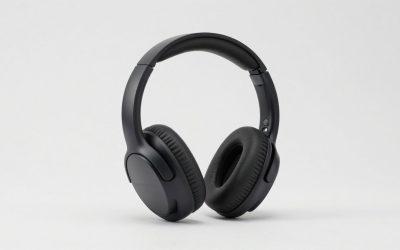
If you are shopping for boAt gaming headsets, the Immortal range is the one to look at: the Immortal 1300 is the best pick for wireless play because it uses a 2.4GHz dongle with a quoted 35 ms latency, the Immortal 700 is the value all-rounder, and the wired Immortal 400, 300 and 200 cover the budget end. boAt is an Indian audio brand, so stock and model names differ by region, and some models are listed as restocking at times. Confirm the exact variant and its warranty in your country before buying.
Our top picks
 Razer BlackShark V2 X Gaming Headset: 7.1
- sturdy closed earcups fully cover ears to prevent…
- 7.1 SURROUND SOUND FOR POSITIONAL AUDIO
- With titanium-coated diaphragms for added clarity, our new,…
| Product | Key specs | |
|---|---|---|
| Razer BlackShark V2 X Gaming Headset: 7.1 | sturdy closed earcups fully cover ears to prevent… 7.1 SURROUND SOUND FOR POSITIONAL AUDIO With titanium-coated diaphragms for added clarity, our new,… | Check price |
 BENGOO G9000 Stereo Gaming Headset for PS4 BENGOO G9000 Stereo Gaming Headset for PS4 | Check price | |
 Redragon H858 3-Mode Wireless Gaming Headset Redragon H858 3-Mode Wireless Gaming Headset | Check price | |
 AOC 2.4GHz Wireless Gaming Headset for PS5 AOC 2.4GHz Wireless Gaming Headset for PS5 | Zero-Latency Audio for Competitive Edge: Dominate your matches… Crystal-Clear Squad Communication: Coordinate strategies flawlessly using the… Seamless Multi-Platform Connectivity: Transition effortlessly from intense console… | Check price |
As an Amazon Associate we earn from qualifying purchases at no extra cost to you.
Quick comparison of boAt Immortal headsets
| Model | Best for | Connection | Key specs (per boAt) | Price tier |
|---|---|---|---|---|
| Immortal 1300 | Wireless PC and console play | 2.4GHz dongle plus Bluetooth | 3D spatial sound, 35 ms low latency, up to 14 hours on Bluetooth and 11 hours on dongle | Mid-range |
| Immortal 700 | Best value with a remote | Check listing (wired or Bluetooth by version) | 50mm drivers, RGB lighting | Budget to mid |
| Immortal 400 | Wired 7.1 surround on PC | Wired (USB) | 50mm drivers, 7.1 virtual surround, RGB | Budget |
| Immortal 300 | Entry PC gaming | Wired | 50mm drivers, noise-isolating mic, RGB, 7.1 channel sound | Budget |
| Immortal 200 | Lowest cost over-ear | Wired | 50mm drivers, noise-isolating mic, RGB, 7.1 channel sound | Budget |
| Immortal Katana Blade 2.0 | Style-focused budget buyers | Wired | RGB lighting, BEAST Mode | Budget |
The specs above are taken from boAt’s own product pages and the major listings that carry the range. Battery claims are manufacturer figures under test conditions, and the “7.1” label on budget wired models refers to virtual surround, not seven physical drivers.
Best overall wireless: boAt Immortal 1300
The Immortal 1300 is the most complete model in the range. It uses a 2.4GHz driverless dongle, which means you plug it in and it works without installing software, and boAt quotes 35 ms latency for that mode. It also supports Bluetooth for phones. Battery life is rated at up to 14 hours on Bluetooth and 11 hours on the dongle, so a long weekend session needs a charger nearby. The trade-off is that audio tuning is basic and the 2.4GHz mode drains faster than Bluetooth.
Best value: boAt Immortal 700
The Immortal 700 pairs 50mm drivers with RGB lighting and a remote controller, which lets you adjust volume and mute without reaching for the PC. Listings differ on whether a given version is wired or Bluetooth, so read the connection line before ordering. Larger drivers give the headset more bass than typical budget 40mm designs. The negative side is that The plastic build is less solid than the premium brands, so handle the headband with care.
Best wired surround: boAt Immortal 400
The Immortal 400 is a wired USB model with 50mm drivers and 7.1 virtual surround. Virtual surround helps with positional cues in shooters, but it is software processing. Turn it off for music, where it can sound hollow. It is a good fit for PC gamers on a tight budget who want a USB headset without a sound card.
Best entry options: Immortal 300 and Immortal 200
These two share 50mm drivers, a noise-isolating microphone and RGB lighting. The 300 sits a notch above the 200 in price and presentation. They are sensible first headsets for casual PC and console use, but expect average microphone quality and little tuning control. The 200 is the lowest-cost over-ear option in the family.
Best for style: Immortal Katana Blade 2.0
The Katana Blade 2.0 leans on appearance, with RGB accents and a BEAST Mode, which is boAt’s branded gaming mode. It suits younger players who want a showy headset without spending much, but it is not the pick if sound accuracy is your priority.
Worked example: pick by battery and session length
If you buy the wireless 1300, work out how often you will charge it. Divide its quoted battery hours by your daily play time.
| Daily play time | Days per charge on dongle (11 h) | Days per charge on Bluetooth (14 h) |
|---|---|---|
| 1 hour | 11 | 14 |
| 2 hours | 5.5 | 7 |
| 3 hours | 3.7 | 4.7 |
| 5 hours | 2.2 | 2.8 |
At three hours a night you charge roughly twice a week. If you play five hours a day or tournament-length sessions, a wired model removes the problem entirely and also avoids wireless latency, so the 700 or 400 may suit you better.
How to choose a boAt headset
- Platform: USB wired models such as the 400 work on PC and, in many cases, PlayStation. 3.5mm models work on controllers and phones. The 1300 dongle works with PC and consoles that accept USB audio, so confirm console support.
- Wired or wireless: wired is cheaper and lag-free. Wireless costs more but avoids the cable.
- Comfort: 50mm drivers mean larger cups. Check the clamp force if you wear glasses.
- Microphone: budget models use basic mics. If you chat often, use a separate desk mic.
- Warranty and service: check boAt’s warranty terms and local service in your region before buying from a third-party seller.
Setup tips that improve any boAt headset
- Use the right port. Plug the 2.4GHz dongle of the 1300 into a rear USB port or a short extension, away from other wireless receivers, to keep the link stable.
- Switch off virtual surround for music. The 7.1 effect on the 400, 300 and 200 changes tonal balance; use stereo for songs and surround for shooters.
- Set the microphone level. In Windows sound settings, raise the input level until peaks sit around the middle of the meter, then turn on noise suppression in your chat app rather than the headset.
- Check the ear pads. Budget pads compress over time; replacing them with generic memory foam pads can extend comfort.
- Keep the cable tidy. On wired models, a cable clip on the desk prevents strain at the 3.5mm or USB plug, the most common failure point.
When to look beyond boAt
boAt headsets are strongest on price and styling. If you need strong microphone clarity, detailed software, or guaranteed console certification, brands such as HyperX, Razer, SteelSeries or Logitech G have broader support and wider availability outside India. A used or discounted midrange model from those brands often matches the Immortal 1300 on price.
Frequently Asked Questions
Which boAt headset is best for gaming?
The Immortal 1300 is the strongest all-round choice thanks to its 2.4GHz dongle, spatial sound and Bluetooth. For wired budgets, the Immortal 700 or 400 give larger drivers for less money.
Is the boAt Immortal 1300 good for PS5?
It connects through a USB dongle, which PS5 accepts for audio on many generic headsets. Voice chat and sound behaviour can differ from official PlayStation models, so check boAt’s compatibility notes before buying.
What does 7.1 mean on a boAt headset?
It means virtual 7.1 surround created by software processing. The headset still has two speakers, one per ear, and the effect varies by game.
Do boAt gaming headsets have good microphones?
The mics on the Immortal range are serviceable for party chat but not studio quality. A noise-isolating boom helps in noisy rooms, but streamers should use a dedicated microphone.
Are boAt headsets available outside India?
Availability varies. Many Immortal models are mainly sold in India and a few other markets, so check shipping, warranty and spare-part support before you buy.
How long does the Immortal 1300 battery last?
boAt rates it for up to 14 hours on Bluetooth and 11 hours on the 2.4GHz dongle. Real-world time is shorter at high volume with lighting on.