Key takeaways
- Match the panel to your GPU: Native 4K at high refresh rates demands serious horsepower. If you’re running a mid-range card, prioritize a monitor with strong upscaling support and adaptive sync over raw refresh rate — or consider QHD instead.
- Refresh rate over HDR marketing: Under $500, most “HDR” implementations lack the local dimming and peak brightness to look meaningfully better. A 144Hz–165Hz panel will improve your experience far more than an HDR400 badge.
- Dual-mode is a genuine perk: Newer budget panels can drop to 1080p at much higher refresh rates for competitive titles, giving you one monitor that handles both cinematic single-player games and fast-paced shooters.
- Check the ports you’ll actually use: Confirm DisplayPort 1.4 or HDMI 2.1 for full-bandwidth 4K at high refresh. If you game on a console or plan to dock a laptop, USB-C with power delivery is worth paying a little extra for.
- Don’t ignore the stand and warranty: Budget monitors often cut corners on ergonomics. Height and tilt adjustment matter for long sessions, and a three-year warranty is a meaningful signal of build confidence.
What's inside
Shopping for a 4K gaming monitor under $500 is more confusing in 2026 than it should be. Panel specs have improved dramatically at the budget end, but so has the marketing noise: dual-mode refresh rates, HDR certifications that mean very little, “1ms” response claims measured under ideal conditions, and USB-C ports that may or may not deliver useful power. The result is that two monitors with nearly identical spec sheets can feel completely different in actual gameplay.
This guide cuts through that. Below are the 4K displays we consider the best value under $500 right now, along with one high-refresh QHD alternative for anyone whose GPU isn’t ready for 4K. We’ve focused on panels that pair genuine 4K sharpness with refresh rates fast enough for competitive play, sensible connectivity, and reliable warranty support — not just the biggest number on the box.
As an Amazon Associate we earn from qualifying purchases.






⚡ Save on Your Next PC — Amazon Prime
Prime members get fast free shipping on the systems above, plus early access to Prime Day & Black Friday PC deals. New members get a 30-day free trial.
Watch: Best 4K Monitor Under $500 — Video Review
How to Choose 4K Monitor Under $500
- Match the panel to your GPU: Native 4K at high refresh rates demands serious horsepower. If you’re running a mid-range card, prioritize a monitor with strong upscaling support and adaptive sync over raw refresh rate — or consider QHD instead.
- Refresh rate over HDR marketing: Under $500, most “HDR” implementations lack the local dimming and peak brightness to look meaningfully better. A 144Hz–165Hz panel will improve your experience far more than an HDR400 badge.
- Dual-mode is a genuine perk: Newer budget panels can drop to 1080p at much higher refresh rates for competitive titles, giving you one monitor that handles both cinematic single-player games and fast-paced shooters.
- Check the ports you’ll actually use: Confirm DisplayPort 1.4 or HDMI 2.1 for full-bandwidth 4K at high refresh. If you game on a console or plan to dock a laptop, USB-C with power delivery is worth paying a little extra for.
- Don’t ignore the stand and warranty: Budget monitors often cut corners on ergonomics. Height and tilt adjustment matter for long sessions, and a three-year warranty is a meaningful signal of build confidence.
The Best Picks Reviewed
Acer Nitro VG270K V4
The Nitro VG270K V4 is arguably the strongest value proposition on this list, pairing a 27-inch 4K IPS panel with 160Hz native refresh and a dual-mode option that pushes to 320Hz at reduced resolution. That flexibility makes it a genuinely versatile single-monitor setup for players who split time between story-driven titles and competitive shooters.
ASUS TUF Gaming VG27UQ1A
ASUS’s TUF line has a well-earned reputation for durability, and the VG27UQ1A delivers 160Hz 4K with 95% DCI-P3 coverage that makes it a credible choice for creative work as well as gaming. The three-year warranty and Extreme Low Motion Blur Sync are meaningful additions at this price.
ASUS ROG XG27UCSR
The ROG XG27UCSR sits at the premium end of this budget, but the 162Hz 4K panel, G-SYNC compatibility, and USB-C connectivity justify the stretch if you’re also docking a laptop. It’s the pick for anyone who wants one display to handle work and play without a cable swap.
Dell S2725QS
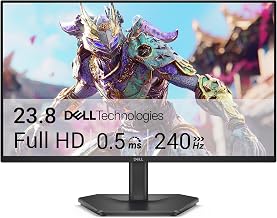
Dell’s S2725QS is the sensible, understated option: a clean 4K IPS panel at 120Hz with FreeSync Premium and Dell’s consistently reliable build quality and support. It won’t win spec-sheet arguments, but it’s an excellent choice for mixed productivity and gaming use where colour accuracy and comfort matter more than peak frame rates.
Samsung Odyssey G7 (G75F) 37″
If you want maximum screen real estate, the 37-inch curved Odyssey G7 delivers a genuinely immersive 4K experience that smaller panels can’t match. Availability under $500 depends heavily on sale pricing, so it’s worth setting a price alert rather than paying full retail.
Frequently Asked Questions
Is 4K worth it under $500 in 2026?
Yes, provided your GPU can drive it. Budget 4K panels have improved enormously, and with modern upscaling most mid-range and above cards can hit comfortable frame rates at 4K in the majority of titles.
Should I buy QHD instead?
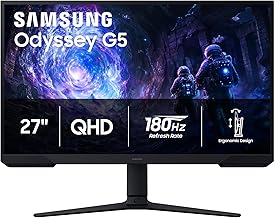
If you play primarily competitive shooters or have a mid-range GPU, QHD is often the smarter buy. The Samsung Odyssey G5 (G51F) offers high refresh rates at 1440p and leaves budget headroom for other upgrades.
Do I need HDMI 2.1?
For PC gaming, DisplayPort 1.4 with DSC handles 4K at high refresh rates perfectly well. HDMI 2.1 matters most if you’re connecting a PlayStation 5 or Xbox Series X and want 4K120 output.
What screen size is best for 4K?
27 inches is the sweet spot for most desks, delivering excellent pixel density at typical viewing distances. Larger panels like 32 or 37 inches suit deeper desks and more immersive, cinematic setups.
Final Thoughts
For most buyers, the Acer Nitro VG270K V4 is the standout value here — its dual-mode refresh flexibility makes it unusually adaptable for a monitor at this price. The ASUS TUF VG27UQ1A is the close runner-up if colour accuracy and a longer warranty appeal, while the Dell S2725QS remains the most balanced pick for anyone splitting time between gaming and desk work.