Key takeaways
- Prioritize the GPU, but don’t ignore balance: At this budget, the RTX 5070 (or 5070 Ti if you can stretch) is the sweet spot for high-refresh 1440p. Just make sure it isn’t paired with a two-generation-old budget CPU that will hold it back in CPU-heavy titles.
- Insist on 32GB of DDR5: 16GB is now the bare minimum, and modern open-world games plus a browser and Discord will hit that ceiling. 32GB of DDR5 costs manufacturers very little and is the single best longevity upgrade at this price.
- Check storage capacity and type: A 1TB NVMe SSD is the practical floor; 2TB is far better when single installs routinely exceed 100GB. Avoid anything shipping with a SATA SSD as the boot drive or under 512GB.
- Look at the power supply and cooling: An RTX 5070-class card wants a quality 650W+ unit and a case with genuine intake and exhaust airflow. Cramped, near-sealed boutique cases are the most common cause of thermal throttling in cheap prebuilts.
- Verify upgrade headroom: Standard ATX or mATX motherboards, a normal 24-pin PSU, and free M.2 and RAM slots mean you can extend the machine’s life cheaply. Proprietary layouts lock you into buying a whole new system later.
What's inside
Shopping for a gaming PC under $1,500 in 2026 is trickier than it looks. The sub-$1,500 tier is where prebuilt manufacturers cut the most corners — a headline GPU paired with a weak CPU, 16GB of RAM in a machine that clearly needed 32GB, a 500W power supply straining under an RTX 5070, or a case with almost no airflow. The result is a system that benchmarks well on paper and then throttles, stutters, or bottlenecks the moment you actually play something demanding at 1440p.
This guide cuts through that. We’ve focused on prebuilts that genuinely land under $1,500 at typical street pricing, with balanced component pairings, adequate memory and storage, and enough headroom to stay relevant for the next few years. Below you’ll find our top picks, a short checklist of what actually matters at this budget, and answers to the questions buyers ask most.
As an Amazon Associate we earn from qualifying purchases.





⚡ Save on Your Next PC — Amazon Prime
Prime members get fast free shipping on the systems above, plus early access to Prime Day & Black Friday PC deals. New members get a 30-day free trial.
Watch: Best Gaming PC Under $1500 — Video Review
How to Choose Gaming PC Under $1500
- Prioritize the GPU, but don’t ignore balance: At this budget, the RTX 5070 (or 5070 Ti if you can stretch) is the sweet spot for high-refresh 1440p. Just make sure it isn’t paired with a two-generation-old budget CPU that will hold it back in CPU-heavy titles.
- Insist on 32GB of DDR5: 16GB is now the bare minimum, and modern open-world games plus a browser and Discord will hit that ceiling. 32GB of DDR5 costs manufacturers very little and is the single best longevity upgrade at this price.
- Check storage capacity and type: A 1TB NVMe SSD is the practical floor; 2TB is far better when single installs routinely exceed 100GB. Avoid anything shipping with a SATA SSD as the boot drive or under 512GB.
- Look at the power supply and cooling: An RTX 5070-class card wants a quality 650W+ unit and a case with genuine intake and exhaust airflow. Cramped, near-sealed boutique cases are the most common cause of thermal throttling in cheap prebuilts.
- Verify upgrade headroom: Standard ATX or mATX motherboards, a normal 24-pin PSU, and free M.2 and RAM slots mean you can extend the machine’s life cheaply. Proprietary layouts lock you into buying a whole new system later.
The Best Picks Reviewed
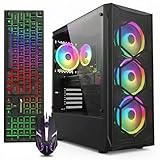
KOTIN RTX 5070 / Ryzen 7 9700X
This is the best raw value on the list: a current-generation Ryzen 7 9700X paired with an RTX 5070, 32GB of DDR5, and a 1TB NVMe SSD is a genuinely balanced 1440p configuration with no obvious weak link. Support and build quality are less polished than the big brands, but on performance-per-dollar nothing here beats it.
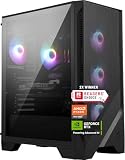
MSI Codex Z2 (R7-8700F, RTX 5070)
The Codex Z2 matches the RTX 5070 with 32GB of DDR5 and doubles storage to a 2TB NVMe drive, which is meaningful if you keep a large library installed. The R7-8700F is a slightly older part than the 9700X, but MSI’s cooling, front-panel USB-C, and warranty support make this the safer mainstream buy.
Lenovo Legion Tower 5i (RTX 5070 Ti)
The Legion Tower 5i is the fastest machine here thanks to the RTX 5070 Ti, backed by an Intel Core Ultra 7 265F, 32GB of memory, and a 1TB SSD — it’s the pick if you want high-refresh 1440p with real headroom for 4K. It typically sits at the very top of the $1,500 budget, so buy it on a sale rather than at list price.
Alienware Aurora (RTX 5070, Core Ultra 7 265F)
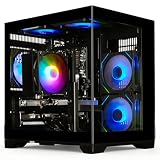
Dell’s Aurora brings the best chassis engineering and thermals of any prebuilt at this tier, with a strong CPU-GPU pairing in the Core Ultra 7 265F and RTX 5070. The trade-off is configuration: base models often ship with less RAM and storage than rivals, so check the exact SKU before you commit.
CyberPowerPC (Ryzen 5 5500, RX 6500 XT)
This is the budget entry point rather than a true $1,500 machine, and it’s best understood as a 1080p esports box for CS2, Valorant, Rocket League, and Fortnite at medium settings. The RX 6500 XT’s 4GB of VRAM is limiting in modern AAA titles, so treat it as a starting platform you plan to upgrade.
Frequently Asked Questions
Is an RTX 5070 enough for 1440p gaming in 2026?
Yes. The RTX 5070 comfortably handles high-refresh 1440p in most current titles at high settings, and DLSS plus frame generation extends that further in demanding releases. It’s the natural target for a sub-$1,500 build.
Is 16GB of RAM still acceptable?
It works, but it’s no longer the right choice at this budget. Several 2025–2026 releases push past 16GB when combined with background apps, and DDR5 is cheap enough that 32GB should be considered standard here.
Should I buy a prebuilt or build my own?
Building your own still saves money and gives you full control over the PSU, case, and cooling. Prebuilts win on warranty coverage, single-point support, and convenience — and during sales, brand prebuilts occasionally undercut the cost of the parts individually.
What should I upgrade first?
Storage, then RAM. Adding a second NVMe drive is the cheapest quality-of-life improvement, and moving from 16GB to 32GB is the next most impactful. Save the GPU upgrade for two or three generations down the line.
Final Thoughts
For most buyers, the KOTIN RTX 5070 build is the smartest use of a $1,500 budget — a current-gen Ryzen 7 and 32GB of DDR5 with no glaring compromises. If you’d rather have brand-backed support and double the storage, the MSI Codex Z2 is the safer everyday pick, while the Lenovo Legion Tower 5i is worth stretching for if you want RTX 5070 Ti performance and plan to keep the machine for years.