Key takeaways
- GPU first, always: Your graphics card determines your frame rate more than any other component. At this budget, an RTX 5060 Ti or RTX 5070 is the sweet spot — anything older or lower-tier will bottleneck you at 1440p.
- Don’t overpay for the CPU: A Ryzen 7 or Core Ultra 7 is plenty. Spending extra on a flagship processor at this price almost always means a weaker GPU, which is the wrong trade for gaming.
- 32GB DDR5 is the new baseline: 16GB still works fine for most titles, but 32GB gives you headroom for background apps, streaming, and the increasingly memory-hungry games shipping in 2026.
- Storage adds up fast: A 1TB NVMe SSD holds roughly six to eight modern AAA installs. If you keep a large library, look for 2TB or budget for an add-in drive later.
- Check upgrade headroom: Standard ATX or micro-ATX cases, a non-proprietary power supply, and free RAM slots mean you can extend the machine’s life instead of replacing it wholesale in three years.
What's inside
Shopping for a gaming desktop under $1,000 in 2026 is genuinely confusing. Spec sheets are stuffed with acronyms, retailers pair strong GPUs with anemic CPUs (or the reverse), and “gaming PC” listings range from legitimate 1440p machines to recycled office towers with a budget graphics card bolted on. The result is that two systems at the same price can deliver wildly different frame rates.
This guide cuts through that. We’ve focused on prebuilt desktops that hit a realistic sub-$1,000 street price, prioritizing current-generation GPUs, adequate DDR5 memory, and NVMe storage — the three things that most directly affect how your games actually feel. Below you’ll find our top picks, a short buying checklist, and answers to the questions we get asked most.
As an Amazon Associate we earn from qualifying purchases.


⚡ Save on Your Next PC — Amazon Prime
Prime members get fast free shipping on the systems above, plus early access to Prime Day & Black Friday PC deals. New members get a 30-day free trial.
Watch: Best Gaming PC Under $1000 — Video Review
How to Choose Gaming PC Under $1000
- GPU first, always: Your graphics card determines your frame rate more than any other component. At this budget, an RTX 5060 Ti or RTX 5070 is the sweet spot — anything older or lower-tier will bottleneck you at 1440p.
- Don’t overpay for the CPU: A Ryzen 7 or Core Ultra 7 is plenty. Spending extra on a flagship processor at this price almost always means a weaker GPU, which is the wrong trade for gaming.
- 32GB DDR5 is the new baseline: 16GB still works fine for most titles, but 32GB gives you headroom for background apps, streaming, and the increasingly memory-hungry games shipping in 2026.
- Storage adds up fast: A 1TB NVMe SSD holds roughly six to eight modern AAA installs. If you keep a large library, look for 2TB or budget for an add-in drive later.
- Check upgrade headroom: Standard ATX or micro-ATX cases, a non-proprietary power supply, and free RAM slots mean you can extend the machine’s life instead of replacing it wholesale in three years.
The Best Picks Reviewed
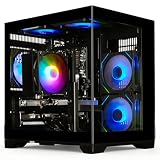
MSI Codex Z2 (RTX 5070, 32GB, 2TB)
This is the most complete package on the list: an RTX 5070 for confident 1440p gaming, 32GB of DDR5, and a generous 2TB NVMe drive that means you won’t be uninstalling games to make room. The R7-8700F is a smart pairing — it feeds the GPU well without eating into the budget.
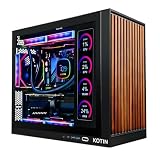
KOTIN Prebuilt (RTX 5070, Ryzen 7 9700X)
The Ryzen 7 9700X is the strongest CPU here by a clear margin, making this the pick if you also stream, edit, or run CPU-heavy simulation titles. You give up storage capacity compared to the MSI, but 1TB is workable and easy to expand.
Alienware Aurora (RTX 5070, Core Ultra 7 265F)
Alienware’s Aurora brings better thermals and build quality than most budget prebuilts, plus proper manufacturer support if something goes wrong. It’s the safest buy of the group, though you’re paying a modest premium for the chassis and warranty rather than raw specs.
MSI Codex Z2 (RTX 5060 Ti, 16GB, 1TB)
The value option in MSI’s lineup, trading the RTX 5070 for a 5060 Ti and halving the RAM and storage. It’s still a capable 1080p high-refresh machine and comfortably handles 1440p at medium-high settings — a sensible choice if you’d rather bank the savings for a monitor.
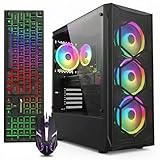
YAWYORE Gaming PC (RTX 5060, Ryzen 7 5700X)
The entry point to current-gen graphics, with an RTX 5060 that handles 1080p at high settings without complaint. The Ryzen 7 5700X is a previous-generation part, but it’s a proven gaming chip and keeps the total price low.
Frequently Asked Questions
Can a sub-$1,000 PC really handle 1440p gaming?
Yes, with the right GPU. RTX 5070-equipped systems handle most 2026 titles at 1440p with high settings and DLSS enabled. RTX 5060-class cards are better suited to 1080p, where they’ll push well past 100fps in competitive games.
Is a prebuilt worse value than building it myself?
The gap has narrowed considerably. Prebuilt makers buy components in volume, and once you account for a Windows license and your own time, self-building often saves less than you’d expect at this price point. Building still wins on component choice and upgradeability.
How long will one of these last?
Expect three to four years of comfortable 1080p or 1440p gaming before you’ll want a GPU upgrade. Systems with 32GB of RAM and a larger SSD will age more gracefully, since those are the components people typically run out of first.
Should I avoid systems with older GPUs like the RX 580?
Generally, yes. Cards of that era lack modern upscaling and ray tracing support and struggle with recent releases. They’re only worth considering for older libraries, esports titles, or as a stopgap on a very tight budget.
Final Thoughts
For most buyers, the MSI Codex Z2 with the RTX 5070 and 2TB drive is the strongest overall value here — it’s the rare sub-$1,000 machine that doesn’t force an obvious compromise. The KOTIN build is the better pick if you want the extra CPU muscle of the Ryzen 7 9700X, while the Alienware Aurora earns its place for anyone who’d rather have solid support and thermals than the last few percent of performance.