Our Top Picks


For most Quest owners who want to play PC VR games through a wire, the best starting point in this group is the first Syntech 16FT cable, a USB 3.0 link cable whose listing quotes up to 5Gbps of data transfer and names Quest 3, 3S, 2 and Pico 4. A link cable is simply a long USB-C cable built to carry the headset’s video stream and your controller data from a PC at high speed, so the data-speed figure matters more than the length or the color. The other five cables below cover shorter runs, built-in charging, adapter-based setups and a 10Gbps option, and the tables help you match each one to your PC port and room size.
Quick List
- Syntech Link Cable 16FT (5Gbps listing) – best for a straightforward wired PCVR setup on Quest 3, 3S or 2
- Syntech VR Link Cable 16FT with USB 3.0 Adapter – best for PCs where you want the adapter option in the box
- Syntech 16FT with 18W Charging and 2-in-1 Adapter – best for long sessions where the headset should stay topped up
- INIU Link Cable with Charging 16ft – best for owners who also use Quest 2, Quest Pro or Pico 4
- VakiReyy 10FT Link Cable – best for seated play and small rooms where 16 feet is too much cable
- JasRoum 16FT 10Gbps Link Cable – best for buyers who want the highest headline USB figure on the list
Which One Is Right for You?
| If you… | Choose |
|---|---|
| Play seated or in a small room and dislike cable slack | VakiReyy 10FT Link Cable |
| Want charging while you play and an adapter for a USB-A port | Syntech 16FT with 18W Charging and 2-in-1 Adapter |
| Want the clearest 5Gbps wording and a plain, no-frills cable | Syntech Link Cable 16FT (5Gbps listing) |
| Own both a Quest and a Pico 4, or a Quest Pro | INIU Link Cable with Charging 16ft or JasRoum 16FT |
| Prefer a cable bundled with a USB 3.0 adapter for older desktop ports | Syntech VR Link Cable 16FT with USB 3.0 Adapter |
| Want a USB 3.1, 10Gbps label for peace of mind | JasRoum 16FT 10Gbps Link Cable |
If you are unsure, start from the room, not the cable. Measure the distance from your PC port to the middle of your play space, add a couple of feet for turning around, and pick the length from that number. Then check which USB port your PC offers, because a perfect cable plugged into a USB 2.0 port will still run the headset at a fraction of its potential.
All 6 Picks in Detail
1. Syntech Link Cable 16FT (5Gbps listing) – Best for a plain wired PCVR setup
As an Amazon Associate we earn from qualifying purchases at no extra cost to you.

This is the most direct match for the job a link cable exists to do. The listing describes a 16-foot USB 3.0 to USB-C cable for Meta Quest 3, 3S, 2 and Pico 4, and it states up to 5Gbps of data transfer for PCVR. That 5Gbps number is the headline speed of the USB 3.0 standard (also called USB 3.2 Gen 1), and it is the speed class a Quest needs to stream a clean, low-latency picture from a PC. It suits anyone who wants to plug in, launch the desktop app and play, without extra extras.
A practical note for setup: after plugging in, the Meta desktop app should detect the headset and offer to enable link mode. If it does not, try a different rear USB port before blaming the cable, because front-panel and hub ports are the usual culprits. This kind of cable also suits anyone who wants a sensible default before spending time comparing adapters and charging claims.
- Length: 16 feet (about 5 meters)
- Connection: USB 3.0 to USB-C
- Stated data speed: up to 5Gbps
- Headsets named: Meta Quest 3, 3S, 2 and Pico 4
- Intended use: PCVR streaming; charging details are not in the visible listing name, so confirm on the product page
Pros:
- Clear 5Gbps wording that matches what the headset can use
- Long enough for most standing play areas
Cons:
- No charging figure in the listing name
- A 16-foot copper cable is more to manage in small rooms
Compared with the next Syntech option, this one keeps things simpler, while the adapter version is the better fit if your PC has awkward ports.
2. Syntech VR Link Cable 16FT with USB 3.0 Adapter – Best for adapter flexibility

This listing pairs a 16-foot USB-C VR cable with a USB 3.0 adapter for Quest 3, 3S and 2, and it mentions fast data transfer. The included adapter is the practical part: many desktop PCs and laptops have a mix of USB-A and USB-C ports, and an adapter in the box means you do not have to hunt for a second accessory if the port you want is the other type. It suits buyers who are connecting to a motherboard rear panel, a docking station or a laptop with limited ports.
Think about where the adapter would live. If your PC’s blue USB-A ports are on the back of a tower under a desk, a cable that already has a matching adapter can save a trip to the hardware drawer. Keep the adapter snug and avoid hanging the cable’s weight from it, since a heavy 16-foot run pulling on an adapter can loosen the connection mid-session.
- Length: 16 feet
- Connection: USB-C cable with a USB 3.0 adapter
- Headsets named: Quest 3, 3S and 2
- Data speed: described as fast; the exact figure is cut off in the listing name, so confirm on the product page
- Extras: adapter included
Pros:
- Adapter included for mixed port types
- Same Syntech cable length as the other two Syntech options
Cons:
- Data speed number is not visible in the title
- Every extra adapter is one more connection that can loosen
It is the closer cousin of the first pick; choose it over the plain version only if the adapter solves a real port problem on your PC.
3. Syntech 16FT with 18W Charging and 2-in-1 Adapter – Best for long sessions
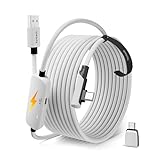
This one stands out because it advertises 18W fast charging alongside a 3.2Gbps sync figure, and it comes with a 2-in-1 USB-A/C adapter. The headset battery drains while streaming, so a cable that charges as it carries data is useful for long sessions in big titles. It names Quest 3S, 3 and 2. One thing to notice and to confirm: the 3.2Gbps figure is lower than the 5Gbps quoted on the other cables, so check what that number describes before you assume the speed is the same.
Charging through a PC port has limits: a laptop on battery or a front-panel port may not deliver much power, so treat the 18W figure as the cable’s capability, not a guarantee of what your port supplies. If long sessions are your goal, this is also a good cable to pair with a counterweight head strap battery or a short break to top up.
- Length: 16 feet
- Charging: 18W fast charge, per the listing
- Stated sync speed: 3.2Gbps
- Adapter: 2-in-1 USB-A/C included
- Headsets named: Quest 3S, 3 and 2
Pros:
- Charging figure is spelled out in the listing
- Two-way adapter helps with mixed ports
Cons:
- Lower quoted sync speed than the 5Gbps cables
- Pico 4 is not named in the visible text
Next to the other Syntech cables, it is the one for convenience and charging, and the first one to question if you want the strongest data wording.
4. INIU Link Cable with Charging 16ft – Best for multi-headset households
![INIU Link Cable with Charging [16ft] for Meta Quest 3/3S, Oculus Quest 2/Pro, Pico 4, PC VR - USB 3.0 High Speed Data & Charging Cable, USB](https://m.media-amazon.com/images/I/51kTM+9MDWL._SL160_.jpg)
INIU’s listing covers the widest headset range in the visible text: Quest 3 and 3S, Oculus Quest 2 and Pro, and Pico 4, with PC VR use named directly. It is a 16-foot USB 3.0 cable that the title describes as both a high-speed data and charging cable. That makes it a sensible shared cable for a household with an older Quest 2 in a drawer and a newer headset in daily use, because one cable covers both without a guessing game.
Households that share a PC between a Quest 2 and a newer headset will like the single-cable approach. Label the cable or keep it near the PC so it does not get borrowed for general charging, where it spends time bent and tugged. Confirm the exact charging output before relying on it for long sessions.
- Length: 16 feet
- Standard: USB 3.0 high-speed data
- Charging: included in the description; wattage not visible, so confirm on the product page
- Headsets named: Quest 3, 3S, Quest 2, Quest Pro, Pico 4
Pros:
- Broadest headset coverage in the title
- Data and charging in one cable
Cons:
- Exact speed and charging figures are not visible in the title
- Less detail about adapters in the visible text
Choose it over the Syntech cables when you own more than one headset; otherwise the choice between them comes down to what the listing text says about speed.
5. VakiReyy 10FT Link Cable – Best for seated play and small rooms

This is the shortest cable here at 10 feet, aimed at Oculus Quest 3 and Quest 2 with USB 3.0 to USB-C, high-speed data transfer and charging. Ten feet is the practical minimum for a link cable. It works well for seated racing, flight simulators or a desk-side PC, where a 16-foot cable would just pool on the floor and invite a snag. It is less comfortable for roomscale titles where you walk and turn a lot, because there is little slack to spare.
Seated players should also consider cable routing: run the cable behind the chair or over the shoulder and use a small clip to keep it off the floor. Ten feet also helps if your PC sits on a desk and the headset only needs a short, tidy run. If you later move to standing games, you can step up to a 16-foot cable without changing anything else in your setup.
- Length: 10 feet
- Connection: USB 3.0 to USB-C
- Headsets named: Oculus Quest 3 and Quest 2
- Charging: described; wattage not visible, so confirm on the product page
Pros:
- Less cable clutter
- Shorter copper runs tend to hold their speed more easily
Cons:
- Little slack for roomscale movement
- Quest 3S and Pico 4 are not named in the visible title
It is the opposite of the 16-foot options: pick it for a controlled seated space, and skip it if you stand and swing.
6. JasRoum 16FT 10Gbps Link Cable – Best for the highest quoted USB speed

JasRoum’s 16-foot cable carries a 10Gbps USB 3.1 label and names Quest 3, 3S, 2, Pro and Pico 4. The 10Gbps figure is twice the 5Gbps of USB 3.0, and it is attractive on paper. In practice a Quest headset’s own USB link is a 5Gbps-class connection, so the extra headroom is most likely a spare margin rather than a visible upgrade. Treat it as a good fit for buyers who like the safety of a higher spec, and still confirm the details on the product page.
One more consideration is the PC end. A 10Gbps cable is useful only if the port behind it can deliver a true USB 3.x connection, and many motherboards label their ports poorly. If you are curious about the benefit, check your motherboard manual rather than relying on port color alone.
- Length: 16 feet
- Stated speed: 10Gbps, USB 3.1
- Headsets named: Quest 3, 3S, 2, Pro and Pico 4
- Charging and adapter details: not in the visible title, so confirm on the product page
Pros:
- Highest quoted speed on the list
- Wide headset coverage
Cons:
- The headset likely cannot use the full 10Gbps
- Charging details are not visible in the listing name
Compared with INIU, it trades a charging mention for a bigger speed number, so decide which of the two matters more to you.
Specs Compared
| Cable | Length | Stated data speed | Charging | Adapter | Headsets named |
|---|---|---|---|---|---|
| Syntech Link Cable 16FT | 16 ft | USB 3.0, up to 5Gbps | confirm on listing | confirm on listing | Quest 3/3S/2, Pico 4 |
| Syntech VR Link Cable 16FT with USB 3.0 Adapter | 16 ft | USB 3.0, figure confirm on listing | confirm on listing | USB 3.0 adapter | Quest 3/3S/2 |
| Syntech 16FT 18W Charging | 16 ft | 3.2Gbps sync | 18W fast charge | 2-in-1 USB-A/C | Quest 3S/3/2 |
| INIU Link Cable 16ft | 16 ft | USB 3.0 high speed | Yes, wattage confirm on listing | confirm on listing | Quest 3/3S/2/Pro, Pico 4 |
| VakiReyy 10FT | 10 ft | USB 3.0 high speed | Yes, wattage confirm on listing | confirm on listing | Quest 3/2 |
| JasRoum 16FT | 16 ft | 10Gbps, USB 3.1 | confirm on listing | confirm on listing | Quest 3/3S/2/Pro, Pico 4 |
How We Chose These
We built this list from the cable listings themselves rather than from hardware trials. First we looked for a stated USB 3.0 or faster data speed, because that is the main requirement for PC streaming. Next we compared advertised lengths, the headsets named in the title, charging mentions and any included adapters. Where the visible text did not state a value, we marked it as “confirm on listing” instead of guessing. We also cross-checked the general link-cable requirements against accessory buying guides that summarize the manufacturer’s recommendations. The result is a research-based comparison, not a performance ranking, so check each product page for the current specification before buying.
What to Look For
Data speed: 5Gbps is the line that matters
A Quest can technically run over a slow cable, but picture quality drops and latency rises. The practical line for wired PCVR is USB 3.0, which is the same as USB 3.2 Gen 1, at 5Gbps. Anything described only as “USB-C” or “charging cable” may be limited to USB 2.0 data speeds of 480Mbps, which is about ten times slower. A 10Gbps label is not harmful, but the headset’s own link does not need more than 5Gbps, so do not pay extra just for the bigger number. If a listing quotes a lower figure, such as 3.2Gbps, ask what it measures and whether it is a real-world sync number or the cable’s rated bandwidth.
Length: 10 feet is the floor, 16 feet is the common ceiling
Meta’s guidance, as repeated in accessory guides, is a cable of at least about 10 feet (3 meters). Anything shorter makes you tug the cable and can stress the USB port on the PC. Beyond roughly 16 feet (5 meters), passive copper USB 3.0 cables struggle to hold a stable 5Gbps signal, which is why longer runs usually need an active, signal-boosting design. For a seated desk setup 10 feet is plenty. For standing roomscale play, 16 feet is a good ceiling.
Your PC port matters as much as the cable
Plug directly into a USB 3.0 or newer port on the PC, ideally on the rear of a desktop. Avoid unpowered hubs, front-panel ports with long internal leads, and extension cables when you can. Blue-colored USB-A ports are typically USB 3.x, and USB-C ports on a PC may be 3.x as well, but check the motherboard or laptop manual. If your PC only has a USB-C port, a USB-C to USB-C cable is simpler than a USB-A adapter chain.
Charging and adapters: convenient, but not the main spec
Streaming PCVR drains the headset’s battery faster than standalone play. A cable that passes power helps, but the wattage the PC port can offer is often lower than a wall charger’s. Think of in-cable charging as a way to slow the drain, not a replacement for a full charge between sessions. Adapters are handy for port mismatches, but each adds a connection point, so use the fewest you need.
Cable care: how to make a link cable last.
A link cable lives a hard life: it is plugged and unplugged often, dragged across floors and stepped on in the dark. Avoid kinks and tight loops, since sharp bends can damage the thin conductors that carry the data. Unplug by gripping the connector, not the cable. Keep it coiled loosely in a drawer rather than wrapped tightly around the headset. If you start seeing random disconnects, a flickering picture or a headset that charges but will not link, inspect the connectors for bent pins and try a second USB port before replacing the cable.
A simple rule of thumb
Take the straight-line distance from your PC to the center of your play area, add 4 feet for turning, and round up to 10 or 16 feet. A PC 6 feet from the middle of your space needs about 10 feet of cable; a PC 11 feet away needs the 16-foot option. Then confirm 5Gbps wording, a data-capable USB-C end for your headset and the right plug type for your PC.
Questions
Do I need the official cable, or will a third-party link cable work?
A third-party cable works as long as it carries USB 3.0 data at 5Gbps and is the right length. Many users choose third-party cables because the official fiber-optic cable is a premium product and is not the only option. Just check that the plug on the headset end is a proper USB-C connector with room for your headset’s case or strap.
Can I use a normal USB-C charging cable for PCVR?
Often not well. Many charging cables are limited to USB 2.0 data speeds, which cause lower image quality and more latency in a wired session. Look for explicit USB 3.0 or 5Gbps wording, and if the product page is vague about data speed, treat the cable as a charger only.
Does a 10Gbps cable make the picture better than 5Gbps?
Most likely not, because the headset’s connection works at about 5Gbps. A higher figure can be a nice margin but is not a guaranteed improvement.
How long should my link cable be?
Ten feet suits seated play, and 16 feet suits standing or roomscale play. Go shorter if you worry about slack, and longer only with an active cable designed for it.
Is it safe to charge the headset through the link cable while playing?
Yes, if the cable is built for it and the PC port provides power. Use a reputable cable, stop if you notice a hot connector, and avoid bending the cable sharply at the plug.
Will these cables work with Pico 4 or Quest Pro?
Several listings name Pico 4 and Quest Pro, including INIU and JasRoum. Others name only Quest models, so confirm the headset list on the product page.
Update History
- October 20, 2026 – Initial publication; product set drawn from current catalog listings.
- Check the product page for current specifications and availability before buying.
Sources
- Retailer listing titles and specification fields for each cable
- Accessory and VR buying guides summarizing Meta Quest Link cable requirements (USB 3.0 data speed, minimum length, data-plus-power support)
- General USB naming conventions (USB 3.0, USB 3.2 Gen 1, 5Gbps) as described in those guides