Wireless used to mean compromise for mechanical keyboard fans: laggy connections, short battery life, and a heftier price for the privilege of ditching a cable. That era is over. In 2026, wireless mechanical keyboards match their wired cousins on responsiveness while adding tidy desks, multi-device switching, and increasingly clever extras like knobs and built-in screens. The result is a category that has exploded with excellent choices.
We gathered the best wireless mechanical keyboards for work and play, spanning refined productivity boards and feature-loaded custom gaming decks. Below you will find how to shop for one, then honest reviews to help you land on the right fit.
Our top picks
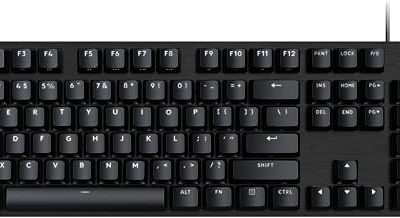
 Logitech Alto Keys K98M Wireless Mechanical Gasket
- Immersive typing with UniCushion: Enjoy a clicky mechanical…
- Seamlessly smooth typing: This mechanical keyboard features hot-swappable…
- Bright ideas, day or night: Non-RGB, white backlighting…
 Logitech MX Mechanical Wireless Illuminated Performance Keyboard
- Clicky mechanical key switches with a gratifying, audible…
- Low-profile keys, more comfort: A keyboard layout designed…
- Smart illumination: Backlit keys light up the moment…
 ASUS ROG Strix Scope II 96 Wireless
- TKL Size with Full-Size Functionality and Num Pad:…
- Versatile Tri-Mode Connectivity: Seamlessly connect via Bluetooth (supporting…
- Enhanced Acoustics: Integrated sound-dampening foam and switch-dampening pads…
| Product | Key specs | |
|---|---|---|
| Logitech Alto Keys K98M Wireless Mechanical Gasket | Immersive typing with UniCushion: Enjoy a clicky mechanical… Seamlessly smooth typing: This mechanical keyboard features hot-swappable… Bright ideas, day or night: Non-RGB, white backlighting… | Check price |
| Logitech MX Mechanical Wireless Illuminated Performance Keyboard | Clicky mechanical key switches with a gratifying, audible… Low-profile keys, more comfort: A keyboard layout designed… Smart illumination: Backlit keys light up the moment… | Check price |
| ASUS ROG Strix Scope II 96 Wireless | TKL Size with Full-Size Functionality and Num Pad:… Versatile Tri-Mode Connectivity: Seamlessly connect via Bluetooth (supporting… Enhanced Acoustics: Integrated sound-dampening foam and switch-dampening pads… | Check price |
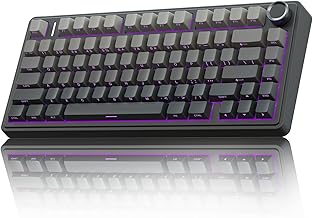
 AULA F75 Pro Wireless Mechanical Keyboard AULA F75 Pro Wireless Mechanical Keyboard | Tri-mode Connection Keyboard: AULA F75 Pro wireless mechanical… Hot-swap Custom Keyboard: This custom mechanical keyboard with… Advanced Structure and PCB Single Key Slotting: This… | Check price |
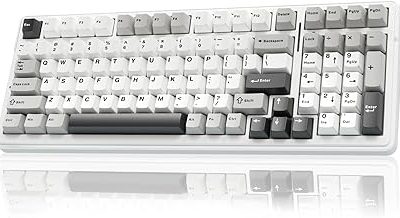
 AULA F99 Wireless Mechanical Keyboard AULA F99 Wireless Mechanical Keyboard | Multi-Device Connection: The F99 wireless mechanical keyboard provides… Hot-swappable Custom Keyboard: The switches and keycaps can… Mechanical Gaming Keyboard: F99 is a premium mechanical… | Check price |
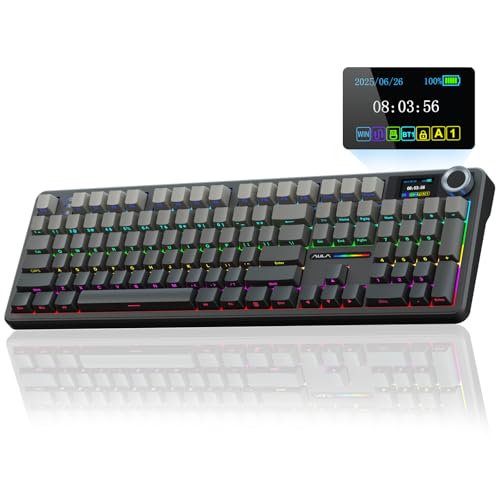 AULA F108 PRO AULA F108 PRO | Smart Display Screen & Multi-function Knob: AULA F108… Tri-mode Connection Mechanical Keyboard: The AULA F108 Pro… Hot-swappable Custom Keyboard: The F108 Pro wireless gaming… | Check price |
 AULA S98 Pro Wireless Mechanical Keyboard with AULA S98 Pro Wireless Mechanical Keyboard with | Smart LCD Screen & Multi-function Knob: Stylish AULA… Tri-mode Mechanical Keyboard & Multi-Device Connection: The AULA… Hot-swappable Custom Keyboard: The S98 Pro mechanical keyboard… | Check price |
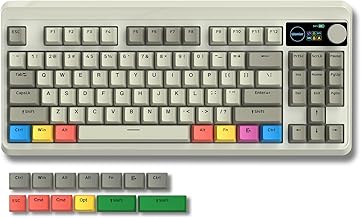
 Redragon Wireless Typewriter Style Mechanical Gaming Keyboard Redragon Wireless Typewriter Style Mechanical Gaming Keyboard | 𝗥𝗲𝘁𝗿𝗼 𝗧𝘆𝗽𝗲𝘄𝗿𝗶𝘁𝗲𝗿 𝗦𝘁𝘆𝗹𝗲 𝘄𝗶𝘁𝗵 𝗠𝗲𝗰𝗵𝗮𝗻𝗶𝗰𝗮𝗹 𝗞𝗲𝘆𝘀 - Redragon… 𝟯-𝗠𝗼𝗱𝗲 𝗖𝗼𝗻𝗻𝗲𝗰𝘁𝗶𝗼𝗻 - Geared with Redragon innovative tri-mode… 𝗩𝗶𝗯𝗿𝗮𝗻𝘁 𝗚𝗿𝗼𝗼𝘃𝘆 𝗥𝗚𝗕 - Up to 16 presets… | Check price |
As an Amazon Associate we earn from qualifying purchases at no extra cost to you.
🎮 Get More From Your Setup — Free
Prime Gaming gives you free PC games every month, in-game loot, and a free Twitch channel sub — plus fast free shipping on all the gear above. New members get a 30-day free trial.
Watch: Best Mechanical Wireless Keyboard — Video Review
How to Choose a Wireless Mechanical Keyboard
- Connectivity modes: Tri-mode boards offer Bluetooth for versatility, 2.4GHz for low-latency gaming, and USB-C wired as a fallback, giving you the most flexibility.
- Switch feel: Pre-lubed linear switches glide for gaming, tactile switches suit typing, and clicky switches deliver sound and feedback. Hot-swap sockets let you change later.
- Battery life: Check the rated hours and whether backlighting drains it fast. Larger batteries like an 8000mAh cell mean weeks between charges.
- Layout and extras: Decide between compact 75%, 96%, or full-size, and weigh conveniences like a control knob, a small screen, or dedicated media keys.
- Keycaps and build: PBT keycaps and gasket-mounted plates elevate both feel and acoustics, separating a premium board from a basic one.
The Best Wireless Mechanical Keyboards Reviewed
Logitech MX Mechanical
The MX Mechanical is the productivity king. Its low-profile switches, refined backlighting, and seamless Bluetooth switching across macOS, Windows, Linux, iOS, and Android make it ideal for professionals who juggle devices. It feels premium and disappears into a serious workflow.
ASUS ROG Strix Scope II 96 Wireless
For gamers who want wireless without sacrificing performance, the Scope II 96 delivers. Its 96% layout keeps a numpad, tri-mode connectivity ensures low latency, and hot-swappable pre-lubed ROG NX Snow linear switches with PBT keycaps make it a top-tier competitive board.
AULA F108 PRO
The F108 PRO is the feature champion. A full-size custom board with a control knob, a small screen, a huge 8000mAh battery, pre-lubed switches, and hot-swap sockets, it packs enthusiast extras into an approachable package for players who love to tinker and personalize.
AULA F75 Pro
The F75 Pro nails the popular 75% format with a knob, RGB, pre-lubed Reaper switches, and side-printed PBT keycaps. Tri-mode connectivity and hot-swap support make it a compact, customizable board that punches well above its modest price.
Logitech Alto Keys K98M
The Alto Keys K98M brings gasket-mounted comfort and vibration absorption to a clean graphite design. With clicky switches, white backlighting, Bluetooth, and USB-C charging, it is a well-rounded pick for home offices that want a satisfying typing feel.
Frequently Asked Questions
Is wireless too slow for gaming?
Not anymore. A 2.4GHz connection on boards like the ROG Strix Scope II 96 delivers latency indistinguishable from wired for the vast majority of players.
What does hot-swappable mean and do I need it?
Hot-swap sockets let you change switches without soldering. It is not essential, but it is ideal if you want to experiment with different switch feels over time.
How long do wireless mechanical keyboards last per charge?
It varies widely with backlighting use. Boards with large batteries can run for weeks, while RGB-heavy use with the lights on may need charging every few days.
Bluetooth or 2.4GHz dongle, which is better?
Bluetooth is best for multi-device productivity, while a 2.4GHz dongle offers the lowest latency for gaming. Tri-mode boards let you use whichever suits the moment.
Final Thoughts
For professionals, the Logitech MX Mechanical is the standout wireless board thanks to its polish and cross-device flexibility. Gamers should reach for the ASUS ROG Strix Scope II 96 Wireless, while tinkerers who want the most features for their money will be delighted by the loaded AULA F108 PRO.