The best 64GB gaming RAM for most 2026 builds is a two-stick 2x32GB DDR5-6000 CL30 kit with an EXPO profile for Ryzen or an XMP profile for Intel. Kits from G.Skill (Trident Z5 Neo RGB, Ripjaws S5), Corsair (Vengeance) and Kingston (Fury Beast) all hit that target. Be honest about whether you need 64GB at all: for gaming alone 32GB is enough, and 64GB pays off when you also stream, edit video, run virtual machines or heavily modded games.
Our top picks



As an Amazon Associate we earn from qualifying purchases at no extra cost to you.
Quick comparison of 64GB DDR5 kits
| Kit | Best for | Typical spec | Height / profile | Price tier |
|---|---|---|---|---|
| G.Skill Trident Z5 Neo RGB 2x32GB | AMD Ryzen AM5 builds | DDR5-6000 CL30, EXPO | Tall heat spreader with RGB | Premium |
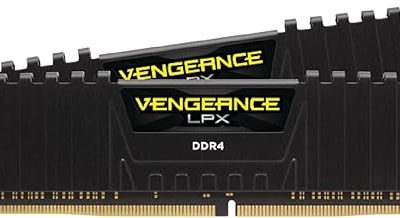
| Corsair Vengeance RGB 2x32GB | Either platform with dual profiles | DDR5-6000 CL30, EXPO and XMP | Mid height with RGB | Premium |
| G.Skill Ripjaws S5 2x32GB | Clean look, big air coolers | DDR5-6000 CL30, XMP | Low profile, no RGB | Upper-mid |
| Kingston Fury Beast 2x32GB | Simple, compatible build | DDR5-6000 CL30–36, EXPO or XMP | Low profile | Upper-mid |
| Crucial Pro 2x32GB | Value and stability | DDR5-5600 to 6000, CL36 class | Low profile, no RGB | Mid-range |
| KLEVV CRAS V RGB 2x32GB | Value RGB | DDR5-6000 CL30, XMP and EXPO | Mid height with RGB | Mid-range |
Memory prices swung sharply in 2026, and a 64GB kit now costs far more than it did a year earlier, so exact tiers move. Specs above are typical listings from the manufacturers; confirm the exact part number, timings and voltage on the product page before buying.
Best overall for AMD: G.Skill Trident Z5 Neo RGB
The Trident Z5 Neo line is built and validated around AMD EXPO, which is why it is the most frequent recommendation for Ryzen 7000 and 9000 systems. A 2x32GB DDR5-6000 CL30 kit gives the memory controller its preferred ratio, so it starts the system at the advertised speed with one BIOS setting. The compromise is size: the heat spreader is tall, so it can collide with large air coolers, and you pay extra for the RGB lighting.
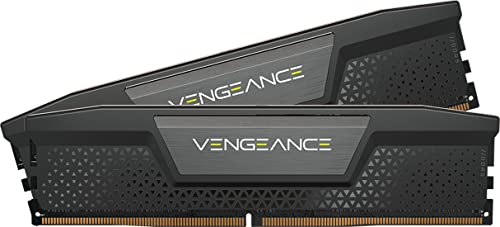
Best dual-platform pick: Corsair Vengeance
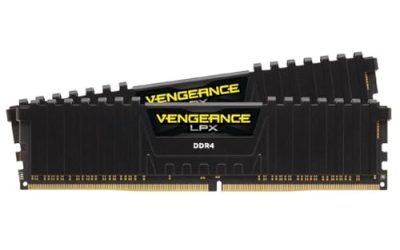
Corsair sells Vengeance 64GB DDR5-6000 CL30 kits with both EXPO and XMP profiles, so the same kit moves between an AM5 board and an Intel Z790 or Z890 board when you upgrade. That flexibility suits builders who are unsure which platform they will end up on. The trade-off is that the dual-profile kits generally sit near the top of the price range.
Best low-profile pick: G.Skill Ripjaws S5
Ripjaws S5 keeps a heat spreader around 33mm tall with no RGB, so it clears large tower coolers and suits plain white or black builds. It is sold with an XMP profile, which Ryzen boards can often load too, but an EXPO-labelled kit such as the Flare X5 is the cleaner choice on AMD. Expect the same CL30 timings as the RGB kits.
Best simple, compatible pick: Kingston Fury Beast
Fury Beast is a low-profile, widely stocked kit that Kingston lists in both XMP and EXPO versions. It is a good fit if you want a no-surprises build and a lifetime warranty. Check the timings on the exact SKU: some 6000 versions run CL36 rather than CL30, which costs a small amount of latency.
Best value options: Crucial Pro and KLEVV CRAS V
Crucial Pro kits are plain, low-profile and conservatively tuned, and the maker offers an extensive compatibility checker. KLEVV CRAS V RGB is a lower-priced route to CL30 timings with RGB and dual profile support. Both save money; the trade-off is a smaller brand footprint for RGB software and, with Crucial, slightly looser timings.
Worked example: speed, latency and what you actually gain
DDR5 speed and timing combine into real latency. First-word latency in nanoseconds equals 2000 multiplied by CL, divided by the transfer rate in MT/s. Peak dual-channel bandwidth equals the transfer rate multiplied by 8 bytes multiplied by two channels.
| Kit | First-word latency | Peak bandwidth (dual channel) |
|---|---|---|
| DDR5-5600 CL36 | 12.9 ns | 89.6 GB/s |
| DDR5-6000 CL36 | 12.0 ns | 96 GB/s |
| DDR5-6000 CL30 | 10.0 ns | 96 GB/s |
| DDR5-6400 CL32 | 10.0 ns | 102.4 GB/s |
| DDR5-7200 CL34 | 9.4 ns | 115.2 GB/s |
The step from CL36 to CL30 at 6000 MT/s cuts latency by about 17 percent at the same bandwidth, which is why CL30 is the sensible floor. Going beyond 6000 to 6400 or 7200 increases bandwidth by only 7 to 20 percent and often needs manual tuning on AMD, so it rarely changes gaming frame rates by more than a few percent.
How to choose a 64GB kit
- Use two sticks. A 2x32GB kit is far easier on the memory controller than four 16GB sticks, and four-stick builds often fall back to slower speeds or looser timings.
- Match the profile to the CPU. EXPO for AMD, XMP for Intel, or a dual-profile kit if you may switch.
- Target DDR5-6000 CL30. It is the proven sweet spot for Ryzen 7000 and 9000 and works well on current Intel boards.
- Check cooler clearance. Tall RGB modules can conflict with large air coolers; measure the gap.
- Check the motherboard memory list. The manufacturer’s qualified vendor list shows which kits were validated at 64GB.
- Enable the profile in BIOS. Memory runs at a slow default until EXPO or XMP is turned on.
Do you actually need 64GB for gaming?
Most current games use between 10GB and 20GB of system RAM, so 32GB covers gaming with a browser and chat open. 64GB makes sense for 4K video editing, large Photoshop or Blender projects, running several virtual machines, simulation-heavy games such as large city builders with many mods, and keeping a lot of tabs and capture software open while you stream. If you do none of those, put the savings toward a faster GPU.
Setup steps and common mistakes
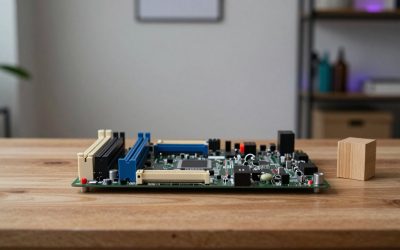
- Install the sticks in the slots the manual names. On most boards these are the second and fourth slots counted from the CPU (usually labelled A2 and B2). Using the wrong pair can drop the system to single channel and cut bandwidth in half.
- Update the BIOS first. AM5 and recent Intel boards improved 64GB compatibility through BIOS updates, and the first boot with high-capacity kits can take several minutes while memory trains. Wait before assuming a fault.
- Enable EXPO or XMP. Without it the kit runs at a default of around 4800 MT/s, which wastes what you paid for.
- Confirm the result. Open Task Manager’s Performance tab, choose Memory and check that speed reads 6000 MT/s and that two slots are used.
- Run a memory test. If you see random crashes, loosen the profile by a notch, raise SoC voltage within the board’s recommended range or try a different slot pair before blaming the kit.
The most common mistakes are buying a kit with the wrong profile for the CPU, choosing tall RGB modules for a cooler that cannot clear them, and adding a second kit later to reach 128GB, which usually forces much lower speeds. If you may need more memory later, buy the largest two-stick kit now rather than counting on a matching add-on.
Frequently Asked Questions
Is 64GB of RAM overkill for gaming?
For gaming alone, yes. 32GB handles current titles comfortably. 64GB only helps if you multitask heavily, stream, edit video or run virtual machines alongside your games.
What is the best speed for 64GB DDR5 on Ryzen?
DDR5-6000 with CL30 timings and an EXPO profile is the usual recommendation for Ryzen 7000 and 9000 CPUs. It balances memory controller stability, latency and cost.
Can I mix a 32GB kit with another 32GB kit?
It can work, but mixing kits often forces lower speeds or fails to boot. A single matched 2x32GB kit is much more reliable than combining two kits.
Is 2x32GB better than 4x16GB?
Yes for stability and speed. Two sticks put less load on the memory controller, so they can run at their rated speed and tighter timings, whereas four sticks often need slower settings.
Do I need RGB RAM?
No. RGB adds cost and height but not performance. Non-RGB low-profile kits like Ripjaws S5 or Fury Beast perform the same at equal speed and timings.
Why is RAM so expensive in 2026?
Demand from AI data centers has absorbed a large share of DRAM production, which has tightened supply and pushed kit prices up. Prices change quickly, so compare several listings before buying.