Our Short List of 3
All 4 Picks at a Glance
| Product | Specs | Action |
|---|---|---|
 Logitech G440 Hard Gaming Mouse Pad | Check price on Amazon | |
 SteelSeries QcK Hard Gaming Mouse Pad | Check price on Amazon | |
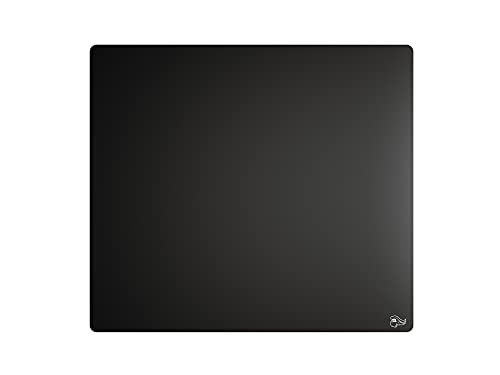 Glorious Elements Air Mousepad (Helios) | Check price on Amazon | |
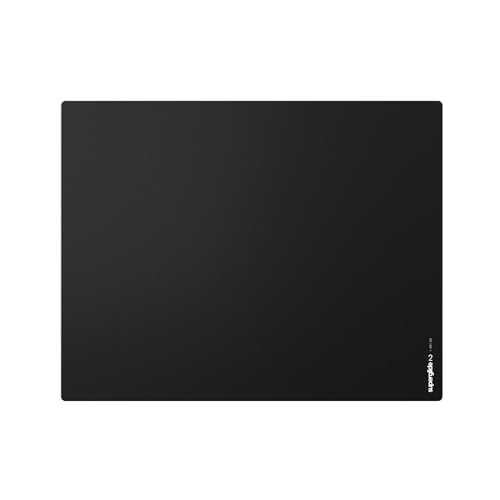 Pulsar Superglide Glass Gaming Mouse Pad v2 | Check price on Amazon |
Key takeaways
- Compare five hard gaming mouse pads, from fast plastic and glass to RGB-lit rigid mats, and find the smooth, low-friction surface that fits your aim.
A hard mouse pad changes the way a mouse feels in a way no sensor setting can copy. The surface does not compress under the mouse feet, so every small movement starts with the same light push and stops with the same clean halt. Cloth pads add drag that varies with humidity, wear, and how hard the wrist presses down. A rigid plastic, polycarbonate, or glass surface stays the same from the first match of the day to the last, and that consistency is the whole point.
The five options below cover the main ways the category splits: a plain affordable plastic pad, a large tempered glass pad, a compact hard pad for crowded desks, an ultra-thin polycarbonate sheet that sticks to the desk, and a glass pad for players who want the fastest glide available. Each one suits a different desk, a different sensitivity, and a different tolerance for maintenance.
As an Amazon Associate, we earn from qualifying purchases.
Quick Answer
For most players, the Logitech G440 is the sensible first hard pad: a rigid low-friction plastic surface, a rubber base that stays put, and a medium footprint that fits beside a keyboard. Players who want a large tempered glass surface should look at the Razer Atlas, while the Pulsar Superglide glass pad offers the fastest glide of the five for low-sensitivity aimers with desk space to spare.
How to Choose
Surface material decides the glide before anything else. Hard plastic and polypropylene pads give a fast, smooth glide with a small amount of stopping control, which suits players who flick and reposition often. Polycarbonate sheets are thinner and even slicker, with almost no cushioning. Glass is the fastest of all and the most consistent over time, because the surface does not wear, absorb moisture, or develop slow spots. The trade-off is that glass demands a clean desk and careful handling, since a hard knock can chip an edge and dust is felt immediately through the mouse feet.
Size matters more with hard pads than with cloth ones because a hard pad cannot be rolled up or folded around a keyboard. Measure the free rectangle beside the keyboard before ordering, including room for the hand to travel past the mouse itself. A medium pad around 320 to 355 mm wide suits wrist and forearm aiming at medium sensitivity. Low-sensitivity players who aim with the whole arm need a large pad, and the glass and polycarbonate options in this guide are the ones that reach that scale. A pad that is too small forces the player to lift and reset the mouse mid-fight.
Thickness and base design decide whether the pad stays flat and stays put. A rigid pad with a rubber base can be lifted, moved, and cleaned underneath without fuss, and it works on almost any desk. An ultra-thin pad with an adhesive base sits nearly flush with the desk and never shifts, but it commits to one spot and needs a clean, smooth desk to stick properly. Glass pads use a molded silicone base that grips well and adds a little weight, which helps a heavy glass sheet stay exactly where it was placed.
Lighting and extras are worth weighing honestly. RGB edge lighting looks good in a dark room and syncs with matching peripherals, but it adds a cable, a software install, and extra cost. A built-in USB pass-through port is genuinely useful for a wired mouse, since it shortens the cable run and keeps the desk tidy. Cleaning is simple either way: a hard surface wipes clean with a damp cloth, spills do not soak in, and mouse feet wear faster on hard surfaces than on cloth, so plan on replacing skates sooner.
Logitech G440 Hard Gaming Mouse Pad
The Logitech G440 is the hard pad most players should try first, and its appeal is how little it asks of the buyer. It is a straightforward rigid plastic pad with a low-friction polypropylene top, a high-impact polystyrene core that keeps it flat, and a rubber base that holds it in place during fast repositioning. Nothing about it needs software, a cable, or a setup step.
The surface texture is tuned for optical sensors, and the listing describes it as giving the sensor consistent imagery for translating movement into cursor movement. The three-layer construction matters: the polypropylene top supplies the glide, the polystyrene core supplies the rigidity, and the rubber base supplies the grip. A pad that flexes or lifts at a corner during a flick breaks aim, and the G440 does not do that. Size is the main limitation, since 340 by 280 mm is too small for full-arm sweeps at very low sensitivity, though it fits neatly beside a keyboard for wrist and forearm aimers.
Razer Atlas Tempered Glass Gaming Mouse Pad
The Razer Atlas is the tempered glass pad for players who want a large, settled hard surface with no lighting, no cable, and no software to manage. It is a single slab of premium tempered glass with a micro-etched surface, treated so mouse swipes run quieter than on bare glass and so dirt and scratches have a harder time taking hold. The etching is measured at 2 micrometres and is tuned for optical sensors, so tracking stays consistent across the whole surface. The glass is CNC-milled with rounded edges and tempered for tensile strength, with a hardness rating above 7H on the Mohs scale.
Size is the Atlas’s other strength. At 450 by 400 mm, it gives low-sensitivity arm aimers room for long sweeps without lifting the mouse, and the fully covered anti-slip rubber base keeps the heavy slab exactly where it was placed. The weight, close to 2 kg, is part of that stability, though it also means the pad is not something to move around often. Glass demands the same care as the Superglide: dust shows at once, a grain of grit is felt through the mouse feet, and mouse skates wear faster than on plastic. The 5 mm thickness also leaves a step at the edge that the forearm can feel during long sessions.
Specs
| Feature | Detail |
|---|---|
| Surface | Tempered glass, micro-etched 2 micrometres |
| Size | 450 x 400 mm |
| Thickness | 5 mm |
| Base | Fully covered anti-slip rubber base |
| Feel | Ultra-smooth, quieter swipes |
| Model number | RZ02-04890100-R3M1 |
| Color | Black |
SteelSeries QcK Hard Gaming Mouse Pad
The SteelSeries QcK Hard is the compact pick of the five, and its size is its defining feature. At 320 by 270 mm, it is the smallest pad in this guide, which makes it the easiest fit on a crowded desk or a setup where the keyboard and monitor leave little room. The hard polypropylene surface is built for maximum speed, with a low-friction glide that suits quick starts, stops, and rapid movement. The multi-layer construction and solid polymer core keep the surface consistent and durable, while the rubber base stops the pad from sliding during intense play.
Tracking is the QcK Hard’s other strength. The surface is designed for both low and high sensitivity tracking, and the listing describes it as tested with leading mouse sensor makers for pinpoint accuracy. That matters on a small pad, because every millimeter of travel counts when the playing area is limited. The small footprint is also the main drawback: low-sensitivity players will run out of room quickly, and there are no size options. The hard surface offers no cushioning, which some players notice during long sessions when the wrist rests on the pad edge.
Glorious Elements Air Mousepad (Helios)
The Glorious Elements Air, sold under the Helios name, is the most unusual pad in this guide. It is an ultra-thin sheet of hard polycarbonate, only 0.5 mm thick, with a removable adhesive base that sticks it to the desk. Once placed, it sits nearly flush with the desk surface, so there is almost no edge for the wrist to catch and no lip for the mouse to bump over. The surface is built for pure speed, with a virtually friction-free glide that suits players who want the mouse to move at the lightest touch.
The size is generous. At 17 by 15 inches, the XL sheet covers far more desk than the medium pads, which gives low-sensitivity players room for full arm sweeps without lifting the mouse. The adhesive base is also the part to think about before buying: it commits the pad to one spot, will not grip well on a rough or dusty desk, and moving it often weakens the hold. The ultra-thin profile means there is no cushioning at all, and the hard polycarbonate surface will wear mouse feet faster than cloth. For a large, settled desk and a player who wants the fastest plastic glide in a big format, the Elements Air is the best fit of the five.
Pulsar Superglide Glass Gaming Mouse Pad v2
The Pulsar Superglide Glass Gaming Mouse Pad v2 is the fastest pad in this guide, and it is the one to choose when glide matters more than anything else. The surface is aluminosilicate glass, the same family of hardened glass used in phone screens, which gives an extremely smooth and consistent glide that does not change with humidity or wear. The mouse starts moving with almost no force and keeps moving until the hand stops it, which suits low-sensitivity players who track targets across long sweeps.
The base is a fully molded high-density silicone rubber layer that covers the underside. It grips the desk firmly and adds enough weight to keep the glass sheet exactly where it was placed, which matters because glass does not forgive a pad that drifts mid-game. The large size, 16.5 by 13 inches, gives arm aimers the room they need. Glass demands more care than plastic: the surface shows dust immediately, a grain of grit under the mouse feet is felt at once, and a hard knock can chip an edge. Mouse feet wear faster on glass than on any other surface here, so skates become a consumable to replace on a schedule.
Who Should Skip It
A hard mouse pad is a poor fit for players who like resistance under the mouse. If the current cloth pad feels right and the mouse already stops exactly where expected, a hard surface will feel slippery and hard to control for the first days, and some players never adjust. Players who rest a lot of weight on the wrist may also dislike the lack of cushioning, since a rigid surface offers no give during long sessions. In both cases, a control-oriented cloth pad is the better choice.
Glass pads need a clean, flat desk and regular wiping, and they are a bad match for a shared desk, a dusty room, or a setup that moves often. Adhesive pads need a smooth desk to grip, and RGB pads need a spare USB port and software the buyer is willing to install. Players who travel with their gear should skip glass and rigid pads entirely, since they do not pack down and can chip or crack in transit. A hard pad rewards a settled desk and a player who knows their sensitivity; without those, cloth remains the simpler answer.
FAQ
Are hard mouse pads better than cloth pads for gaming?
Neither is better in every case. A hard pad gives lower starting friction and a more consistent glide, which suits fast flicks and low-sensitivity tracking. A cloth pad gives more stopping control and more cushioning, which suits players who prefer resistance and comfort. The right choice depends on sensitivity, grip style, and how much control the player wants when stopping the mouse.
Do hard mouse pads wear out mouse feet faster?
Yes, hard surfaces wear mouse skates faster than cloth does, and glass wears them fastest of all. The mouse feet are a consumable on a hard pad, so check them regularly and replace them when the glide feels rough or uneven. Keeping the pad clean also slows wear, since dust and grit act like sandpaper under the mouse.
How do I clean a hard gaming mouse pad?
Wipe the surface with a damp cloth and let it dry before playing. Avoid abrasive cleaners and rough sponges, which can scratch a plastic top or dull a glass surface. For glass pads, a quick wipe before a session keeps dust from affecting the glide. For adhesive pads, clean the desk underneath now and then so the base keeps its grip.
Can I use a hard mouse pad with any gaming mouse?
Yes, hard pads work with optical and laser mice from any brand, and the surfaces in this guide are designed for gaming sensors. A mouse with worn or damaged feet will feel rough on any hard surface, so replace the skates first if the glide feels uneven.
Final Verdict
The best hard mouse pad for gaming depends on the desk and the hand, but the ranking is clear. The Logitech G440 is the best first hard pad for most players, with a fast plastic surface, a stable base, and a medium size that fits a standard desk. The Razer Atlas is the pick for a large glass setup, adding a coated micro-etched tempered glass surface and a heavy, stable base to the guide. The SteelSeries QcK Hard suits crowded desks where a compact pad is the only option. The Glorious Elements Air is the large, ultra-thin specialist for settled desks and low-sensitivity play. The Pulsar Superglide v2 is the fastest of the five and the best choice for players who want glass and are willing to maintain it.
Product and ASIN Reference
| Product | ASIN |
|---|---|
| Logitech G440 Hard Gaming Mouse Pad | B0BHMK6B2X |
| Razer Atlas Tempered Glass Gaming Mouse Pad | B0BT1ZNDSQ |
| SteelSeries QcK Hard Gaming Mouse Pad | B07K73HT6G |
| Glorious Elements Air Mousepad (Helios) | B08G676GN4 |
| Pulsar Superglide Glass Gaming Mouse Pad v2 | B088M466ZC |
FAQ
Are hard mouse pads better than cloth pads for gaming?
Do hard mouse pads wear out mouse feet faster?
How do I clean a hard gaming mouse pad?
Can I use a hard mouse pad with any gaming mouse?
More from Amazon
Programs that pair well with the guide above. Offers and eligibility are set by Amazon and may change.
Free shipping on eligible items, Prime Video and more. Eligible new members can start with a free trial.
Start a Prime free trialAd-free music streaming. Eligible new subscribers can start with a free trial.
Try Music Unlimited freeA Prime membership for ages 18-24 with a trial period. Eligibility is set by Amazon.
See Prime for Young AdultsAudiobooks and podcasts to listen to on the go. Eligible new members can start with a free trial.
Try Audible freeAs an Amazon Associate we earn from qualifying purchases.