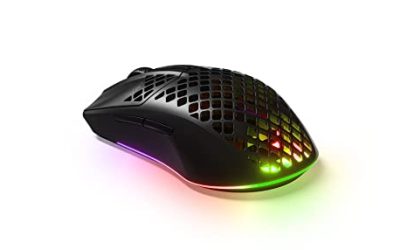
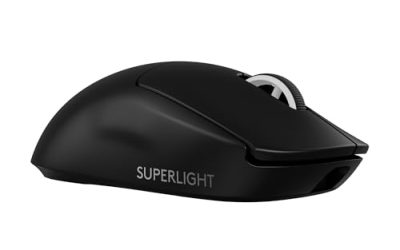
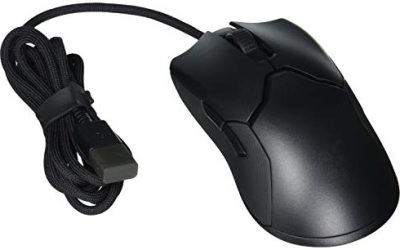
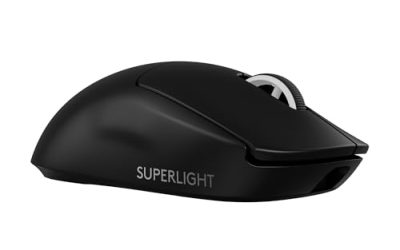
Our Short List of 3

- Best for: Ranked players who want a light, reliable wireless mouse with no surprises.
- Weight: 60 grams
- Sensor: HERO 2, up to 44,000 DPI
- Report rate: up to 8,000 Hz
- Buttons: 5 programmable buttons

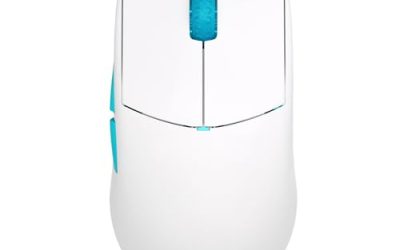
- Best for: Palm players with medium to large hands who want ergonomic comfort without a heavy mouse.
- Weight: 63 grams
- Sensor: Focus Pro 30K optical sensor
- Switches: Gen-3 optical switches
- Buttons: 5 programmable buttons

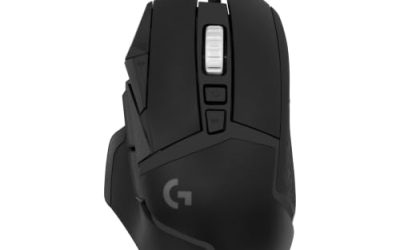
- Best for: Players who want many bindable buttons and a wired mouse that also works for other games.
- Sensor: HERO 25K, up to 25,600 DPI
- Buttons: 11 programmable buttons
- Scroll wheel: Dual-mode hyper-fast with tilt
- Weights: Five removable 3.6-gram tuning weights
All 3 Picks at a Glance
| Product | Specs | Action |
|---|---|---|
| Logitech G Pro X Superlight 2 |
| Check price on Amazon |
| Razer DeathAdder V3 Pro |
| Check price on Amazon |
| Logitech G502 HERO |
| Check price on Amazon |
Our Top Picks
- Logitech G Pro X Superlight 2 Lightspeed WirelessClassic1.57 x 2.5 x 4.92 inches0.1 poundsCheck on Amazon
- Razer DeathAdder V3 Pro Wireless Gaming Mouse1000 Hz5.01 x 2.65 x 1.69 inches0.1 poundsCheck on Amazon

Apex Legends asks more of a mouse than most shooters do. Fights swing from long-range tracking on a distant target to a close-quarters strafe duel in a hallway, and the same mouse has to handle both without feeling sluggish or twitchy. That makes the choice a real trade-off: a featherweight symmetrical shell flicks faster but can feel cramped in a large palm, while a shaped ergonomic mouse stays comfortable for hours yet weighs more and moves slower across the pad. Picking wrong means fighting the mouse instead of the enemy squad.
This guide is for ranked players chasing cleaner aim, casual squads who play long evening sessions, and newcomers building their first competitive setup. Every mouse below was chosen from its Amazon listing name and specifications: weight, sensor, polling rate, button count, and connection type. Four mice made the cut, covering ultralight wireless, ergonomic wireless, and one wired workhorse.
Quick Picks
As an Amazon Associate we earn from qualifying purchases.
| Product | Best for | Key spec from title |
|---|---|---|
| Logitech G Pro X Superlight 2 | Ranked players who want a light, proven wireless mouse | 60g, 44,000 DPI sensor, 8,000 Hz report rate |
| Razer Viper V3 Pro | Fingertip and claw players who flick fast | 54g, 35,000 DPI sensor, 8,000 Hz polling |
| Razer DeathAdder V3 Pro | Palm players with medium to large hands | 63g, Focus Pro 30K sensor, 90-hour battery |
| Logitech G502 HERO | Players who want many buttons and a wired connection | HERO 25K sensor, 25,600 DPI, 11 buttons |
How to Choose
Weight comes before sensor numbers
Every modern sensor in this guide tracks cleanly, so weight is where the real difference shows up in Apex. A mouse under 65 grams changes direction faster during a strafe fight and tires the wrist less over a long session, which matters when a match stretches past twenty minutes and the next one starts straight away. Heavier mice feel planted and steady for long-range tracking, but they punish low-sensitivity players who lift and reposition constantly. If you play at low sensitivity and sweep your arm across a wide pad, start with the lightest mouse your hand can control. If you play at high sensitivity with small wrist movements, a few extra grams will barely register.
Match the shape to your grip, not to the box art
Shape decides whether a mouse disappears in your hand or nags at you all match. Symmetrical shells suit fingertip and claw grips because the narrow waist lets the fingers steer, while a right-handed ergonomic shell fills the palm and supports the thumb during long sessions. The mistake is buying a shape because a streamer uses it: hand size matters more than habit. A player with large hands will cramp on a short symmetrical mouse, and a player with small hands will overreach for the side buttons on a long ergonomic shell. Check the listed length and width against the mouse you already own before committing.
Sensor and polling rate have a ceiling that matters
Apex does not need the highest DPI number on the box. Almost every competitive player runs between 400 and 1,600 DPI, so a sensor that reaches 25,000 DPI is already far beyond what the game asks for. What matters instead is clean tracking at high speed, no acceleration, and a polling rate that keeps up with fast flicks. A 1,000 Hz polling rate reports position every millisecond and is enough for most players, while 8,000 Hz polling shortens the gap between movement and screen at the cost of more battery drain on wireless models. Treat 8,000 Hz as a bonus for serious ranked play, not a requirement for enjoying the game.
Wired or wireless is a desk decision
Wireless mice have closed the gap on latency, and the two wireless picks in this guide use dedicated 2.4 GHz receivers rather than Bluetooth for gaming. The real question is how your desk is set up. A wireless mouse removes cable drag entirely, which helps low-sensitivity players who make wide sweeps, but it adds battery charging to your routine. A wired mouse never needs charging and never drops a connection mid-fight, yet its cable needs routing so it never snags during a flick. If your desk is cramped or your cable already catches on the monitor stand, go wireless. If you hate charging peripherals, go wired.
The 4 Best Options
Logitech G Pro X Superlight 2
- Best for: Ranked players who want a light, reliable wireless mouse with no surprises.
- Weight: 60 grams
- Sensor: HERO 2, up to 44,000 DPI
- Report rate: up to 8,000 Hz
- Buttons: 5 programmable buttons
Ranked players who want a light, reliable wireless mouse with no surprises.
Only five buttons, so players who bind many abilities to the mouse will run out of inputs.
The Superlight 2 is the safe pick for ranked Apex because it removes weight and complication at the same time. At 60 grams with a symmetrical shell, it suits claw and fingertip players who flick between targets during third-party fights, and its HERO 2 sensor holds tracking steady through fast 180-degree turns. Five programmable buttons cover the essentials — two side buttons for tactical and ultimate abilities, plus the standard clicks and wheel — without extra buttons getting in the way. It is the mouse to buy when you want proven competitive hardware and no learning curve.
Razer Viper V3 Pro
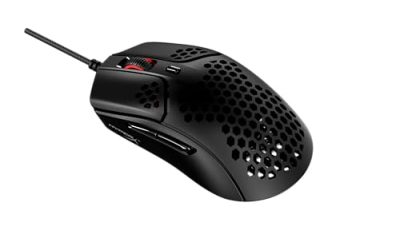
The Viper V3 Pro is the lightest mouse in this guide at 54 grams, and that weight is the whole point. Fingertip players will feel the difference on the first wide flick, because the mouse changes direction with almost no resistance and the symmetrical shell lets the fingers do the steering. Its 35,000 DPI optical sensor pairs with 8,000 Hz polling, so fast tracking movements stay smooth even when an enemy strafes unpredictably at close range. Eight programmable controls give a little more binding room than the Superlight 2, and the long battery life means charging stays a weekly habit rather than a daily one.
Specs
- Weight: 54 grams
- Sensor: 35,000 DPI optical sensor
- Polling rate: up to 8,000 Hz
- Switches: Gen-3 optical switches
- Buttons: 8 programmable controls
- Battery life: up to 95 hours
Best for: Fingertip and claw players who want the lightest possible mouse for fast flicks.
Watch out for: The slim symmetrical shell can feel too small for large hands using a full palm grip.
ASIN: B0CW25XR5R
Razer DeathAdder V3 Pro
- Best for: Palm players with medium to large hands who want ergonomic comfort without a heavy mouse.
- Weight: 63 grams
- Sensor: Focus Pro 30K optical sensor
- Switches: Gen-3 optical switches
- Buttons: 5 programmable buttons
Palm players with medium to large hands who want ergonomic comfort without a heavy mouse.
The standard model polls at 1,000 Hz; the 8,000 Hz HyperPolling dongle is a separate listing.
The DeathAdder V3 Pro is the pick for players whose hands never fit the ultralight symmetrical mice. Its right-handed ergonomic shell fills a medium or large palm, supports the thumb, and stays comfortable through long ranked sessions where a narrow mouse would cramp the hand. At 63 grams it is still light for an ergonomic mouse, and the Focus Pro 30K sensor tracks cleanly on most surfaces. Five programmable buttons keep the layout simple, and the long battery life suits players who would rather play than manage charging cables.
Logitech G502 HERO
- Best for: Players who want many bindable buttons and a wired mouse that also works for other games.
- Sensor: HERO 25K, up to 25,600 DPI
- Buttons: 11 programmable buttons
- Scroll wheel: Dual-mode hyper-fast with tilt
- Weights: Five removable 3.6-gram tuning weights
Players who want many bindable buttons and a wired mouse that also works for other games.
At 121 grams it is the heaviest mouse here, and the right-handed shape does not suit left-handed players.
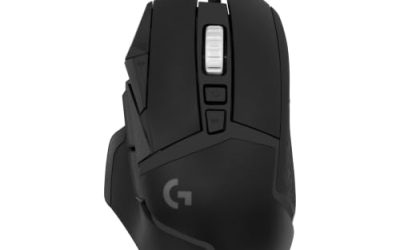
The G502 HERO is the odd one out in this guide, and deliberately so. At 121 grams with a right-handed ergonomic shape, it is far heavier than the wireless picks, but it answers a different question: what if one mouse has to do everything? Eleven programmable buttons map abilities, healing, grenades, and ping without touching the keyboard, the dual-mode scroll wheel switches between precise steps and free spin, and five tuning weights let the balance shift toward the front or back. The HERO 25K sensor tracks up to 25,600 DPI with no smoothing, so aiming stays predictable even on a mouse built for control rather than speed.
Which One Fits Your Situation
You play ranked and flick between targets all match
Choose the Razer Viper V3 Pro. Its 54-gram shell and 8,000 Hz polling make it the fastest-feeling mouse in this guide for snap aiming and target switching, which is exactly what ranked Apex demands when a third party crashes your fight. The eight programmable controls cover abilities without crowding the shell, and the symmetrical shape suits the claw and fingertip grips most flick players already use.
You have medium to large hands and play long sessions
Choose the Razer DeathAdder V3 Pro. The ergonomic shell supports the palm and thumb through hours of play, while 63 grams keeps it light enough for tracking duels that drag on. Its Focus Pro 30K sensor and 90-hour battery mean the mouse fades into the background, which is what a comfort-first pick should do during a long evening of matches.
You want one wired mouse for Apex and everything else
Choose the Logitech G502 HERO. Eleven programmable buttons handle Apex abilities plus the extra bindings other games need, the tuning weights adjust the balance to your taste, and the wired connection never needs charging. It is the heaviest mouse here, so it suits players who value control and buttons over raw flick speed.
You want the proven tournament standard with no learning curve
Choose the Logitech G Pro X Superlight 2. At 60 grams with a clean symmetrical shape and a 44,000 DPI sensor, it is the middle ground between the ultralight Viper and the ergonomic DeathAdder. Five buttons keep the layout simple, LIGHTSPEED wireless removes cable drag, and it fits claw and fingertip grips straight out of the box.
Common Mistakes
- Buying the highest DPI number on the box instead of checking weight, shape, and polling rate, which decide how the mouse actually feels in Apex.
- Choosing a symmetrical ultralight mouse with large hands and a palm grip, then blaming the sensor when the real problem is hand cramp.
- Binding every ability to the mouse on a five-button model and running out of inputs mid-fight.
- Ignoring cable routing on a wired mouse, so the cable snags on the desk edge during a wide flick.
- Turning on 8,000 Hz polling on a wireless mouse and forgetting it drains the battery faster than the standard rate.
Frequently Asked Questions
What DPI should I use for Apex Legends?
Most competitive players run between 400 and 1,600 DPI with an in-game sensitivity that gives a comfortable full turn across their pad. Start at 800 DPI, adjust the in-game sensitivity until a full arm sweep turns roughly 360 degrees, and change only one setting at a time. A higher DPI number on the box does not make aiming better on its own.
Is a wireless mouse fast enough for Apex Legends?
Yes, when it uses a dedicated 2.4 GHz receiver rather than Bluetooth. The wireless mice in this guide use LIGHTSPEED and HyperSpeed receivers built for gaming, and their polling rates match or exceed wired models. Keep the receiver close to the mouse, keep the battery charged, and the connection will not be the reason a fight is lost.
Does a lighter mouse actually improve aim?
A lighter mouse changes direction faster and tires the wrist less, which helps with flicks and long sessions, but it does not fix poor crosshair placement or game sense. Players who already aim well will feel the benefit most, while newer players gain more from practice and a comfortable shape. Treat weight as an advantage on top of fundamentals, not a replacement for them.
Do I need 8,000 Hz polling for Apex Legends?
No, 1,000 Hz polling reports position every millisecond and is enough for most players. The 8,000 Hz mode shortens the delay between hand movement and screen response, which matters most in high-level ranked play on a high-refresh monitor. If you play on a standard 60 Hz display, the difference will be hard to notice, so do not buy a mouse for this feature alone.
FAQ
What DPI should I use for Apex Legends?
Is a wireless mouse fast enough for Apex Legends?
Does a lighter mouse actually improve aim?
Do I need 8,000 Hz polling for Apex Legends?
More from Amazon
Programs that pair well with the guide above. Offers and eligibility are set by Amazon and may change.
Free shipping on eligible items, Prime Video and more. Eligible new members can start with a free trial.
Start a Prime free trialAd-free music streaming. Eligible new subscribers can start with a free trial.
Try Music Unlimited freeA Prime membership for ages 18-24 with a trial period. Eligibility is set by Amazon.
See Prime for Young AdultsAudiobooks and podcasts to listen to on the go. Eligible new members can start with a free trial.
Try Audible freeAs an Amazon Associate we earn from qualifying purchases.