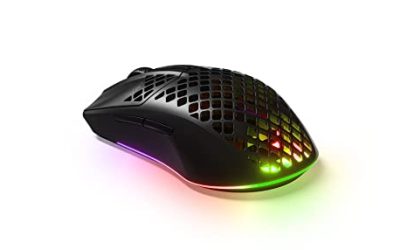
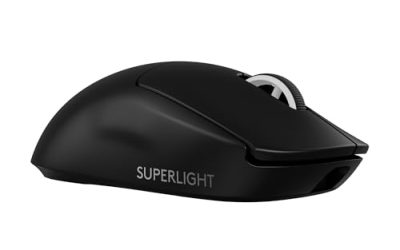
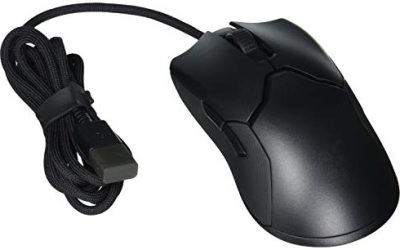
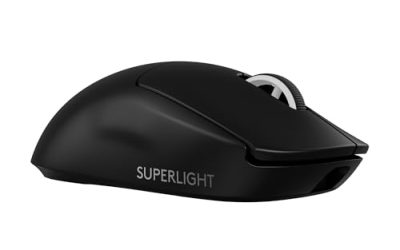
Our Short List of 3
All 5 Picks at a Glance
| Product | Specs | Action |
|---|---|---|
 Logitech G502 HERO | Check price on Amazon | |
 Razer Basilisk V3 | Check price on Amazon | |
 SteelSeries Rival 5 | Check price on Amazon | |
 Logitech G502 X | Check price on Amazon | |
 HyperX Pulsefire Haste 2 | Check price on Amazon |
Our Top Picks
- Razer Basilisk V3 Customizable RGB Wired Ergonomic GamingMouse2.96 x 5.12 x 1.67 inches0.2 poundsCheck on Amazon

The Razer DeathAdder earned its following with a simple formula: a tall, right-handed ergonomic shell, a comfortable thumb rest, and a sensor that tracks cleanly in fast games. Plenty of players love that shape but want something different, whether that means a lighter body, more programmable buttons, a different switch feel, or a wireless option. Several other makers build mice around the same ergonomic idea, so switching brands does not mean relearning a new grip.
This guide rounds up five gaming mice that work as genuine alternatives to the DeathAdder, each with a right-handed ergonomic shape and a strong sensor. Every pick below comes from a different corner of the market, from a button-heavy workhorse to a featherweight esports mouse, and every specification comes from the product listing itself.
As an Amazon Associate, we earn from qualifying purchases.
How to Choose
Match the shape to your grip
The DeathAdder is a palm-grip mouse first, with a tall hump that fills the hand and a flared thumb rest on the left side. If that shape suits you, look for a right-handed ergonomic shell with a similar hump height and a thumb area that supports the side of your hand. Hand size matters too: larger hands suit the full-size ergonomic models in this guide, while smaller hands may prefer the lighter, shorter options.
Check the sensor and DPI range
Every mouse in this guide uses an optical sensor with a high maximum DPI, which means the sensor itself will not hold back your aim. What matters more in practice is the DPI range you actually play at and whether the sensor tracks cleanly at high speed. On-board memory lets you carry your sensitivity settings to another computer without extra software running.
Weigh the weight
The DeathAdder sits in the middle of the weight range for ergonomic mice, so weight is one of the easiest ways to change the feel without changing the shape. A heavier mouse with adjustable weights, such as the Logitech G502 HERO, feels planted and steady for precise aiming. A lighter mouse, such as the HyperX Pulsefire Haste 2, lifts and resets faster during low-sensitivity play.
Count the buttons you actually use
The DeathAdder keeps its button layout simple, with two side buttons and a DPI switch. If you play shooters, that may be all you need. If you play MOBAs or MMOs, extra thumb buttons earn their place quickly. The mice in this guide range from six to thirteen programmable controls, so think about how many binds you press in a typical match before choosing.
Decide wired or wireless
Wired mice cost less, weigh less, and never need charging, which is why most of the picks in this guide use a cable. Wireless mice remove the cable drag entirely and suit players who hate cable management, though they add a battery and usually a higher cost. Either way, this choice comes down to desk setup and budget rather than raw performance.
Logitech G502 HERO
The Logitech G502 HERO is the most direct answer to the DeathAdder for players who want more buttons and a tunable weight. Its right-handed ergonomic shell carries a thumb rest and a wide body that fills the palm in much the same way as the DeathAdder, while the HERO 25K sensor tracks up to 25,600 DPI with no smoothing, filtering, or acceleration. Eleven programmable buttons give it far more binds than the DeathAdder, including a sniper button on the thumb rest that drops sensitivity while held, which suits players who switch between long-range aiming and close-quarters movement.
What sets the G502 HERO apart is its adjustable weight system. Five removable 3.6 gram weights sit inside the body, so the mouse can be tuned from a lighter, quicker feel to a heavier, planted one. The dual-mode hyper-fast scroll wheel spins freely for long documents or locks into a precise click for weapon switching. LIGHTSYNC RGB lighting and on-board memory round out a mouse that has stayed popular for years because it does many jobs well rather than one job perfectly.
The G502 HERO is heavier than most modern esports mice even with the weights removed, and its stiff cable can drag on the desk without a bungee. For players who value versatility over raw lightness, though, it remains one of the strongest DeathAdder alternatives on the market,
Who It Suits
This mouse suits players who want a DeathAdder-like shape with far more buttons and a tunable weight. It is a good fit for MMO and MOBA players who need extra binds, for shooters who use the sniper button, and for anyone who likes a solid, planted mouse. It suits larger hands best, since its wide body and thumb rest fill the palm.
Razer Basilisk V3
The Razer Basilisk V3 is the closest thing to a DeathAdder made by Razer itself without actually being a DeathAdder. It keeps the right-handed ergonomic shape, the tall palm hump, and the textured thumb rest, then adds a HyperScroll tilt wheel and eleven programmable buttons. The Focus Pro 26K optical sensor tracks up to 26,000 DPI, and the second-generation optical mouse switches click with a crisp feel and no debounce delay. Chroma RGB lighting runs across eleven zones, including the scroll wheel and the base of the mouse.
The HyperScroll tilt wheel is the feature that most separates the Basilisk V3 from the DeathAdder. It spins freely for fast scrolling, locks into a tactile mode for precise steps, and tilts left and right for extra binds. The thumb rest carries two buttons and a removable clutch paddle, and the whole layout can be remapped through Razer Synapse software.
One point to note is that the Basilisk V3 is a wired mouse with a fairly stiff braided cable, so a cable bungee helps on desks where the cable can catch.
Who It Suits
This mouse suits DeathAdder fans who want to stay with Razer but need more buttons and a smarter scroll wheel. It is a good fit for players who split time between games and desktop work, for palm-grip players who like a tall shell, and for anyone who wants the DeathAdder feel with extra controls under the thumb.
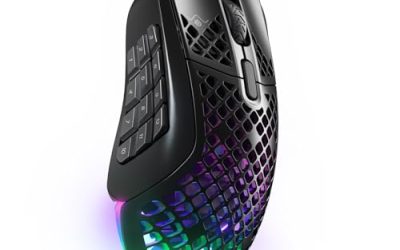
SteelSeries Rival 5
The SteelSeries Rival 5 takes the DeathAdder formula in a slightly different direction, with a lighter body and a nine-button layout built for more than one genre. Its right-handed ergonomic shell is a touch slimmer than the DeathAdder, and the TrueMove Air optical sensor tracks up to 18,000 CPI with clean, one-to-one movement. PrismSync RGB lighting runs across ten zones, and the mouse carries five quick-action side buttons arranged for easy reach during fast play.
The Rival 5 is aimed at players who switch genres often. Its side buttons work well for MOBA abilities, its sensor handles fast FPS flicks, and its shape stays comfortable through long MMO sessions. At 85 grams it lifts easily without feeling fragile. The switches are rated for a long service life, and the PTFE feet glide smoothly across cloth pads.
One trade-off is the sensor ceiling: 18,000 CPI is lower than the 25,000-plus figures on the other mice in this guide, though almost no player uses sensitivity anywhere near that range.
Who It Suits
This mouse suits players who want a DeathAdder-style shape in a lighter body with a genre-flexible button layout. It is a good fit for multi-genre players, for medium-sized hands that find the DeathAdder slightly wide, and for anyone who wants a comfortable all-rounder rather than a specialist.
Logitech G502 X
The Logitech G502 X is the modernised version of the G502 line, and it answers the most common complaint about the original HERO: weight. At 89 grams it is far lighter than the HERO, while keeping the same right-handed ergonomic shape, thumb rest, and button-heavy layout. The HERO 25K sensor tracks up to 25,600 DPI, and the LIGHTFORCE hybrid optical-mechanical switches combine the crisp click of a mechanical switch with the fast response of an optical one.
Thirteen programmable controls cover the thumb cluster, the DPI-shift button, and the dual-mode scroll wheel. The DPI-shift button can be removed and reversed to suit different thumb lengths, which is a small detail that matters for players with shorter thumbs. The scroll wheel switches between a free-spinning mode and a ratcheted mode, and the low-friction PTFE feet keep the lighter body gliding cleanly. The redesigned exoskeleton keeps the shell rigid while cutting weight.
The G502 X gives up the adjustable weight system of the HERO, so players who liked tuning the balance will not find that feature here. For players who want the G502 shape at a modern esports weight, though, it is the strongest option in the Logitech range.
Who It Suits
This mouse suits players who love the G502 shape but want it lighter and faster. It is a good fit for competitive shooter players who lift the mouse often, for players with medium to large hands, and for anyone who wants thirteen controls without carrying a heavy mouse.
HyperX Pulsefire Haste 2
The HyperX Pulsefire Haste 2 is the lightweight answer in this guide, and it suits DeathAdder fans who want the same ergonomic comfort in a much lighter package. At 53 grams it is less than half the weight of the G502 HERO, yet it keeps a right-handed shape with a gentle palm hump and a textured grip. The HyperX 26K sensor tracks up to 26,000 DPI at speeds up to 650 IPS, and the polling rate reaches 8000 Hz over its wired connection, which keeps motion updates frequent during fast play.
Six programmable buttons keep the layout simple, closer to the DeathAdder than to the button-heavy G502 models. The HyperFlex 2 cable is soft and flexible, so it drags less than the stiffer cables on heavier mice. DPI presets of 400, 800, 1600, and 3200 cover the common sensitivity steps, and one on-board memory profile stores your settings on the mouse itself. The shell uses no honeycomb holes, which keeps dust out and gives the body a solid feel despite its low weight.
The trade-off for the low weight is fewer buttons: six controls will not satisfy MMO players who need a full thumb grid. For FPS players who lift the mouse constantly, though, the Haste 2 is one of the easiest switches from the DeathAdder shape.
Who It Suits
This mouse suits FPS players who want a DeathAdder-like shape at the lowest possible weight. It is a good fit for low-sensitivity players who lift the mouse often, for claw and palm hybrids, and for anyone who finds heavier ergonomic mice tiring during long sessions.
Quick Comparison
| Mouse | Sensor | Max DPI | Buttons | Weight |
|---|---|---|---|---|
| Logitech G502 HERO | HERO 25K | 25,600 | 11 | 121 g |
| Razer Basilisk V3 | Focus Pro 26K | 26,000 | 11 | Not stated |
| SteelSeries Rival 5 | TrueMove Air | 18,000 | 9 | 85 g |
| Logitech G502 X | HERO 25K | 25,600 | 13 | 89 g |
| HyperX Pulsefire Haste 2 | HyperX 26K | 26,000 | 6 | 53 g |
The table shows the real split in this guide: the G502 models and the Basilisk V3 give you the most buttons, the Rival 5 sits in the middle on both weight and controls, and the Haste 2 trades buttons for the lightest body.
FAQ
Is the DeathAdder the best ergonomic gaming mouse?
The DeathAdder is one of the most popular ergonomic gaming mice, and its shape suits many palm-grip players, but no single mouse fits every hand. The alternatives in this guide match its right-handed ergonomic shape while adding different strengths, such as more buttons, a lighter body, or a smarter scroll wheel. The best choice depends on your hand size, grip style, and the games you play most.
What makes a good DeathAdder alternative?
A good alternative keeps the tall, right-handed ergonomic shell and the comfortable thumb rest, since those are the parts of the DeathAdder most players actually love. Beyond shape, look for an optical sensor with a wide DPI range, switches that feel crisp to you, and enough programmable buttons for your games. Weight is the other big factor: a lighter mouse suits fast flicking, while a heavier one feels steadier for precise aiming.
Are wired or wireless mice better as DeathAdder alternatives?
Both work well, and the choice comes down to your desk setup rather than performance. Wired mice cost less and never need charging, which is why most picks in this guide use a cable. Wireless mice remove cable drag and suit players who move the mouse widely, though they add a battery and usually a higher cost. Modern wireless gaming mice track just as cleanly as wired ones, so neither option gives up accuracy.
Do I need a high DPI sensor for competitive games?
Most competitive players use a DPI setting far below the maximum on any modern gaming sensor, so the headline DPI number matters less than clean tracking at your chosen sensitivity. A sensor with no smoothing or acceleration and a high polling rate keeps your aim consistent during fast flicks. Pick a mouse whose shape fits your hand first, and treat the sensor ceiling as a secondary check.
Final Verdict
The best DeathAdder alternative depends on what you want to change. If you want more buttons and a tunable weight, the Logitech G502 HERO is the classic pick, and its long history means it is well supported. If you want to stay with Razer and gain a smarter scroll wheel, the Razer Basilisk V3 keeps the DeathAdder feel with eleven controls and a HyperScroll tilt wheel. If you want a lighter all-rounder that handles more than one genre, the SteelSeries Rival 5 balances weight, buttons, and comfort.
For players who love the G502 shape but want it at a modern weight, the Logitech G502 X is the clearest upgrade, with thirteen controls in an 89 gram body. And for FPS players who lift the mouse constantly, the HyperX Pulsefire Haste 2 delivers the same ergonomic comfort at just 53 grams.
Product and ASIN Reference
| Product | ASIN |
|---|---|
| Logitech G502 HERO | B07GBZ4Q68 |
| Razer Basilisk V3 | B09C13PZX7 |
| SteelSeries Rival 5 | B093LSMKL3 |
| Logitech G502 X | B0943HXDVM |
| HyperX Pulsefire Haste 2 | B0BX52PCJ5 |
FAQ
Is the DeathAdder the best ergonomic gaming mouse?
What makes a good DeathAdder alternative?
Are wired or wireless mice better as DeathAdder alternatives?
Do I need a high DPI sensor for competitive games?
More from Amazon
Programs that pair well with the guide above. Offers and eligibility are set by Amazon and may change.
Free shipping on eligible items, Prime Video and more. Eligible new members can start with a free trial.
Start a Prime free trialAd-free music streaming. Eligible new subscribers can start with a free trial.
Try Music Unlimited freeA Prime membership for ages 18-24 with a trial period. Eligibility is set by Amazon.
See Prime for Young AdultsAudiobooks and podcasts to listen to on the go. Eligible new members can start with a free trial.
Try Audible freeAs an Amazon Associate we earn from qualifying purchases.