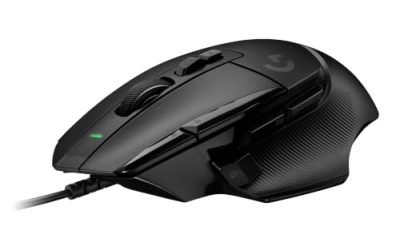
Our Top Picks
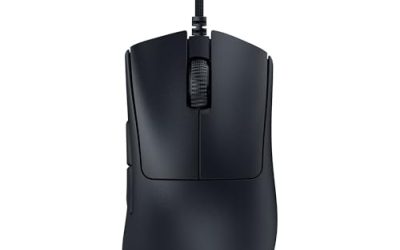
 Razer DeathAdder Essential Ergonomic Wired Gaming Mouse5.01 x 2.86 x 1.69 inches0.3 poundsCheck on Amazon

As an Amazon Associate we earn from qualifying purchases.

A budget gaming mouse is not a compromised gaming mouse. The entry-level models from the major gaming brands use real gaming sensors, proper gaming switches, and shapes that have been refined over several generations. What you give up at this level is mostly extras: flagship wireless charging, the very highest sensor ceilings, exotic materials, and large software suites. What you keep is the part that actually affects your aim — a reliable sensor that does not spin out, clicks that register consistently, and a shape you can hold for a full session without your hand cramping.
This guide focuses on four genuine budget models, each from the entry tier of its manufacturer’s range. There is a simple wired all-rounder, a larger ergonomic wired mouse for palm grip, a second wired option with a different shape and lighting approach, and an affordable wireless model for players who want to lose the cable without moving into flagship territory. None of these is a flagship mouse described as cheap. Each one is positioned by its maker as an accessible starting point, and that positioning is exactly why it belongs here.
Below, you will find what actually matters when you spend less, how to match a mouse to your hand and grip, and an honest breakdown of each pick — including who should skip it.
What Budget Really Buys You in a Gaming Mouse
The sensor is no longer the weak point
A few generations ago, a cheap mouse often meant a cheap sensor that jittered, accelerated unpredictably, or lost tracking during fast swipes. That is no longer a safe assumption for branded entry-level gaming mice. The four mice in this guide list maximum sensitivities ranging from 6,400 DPI to 12,000 DPI, and the useful point is not the headline number. Almost no one plays at the maximum setting. The useful point is that a gaming sensor designed for this job tracks smoothly at the lower and middle settings most players actually use, whether that is for precise sniping in a tactical shooter or steady tracking in an arena game.
Do not choose a budget mouse by DPI alone. A higher number does not mean better aim. Choose by shape, connection, and whether the sensor is a named gaming sensor from the manufacturer, then set your sensitivity in game and leave it consistent long enough to build muscle memory.
Switches, buttons, and the basics done properly
Entry-level gaming mice still give you the essentials: two main clicks, a scroll wheel with a middle click, and side buttons you can bind to melee, push-to-talk, ping, or a grenade slot. The models here offer five or six programmable buttons, depending on the design. That is enough for most shooters, MOBAs, and action games. If you play an MMO and need a grid of side buttons, none of these is the right tool, and no honest budget guide should pretend otherwise — that is a specialist mouse category of its own.
What matters more than button count is that the main clicks feel consistent and that the side buttons sit where your thumb naturally rests, rather than where you have to hunt for them mid-fight.
Weight and cable drag
Budget mice tend to be straightforward about weight. Wired models avoid the cost and complexity of a battery, and a light wired mouse with a flexible cable can feel almost free on the desk, especially with a mouse bungee or a cable routed with some slack. Wireless removes drag entirely, but at budget level you should expect a single wireless connection method and a replaceable or long-life battery approach rather than every flagship convenience at once. The wireless pick in this guide follows that pattern and is honest about it.
How to Choose the Right Budget Mouse for Your Hand
Start with grip, not with a brand
Palm grip players rest the whole hand on the mouse and move mostly from the arm and shoulder. They usually do best with a taller, fuller shape that supports the palm. Claw grip players arch their fingers and contact the mouse at the fingertips and the back of the palm; they often prefer a shorter, more defined hump. Fingertip grip players steer almost entirely with their fingers and tend to like smaller, lighter, lower-profile shapes.
If you are unsure, think about your last long session. A sore wrist and a hand that kept sliding off suggest the shape was too small or too flat. Fingertips that ached suggest you were gripping a mouse that was too large or too heavy for your style. Matching shape to grip will improve your control more than any single specification on a box.
Hand size matters more at budget level
Flagship ranges often offer the same design in several sizes. Budget ranges usually offer one size per model, so picking the right model matters more. Smaller hands should look first at the compact symmetrical picks in this guide. Larger hands, especially palm grip players, should start with the ergonomic Razer option, whose shape was designed around a fuller right-handed form. Medium hands have the widest choice and can decide mainly on wired versus wireless and on grip style.
Wired versus wireless on a budget
Wired is still the simplest budget answer. There is no battery to manage, no receiver to lose, and no charging routine. Modern wired gaming mice are not held back in responsiveness for ordinary competitive play, and for a fixed desk setup many players never miss wireless at all.
Wireless makes sense if cable drag genuinely bothers you, if you play from a couch or a laptop that moves around, or if your desk setup makes cable routing awkward. At this level, judge a wireless mouse on battery life, on whether the connection is a proper low-latency gaming connection rather than a generic office link, and on how it handles when the battery runs low. The Logitech G305 below is included because it meets those tests as an entry-level wireless gaming model, not because wireless is automatically better.
RGB, software, and extras
Lighting is personal, and at budget level it is one of the first places makers differentiate otherwise similar mice. Two picks here offer prominent RGB, one offers a more restrained look, and the wireless pick prioritises battery life over lighting. None of that affects tracking. Software matters only insofar as it lets you set DPI, rebind buttons, and save a profile. On-board memory, offered by the Logitech picks, is genuinely useful if you move between computers and want your settings to travel with the mouse itself.
The Best Budget Gaming Mouse Picks
1. Logitech G203 LIGHTSYNC — The Simple Wired All-Rounder
The Logitech G203 LIGHTSYNC in black is the classic starting point for a first gaming mouse, and its listing explains why it has stayed in that role. It is a wired gaming mouse with an 8,000 DPI sensor, six programmable buttons, on-board memory, and LIGHTSYNC RGB lighting. The shape is compact and symmetrical, with side buttons on the left side, which suits right-handed claw and fingertip players and smaller to medium hands particularly well.
In practical terms, the G203 covers the fundamentals without forcing any compromises that affect play. You can set your sensitivity, store it on the mouse, rebind the side buttons for your main game, and choose a lighting effect or turn your attention entirely to the screen. The wired connection means it is ready the moment it is plugged in, with nothing to charge before a session.
Who should buy it: players buying a first dedicated gaming mouse, smaller-handed players, and anyone who wants a wired mouse from a major gaming line that simply does its job. Who should skip it: palm grip players with large hands, who will likely find the compact shell too small, and players who specifically want an ergonomic right-handed shape or a wireless connection. For those players, the next two picks are better starting points.
2. Razer DeathAdder Essential — Best for Palm Grip and Larger Hands
The Razer DeathAdder Essential in classic black takes the opposite approach to shape. The DeathAdder form is a large, ergonomic, right-handed design built to fill the palm, and the Essential is the entry-level version of that long-running line. Its Amazon listing describes a 6,400 DPI optical sensor, five programmable buttons, mechanical switches, and rubber side grips.
Do not be misled by the lower headline DPI compared with the other picks. In normal play, what you will notice is the shape and the grip. The fuller shell supports a relaxed palm grip during longer sessions, the side grips help when your hand gets warm, and the main clicks use mechanical switches rather than the membrane feel of a basic office mouse. The five-button layout keeps things simple: two main clicks, a wheel, and side buttons for your most-used actions.
Who should buy it: palm grip players, players with medium to large hands, and anyone who has tried a small symmetrical mouse and found it tiring. Who should skip it: left-handed players, fingertip grip players who want a small and nimble shell, and players who need more than five buttons for a complex MMO layout. The Essential is deliberately the accessible version of the DeathAdder idea, so judge it as a shape-first budget pick — on that basis, it is one of the strongest options in this guide.
3. SteelSeries Rival 3 — A Wired Alternative With a Different Feel
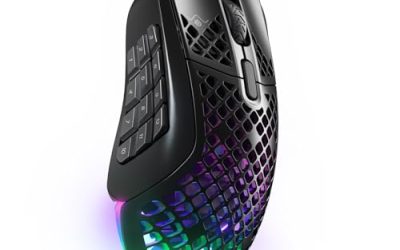
The wired SteelSeries Rival 3 gives you a genuine alternative if neither Logitech nor Razer shapes appeal. Its listing describes an 8,500 CPI TrueMove Core optical sensor, six programmable buttons, split trigger buttons, and Brilliant Prism RGB lighting, in a black ergonomic design. SteelSeries uses CPI language where other brands say DPI, but the role is the same: it describes the sensor sensitivity range you can select from.
The Rival 3 is useful in a budget shortlist because it prevents a false choice. Budget does not mean you must accept the first shape you see. Its split-trigger main buttons are designed to deliver a consistent click feel, its six-button layout matches the G203 for bindings, and its lighting zones are a clear step up if you care about how your desk looks as well as how the mouse performs. The underlying job — tracking, clicking, and holding comfortably through a session — is handled by a named SteelSeries gaming sensor rather than a generic component.
Who should buy it: players who want a wired, medium-sized option from a third major gaming brand, players who value click feel and lighting, and claw or palm players with medium hands who want something between the compact G203 and the larger DeathAdder Essential in character. Who should skip it: players set on wireless, and very small-handed fingertip players who will be better served by the G203 or the G305 below.
4. Logitech G305 LIGHTSPEED — Budget Wireless Done Properly
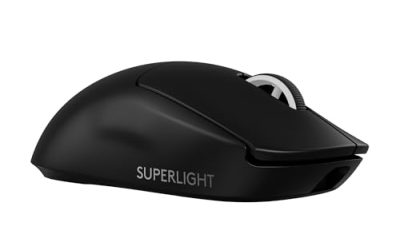
The Logitech G305 LIGHTSPEED in black is the wireless pick, and it earns its place because it is a gaming wireless mouse first, not an office mouse with gaming colours. Its listing describes a HERO sensor with 12,000 DPI, six programmable buttons, on-board memory, and a battery life figure of 250 hours, in a lightweight design for PC and Mac.
That battery approach is the key budget decision here. Instead of building in every flagship charging feature, the G305 focuses on a long-running, low-latency LIGHTSPEED wireless connection and a compact shape that works for claw and fingertip grips and for laptop bags. For a player who games at a desk during the week and takes a laptop elsewhere at the weekend, that combination is practical in a way a wired mouse cannot match, and the on-board memory means your settings move with it.
Who should buy it: players who know cable drag bothers them, laptop gamers, and smaller to medium-handed players who want one wireless mouse for both desk and travel. Who should skip it: palm grip players with large hands, who should start with the DeathAdder Essential, and players who prefer the zero-maintenance routine of wired — no battery to think about at all. Wireless at budget level is a legitimate choice, but it is a choice, not an automatic upgrade.
Head-to-Head: Which One Fits You?
If you want the safest first purchase and you have small to medium hands, start with the G203 LIGHTSYNC. It is wired, compact, and complete, and it leaves nothing important out.
If your hand is larger or your palm does most of the work, start with the DeathAdder Essential. Shape is its whole argument, and for the right hand it is a convincing one.
If you like the idea of the G203 but want a different brand feel, a different click design, and stronger lighting, look at the Rival 3. It is the reminder that budget buyers still get to choose.
If you have already decided that the cable has to go, choose the G305 LIGHTSPEED and accept the battery routine that comes with wireless. It is the natural budget step into wireless gaming without stepping up to flagship lines.
Notice what this shortlist does not do. It does not pad the list with an office mouse, a travel mouse, or a flagship model presented as a bargain. Every pick is a gaming mouse from its maker’s entry or accessible tier, sold as such, and suited to the job in the title.
Settings to Dial In Once Your Mouse Arrives
Start with a moderate in-game sensitivity and a mouse setting in the lower to middle part of its range, then adjust in small steps over several sessions rather than changing everything at once. Turn off any operating-system pointer acceleration if your game does not already handle input directly, so that the same hand movement always produces the same turn. Bind the side buttons to actions you need under pressure — melee, ping, voice, or your most-used ability — and leave less urgent actions on the keyboard.
Give a new shape at least a week of normal play before judging it. Hands adapt, and a mouse that feels unfamiliar on day one can feel precise by day seven, while a mouse that is genuinely the wrong size will keep announcing itself through fatigue. That distinction is the most useful test a budget buyer has, because it separates a shape problem, which a different pick in this guide can solve, from an adjustment period, which costs nothing to wait out.
Finally, keep the sensor lens clean, use a proper mouse pad, and route a wired cable with enough slack that it never pulls during a wide swipe.
Frequently Asked Questions
Is a budget gaming mouse good enough for competitive shooters?
Yes, provided it is a real gaming model like the four listed here. A named gaming sensor, consistent clicks, and a shape that fits your grip cover what competitive play actually demands. Your sensitivity consistency and practice will matter far more than moving to a flagship sensor ceiling you will never use.
Should a beginner choose wired or wireless?
Choose wired if you play at one desk and want the simplest routine. Choose the G305 if cable drag, travel, or a moving laptop setup is a real part of how you play. Neither answer is wrong, and neither connection type in this guide is a compromise in tracking quality.
Does higher DPI mean a better budget mouse?
No. The listings here range from 6,400 DPI to 12,000 DPI, and all of them exceed what most players use in game. Treat DPI as a range you can set, not as a score. Shape, grip fit, buttons, and connection should decide your purchase.
How long should a budget gaming mouse last?
That depends on use, but a branded entry-level gaming mouse with mechanical or gaming-grade switches and a simple, repairable-free design should handle everyday gaming for a long service life if it is kept clean and not dropped or crushed in a bag. Buying the right shape first time is the best way to avoid replacing a mouse early for comfort reasons alone.
What if none of these shapes sounds right?
Do not force it. Hand fit is personal, and the honest answer is to prioritise grip and hand size over brand loyalty. Re-read the grip section above, identify whether you are palm, claw, or fingertip, and choose the pick that matches that description most closely — even if it is not the brand you expected to buy.
Conclusion
The best budget gaming mouse is the one whose shape fits your hand, whose connection fits your setup, and whose sensor and buttons cover your games without charging you for flagship extras. The Logitech G203 LIGHTSYNC is the compact wired all-rounder, the Razer DeathAdder Essential is the palm-grip choice for larger hands, the SteelSeries Rival 3 is the wired alternative with its own click feel and lighting, and the Logitech G305 LIGHTSPEED is the proper budget route into wireless. Pick by fit first, set it up carefully, and spend the money you saved on the games you bought the mouse to play.
FAQ
Head-to-Head: Which One Fits You?
Is a budget gaming mouse good enough for competitive shooters?
Should a beginner choose wired or wireless?
Does higher DPI mean a better budget mouse?
How long should a budget gaming mouse last?
What if none of these shapes sounds right?
More from Amazon
Programs that pair well with the guide above. Offers and eligibility are set by Amazon and may change.
Free shipping on eligible items, Prime Video and more. Eligible new members can start with a free trial.
Start a Prime free trialAd-free music streaming. Eligible new subscribers can start with a free trial.
Try Music Unlimited freeA Prime membership for ages 18-24 with a trial period. Eligibility is set by Amazon.
See Prime for Young AdultsAudiobooks and podcasts to listen to on the go. Eligible new members can start with a free trial.
Try Audible freeAs an Amazon Associate we earn from qualifying purchases.