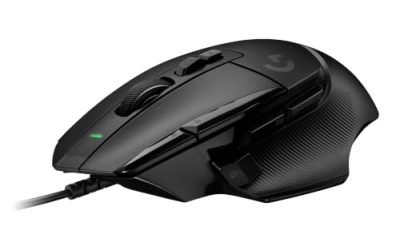
Our Top Picks
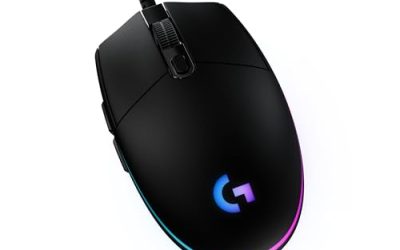
 Logitech G Pro X Superlight 2 Lightspeed WirelessClassic1.57 x 2.5 x 4.92 inches0.1 poundsCheck on Amazon
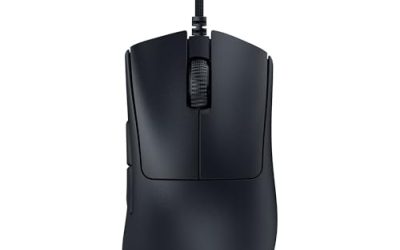
 Razer DeathAdder V3 Pro Wireless Gaming Mouse1000 Hz5.01 x 2.65 x 1.69 inches0.1 poundsCheck on Amazon
Valorant is not a game that forgives a vague mouse. A duel on Ascent mid, a wide swing on Lotus, or a last-second flick to a Jett dashing overhead is decided in a few pixels and a few milliseconds. Your crosshair either stops where you intended, or the round is gone. That is why the best gaming mouse for Valorant is not simply the mouse with the highest number on the box. It is the mouse that disappears under your hand: light enough to move without effort, stable enough to stop without overshoot, shaped so your grip stays relaxed through a full ranked session, and responsive enough that a click registers the moment you decide to shoot.
As an Amazon Associate we earn from qualifying purchases
This guide is angled entirely at Valorant and tactical shooters like it. Every pick below is a lightweight gaming mouse with a high-end optical sensor, low-latency wireless or a proven esports shape, and switches suited to tap firing, bursting, and holding tight angles. There are no heavy MMO mice here, no models weighed down with extra buttons you will never bind, and no gimmicks that matter more in a lobby screen than in a one-versus-one clutch. What matters for Valorant is weight, shape, sensor consistency, click feel, glide, and battery life that does not force you to think about charging between matches.
What Valorant Actually Demands From a Mouse
Valorant rewards precision over raw speed. Most players use a low sensitivity so they can make fine corrections at head height, which means the mouse travels a long way across the pad for a full turn, then has to make tiny, controlled movements for the final adjustment. A heavy mouse makes those long movements tiring and those tiny movements harder to stop cleanly. A light mouse, by contrast, starts and stops with less inertia. That is the single biggest reason competitive Valorant players have moved to shells in the fifty to sixty-five gram range.
Sensor behaviour matters just as much. You want tracking that stays true at low sensitivity, with no smoothing that blurs a flick, no acceleration that changes how far the crosshair moves depending on how fast you swipe, and no spin-out when you move quickly to check a corner. Modern flagship optical sensors from the major brands all aim for that flawless, one-to-one feel, so the differences that decide a purchase are usually shape, weight, clicks, and wireless reliability rather than the headline sensitivity figure.
Clicks matter because Valorant shooting is deliberate. With a Vandal or a Sheriff, the first shot carries the round. A crisp, low-latency click with a short, clear actuation helps you fire exactly when the crosshair settles, and optical switches are popular in this category because they are designed for fast response and to avoid the unwanted double clicks that can ruin a careful tap. Scroll wheel feel matters too, since many players bind jump or weapon switching to the wheel, and a vague wheel step can mean the wrong action at the wrong time.
Finally, shape is personal in a way specifications cannot settle. Valorant players use fingertip, claw, and palm grips, and they play with different hand sizes. A symmetrical shell tends to suit fingertip and claw grips and players who lift and reset often. A right-handed ergonomic shell tends to suit palm and relaxed claw grips, filling the hand so long sessions feel less fatiguing. Neither is better in the abstract. The right choice is the one that lets your wrist and fingers stay loose, because tension is the enemy of a clean micro-correction.
The Picks at a Glance
For most Valorant players, the Razer Viper V3 Pro is the most complete answer: a very light symmetrical shell, true wireless eight kilohertz polling support, and optical switches built for esports. The Logitech G Pro X Superlight 2 is the other default recommendation, with a safe, familiar symmetrical shape, a flagship sensor, and hybrid switches. Players who prefer an ergonomic shape should look at the Razer DeathAdder V3 Pro, which brings the same class of sensor and switches to a larger right-handed shell. Players with smaller hands or a strong fingertip grip should consider the Pulsar X2 v2, a light symmetrical option built around a proven high-end sensor and optical switches.
1. Razer Viper V3 Pro — The Complete Valorant Pick
The Razer Viper V3 Pro in black is listed at fifty-four grams, and that number tells most of the story. This is a symmetrical wireless esports mouse built for exactly the kind of aim Valorant demands: fast to move, easy to stop, and neutral enough in shape to work for fingertip, claw, and smaller palm grips. The listing describes a thirty-five thousand DPI optical sensor, Razer Gen-3 optical switches, eight programmable buttons, and up to ninety-five hours of battery life. It also supports eight kilohertz polling over its wireless connection using the included HyperPolling approach described in the listing.
For Valorant, the combination is hard to fault. The low weight reduces the effort in the long, low-sensitivity swipes you make to clear angles, while the symmetrical shell keeps the mouse predictable when you lift and reset between fights. Optical switches give a sharp, immediate click feel that suits tap firing and short bursts, and because the actuation is optical rather than a traditional mechanical contact, the click is designed to stay consistent over time. The high polling support is most relevant on high-refresh monitors, where smoother cursor updates can make tracking a strafing opponent feel more connected, although good fundamentals will always matter more than a polling figure.
Choose the Viper V3 Pro if you want one mouse that covers almost every Valorant play style without compromise. It is especially strong for players who aim with a mix of arm movement for large turns and wrist or fingertip movement for final corrections. Players with very large hands who prefer a fully filled palm grip may find the shape a touch low and flat, and those players should read the DeathAdder section below before deciding.
2. Logitech G Pro X Superlight 2 — The Safe, Familiar Shape
The Logitech G Pro X Superlight 2 in black is listed as a sixty gram wireless gaming mouse with five programmable buttons, a forty-four thousand DPI sensor, an eight kilohertz report rate, and USB-C charging. Logitech calls its sensor HERO 2 in its wider product material, and the listing emphasises the pro-grade, lightweight intent of the design. If the Viper is the sharpest tool in this roundup, the Superlight 2 is the most familiar one, and familiarity is a genuine advantage in a game where confidence decides duels.
The shape is a medium symmetrical shell with a gentle hump that many players already know from earlier generations. That matters because switching mice always costs a short adjustment period, and a safe shape shortens it. In Valorant terms, the Superlight 2 is easy to control on both sides of the aim equation: the long swipe to turn onto a site, and the tiny stop at head height once you get there. Its weight sits a little above the very lightest options here, which some players actually prefer, because a touch more mass can make the final stop feel calmer and less twitchy.
The LIGHTFORCE hybrid switches described for this model aim to combine a fast optical actuation with a mechanical click feel, which suits players who like a defined, tactile click when they tap fire. Battery and charging are handled over USB-C, and the wireless connection is Logitech’s LIGHTSPEED system, long used in competitive play. Choose the Superlight 2 if you want a proven symmetrical shape, you prefer a slightly more planted feel than the absolute lightest mice provide, or you are already comfortable with Logitech’s software and ecosystem. It remains an easy recommendation for ranked grinders and aspiring Radiant players alike.
3. Razer DeathAdder V3 Pro — Best Ergonomic Option for Valorant
Not every Valorant player wants a flat symmetrical shell. If you use a palm grip or a relaxed claw grip, and if your hand is medium to large, the Razer DeathAdder V3 Pro in black deserves serious attention. The listing describes a sixty-three gram ultra-lightweight ergonomic mouse with a Focus Pro thirty thousand DPI optical sensor, fast Gen-3 optical switches, HyperSpeed wireless, five programmable buttons, and up to ninety hours of battery life.
The DeathAdder name has been around for a long time because the shape works. The right-handed shell supports the palm, spreads contact across the hand, and lets the fingers rest rather than hover. Over a long Valorant session, that support can reduce fatigue and keep your aim steadier in the later rounds of a close match, when tension normally creeps in. At sixty-three grams it is still genuinely light for an ergonomic mouse, so you do not give up the easy starts and stops that low-sensitivity play requires. You trade a little of the fingertip freedom of a small symmetrical shell for comfort and stability, and for palm grip players that is the right trade.
Its sensor and switches are in the same class as the Viper above, so the tracking and click performance do not feel like a step down. The main cautions are fit related. Small-handed fingertip players may find the shell too large to control precisely, and left-handed players cannot use a right-handed ergonomic shape at all. If you have held a DeathAdder shape before and liked it, this is the Valorant pick that will feel like home. If you are unsure, prioritise hand size and grip over brand loyalty, because an ergonomic mouse that is too big will fight your micro-adjustments on every angle you hold.
4. Pulsar X2 v2 — Light Symmetrical Pick for Smaller Hands and Fingertip Aim

The Pulsar X2 v2 listed here is the medium, wireless, white version, described at one point eight seven ounces, or fifty-three grams, with a symmetrical shape, optical switches, two point four gigahertz wireless with one millisecond response as listed, a twenty-six thousand DPI ceiling, and the PAW3395 sensor. Pulsar has built its reputation with competitive players by focusing on exactly the things tactical shooter players care about: low weight, clean shapes, and strong sensor hardware without unnecessary extras.
In Valorant, the X2 v2 suits players who aim with their fingertips or a claw grip and who reset the mouse constantly. A light, symmetrical shell with a relatively low profile is easy to move with the fingers alone for micro-corrections, which is valuable when you are holding a tight angle and only need to move the crosshair a few pixels to meet a shoulder peek. The PAW3395 is a widely used flagship-class sensor in competitive mice, known for consistent tracking at the low sensitivities Valorant players favour. Optical switches again bring the fast, deliberate click feel that tap firing rewards.
Choose the X2 v2 if the Viper and Superlight shapes feel slightly too large, if you prefer fingertip control, or if you want a specialist esports brand rather than one of the two biggest names. Check the size carefully before ordering, because Pulsar sells this line in more than one size and colour, and the listing linked here is the medium white version. Getting the size right matters more than any single specification, especially for fingertip players whose control depends on the shell fitting the hand precisely.
How to Choose Between These Mice for Valorant
Start with grip and hand size, not with the sensor table. Measure your hand, think honestly about how you hold the mouse during a tense round rather than on the desktop, and match the shell to that grip. Fingertip and claw players who lift often should start with the Viper V3 Pro, Superlight 2, or X2 v2. Palm and relaxed claw players with medium or large hands should start with the DeathAdder V3 Pro. If you are between sizes, the safer symmetrical shapes are usually the easier adjustment.
Next, think about weight as a range rather than a contest. All four mice here sit between fifty-three and sixty-three grams, which is the zone where Valorant aim feels light without becoming unstable for most players. If your current mouse is much heavier, any of these will feel dramatically easier to stop on target. If you already play on a very light mouse and find yourself overshooting, the slightly heavier Superlight 2 or DeathAdder V3 Pro may give you the calmer stop you need.
Then consider polling and connection. All four picks are wireless models built for competitive play, and modern esports wireless has removed the old assumption that a cable is required for reliable response. Higher polling support, such as the eight kilohertz capability listed for the Viper V3 Pro and the eight kilohertz report rate listed for the Superlight 2, can smooth cursor movement on high-refresh displays, but it is a refinement rather than a foundation. Shape, weight, and a sensor that tracks consistently will improve your Valorant aim more than any single headline number.
Finally, keep your settings simple once the mouse arrives. Pick a sensitivity you can control on both a full turn and a final correction, turn off any operating system pointer acceleration so movement stays one-to-one, and give a new shape several days of deathmatch and ranked play before judging it. A new mouse changes how your hand moves, and your first session is the worst guide to whether it suits you. Consistency after that adjustment period is what you are buying.
Settings and Habits That Make the Mouse Matter
A great mouse cannot rescue scattered settings. Valorant players generally benefit from a sensitivity that lets them clear an angle with one committed movement and still make a one-head-width correction without strain. Whatever sensitivity you choose, keep it fixed long enough for muscle memory to form. Changing sensitivity every few days resets the very consistency a light, predictable mouse is meant to give you.
Crosshair placement does more work than flicking. Keep the crosshair at head height and pre-aim the angle you expect an opponent to cross, so the mouse only has to make the smallest possible movement when the duel happens. That habit is why shape comfort matters so much: holding an angle for twenty seconds with a tense grip will degrade your reaction shot, while a relaxed grip on a shell that fits lets you stay ready. Between rounds, consciously loosen your hand. It sounds trivial, and it wins rounds.
Care for the basics too. Keep the sensor lens clean, use a pad with enough room for low-sensitivity swipes, and charge a wireless mouse on a routine rather than waiting for a low battery warning mid-match. If your mouse offers onboard profiles or a simple software setup, configure it once, save it, and then leave it alone during a ranked session. The goal is a setup you never think about, so all of your attention stays on utility, communication, and the next angle.
Final Verdict
The best gaming mouse for Valorant for most players is the Razer Viper V3 Pro, because it combines the lowest weight among the two flagship symmetrical picks, a top-class optical sensor, optical switches, long listed battery life, and high polling support in a shape that suits the grips Valorant players use most. The Logitech G Pro X Superlight 2 runs it very close and is the better choice if you prefer its familiar shape and slightly more planted feel. The Razer DeathAdder V3 Pro is the clear pick for ergonomic comfort without giving up competitive hardware, and the Pulsar X2 v2 is the specialist option for smaller hands and fingertip aim.
Whichever you choose, choose it for fit first. Valorant is a game of small movements made under pressure, and the mouse that lets your hand stay relaxed while the crosshair stops exactly where you meant it to stop is the one that will actually help you climb.
More from Amazon
Programs that pair well with the guide above. Offers and eligibility are set by Amazon and may change.
Free shipping on eligible items, Prime Video and more. Eligible new members can start with a free trial.
Start a Prime free trialAd-free music streaming. Eligible new subscribers can start with a free trial.
Try Music Unlimited freeA Prime membership for ages 18-24 with a trial period. Eligibility is set by Amazon.
See Prime for Young AdultsAudiobooks and podcasts to listen to on the go. Eligible new members can start with a free trial.
Try Audible freeAs an Amazon Associate we earn from qualifying purchases.