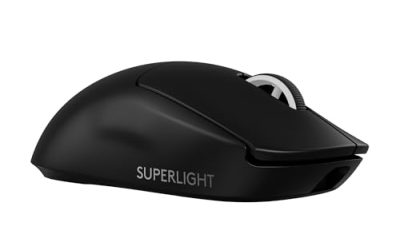
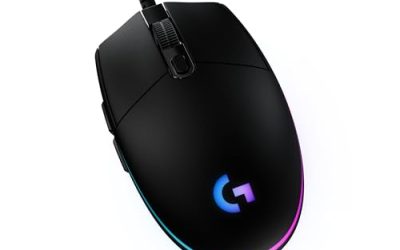
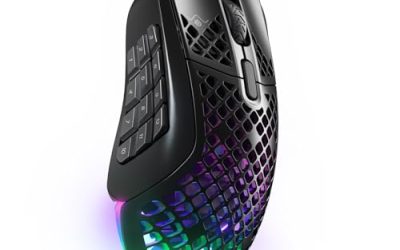
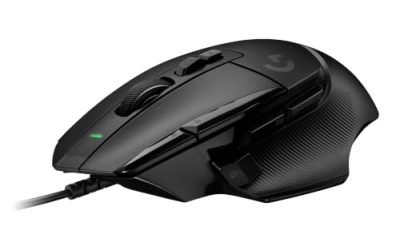
Our Top Picks

As an Amazon Associate we earn from qualifying purchases


A wired USB gaming mouse sounds like the simplest purchase in PC gaming, and in many ways it is. You plug it in, the computer recognises it, and you play. There is no battery to charge, no dongle to lose, no Bluetooth pairing menu to fight with before a match, and no moment mid-game where you wonder whether a low charge warning is about to appear. That simplicity is exactly why so many players still choose USB, even in an era when wireless mice are heavily promoted.
Simplicity does not mean every wired mouse is the same, though. The best USB gaming mouse for you depends on the shape that fits your hand, the weight you can move comfortably for hours, the sensor and polling rate that suit your games, and the cable you will actually have to live with on your desk. A heavy, button-rich mouse built for strategy games and productivity feels completely different from a 53-gram esports shape built for fast flicks in a shooter. Both connect by USB. Only one will feel right for the way you play.
This guide narrows the field to five true wired USB models, each with a distinct job. There is a lightweight ergonomic pick for competitive shooters, an ultralight solid-shell pick for fast, low-effort movement, a familiar all-rounder with extra buttons and adjustable weight, a contoured value pick for FPS and MOBA play, and a simpler, lighter option for players who want dependable wired performance without a long feature list. Every pick below is a wired gaming mouse sold as such — not a wireless model repackaged as a wired recommendation.
Why Choose a Wired USB Mouse at All?
The case for wired starts with consistency. A USB connection delivers power and data over the same cable, so the mouse never sleeps to save battery and never needs a charging break. You leave it plugged in, and it is ready whenever you are. Wired also removes variables: wireless still depends on dongle placement, interference, and charge level, while a cable keeps the list of possible problems short — the port, the cable, the settings, or the mouse itself.
Wired models often put more of what you pay for into the sensor, switches, and shell rather than a battery and receiver, which is why lineups include capable mice at the accessible end of a brand’s range alongside flagship wired models with high polling rates.
The trade-off is cable drag, especially on a crowded desk or at low sensitivity. Modern flexible cables, often described as paracord-style or speedflex designs, have reduced that problem a lot. A mouse bungee can help further by lifting the cable and controlling slack. Plan for the cable as part of the setup, not as an afterthought.
What Actually Matters in a USB Gaming Mouse
Connection and polling rate
All five picks connect by wired USB, but polling rate separates them. The standard has long been 1,000 Hz — one thousand position reports per second. Two picks here offer 8,000 Hz polling on the wired connection. Higher polling can feel smoother, particularly on high-refresh monitors. It is not a magic upgrade for every player, but for competitive players it is a genuine, measurable distinction. Plug the mouse directly into the computer rather than through an unpowered hub, and keep the port secure: a wobbly connection can mimic sensor problems.
Sensor and DPI — useful numbers, honest limits
DPI and CPI describe sensitivity. Listings headline maximums such as 12,000, 25,600, 26,000, or 30,000, but almost no one plays at the maximum. What matters is accurate tracking at the settings you actually use and consistent behaviour during fast swipes. Set DPI in the mouse software, then fine-tune sensitivity inside each game, and keep notes so you can recreate the same effective sensitivity if you swap mice.
Shape, grip, weight, and buttons
Shape is the decision you will feel in every minute of play. Right-handed ergonomic mice, such as the DeathAdder V3 and the G502 HERO, support the palm and usually suit palm and relaxed claw grips. Symmetrical shapes, such as the Pulsefire Haste 2 and the Rival 3, can suit claw and fingertip grips, although symmetrical does not automatically mean left-handed use, because side buttons are often placed for the right thumb. Hand size matters too: compare listed dimensions with a mouse you already own.
Weight shapes fatigue and control. The lightest pick here is listed at 53 grams, the DeathAdder V3 at 59 grams, and the Harpoon RGB Pro at 85 grams, while the G502 HERO offers adjustable weights. Lighter mice are easier to start, stop, and redirect in shooters; heavier mice can feel steadier for slow tracking. Neither is objectively correct.
Button count should match your games. Six programmable buttons are plenty for most shooter and MOBA players. Eleven buttons, as on the G502 HERO, open up more bindings for MMO, strategy, and productivity use — but only if you can reach them without shifting your grip. Companion software lets you remap buttons, save profiles, and adjust lighting and sensitivity; check current requirements on the listing, because apps change over time.
For a USB mouse, the cable is part of the product. Flexible, lightweight cables reduce drag; stiffer cables push back during wide sweeps. Route the cable with slack and keep it off sharp desk edges.
The Picks
1. Razer DeathAdder V3 — Best Wired USB Pick for Competitive Ergonomic Play
The Razer DeathAdder V3 is a wired gaming mouse built around a refined right-handed ergonomic shape and a strikingly low weight for its size. The listing describes it as 59 grams and ultra-lightweight, with a mid-to-large form shaped with input from esports professionals. For players who want an ergonomic mouse without the heavier feel that ergonomic mice often carry, that combination is the core appeal.
Its sensor is Razer’s Focus Pro 30K optical sensor, listed at up to 30,000 DPI, with tracking listed at 750 IPS and 70 G acceleration in the comparison data on the listing. It also offers 8K Hz HyperPolling, Razer Optical Mouse Switches Gen-3 rated by the listing for up to 90 million clicks, six programmable buttons, and a Speedflex cable designed to reduce drag. Connectivity on this model is listed simply as wired, and its connectivity technology is listed as USB, which is exactly the brief for this guide.
In practical terms, this is the pick for a right-handed player who uses a palm or relaxed claw grip and plays shooters or other fast games where a secure shape and a light body both matter. The ergonomic contour helps the hand settle in the same position repeatedly, which supports consistent aim, while the low weight keeps flicks from feeling laboured. The higher polling rate gives high-refresh players a wired advantage to explore, provided their system and game handle it well.
Be clear about the limits. It is right-handed only in design, it has six buttons rather than a large MMO-style cluster, and its advantages are focused on performance rather than extras such as adjustable weight or extensive lighting. If that focus matches your priorities, it is the most complete wired USB recommendation in this list.
2. HyperX Pulsefire Haste 2 (White) — Best Ultralight Solid-Shell USB Mouse
The HyperX Pulsefire Haste 2 – Wired Gaming Mouse in White takes a different route to speed. It is listed at 53 grams with a solid shell, so it achieves ultralight handling without honeycomb cutouts in the body. Players who dislike the feel of a perforated shell, or who simply prefer a sealed surface that is easier to wipe clean, will appreciate that design choice.
The listing names a HyperX 26K sensor at up to 26,000 DPI and 650 IPS tracking, an 8,000 Hz polling rate, six buttons, and a HyperFlex 2 cable made from paracord material to reduce snagging and resistance. The switches are described in supporting listing material as rated for 100 million clicks, and grip tape is included for the main buttons and sides. Connection is wired only on this model — there is no wireless or Bluetooth option to confuse the purchase — and the listing presents it as plug and play.
This is the pick for claw and fingertip players, and for anyone whose aim style relies on frequent small corrections. A 53-gram mouse asks very little of the wrist and forearm during repeated micro-adjustments, and the flexible cable supports that lightness instead of fighting it. On a large pad at low sensitivity, the combination should feel particularly free, especially with the cable routed through a bungee.
The trade-offs follow from the same design. A light, symmetrical mouse offers less palm support than a large ergonomic shape, so full palm players with larger hands may find it less restful over long sessions. It also keeps the feature set lean. Choose it for movement and responsiveness, not for a deep button layout.
Note the variant carefully when ordering: the ASIN linked here is the white wired model identified in the listing title. Colour does not change the wired USB brief, but checking the variant name before checkout avoids receiving a different finish than expected.
3. Logitech G502 HERO — Best USB Mouse for Buttons, Features, and Everyday Versatility

The Logitech G502 HERO is the long-running all-rounder of this guide. The listing describes it as a high-performance wired gaming mouse with the HERO 25K sensor at up to 25,600 DPI, RGB lighting, adjustable weights, 11 programmable buttons, and on-board memory, for PC and Mac. Where the two picks above strip weight and features down for speed, the G502 HERO leans into control and customisation.
Eleven buttons change what a mouse can do. In an MMO or strategy game, that means more abilities and commands under the thumb and fingers without reaching for the keyboard as often. In everyday desktop use, it means shortcuts for copy, push-to-talk, browser navigation, or creative software can live on the mouse. Adjustable weights let you experiment with balance and heft rather than accepting a single fixed feel, and on-board memory helps your settings travel with the mouse between computers.
This is the best USB choice in the list for a mixed player: someone who plays several genres, works at the same desk, and wants one wired mouse to cover both. Its ergonomic shape suits palm and claw grips for right-handed users, and the button layout rewards players willing to spend a little time setting up profiles in Logitech’s software.
The honest compromise is weight and complexity. Even before adding optional weights, this is a more substantial, feature-dense mouse than the ultralight picks, and that is not what a competitive fingertip player usually wants. Its strength is versatility. If your games demand bindings more than the lowest possible mass, the G502 HERO earns its place.
4. Corsair Harpoon RGB Pro — Best Contoured USB Pick for FPS and MOBA Simplicity
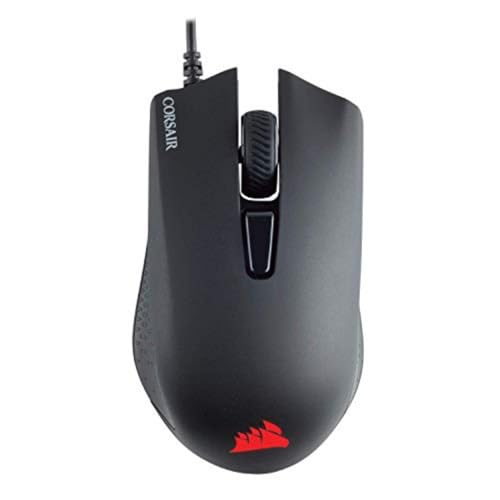
The Corsair Harpoon RGB Pro is listed as a wired lightweight FPS and MOBA gaming mouse with a 12,000 DPI optical sensor, six programmable buttons, and iCUE compatibility, for PC, Mac, and consoles named on the listing. Corsair describes the shape as a comfortable contoured design and lists the weight at 85 grams. That puts it between the ultralight models and a heavier all-rounder: light enough to move readily, substantial enough to feel planted.
Six buttons keep the layout focused. For FPS and MOBA play, that usually means the main clicks, a wheel, a DPI button, and side buttons for melee, push-to-talk, or a favourite ability — enough for the essentials without a cluster to learn. iCUE compatibility lets Corsair users fold the mouse into an existing setup for button assignments and lighting coordination, which is a practical convenience if the rest of the desk already runs on that software.
Choose the Harpoon RGB Pro if you want a straightforward wired mouse from an established gaming line, with a contoured grip that supports the hand more than a small symmetrical shell does. It is a sensible desk anchor for players who split time between competitive titles and casual games and who do not need 8,000 Hz polling or an extensive button grid.
Its sensor ceiling and feature set are more modest than the flagship picks above, on paper. That matters most to players actively seeking the highest polling rates or the newest sensor specifications. For many players, a comfortable shape, a manageable weight, and a clean six-button layout will influence results far more than headline maximums they never use.
5. SteelSeries Rival 3 — Best Simple USB Mouse for a Clean, Lightweight Setup
The SteelSeries Rival 3 closes the list as the uncomplicated option. The listing describes an 8,500 CPI TrueMove Core optical sensor, six programmable buttons, split-trigger main buttons, and Brilliant Prism RGB lighting, in an ergonomic black design. Its connectivity technology is listed as USB, its power source as corded electric, and the listing notes a USB port is required, with compatibility covering Windows, Mac, Linux, and Xbox systems as listed.
SteelSeries highlights durable materials and main switches rated in listing material for 60 million clicks, along with a lightweight build. The Rival 3 does not chase the highest DPI figure or an 8,000 Hz polling headline. Instead, it offers the essentials of a modern wired gaming mouse in a shape and layout that are easy to understand on day one.
That makes it a strong fit for a first dedicated gaming mouse, a second desk or laptop-bag setup where a wired connection is welcome, or a player who prefers a familiar, restrained design over a flagship specification sheet. Six buttons cover the core gaming needs, the software path through SteelSeries Engine is referenced in listing compatibility material, and the wired connection keeps setup to a single plug.
Consider the picks above first if you know you want ultralight handling, high polling, or many buttons. Consider the Rival 3 first if you want the opposite: a proven wired design that gets out of the way and lets the games take your attention.
Side-by-Side: How to Decide Quickly
Competitive ergonomic performance: DeathAdder V3. Lowest weight and freest movement: Pulsefire Haste 2. Many genres, work, and custom bindings: G502 HERO. Contoured FPS and MOBA focus: Harpoon RGB Pro. Simple, durable wired fundamentals: Rival 3.
Setting Up a Wired USB Mouse Properly
Plug the mouse directly into a USB port. Install the manufacturer’s current software only if you want remapping, lighting control, or stored profiles, and set your DPI there. Then adjust in-game sensitivity until a full comfortable swipe moves your view by a predictable, repeatable amount. Manage the cable deliberately: leave slack for your widest movement, keep it from hanging heavily off the desk edge, and route it away from drag points. A bungee is optional, but for low-sensitivity shooter players it often makes wired feel most free. Clean the sensor area and feet occasionally with a dry, soft cloth — tracking problems are often surface problems.
Common Questions
Does a USB mouse have less delay than a wireless mouse? A wired connection is direct and consistent, and the high-polling models here report very frequently. Modern gaming wireless can also perform extremely well, so the fair claim for USB is consistency and simplicity. If you never want to think about receivers or charge levels, wired wins on peace of mind.
Is 8,000 Hz polling worth it? Prioritise it if you play competitive games on a high-refresh monitor. Both the DeathAdder V3 and the Pulsefire Haste 2 offer it. If you play casually, a well-shaped 1,000 Hz mouse can still feel excellent, and shape and weight should lead your decision.
Which grip suits which pick? Palm and relaxed claw players should look first at the DeathAdder V3, the G502 HERO, and the Harpoon RGB Pro. Claw and fingertip players should look first at the Pulsefire Haste 2 and the Rival 3. Hand size can shift these starting points for you personally.
Can these mice work without software? Yes — a wired USB mouse works when plugged in. Software is for customisation: DPI steps, remapping, lighting, and profiles. Check each listing for the current companion app before relying on a specific feature.
Final Verdict
The best USB gaming mouse is not the one with the largest number on its box. It is the wired mouse whose shape you stop noticing, whose weight matches your aim style, whose buttons cover your games, and whose cable you have set up well enough to forget.
For most competitive right-handed players, the Razer DeathAdder V3 is the strongest overall wired recommendation here, pairing a 59-gram ergonomic body with a Focus Pro 30K sensor and 8K polling. For ultralight speed in a solid shell, choose the HyperX Pulsefire Haste 2. For buttons and versatility across games and work, choose the Logitech G502 HERO. For a contoured, focused FPS and MOBA layout, choose the Corsair Harpoon RGB Pro. For simple, dependable wired fundamentals, choose the SteelSeries Rival 3.
Pick by hand and game first, plug it into USB, set it up once, and let the cable stay connected, powered, and out of your way.
FAQ
Why Choose a Wired USB Mouse at All?
More from Amazon
Programs that pair well with the guide above. Offers and eligibility are set by Amazon and may change.
Free shipping on eligible items, Prime Video and more. Eligible new members can start with a free trial.
Start a Prime free trialAd-free music streaming. Eligible new subscribers can start with a free trial.
Try Music Unlimited freeA Prime membership for ages 18-24 with a trial period. Eligibility is set by Amazon.
See Prime for Young AdultsAudiobooks and podcasts to listen to on the go. Eligible new members can start with a free trial.
Try Audible freeAs an Amazon Associate we earn from qualifying purchases.