
Key takeaways
- “Higher MHz always means faster.” Timings and the controller ratio can cancel out the gain.
- “6400 will double my frame rate.” Real-world gains are small and depend on the game and processor.
- “My kit will run at the box speed automatically.” You must enable XMP or EXPO in the BIOS, and the board must support it.
- “Four modules are better than two.” Four-module setups often cannot reach the speeds of two-module kits because of the load on the memory controller.
- “AMD has said 6000 is the only good speed.” AMD has described 6400 as achievable on Ryzen 9000, while many reviewers still find 6000 the more reliable sweet spot.
For most gamers, DDR5-6000 with tight timings is the safer choice, and DDR5-6400 is only a real step up if your processor and motherboard can run it with the memory controller at a 1:1 ratio. The gaming difference between a well-matched 6000 kit and a 6400 kit is typically small, often a few percent at most.
Our top picks

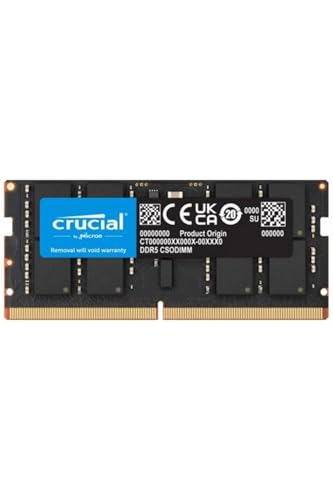


As an Amazon Associate we earn from qualifying purchases at no extra cost to you.
What the Two Numbers Mean
6000 and 6400 are transfer rates in MT/s (often loosely written as MHz) for DDR5 memory. Higher means more data per second, but speed is only half the story. Timings such as CL30 or CL32 describe how many clock cycles the memory takes to respond. A faster kit with looser timings can end up with the same real-world latency as a slower kit with tighter timings.
Take the common examples: DDR5-6000 CL30 and DDR5-6400 CL32 both work out to roughly 10 nanoseconds of true latency. That is why gaming results between them usually land close together, and why reading a kit’s timings matters as much as reading its speed.
Why 6000 Became the Standard
On AMD’s Ryzen 7000 platform, DDR5-6000 became widely cited as the sweet spot, because the memory controller could run in lockstep with the memory clock. Motherboard makers’ EXPO profiles reflect this, and many kits are sold specifically as DDR5-6000 CL30 for AM5 boards. Reviewers such as TechPowerUp and Hardware Unboxed have reported that tight DDR5-6000 remains a strong fit for Ryzen 9000 (Zen 5) as well.
Where 6400 Comes In
AMD has said that Ryzen 9000 processors can run DDR5-6400 at a 1:1 ratio between the memory clock and the memory controller clock (UCLK), a modest step up from the 6000 point on the previous generation. Igor’s Lab reports that most Ryzen 9000 chips can hold a 3200 MHz UCLK, which corresponds to DDR5-6400 at 1:1, though results vary by chip and board.
The catch is automatic behavior. Reports describe that on Auto settings the memory controller runs 1:1 up to DDR5-6000, and above that it may fall back to a 1:2 ratio. If you load a 6400 EXPO profile and the system chooses the lower ratio, you can lose the benefit or even perform worse than a good 6000 kit. The board’s BIOS has a setting for the controller divider (the name varies by maker, with UCLK DIV1 MODE being one label), and the board manual explains how to use it. Changing it is a tuning step that can cause instability, so keep settings conservative.
Intel Platforms
Intel Core Ultra 200S processors on LGA1851 boards officially support faster DDR5 than the Ryzen sweet spot, and boards are typically sold with support for DDR5-6400 and above on XMP profiles, depending on the model. Intel systems are less tied to the 1:1 ratio concept used with AMD, so the case for 6400 is simpler there, though the boards and memory support lists decide what runs stably. Read the maker’s memory compatibility list for your exact board.
Side-by-Side
| Factor | DDR5-6000 (CL30 typical) | DDR5-6400 (CL32 typical) |
|---|---|---|
| True latency | About 10 ns | About 10 ns |
| Bandwidth | Lower | About 6 to 7 percent higher |
| AMD AM5 1:1 on Auto | Yes | May need manual setting |
| Stability risk | Low | Slightly higher; depends on chip and board |
| Typical gaming gain over the other | Baseline | Roughly within a few percent, per reviewers |
| Best fit | Most Ryzen builds | Users willing to tune, or Intel builds |
| Kit availability | Very common | Common but fewer low-timing options |
What It Means in Games
Memory speed matters most in CPU-limited situations: high refresh rate gaming at lower resolutions, esports titles, and simulation-heavy games. At 1440p or 4K with a demanding graphics load, the graphics card is the bottleneck and the difference between 6000 and 6400 shrinks to near zero. One roundup of Ryzen 9000 results puts the gaming difference between tuned 6000 CL30 and a 6400 kit at about 1 to 3 frames per second. Processors with large cache, such as the Ryzen 7 9800X3D, are generally less sensitive to memory speed than chips without it, because the cache serves many requests before they reach the RAM.
Who Should Pick Which
Gaming on AM5
DDR5-6000 CL30 is the straightforward choice. It matches the long-recommended target for the platform, works on Auto settings, and is less likely to need BIOS troubleshooting. Pick 6400 only if the price difference is small and you are comfortable setting the controller ratio manually.
Gaming on Intel Core Ultra 200S
A 6400 kit is a reasonable pick if the board lists it, since the platform is less constrained than AM5. Check the board’s supported memory list and the maker’s recommended settings.
Creators and heavy multitasking
Workloads that move large amounts of data, such as video editing, compiling code, and some simulations, benefit more from higher bandwidth than games do. Capacity usually matters more than a few hundred MT/s, so consider 32 GB or more before chasing speed.
Budget builds
Choose capacity and a reputable 6000 CL30 or CL36 kit over a pricier faster one. A stable system with enough memory beats a fast kit that fails to boot reliably.
Common Myths
- “Higher MHz always means faster.” Timings and the controller ratio can cancel out the gain.
- “6400 will double my frame rate.” Real-world gains are small and depend on the game and processor.
- “My kit will run at the box speed automatically.” You must enable XMP or EXPO in the BIOS, and the board must support it.
- “Four modules are better than two.” Four-module setups often cannot reach the speeds of two-module kits because of the load on the memory controller.
- “AMD has said 6000 is the only good speed.” AMD has described 6400 as achievable on Ryzen 9000, while many reviewers still find 6000 the more reliable sweet spot.
Practical Recommendation
Choose by timings first, platform second, and speed third. A 2×16 GB or 2×32 GB DDR5-6000 CL30 kit is the common default for AM5 gaming builds, and a 6400 CL32 kit is the alternative for those who want the extra bandwidth and accept manual tuning. Enable the memory profile in the BIOS, then confirm the speed in Task Manager under Performance and Memory. Keep BIOS changes conservative, since overclocking and manual memory tuning can cause instability and may affect warranty coverage. If the PC fails to boot after a change, clear the CMOS as the board manual describes, and contact the board maker if the problem continues.
Frequently Asked Questions
Is DDR5-6400 worth it over DDR5-6000 for gaming?
For most people, not by much. Reviewers report only a small difference in games, and a good 6000 CL30 kit has the same true latency as a typical 6400 CL32 kit. It is worth considering when the price is close and your platform runs it comfortably.
Will 6400 RAM run at 6400 on my motherboard?
Only if the board, CPU, and BIOS support it. Check the board’s memory support list, update the BIOS, and enable the profile. On AMD systems you may also need to set the controller ratio so it does not fall back to a lower mode.
Does the Ryzen 7 9800X3D need fast RAM?
It benefits less than non-cache chips because of its large cache. DDR5-6000 CL30 is the usual pairing, and going faster tends to give small gains.
What is more important, speed or capacity?
For gaming, having enough capacity comes first, with 32 GB common for current builds. Speed then helps at the margins. Running out of memory causes stutter that no speed upgrade can fix.
Is it safe to run RAM above 6000?
It is a supported configuration if the kit and board list it, but it pushes components harder and can cause instability on some chips. Keep voltages at the kit’s rated values, and revert to defaults if you see crashes or errors.



