Key takeaways
- “Quiet means weak.” Not necessarily. A large heatsink with a slow fan can cool well and stay quiet. The reverse can also hold: a small cooler may be loud under load.
- “Liquid is always better than air.” Reviewers frequently find top air coolers competitive with 240 mm AIOs. Radiator size and fan quality decide the outcome.
- “A longer warranty means better cooling.” Warranty length reflects the maker’s policy, not thermal performance.
- “Pre-applied paste is poor.” Factory paste is usually adequate, and many builders reuse it. Applying a different paste is optional, not required.
- “One brand fits every socket.” Always confirm the socket list for the specific model, as older products may lack mounts for newer sockets.
Neither brand wins outright: be quiet! is usually chosen for low noise and premium build quality, while Arctic is usually chosen for strong cooling per unit of cost and long warranty coverage. Which one suits you depends on your processor, your case, and how much you care about noise versus value.
Our top picks
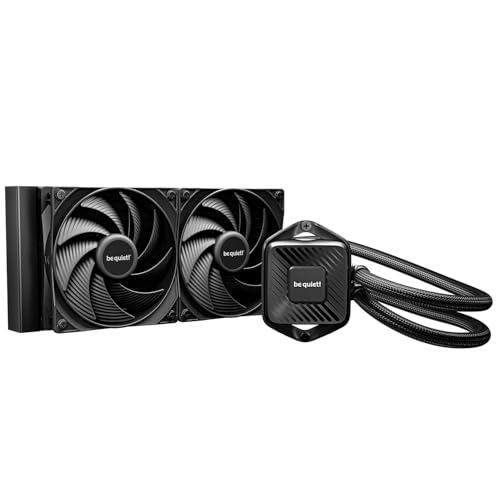
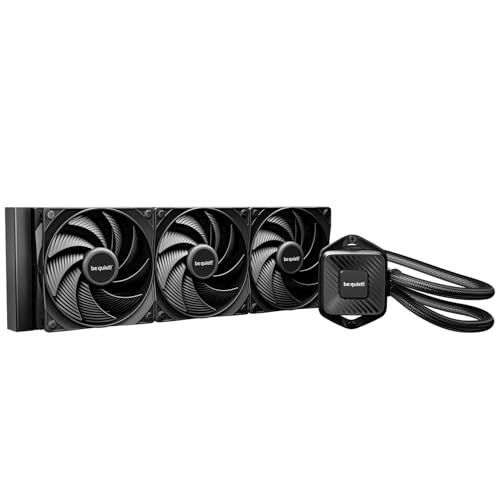


As an Amazon Associate we earn from qualifying purchases at no extra cost to you.
The Two Brands in Brief
be quiet! is a German brand focused on low-noise PC hardware: power supplies, cases, fans, and CPU coolers. Its cooler range includes air coolers such as the Pure Rock series, Dark Rock series (including the Dark Rock 5 and Dark Rock Pro 5), and the Shadow Rock line, plus the Silent Loop and Light Loop all-in-one liquid coolers. The brand’s design language leans toward dark finishes, rubber-mounted fans, and noise-focused tuning.
Arctic (formerly Arctic Cooling) is a Swiss-founded brand known for value-oriented cooling. Its products include the Freezer air coolers, the Liquid Freezer III series of all-in-one liquid coolers in 240, 280, and 360 mm sizes, the P-series and BioniX fans, and the MX-series thermal paste. Arctic’s coolers often include extras such as pre-applied paste and, on the Liquid Freezer III, a fan on the voltage regulator area to help cool the surrounding motherboard components.
Key Differences at a Glance
| Area | be quiet! | Arctic |
|---|---|---|
| Core identity | Low noise, premium finish | Cooling value, practical design |
| Air coolers | Pure Rock, Shadow Rock, Dark Rock, Dark Rock Pro | Freezer series |
| Liquid coolers | Silent Loop, Light Loop | Liquid Freezer III (240/280/360 mm) |
| Typical focus | Quiet operation under load | Low temperatures for the cost |
| Mounting | Brackets for AM4, AM5, Intel LGA1700 and LGA1851 on current models | Same sockets on current models; check the model page |
| Warranty | Maker lists multi-year coverage, varying by product | Maker lists multi-year coverage, longer on some AIOs |
| Aesthetics | Understated black and silver, some RGB lines | Simple, with plain and addressable RGB variants |
| Pump noise (AIOs) | Tuned for quiet | Reviewers report a more audible pump on some units |
Specifications and warranty periods differ by model and region, so read the maker’s product page for the exact cooler you are considering.
Air Coolers: Where be quiet! Shines
Large tower coolers from be quiet!, such as the Dark Rock Pro 5, are built to move air quietly across a big fin stack with Silent Wings fans. Reviewers commonly describe them as a low-noise alternative to a liquid cooler, with no pump and no leak risk. The trade-off is physical size: tall towers need case clearance, and height listings are on the maker’s page. Check that the cooler clears your memory modules and your case’s side panel.
Arctic’s air coolers target value, with fewer premium touches. They are a reasonable fit for budget and midrange builds where a stock cooler is not enough but a flagship tower is more than needed.
Liquid Coolers: Where Arctic Competes Hard
The Liquid Freezer III series has drawn attention from reviewers for its cooling performance relative to its price class, and for design choices such as a thinner radiator and a motherboard-area fan. A common observation is that the pump can be audible, especially at higher speeds, and that fan curves matter a lot for noise. Arctic lists a longer warranty period on some of these units than competitors list, which some buyers weigh as a sign of confidence, though a warranty is not a performance measure.
be quiet! liquid coolers emphasize quiet operation and a refined appearance. Independent reviews that compare them to Arctic’s AIOs generally find the performance gap depends on the exact model and radiator size, so a 360 mm unit from one maker may beat a 240 mm unit from the other regardless of brand.
Fans and Case Cooling
If you are choosing case fans rather than a CPU cooler, the same pattern holds. be quiet!’s Silent Wings and Pure Wings lines are positioned for low noise and are priced as premium products. Arctic’s P-series fans are popular for high static pressure at a low cost and are often bought in multipacks for radiators and filtered intakes. For a gaming case with mesh panels, either brand works; fan size, bearing type, and noise rating from the maker matter more than the logo.
Who Should Pick Which
Gaming on a midrange CPU
Most current gaming processors are efficient enough that a good air cooler handles them well. Either brand’s mid-size tower is a sensible fit, and the choice comes down to noise preference and case clearance. be quiet! suits quiet-room setups, and Arctic suits those who want solid cooling and a simple design.
High-end gaming or heavy creator workloads
Processors that draw a lot of power under sustained load, such as high-core-count chips used for rendering, benefit from larger coolers. A 280 or 360 mm AIO or a flagship dual-tower air cooler is typical. Arctic’s Liquid Freezer III is a frequent reference point in this class, while be quiet!’s Dark Rock Pro 5 is a common air-cooling alternative for those who want to avoid a pump.
Budget builds
Value-minded builders often lean to Arctic because its range includes simple coolers and fans that cost less for each unit of cooling. be quiet! also has entry coolers such as the Pure Rock line, which prioritize noise and ease of installation.
Small form factor and noise-sensitive builds
Check height and radiator thickness carefully. Low-profile coolers and slim radiators matter more than brand here, and noise at idle and under load is best compared using independent measurements rather than the packaging.
Common Myths
- “Quiet means weak.” Not necessarily. A large heatsink with a slow fan can cool well and stay quiet. The reverse can also hold: a small cooler may be loud under load.
- “Liquid is always better than air.” Reviewers frequently find top air coolers competitive with 240 mm AIOs. Radiator size and fan quality decide the outcome.
- “A longer warranty means better cooling.” Warranty length reflects the maker’s policy, not thermal performance.
- “Pre-applied paste is poor.” Factory paste is usually adequate, and many builders reuse it. Applying a different paste is optional, not required.
- “One brand fits every socket.” Always confirm the socket list for the specific model, as older products may lack mounts for newer sockets.
Practical Recommendation
Match the cooler to the processor’s heat output first, then the case, then the noise target, and only then the brand. If silence is the priority and you have the space, a big be quiet! tower is a typical choice. If you want strong cooling for the cost and are comfortable with an AIO, Arctic’s Liquid Freezer III is a typical choice. Read independent reviews with noise measurements in decibels for the exact models, and follow the maker’s installation manual, including the correct mounting orientation and fan connections.
Before installing, power down and unplug the PC. Handle the cooler and CPU carefully, apply paste in the amount the maker describes, and tighten mounting screws evenly. If temperatures are unusually high after installation, reseat the cooler and check the pump or fan headers before contacting the maker.
Frequently Asked Questions
Is be quiet! quieter than Arctic?
Often, yes, because noise is the brand’s main design goal, though results vary by model and fan speed. Arctic’s fans and pumps can also be quiet when run on a sensible fan curve. Independent decibel measurements for the specific coolers are the best comparison.
Which brand cools better?
There is no brand-wide winner. Cooling depends on the exact cooler, its size, and the processor’s power draw. Reviewers often rate Arctic’s Liquid Freezer III highly for cooling, while be quiet! towers are noted for combining solid cooling with low noise.
Are Arctic coolers reliable?
Arctic is a long-established brand, and its coolers are widely used. For liquid coolers, the maker’s warranty terms and the model’s review history are useful guides. As with any AIO, make sure the pump header and fan headers are connected correctly.
Do these coolers fit AM5 and Intel LGA1851 boards?
Current models from both makers list support for AM5 and for LGA1700 and LGA1851. Older models may not, so read the compatibility list on the maker’s page for the exact product.
Should I buy an air cooler or an AIO?
Air coolers have no pump and are simple to maintain, while AIOs can handle higher heat loads and free up space around the socket. For most gaming CPUs, a good air cooler is enough. Consider an AIO for very high-power processors or when case layout favors a radiator.