Key takeaways
- Do not use one on a glass desktop unless the manufacturer specifically approves that surface.
- Avoid desks with a beveled or rounded front edge if the clamp cannot sit flat.
- Do not exceed the stated capacity, because the load pulls outward as the drawer opens.
Best Gaming Desk Drawers for Clutter-Free Setups
The best gaming desk drawers for most setups are a shallow under-desk drawer with at least 40 cm of usable width, a 5–10 kg load rating, and enough knee clearance to keep the drawer above your thighs rather than in front of them.
Choosing one is less about finding the largest drawer and more about matching its dimensions and mounting method to your desktop, frame, chair, and cable layout. A drawer that looks compact can still make a desk uncomfortable if it reduces legroom or collides with a crossbar.
Our top picks


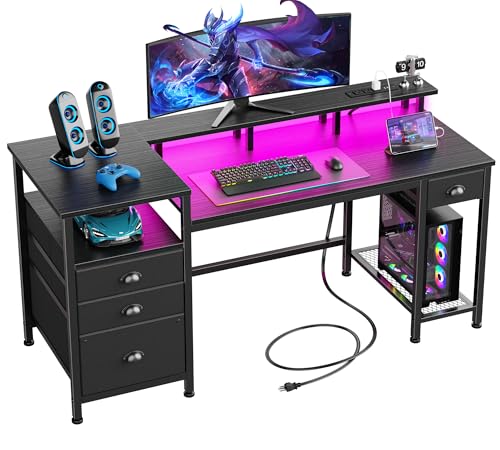

As an Amazon Associate we earn from qualifying purchases at no extra cost to you. Ratings are shown as listed on Amazon.
Quick comparison: which drawer type fits your setup?
| Drawer type | Typical usable dimensions | Typical capacity | Mounting style | Best for |
|---|---|---|---|---|
| Shallow under-desk drawer | 40–60 cm wide × 20–35 cm deep × 4–8 cm high | 5–10 kg | Screws into the underside | Controllers, remotes, cables, notebooks |
| Lockable under-desk drawer | 30–45 cm wide × 25–35 cm deep × 5–10 cm high | 5–12 kg | Screws or clamp brackets | Small electronics, documents, shared rooms |
| Clamp-on drawer | 30–50 cm wide × 20–30 cm deep × 5–10 cm high | 3–8 kg | Clamps to the desktop edge | Renters and desks that cannot be drilled |
| Freestanding drawer unit | 35–45 cm wide × 45–60 cm deep × 65–75 cm high | 15–40 kg per unit, depending on construction | Stands beside the desk | Large storage without losing knee clearance |
1. Best overall: a shallow screw-mounted under-desk drawer
A shallow screw-mounted drawer is the strongest all-round solution for a gaming desk. It keeps frequently used items within reach, does not consume floor space, and can be positioned away from the center of the desk so your knees remain clear.
Look for a drawer around 45–55 cm wide, 25–30 cm deep, and no more than 7–8 cm high. That is enough room for two controllers, a headset, charging cables, a gamepad adapter, and small accessories without turning the drawer into a heavy storage bin.
Check the mounting hardware before buying. A drawer attached with four or more screws through a substantial metal bracket is preferable to a thin plate with two small fasteners. The desktop should be at least 18 mm thick for ordinary wood screws, and particleboard desks benefit from pilot holes to reduce the risk of stripped mounting points.
Clearance target
Measure from the floor to the underside of the desktop, then subtract your chair’s highest knee position. For a comfortable setup, aim for at least 5 cm of open space between your knees and the drawer. If the drawer is 6 cm high, install it so its bottom is at least 5 cm above your knees. A desk with 70 cm of underside height may comfortably accept a drawer, while a compact 72 cm desk with a thick desktop, keyboard tray, or crossbar may not.
2. Best for renters: a clamp-on drawer
Clamp-on drawers avoid drilling and are useful when the desk is rented, shared, or made from a material that should not be punctured. They attach to the front or side edge of the desktop, so they are easier to remove than screw-mounted models.
The trade-off is stability. A clamp concentrates force on a narrow section of the desktop, and the drawer can wobble when opened. Choose a model with two widely spaced clamps, rubber contact pads, and a stated desktop-thickness range that includes your desk.
Clamp-on designs also take some desktop-edge space. Avoid mounting one directly below a large mousepad if the clamp interferes with its edge, and leave room for the drawer to open fully without striking your chair arms.
When not to use a clamp-on drawer
- Do not use one on a glass desktop unless the manufacturer specifically approves that surface.
- Avoid desks with a beveled or rounded front edge if the clamp cannot sit flat.
- Do not exceed the stated capacity, because the load pulls outward as the drawer opens.
3. Best for maximum storage: a freestanding drawer unit
A freestanding unit is the better choice when you need to store full-size keyboards, controllers, manuals, cables, streaming equipment, and stationery. It does not reduce legroom beneath the desktop, but it uses floor space and may limit where you can place your chair.
The IKEA ALEX drawer unit is a familiar example of this category. Its approximately 36 × 58 × 70 cm footprint fits beside many rectangular desks, although the unit’s exact suitability depends on the desk’s height and the width of the available side gap. It is more practical for general storage than for keeping a single controller immediately at hand.
For a gaming setup, place a freestanding unit on the side opposite your mouse hand if possible. This keeps cables and drawers away from wide mouse movements. If you use a sit-stand desk, leave a cable loop between the desk and the unit so the desk can rise without pulling the drawer or connected devices.
4. Best for a sit-stand desk: a low-profile mounted drawer
Height-adjustable desks need extra care. A drawer mounted underneath moves with the desk, while a freestanding unit stays on the floor. That makes an under-desk drawer the simpler option, but only if the lifting mechanism has enough capacity for the added weight.
Calculate the additional load instead of guessing. For example:
- Empty drawer: 2.5 kg
- Two controllers: about 0.6 kg total
- Headset and stand: about 0.8 kg
- Cables and adapters: about 1.0 kg
- Total: about 4.9 kg
That total is below a 10 kg drawer rating, but it is also added to the desk frame. Keep at least 30 percent spare capacity, so a practical target for this load is a drawer and desk system rated for 7 kg or more. Avoid storing heavy power bricks or hard drives overhead if doing so pushes the drawer near its limit.
Decision matrix for common gaming desks
| Your situation | Recommended choice | Minimum useful specification | Main warning |
|---|---|---|---|
| Standard 120–160 cm desk with open underside | Shallow screw-mounted drawer | 45 cm width, 25 cm depth, 5 kg capacity | Keep it outside the knee centerline |
| Rental desk or no-drill setup | Clamp-on drawer | Two clamps, rubber pads, compatible edge thickness | Check for wobble and front-edge interference |
| Desk with a rear crossbar | Side-mounted drawer or freestanding unit | Drawer depth shorter than the clear space | Measure the obstruction, not just desktop depth |
| Electric sit-stand desk | Low-profile mounted drawer | At least 30% spare load capacity | Check frame, cable, and monitor-arm limits |
| Many peripherals and documents | Freestanding drawer unit | 35–45 cm width and 65–75 cm height | Protect chair and cable clearance |
How to measure before buying
- Measure the clear underside. Record the width between frame rails, the front-to-back depth, and the lowest obstruction, including brackets and cable trays.
- Measure your seated knees. Sit in your normal gaming position with the chair at its usual height. Measure from the floor to the top of your knees.
- Mark the drawer footprint. Use painter’s tape under the desk. Sit down, move the chair, and check whether your legs or chair arms touch the marked area.
- Check the opened position. A drawer that is 30 cm deep needs at least that much clear space in front of it when fully extended.
- Check the surface and fasteners. Verify whether the desk is solid wood, laminated particleboard, metal, or glass, and use only a mounting method approved for that material.
Features worth paying for
- Full-extension runners: These let you reach the back of the drawer, where cables otherwise disappear.
- Soft-close hardware: Useful in shared rooms because it reduces slamming and protects small electronics.
- Removable organizers: Adjustable dividers are more useful than a single deep cavity for controllers and adapters.
- Ventilation: Choose ventilation slots if you intend to store a charging hub, but do not use a drawer as an enclosed home for a hot power supply.
- Cable access: A rear cutout can route charging cables, but keep the power strip outside the drawer unless the product is specifically designed for electrical equipment.
Final buying recommendation
For most gamers, choose a 45–55 cm wide, 25–30 cm deep under-desk drawer rated for at least 5 kg, and install it slightly off-center with 5 cm or more of knee clearance. Choose a clamp-on model when drilling is impossible, a low-profile drawer for a sit-stand desk, and a freestanding unit when storage volume matters more than keeping everything within arm’s reach. General market prices commonly range from about $25–$70 for simple mounted drawers, $50–$120 for sturdier lockable or full-extension versions, and $80–$200 for larger freestanding units, depending on materials and hardware.