Key takeaways
- Single monitor arm: needs at least 20″ of usable desktop depth to avoid the monitor sitting too close to your face when extended.
- Dual or triple monitor arms: need 24″+ of depth, since the crossbar and counterweight arm take up space even when fully retracted.
- Underdesk cable trays or keyboard trays: need 2″-4″ of vertical clearance underneath the desktop plus enough depth that the tray doesn’t collide with your legs or a desk support beam.
What's inside
Most gaming desk accessories fail for one of three reasons: the desk’s edge is too thick or too thin for the clamp, the desktop doesn’t have enough depth behind the monitor for the arm’s mounting bracket to clear your keyboard, or the particleboard core can’t hold screw-in hardware under sustained load. Before buying anything, measure your desk’s edge thickness, usable depth, and material, because those three numbers decide which accessories will actually work.
As an Amazon Associate we earn from qualifying purchases at no extra cost to you.



The three measurements that determine compatibility
Gaming desk accessories almost never fail because of brand or price. They fail because of a mismatch between the product’s mounting range and the desk’s physical properties. Grab a tape measure and check these before adding anything to your cart.
1. Edge thickness (for clamp-mount gear)
Monitor arms, headset hooks, and cable trays that use a C-clamp or grommet mount list a clamp range, usually something like 0.4″-2.5″ (10-64mm). Most desks fall between 0.7″ and 1.5″, but glass desks, slatted desks, and some standing desks with rounded edges fall outside common ranges. If your desk’s edge is under 0.6″ or over 2.75″, you’ll need a grommet-only mount or a freestanding desk-clamp alternative instead of a C-clamp.
2. Desktop depth behind the mount point
This is the measurement people skip and regret. A monitor arm needs clearance between the back edge of the desk and the point where the arm’s post rises, plus room for the arm to swing without hitting a wall or your keyboard tray. As a rule of thumb:
- Single monitor arm: needs at least 20″ of usable desktop depth to avoid the monitor sitting too close to your face when extended.
- Dual or triple monitor arms: need 24″+ of depth, since the crossbar and counterweight arm take up space even when fully retracted.
- Underdesk cable trays or keyboard trays: need 2″-4″ of vertical clearance underneath the desktop plus enough depth that the tray doesn’t collide with your legs or a desk support beam.
If your desk is a compact 24″ deep model, a dual-monitor arm will likely push both screens closer to you than a fixed stand would, which defeats the point of buying one.
3. Material and core type
This is the one spec sheets never mention, because the accessory maker doesn’t know what desk you own. Desks fall into three practical categories:
- Solid wood or plywood core: holds screws and clamp pressure well. Safe for heavy monitor arms, underdesk PC mounts, and screwed-in cable organizers.
- MDF with laminate veneer: dense enough for most clamps and light screw-in hardware, but repeated tightening/loosening of a clamp can compress the surface over time.
- Hollow-core particleboard (common in budget flat-pack desks): this is where accessories fail. Particleboard crumbles around screw threads under lateral load, and C-clamps can crack the thin top layer if over-tightened. Avoid screw-mounted monitor arms and heavy underdesk trays on these desks; use clamp-on accessories with wide, rubberized clamp pads instead, and never exceed the low end of the weight rating.
Weight ratings: how to actually calculate your real load
A monitor arm rated for “up to 32 lbs” means the combined weight of everything mounted on it, not just the monitor. People forget to add the weight of mounting VESA plates, cable clips, and in some cases a second accessory piggybacked onto the arm (like a webcam mount or light bar).
Worked example for a dual-monitor setup:
- Two 27″ monitors at ~14 lbs each = 28 lbs
- VESA mounting hardware and crossbar adapter = ~2 lbs
- Clip-on light bar sometimes added to the arm = ~1.5 lbs
Total load: roughly 31.5 lbs. An arm rated for exactly 32 lbs is cutting it close, especially since manufacturer ratings assume ideal clamp tension and a desktop that doesn’t flex. On a thinner particleboard desk, effective holding capacity drops by roughly 15-20% because the clamp can’t bite as hard without risking surface damage. In that scenario, you want an arm rated for at least 40 lbs to have real headroom.
Decision matrix: matching accessories to your desk
| Your desk situation | Safe to use | Avoid |
|---|---|---|
| Solid wood/plywood, 1″-1.5″ edge, 28″+ deep | Heavy dual/triple monitor arms, screwed-in cable trays, underdesk PC mounts | None of note; this is the ideal case |
| Laminate/MDF, 0.75″-1.25″ edge, 24″-28″ deep | Single or dual monitor arms rated 25-35 lbs, clamp-on cable trays, grommet headset hooks | Triple-monitor arms (depth usually too shallow), heavy screw-in PC mounts |
| Hollow particleboard, thin laminate top | Lightweight clamp-on organizers, freestanding monitor stands, under-desk cable sleeves (no screws) | Any screw-mounted arm or tray, heavy clamp-on monitor arms, grommet mounts needing a drilled hole |
| Glass desktop | Grommet-free clamp arms rated for glass (check for rubberized, wide-jaw clamps), freestanding stands | Standard C-clamps without rubber padding (risk of cracking), any drilled grommet mount |
| Desk depth under 24″ | Fixed monitor stands, single-arm mounts set close to the base | Dual/triple arms, deep underdesk keyboard trays |
Best gaming desk accessories in 2026 by category
With the compatibility groundwork covered, here’s what’s worth buying in each category and the spec class that matters most for each.
Monitor arms
Gas-spring arms in the 17-35 lb range cover most single and dual 27″-32″ monitor setups and usually cost $60-$150. For ultrawide or 34″+ curved monitors, look for arms explicitly rated 30-49 lbs, generally $120-$220. Always check the VESA pattern (100x100mm is standard, but 34″+ ultrawides often need 100×100 or 200×100 adapters).
Underdesk cable management trays
Clamp-on wire baskets or trays usually run $15-$40 and hold 5-15 lbs of cables and power bricks. On particleboard desks, pick a tray with a flat clamp plate rather than a narrow point-contact clamp to spread pressure across more surface area.
Headset hooks and controller stands
Clamp or grommet headset hooks ($10-$25) are low-risk on almost any desk since the load is under 3 lbs. These rarely fail unless the desk edge is outside the clamp’s range.
Desk mats and deskpads
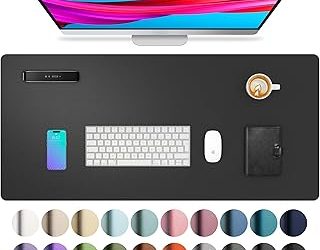
Full-desk mats (900mm or 1200mm wide, usually $25-$60) don’t involve mounting hardware at all, so they’re compatible with every desk material. The only measurement that matters here is desktop width and depth, since oversized mats will hang off the edges.
Underdesk PC mounts
These typically hold 15-25 lbs and bolt or clamp into the underside of the desk. This is the single riskiest accessory for particleboard desks, since the mount hangs the full weight of a PC case from screws or clamps pulling downward against a weak core. On particleboard, use a freestanding PC stand on the floor instead.
Quick pre-purchase checklist
- Measure edge thickness at the exact spot you’ll clamp, not just the front edge (some desks taper).
- Measure usable depth from the back edge to where your keyboard normally sits.
- Identify your desk core: tap the underside near the edge; a dull, hollow sound usually means particleboard, a solid knock usually means plywood or MDF.
- Add up total mounted weight, not just the monitor’s listed weight, and leave at least 20% headroom versus the accessory’s rating.
- For particleboard desks, favor clamp-on accessories with wide rubber pads over anything requiring screws into the desktop.