Key takeaways
- Target Frame Rate: Decide if you prioritize 60 FPS for immersive AAA titles or 144+ FPS for competitive esports. Higher refresh rates demand more powerful GPUs.
- VRAM: For 1440p gaming, 12GB of VRAM is the current sweet spot, ensuring smooth performance with high-resolution textures and complex scenes. 16GB offers even more future-proofing.
- Ray Tracing Performance: If real-time ray tracing is a must-have for you, prioritize NVIDIA GeForce RTX cards or AMD Radeon RX cards with strong RT capabilities.
- Power Consumption and PSU: Ensure your existing power supply unit (PSU) can handle the wattage requirements of your chosen GPU, and check for sufficient PCIe power connectors.
- Monitor Compatibility: Pair your GPU with a monitor that can take advantage of its capabilities. Look for FreeSync or G-SYNC compatibility and resolutions/refresh rates that match your GPU’s output.
What's inside
Stepping up your gaming experience to 1440p is a sweet spot for many PC enthusiasts, offering a significant visual upgrade over 1080p without demanding the absolute bleeding edge of hardware that 4K requires. This resolution strikes a fantastic balance between graphical fidelity and smooth frame rates, making it ideal for competitive and immersive gaming alike. But with so many options on the market, finding the best GPU to power your 1440p adventures can feel overwhelming. We’ve scoured the latest offerings to bring you a curated list of top-tier graphics cards that will dominate at this popular resolution.
Whether you’re aiming for ultra-high refresh rates in esports titles or maxed-out settings in the latest AAA blockbusters, the right GPU can transform your gaming. Let’s dive into the contenders that are built to deliver exceptional 1440p performance in 2026.
As an Amazon Associate we earn from qualifying purchases.


⚡ Save on Your Next PC — Amazon Prime
Prime members get fast free shipping on the systems above, plus early access to Prime Day & Black Friday PC deals. New members get a 30-day free trial.
Watch: Best GPU for 1440p Gaming — Video Review
How to Choose
- Target Frame Rate: Decide if you prioritize 60 FPS for immersive AAA titles or 144+ FPS for competitive esports. Higher refresh rates demand more powerful GPUs.
- VRAM: For 1440p gaming, 12GB of VRAM is the current sweet spot, ensuring smooth performance with high-resolution textures and complex scenes. 16GB offers even more future-proofing.
- Ray Tracing Performance: If real-time ray tracing is a must-have for you, prioritize NVIDIA GeForce RTX cards or AMD Radeon RX cards with strong RT capabilities.
- Power Consumption and PSU: Ensure your existing power supply unit (PSU) can handle the wattage requirements of your chosen GPU, and check for sufficient PCIe power connectors.
- Monitor Compatibility: Pair your GPU with a monitor that can take advantage of its capabilities. Look for FreeSync or G-SYNC compatibility and resolutions/refresh rates that match your GPU’s output.
The Best Picks Reviewed
ASUS TUF Gaming NVIDIA GeForce RTX 5070 12GB GDDR7 OC Edition Graphics Card
The ASUS TUF Gaming GeForce RTX 5070 is a powerhouse designed for sustained high performance. Its OC Edition ensures you’re getting a factory overclock for an extra boost out of the box. With 12GB of GDDR7 memory and support for PCIe 5.0, it’s built for the latest gaming demands. The robust 3.125-slot design, military-grade components, and protective PCB coating speak to its durability and longevity, while the Axial-tech fans keep temperatures in check even during extended gaming sessions. This card is an excellent choice for pushing 1440p to its limits with high refresh rates and demanding graphical settings.
MSI GeForce RTX 4070 Super 12G Ventus 2X OC Gaming Graphics Card
The MSI GeForce RTX 4070 Super 12G Ventus 2X OC offers a compelling blend of performance and value for 1440p gaming. Its 12GB of GDDR6X memory and efficient architecture provide excellent frame rates in most titles at this resolution. The dual TORX 4.0 fans ensure effective cooling, keeping the card running optimally without excessive noise. While it may not boast the absolute highest clock speeds out of the box compared to some enthusiast models, its solid performance and reliable cooling make it a fantastic option for gamers looking for a significant upgrade without breaking the bank.
KOTIN Prebuilt Gaming PC RTX 5070 12GB
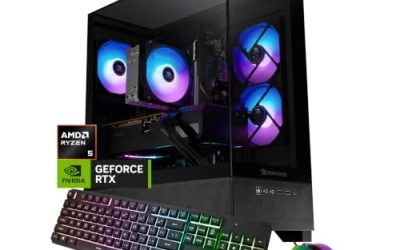
For those who prefer a hassle-free upgrade path or are building a new system entirely, the KOTIN Prebuilt Gaming PC featuring an RTX 5070 is a superb option. This prebuilt rig bundles the potent RTX 5070 GPU with a capable AMD Ryzen 7 9700X processor, 32GB of fast DDR5 RAM, and a speedy 1TB SSD. This combination ensures that the GPU is not bottlenecked and that your games load quickly and run smoothly. It’s an excellent turnkey solution for achieving stellar 1440p gaming performance right out of the box.
ASUS TUF Gaming 27” 1440P HDR Monitor (VG27AQ3A)
While not a GPU, a monitor is critical to realizing the full potential of your graphics card. The ASUS TUF Gaming VG27AQ3A is a 27-inch 1440p monitor that excels at 1440p gaming. With a 180Hz refresh rate and 1ms response time, it’s perfect for fast-paced games. Its Fast IPS panel provides excellent color accuracy (130% sRGB) and wide viewing angles, while HDR support adds depth and vibrancy to your visuals. Features like Extreme Low Motion Blur Sync and FreeSync Premium/G-SYNC compatibility ensure smooth, tear-free gameplay, making it a perfect partner for a capable GPU.
ASUS ROG Strix 26.5” 1440P QD-OLED Gaming Monitor (XG27ACDNG)
For the ultimate visual experience at 1440p, the ASUS ROG Strix XG27ACDNG QD-OLED monitor is a game-changer. Its 26.5-inch QD-OLED panel delivers stunning contrast, vibrant colors (99% DCI-P3), and incredibly fast response times of 0.03ms. The blistering 360Hz refresh rate is unmatched for competitive gaming, and G-SYNC compatibility ensures a flawless experience. While this monitor is a premium investment, when paired with a top-tier GPU, it offers an unparalleled 1440p gaming experience, showcasing games with breathtaking clarity and fluidity.
Frequently Asked Questions
What is the best GPU for 1440p gaming if I have a budget of $500?
If your budget is around $500, you’ll likely be looking at cards like the NVIDIA GeForce RTX 4070 or the AMD Radeon RX 7800 XT. These GPUs offer excellent performance for 1440p gaming, capable of delivering high frame rates in most titles, especially with some settings adjustments in the most demanding games.
Do I need a 144Hz monitor for 1440p gaming?
While a 144Hz monitor is highly recommended for the best 1440p gaming experience, it’s not strictly necessary. If you primarily play slower-paced AAA titles and are content with 60 FPS, a 60Hz or 75Hz monitor will still provide a great visual experience. However, for competitive gaming and a smoother overall feel, a higher refresh rate monitor is a worthwhile investment.
How much VRAM is ideal for 1440p gaming in 2026?
For 1440p gaming in 2026, 12GB of VRAM is considered the current sweet spot. This is sufficient for most modern titles at this resolution with high texture settings. However, for maximum future-proofing and to ensure smooth performance in upcoming games that might utilize even more VRAM, 16GB is an even safer bet.
Can a GPU designed for 4K also handle 1440p gaming?
Absolutely. GPUs that are capable of 4K gaming will effortlessly handle 1440p. They will allow you to run games at ultra-high settings, potentially with ray tracing enabled, and achieve very high frame rates, often exceeding 144 FPS, making them excellent choices if your budget allows for them and you want the absolute best performance and longevity at 1440p.
Final Thoughts
For a superb all-around 1440p gaming experience, the ASUS TUF Gaming NVIDIA GeForce RTX 5070 12GB GDDR7 OC Edition Graphics Card stands out as a top contender, offering incredible performance and robust build quality. If you’re looking for a slightly more budget-conscious but still highly capable option, the MSI GeForce RTX 4070 Super 12G Ventus 2X OC Gaming Graphics Card delivers excellent value. And for those who want to pair their powerful GPU with a truly spectacular display, the ASUS ROG Strix 26.5” 1440P QD-OLED Gaming Monitor (XG27ACDNG) will redefine your visual expectations.