
Key takeaways
- Resolution and Frame Rate: Match the card’s capture ceiling to your content. If you stream at 1080p60, any card here will suffice, but if you game at 4K144 and want zero-latency passthrough to your monitor, prioritize HDMI 2.1 models like the Elgato 4K X.
- Latency and Passthrough: Console gamers need near-zero-latency loop-out so gameplay feels unaffected. Verify the card supports true passthrough rather than software-based mirroring, which adds visible delay.
- Connectivity: USB 3.0 is the minimum for stable 1080p60 capture. USB 3.2 Gen 2 or USB-C options, such as the acer capture card, future-proof your setup and reduce cable clutter on compact desks.
- Software Compatibility: Confirm native OBS, Streamlabs, or XSplit support out of the box. Every card in this guide works with OBS, but some require no driver installation at all, which saves setup headaches.
- Budget vs. Longevity: A sub-thirty-dollar card handles casual streaming fine, but if you plan to upgrade to 4K capture or add a second camera within a year, investing in a mid-range or premium model now avoids buying twice.
For most streamers, the Elgato 4K X is the best overall capture card thanks to its HDMI 2.1 support, 4K144 passthrough, and ultra-low latency, while the acer USB 3.0 HDMI Capture Card is the strongest runner-up for buyers who want brand reliability and dual USB-C/Type-A connectivity without a premium price tag.
Choosing between a dedicated streaming PC build and a plug-and-play capture card setup trips up thousands of new and intermediate streamers every month. You need to balance resolution, latency, console compatibility, and budget without overpaying for features you will never use. This guide cuts through the noise by comparing five proven capture cards across performance, connectivity, and value so you can build the right streaming rig the first time.
Our top picks



As an Amazon Associate we earn from qualifying purchases at no extra cost to you. Ratings are shown as listed on Amazon.
🛒 Best Price Today on Amazon
Prime members get fast, free shipping on everything above, plus member-only deals. New members get a 30-day free trial — cancel anytime.
Quick Comparison
| Product | Best For | Standout Feature | Rating |
|---|---|---|---|
| Elgato 4K X | High-end console and PC streaming | HDMI 2.1 with 4K144 VRR passthrough | 4.7 / 5 |
| 4K HDMI Video Capture Card (USB 3.0) | First-time streamers on a tight budget | Plug-and-play 1080p60 at an entry-level price | 4.3 / 5 |
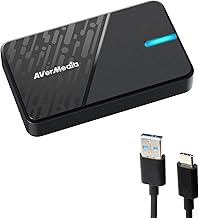
| acer USB 3.0 HDMI Capture Card | Streamers wanting brand trust and flexibility | Dual USB Type-A and Type-C ports with 4K loop-out | 4.5 / 5 |
| XIIXMASK Video Capture Card | PS5 and Switch players adding audio capture | Dedicated audio-video capture with 4K HDMI loop-out | 4.4 / 5 |
| 4K HDMI Capture Card with Loop-Out (USB 3.0) | Multi-device and camera streaming setups | Broad compatibility across six platforms with 4K passthrough | 4.3 / 5 |
How to Choose a/an Streaming PCs vs Capture Card Setups Buying Guide
- Resolution and Frame Rate: Match the card’s capture ceiling to your content. If you stream at 1080p60, any card here will suffice, but if you game at 4K144 and want zero-latency passthrough to your monitor, prioritize HDMI 2.1 models like the Elgato 4K X.
- Latency and Passthrough: Console gamers need near-zero-latency loop-out so gameplay feels unaffected. Verify the card supports true passthrough rather than software-based mirroring, which adds visible delay.
- Connectivity: USB 3.0 is the minimum for stable 1080p60 capture. USB 3.2 Gen 2 or USB-C options, such as the acer capture card, future-proof your setup and reduce cable clutter on compact desks.
- Software Compatibility: Confirm native OBS, Streamlabs, or XSplit support out of the box. Every card in this guide works with OBS, but some require no driver installation at all, which saves setup headaches.
- Budget vs. Longevity: A sub-thirty-dollar card handles casual streaming fine, but if you plan to upgrade to 4K capture or add a second camera within a year, investing in a mid-range or premium model now avoids buying twice.
The Best Streaming PCs vs Capture Card Setups Buying Guides Reviewed
Best Overall: Elgato 4K X
The Elgato 4K X is built for streamers who refuse to compromise on image quality or latency, delivering HDMI 2.1 passthrough at 4K144 with VRR and HDR10 alongside up to 1080p240 capture over USB 3.2 Gen 2. It is the clear choice for competitive console players and PC streamers who need broadcast-grade performance without a dedicated capture PC.
Best Budget: 4K HDMI Video Capture Card (USB 3.0)
This compact 1080p60 capture device is ideal for first-time streamers who want reliable HDMI-to-USB capture for Xbox, PS5, or a camera without spending more than a dinner out. It pairs seamlessly with OBS and requires no drivers, making it the lowest-friction entry point into streaming.
Best Premium: acer USB 3.0 HDMI Capture Card
Acer’s capture card earns the premium label by combining 4K HDMI loop-out, low-latency audio-video capture, and both USB Type-A and Type-C connections in one compact body. It suits streamers who switch between a laptop and desktop or want a recognized hardware brand backing their setup.
Best for Console Gamers: XIIXMASK Video Capture Card
Designed with PS5 and Switch players in mind, the XIIXMASK card handles dedicated audio-video capture alongside 4K HDMI loop-out so your headset audio and game sound stay perfectly synced in OBS. Console streamers who record commentary over gameplay will appreciate the clean signal separation.
Best for Multi-Device Setups: 4K HDMI Capture Card with Loop-Out (USB 3.0)
With stated compatibility spanning PS5, PS4, Switch, Xbox, PC, cameras, and OBS, this card is the practical pick for creators who rotate between console sessions, camera feeds, and screen recording throughout the week. Its 4K HDMI loop-out ensures your gaming monitor never loses resolution while you capture.
Frequently Asked Questions
Do I need a dedicated streaming PC if I use a capture card?
Not necessarily. A single mid-range PC running OBS can handle both gameplay and encoding when paired with a hardware capture card, because the card offloads the HDMI signal processing. A second PC only becomes worthwhile if you game at ultra settings and stream at 1080p60 simultaneously on a demanding title.
Will a budget capture card add noticeable input lag to my gameplay?
Quality budget cards with true HDMI loop-out introduce zero added latency to your gaming monitor because the signal passes straight through. Lag only appears on the recorded or streamed feed, typically one to two frames, which viewers will not perceive.
Can I use these capture cards with a VR headset?
Yes, provided your headset outputs an HDMI or USB-C DisplayPort signal. Cards like the Elgato 4K X and the acer model handle mixed-reality passthrough feeds cleanly, letting you stream VR gameplay to Twitch or record sessions for YouTube without extra hardware.
Is USB 3.0 enough, or do I need USB 3.2 for 1080p streaming?
USB 3.0 delivers 5 Gbps of bandwidth, which comfortably supports uncompressed 1080p60 capture. USB 3.2 Gen 2 becomes important only when you capture at 1080p240 or plan to run 4K60 capture in the future, as seen on the Elgato 4K X.
Final Thoughts
If you want the single best streaming capture card available today, the Elgato 4K X is unmatched in passthrough quality and future-proofing. For streamers who value brand reliability and dual-port flexibility at a fair price, the acer USB 3.0 HDMI Capture Card is the smartest mid-range investment. And if you are testing the streaming waters for the first time, the budget 4K HDMI Video Capture Card gets you live in minutes without breaking the bank.





