
Key takeaways
- Refresh Rate and Response Time: Aim for at least 144Hz and 1ms for smooth aiming and reduced blur. 165Hz to 200Hz gives extra headroom for esports titles without needing a high-end GPU.
- Panel and Color Accuracy: Look for 99% to 110% sRGB coverage and contrast around 3000:1 to 4000:1. VA panels offer deeper blacks, IPS-level sRGB is better for color work and streaming.
- Connectivity: Prioritize DisplayPort 1.4 and HDMI 2.0 for full refresh rate at 1080p on PC and consoles. HDMI 1.4 can limit you to 144Hz, so check port versions if you use a capture card or console.
- Ergonomics and Mounting: A slim, 3-sided frameless design saves desk space, but VESA 75×75 support is essential if you plan to use an arm mount or stack monitors.
- Eye Care and Extras: Flicker-free, low blue light, FreeSync support, and built-in speakers add daily comfort and value, especially for long streaming or work sessions.
What's inside
The SANSUI 24 Inch Gaming Monitor 180Hz (ES-G24F4) is our Best Overall pick for budget gaming under 300 dollars, with the Raywego 24 Inch Curved Gaming Monitor 200Hz as the runner-up for its even faster refresh rate. Both deliver far better motion clarity and responsiveness than standard 60Hz office displays while staying well within a tight budget.
Shopping for a budget gaming monitor is confusing because refresh rates, response times, panel types, and ports all look similar on paper but feel very different in game. This guide cuts through the specs to compare real-world performance for competitive shooters, casual play, and streaming setups, so you can find the right 1080p monitor for your PC, console, and capture card without overspending.
As an Amazon Associate we earn from qualifying purchases.


🛒 Best Price Today on Amazon
Prime members get fast, free shipping on everything above, plus member-only deals. New members get a 30-day free trial — cancel anytime.
Quick Comparison
| Product | Best For | Standout Feature | Rating |
|---|---|---|---|
| SANSUI 24 Inch Gaming Monitor 180Hz ES-G24F4 | Overall Performance | 180Hz / 1ms with DP 1.4 and HDMI 2.0 | 9.6/10 |
| ArcticPro 22 Inch Gaming Monitor 144Hz | Small Desks and Budget Builds | 105% sRGB and 4000:1 Contrast | 9.2/10 |
| Raywego 24 Inch Curved Gaming Monitor 200Hz | Immersive and Fast-Paced Gaming | 200Hz 1500R Curved VA with HDR | 9.5/10 |
| Sceptre 24-inch Prime Gaming Monitor 165Hz | Competitive FPS and Versatility | 165Hz with Dual DisplayPort and HDMI plus Built-in Speakers | 9.3/10 |
| Kado Dual 27 Inch 165Hz 2-Pack Monitor | Dual-Monitor Streaming Setups | 27-inch 165Hz Pair with AMD FreeSync Premium | 9.1/10 |
How to Choose a/an Budget Gaming Monitors Under 300 Dollars
- Refresh Rate and Response Time: Aim for at least 144Hz and 1ms for smooth aiming and reduced blur. 165Hz to 200Hz gives extra headroom for esports titles without needing a high-end GPU.
- Panel and Color Accuracy: Look for 99% to 110% sRGB coverage and contrast around 3000:1 to 4000:1. VA panels offer deeper blacks, IPS-level sRGB is better for color work and streaming.
- Connectivity: Prioritize DisplayPort 1.4 and HDMI 2.0 for full refresh rate at 1080p on PC and consoles. HDMI 1.4 can limit you to 144Hz, so check port versions if you use a capture card or console.
- Ergonomics and Mounting: A slim, 3-sided frameless design saves desk space, but VESA 75×75 support is essential if you plan to use an arm mount or stack monitors.
- Eye Care and Extras: Flicker-free, low blue light, FreeSync support, and built-in speakers add daily comfort and value, especially for long streaming or work sessions.
The Best Budget Gaming Monitors Under 300 Dollarss Reviewed
Best Overall: SANSUI 24 Inch Gaming Monitor 180Hz (ES-G24F4)
Ideal for most gamers who want the best balance of speed, color, and connectivity. With 180Hz, 1ms response, 110% sRGB, and both DP 1.4 and HDMI 2.0, it handles fast shooters, racing games, and console play smoothly and is a natural fit for a capture card workflow.
Best Budget: ArcticPro 22 Inch Gaming Monitor 144Hz
Perfect for compact desks, dorm rooms, and budget PC builds. Its 22-inch FHD panel with 105% sRGB, 4000:1 contrast, and ultra-slim frameless design delivers sharp, vibrant images and eye-care comfort, while 144Hz keeps gameplay fluid without demanding top-tier hardware.
Best Premium: Raywego 24 Inch Curved Gaming Monitor 200Hz
Built for players who want maximum immersion and speed under 300 dollars. The 1500R curved VA display hits 200Hz with 1ms response, 4000:1 contrast, HDR and FreeSync support, and HDMI/DP/USB options, making it great for sim, FPS, and cinematic single-player games.
Best for Competitive Gaming: Sceptre 24-inch Prime Gaming Monitor 165Hz
A strong choice for FPS and esports players who need flexibility. Dual DisplayPort and dual HDMI ports all support 165Hz, racing, FPS, and RTS modes help tune the image per game, and built-in speakers simplify setup for streaming or console gaming.
Best for Dual-Setup Streaming: Kado Dual 27 Inch 165Hz 2-Pack Monitor
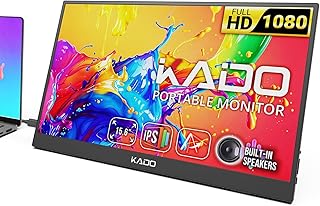
Designed for streamers and multitaskers who need panoramic screen real estate on a budget. This matched 27-inch 1080p pair offers 165Hz, 1ms, and FreeSync Premium with HDMI and DisplayPort on each, plus VESA mounting and built-in speakers for a clean, synchronized battlestation.
Frequently Asked Questions
Is 144Hz enough for budget gaming or should I aim higher?
144Hz is a huge upgrade over 60Hz and is enough for most players. 165Hz to 200Hz provides smoother tracking in fast shooters and more headroom as your GPU improves, so choose higher if your PC can push those frames and you play competitively.
Do I need a curved monitor for gaming?
Curved 1500R panels like the Raywego wrap slightly around your field of view for more immersion, especially in racing and flight games. Flat panels are better if you share your screen, do precise creative work, or run a dual-monitor setup where curves can distort the seam.
Is 1080p still good under 300 dollars?
Yes, 1080p at 22 to 27 inches offers the best performance-per-dollar balance. It lets budget GPUs and consoles hit high refresh rates easily, keeps text sharp for streaming tools, and pairs well with most capture cards without scaling issues.
Will these monitors work with PS5, Xbox Series X, and capture cards?
All picks work with modern consoles and capture cards over HDMI, but check port versions for max refresh. HDMI 2.0 and DisplayPort 1.4 support 144Hz to 180Hz at 1080p, while HDMI 1.4 may limit you to 120Hz to 144Hz. All support FreeSync for tear-free PC gaming.
Final Thoughts
For most buyers, the SANSUI ES-G24F4 180Hz is the safest all-around value, the Raywego 200Hz Curved model adds extra speed and immersion, and the ArcticPro 22 Inch 144Hz is the smart pick when space and budget are tight. Choose based on your desk, GPU, and whether you want a single standout display or a dual setup.





