Key takeaways
- Switch type: Linear switches (red, yellow) are smooth and quiet for gaming; tactile switches give a bump that helps typing accuracy. At this price you’ll mostly see linears, so decide whether you type more than you game before committing.
- Hot-swap sockets: The single most valuable feature under $50. Hot-swap lets you replace a dead switch with a $3 spare instead of the whole keyboard, and lets you try different switch feels without soldering.
- Keycap material: Look for double-shot PBT. Cheaper ABS keycaps develop a greasy shine within a few months of heavy use and the legends can wear off. PBT stays matte and textured for years.
- Layout and size: Full-size keeps the numpad; TKL and 75% free up desk space for low-sensitivity mouse movement. A 75% board is the sweet spot if you want compactness without losing arrow keys and function row.
- Connectivity and polling: Wired USB is still the safest bet for latency at this price. If you want wireless, make sure the board offers a 2.4GHz dongle rather than Bluetooth alone — BT adds noticeable input lag for competitive play.
What's inside
Sub-$50 mechanical keyboards used to mean membrane-feel switches, mushy stabilizers, and keycaps that went shiny within a month. That’s no longer true, but the budget tier has become crowded enough that the opposite problem now applies: dozens of near-identical boards with similar spec sheets, wildly different build quality, and marketing that leans hard on RGB rather than typing feel. Picking blind is how you end up with a keyboard that sounds hollow, rattles on every spacebar press, and can’t be repaired when a switch fails.
This guide cuts through that. We’ve focused on boards that genuinely land under $50 at typical street prices in 2026 — not ones that only qualify during a flash sale — and judged them on the things that actually matter day to day: switch quality, keycap material, stabilizer tuning, and whether the board can be serviced or upgraded later. Below you’ll find our top picks, a short buying checklist, and answers to the questions that come up most often from first-time mechanical buyers.
As an Amazon Associate we earn from qualifying purchases.








⚡ Save on Your Next PC — Amazon Prime
Prime members get fast free shipping on the systems above, plus early access to Prime Day & Black Friday PC deals. New members get a 30-day free trial.
Watch: Best Mechanical Keyboard Under $50 — Video Review
How to Choose Mechanical Keyboard Under $50
- Switch type: Linear switches (red, yellow) are smooth and quiet for gaming; tactile switches give a bump that helps typing accuracy. At this price you’ll mostly see linears, so decide whether you type more than you game before committing.
- Hot-swap sockets: The single most valuable feature under $50. Hot-swap lets you replace a dead switch with a $3 spare instead of the whole keyboard, and lets you try different switch feels without soldering.
- Keycap material: Look for double-shot PBT. Cheaper ABS keycaps develop a greasy shine within a few months of heavy use and the legends can wear off. PBT stays matte and textured for years.
- Layout and size: Full-size keeps the numpad; TKL and 75% free up desk space for low-sensitivity mouse movement. A 75% board is the sweet spot if you want compactness without losing arrow keys and function row.
- Connectivity and polling: Wired USB is still the safest bet for latency at this price. If you want wireless, make sure the board offers a 2.4GHz dongle rather than Bluetooth alone — BT adds noticeable input lag for competitive play.
The Best Picks Reviewed
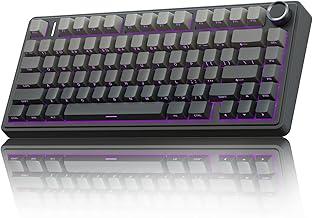
AULA F75 Pro Wireless
The most complete package on this list: a 75% gasket-mounted board with hot-swap sockets, pre-lubed Reaper switches, a volume knob, and triple connectivity via 2.4GHz, USB-C, and Bluetooth. The side-printed PBT keycaps and factory lubing give it a typing sound closer to $100 custom builds than anything else near this price.
Redragon Hot-Swappable Wired
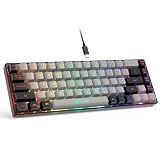
A straightforward wired board that gets the fundamentals right — hot-swappable red switches, double-shot PBT keycaps, and full anti-ghosting with 11 backlight modes. It’s the pick if you want the ability to swap switches later without paying for wireless features you won’t use.
Razer BlackWidow V4 X
Razer’s Yellow linear switches are light and fast with a short 1.2mm actuation point, which suits competitive shooters well, and the build quality is a clear step above generic budget boards. Just note that it usually sits at the very top of this budget, so buy it on discount rather than at list price.
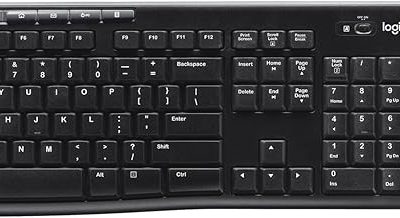
Logitech G413 SE
An unglamorous but reliable full-size board with tactile mechanical switches, PBT keycaps, and a brushed aluminium top plate — no RGB, just white backlighting and a solid chassis. Choose it if you value durability and a no-nonsense typing feel over customisation.
Redragon K580
The best choice if you want dedicated macro keys and a media wheel without leaving the budget tier, which is genuinely rare under $50. RGB per-key lighting and onboard macro storage round out a feature set that punches above its price, though the keycaps are the weakest part of the package.
Frequently Asked Questions
Are mechanical keyboards under $50 actually worth it?
Yes, provided you buy carefully. Budget boards in 2026 routinely include hot-swap sockets and PBT keycaps — features that cost twice as much a few years ago. What you give up is chassis rigidity, stabilizer tuning, and software polish, not core switch performance.
Is hot-swap worth prioritising at this price?
Absolutely. Switches are the most common failure point on cheap keyboards, and a hot-swap board turns a dead keyboard into a five-minute repair. It also lets you upgrade the feel of the board later for around $20 in switches rather than buying a new one.
Should I buy wireless or wired on a budget?
Wired is the safer choice if latency matters to you competitively, and it removes battery life from the equation entirely. If you do go wireless, insist on a 2.4GHz dongle — Bluetooth-only budget boards introduce enough lag to be noticeable in fast-paced games.
What size keyboard should a gamer choose?
If you play at low mouse sensitivity, a TKL or 75% layout frees up significant desk space and lets you angle the board more comfortably. Stick with full-size only if you regularly use the numpad for work or spreadsheets.
Final Thoughts
For most buyers, the AULA F75 Pro is the strongest overall value here — a hot-swappable, pre-lubed 75% board with a knob and wireless connectivity is a lot of keyboard for under $50. If you’d rather stay wired and prioritise long-term serviceability, the Redragon hot-swappable board covers the essentials without waste, and the Logitech G413 SE remains the pick for anyone who wants a durable full-size board with a tactile feel and no software to configure.