Key takeaways
- Interface and bandwidth: SATA III tops out around 550 MB/s; M.2 NVMe runs over PCIe lanes, delivering 3,500 MB/s on Gen3, ~7,400 MB/s on Gen4, and up to 14,700 MB/s on Gen5 drives like the Samsung 9100 PRO.
- Random performance: NVMe supports deep command queues and massively higher IOPS, which is what actually shortens level loads and shader compilation — not sequential throughput alone.
- DirectStorage and asset streaming: Modern engines decompress assets on the GPU and pull them on demand. NVMe feeds that pipeline; SATA becomes the limiting factor in dense open worlds.
- Form factor and installation: M.2 2280 drives screw flat onto the board with zero cabling. SATA needs a data cable, a power cable, and a drive bay.
- Thermals and power: SATA drives run cool and sip power. High-end Gen4 and Gen5 NVMe drives generate real heat and benefit from a motherboard heatsink or airflow.
- Cost per terabyte: SATA still edges out NVMe at high capacities, but at the 2TB sweet spot the difference is now small enough that speed wins the argument.
What's inside
Storage is the one component gamers still get wrong. You can spend a fortune on a GPU and CPU, then bottleneck the whole experience with a drive that stalls during texture streaming or takes 40 seconds to drop you into a lobby. In 2026 the decision comes down to two mature technologies: M.2 NVMe SSDs that plug directly into your motherboard’s PCIe lanes, and 2.5-inch SATA SSDs that connect over the same cable standard we’ve used for two decades.
The gap between them has never been wider. SATA is hard-capped at roughly 550 MB/s — a ceiling it hit years ago and will never exceed. Meanwhile, PCIe 4.0 drives push past 7,000 MB/s and the newest PCIe 5.0 models are approaching 15,000 MB/s. With DirectStorage now standard in major engines and open-world titles streaming assets continuously rather than loading them in one lump, that raw bandwidth finally translates into something you can feel. Here’s how the two stack up, and which drives are worth your money.
As an Amazon Associate we earn from qualifying purchases.



⚡ Save on Your Next PC — Amazon Prime
Prime members get fast free shipping on the systems above, plus early access to Prime Day & Black Friday PC deals. New members get a 30-day free trial.
Watch: M.2 vs SATA SSD: Which to Choose in 2026? — Video Review
Quick Verdict
M.2 NVMe is the correct choice for essentially every gaming build in 2026 — it’s faster, takes up no case space, needs no cables, and the price premium over SATA has shrunk to near-nothing at popular capacities. SATA SSDs remain useful in exactly two scenarios: expanding an older system whose M.2 slots are full or absent, and adding cheap bulk storage for a library of games you rarely touch. If you’re building new or upgrading a machine from the last six years, buy NVMe.
Key Differences
- Interface and bandwidth: SATA III tops out around 550 MB/s; M.2 NVMe runs over PCIe lanes, delivering 3,500 MB/s on Gen3, ~7,400 MB/s on Gen4, and up to 14,700 MB/s on Gen5 drives like the Samsung 9100 PRO.
- Random performance: NVMe supports deep command queues and massively higher IOPS, which is what actually shortens level loads and shader compilation — not sequential throughput alone.
- DirectStorage and asset streaming: Modern engines decompress assets on the GPU and pull them on demand. NVMe feeds that pipeline; SATA becomes the limiting factor in dense open worlds.
- Form factor and installation: M.2 2280 drives screw flat onto the board with zero cabling. SATA needs a data cable, a power cable, and a drive bay.
- Thermals and power: SATA drives run cool and sip power. High-end Gen4 and Gen5 NVMe drives generate real heat and benefit from a motherboard heatsink or airflow.
- Cost per terabyte: SATA still edges out NVMe at high capacities, but at the 2TB sweet spot the difference is now small enough that speed wins the argument.
M.2 NVMe SSDs
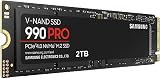
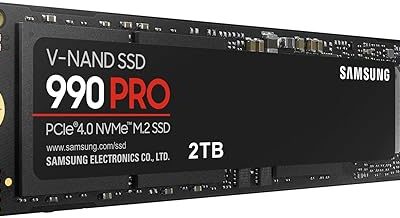
For a flagship gaming rig, the Samsung 990 PRO 2TB remains the benchmark Gen4 drive — around 7,450 MB/s reads, excellent sustained write behavior, and firmware that holds up under long installs and video capture. If your board supports PCIe 5.0, the Samsung 9100 PRO 2TB roughly doubles that ceiling at 14,700 MB/s, though it demands proper cooling and the real-world gaming gains over a good Gen4 drive are modest today. It’s a buy for content creators and future-proofers rather than pure gamers.
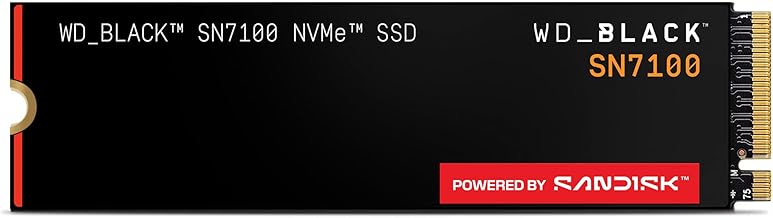
Value is where NVMe has gotten genuinely exciting. The WD_Black SN7100 2TB is the efficiency standout, hitting 7,250 MB/s while running cool enough for handhelds and thin laptops — an obvious Steam Deck or ROG Ally upgrade. The Crucial P310 2TB delivers around 7,100 MB/s at a lower price by using a DRAM-less design that leans on host memory buffer, and the Samsung 990 EVO Plus 2TB splits the difference with Gen4 x4 and Gen5 x2 compatibility. For older Gen3 boards, the Silicon Power 2TB NVMe is a sensible pick: it can’t saturate a Gen4 slot, but it’s still six times faster than SATA.
SATA SSDs
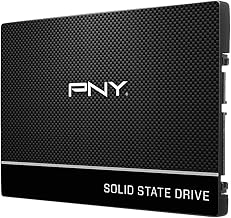
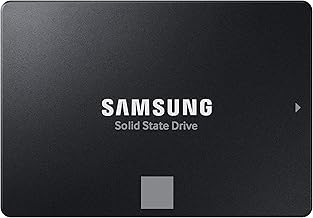
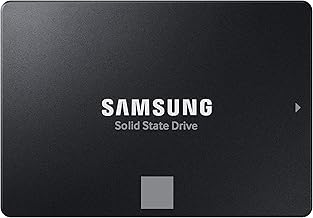
Don’t write SATA off entirely. It’s the most compatible storage standard in existence — every desktop and most laptops from 2010 onward will accept a 2.5-inch drive without a BIOS update or an adapter. For someone reviving an older machine, or filling a case with 4TB and 8TB drives for an archive of installed games, SATA is still the pragmatic answer. Loading a title from SATA in 2026 is fast; it’s just not as fast.
The catch is that SATA is a dead-end road. It receives no new development, its ceiling won’t move, and it’s increasingly excluded from the optimizations that make modern games feel snappy. Buying a SATA SSD as the primary boot and game drive for a new build in 2026 means deliberately giving up performance to save a few dollars — a trade that no longer makes sense.
Which Should You Buy?
- For a high-end gaming build: the Samsung 990 PRO 2TB, or the 9100 PRO if your board is PCIe 5.0 and you also create content.
- For handhelds and gaming laptops: the WD_Black SN7100 2TB, thanks to its low power draw and cool operation.
- For the best price-to-performance: the Crucial P310 2TB or Samsung 990 EVO Plus 2TB.
- For an older Gen3 motherboard: the Silicon Power 2TB NVMe — don’t overpay for bandwidth your slot can’t use.
- For cheap bulk library storage: a large SATA SSD as a secondary drive alongside a smaller NVMe boot drive.
Frequently Asked Questions
Will an M.2 SSD really make my games load faster?
Yes, though not linearly with the spec sheet. Expect meaningful reductions in load times versus SATA — often 30–50% in DirectStorage-enabled titles — plus far fewer texture pop-in stutters in open-world games. Gen4 to Gen5 gains are much smaller.
Are all M.2 drives NVMe?
No. Some older M.2 drives use the SATA protocol and are limited to 550 MB/s despite the identical-looking form factor. Check the listing for “NVMe” and “PCIe,” and confirm your motherboard slot supports it.
Do I need a heatsink?
For Gen4 drives, a motherboard heatsink is recommended but rarely mandatory. For Gen5 drives like the 9100 PRO, active or substantial passive cooling is genuinely required to avoid throttling.
Is PCIe 5.0 worth it for gaming in 2026?
Not on its own. Gen5 shines in creative workloads and AI tasks. For gaming alone, a top Gen4 drive delivers nearly identical results for less money and less heat.
Final Verdict
M.2 NVMe wins decisively for gaming in 2026 — the Samsung 990 PRO 2TB is the safe flagship pick, the Crucial P310 and 990 EVO Plus offer outstanding value, and the WD_Black SN7100 is the best choice for portable systems. Keep SATA in mind only for cheap secondary capacity or older hardware; for anything you actually play, put it on NVMe.