Key takeaways
- Switch type: Mechanical switches offer crisp feedback and durability, while advanced magnetic switches allow adjustable actuation. Membrane-style boards keep costs down.
- Actuation features: Magnetic switches enable features like rapid trigger and adjustable sensitivity, giving competitive players a genuine edge.
- Hot-swappable switches: Boards that let you swap switches without soldering make customization and repairs easy down the line.
- Connectivity: Wired guarantees zero latency, while wireless boards with 2.4GHz add flexibility. Some offer tri-mode connectivity for maximum versatility.
- Build and extras: PBT keycaps, a metal plate, RGB lighting, and features like a wrist rest or OLED display add durability and convenience.
What's inside
Choosing the right gaming keyboard means balancing switch feel, responsiveness, and features against your budget. From cutting-edge analog magnetic switches that let you fine-tune actuation to affordable RGB boards that cover the essentials, there is a keyboard for every kind of player and price point.
This roundup gathers the best gaming keyboards available, spanning premium wireless mechanical boards to value picks with mechanical-feel switches. Here is how to pick a keyboard that responds the way you want and holds up to countless intense sessions.
As an Amazon Associate we earn from qualifying purchases.


🎮 Get More From Your Setup — Free
Prime Gaming gives you free PC games every month, in-game loot, and a free Twitch channel sub — plus fast free shipping on all the gear above. New members get a 30-day free trial.
Watch: Best Keyboards For Gaming — Video Review
How to Choose a Gaming Keyboard
- Switch type: Mechanical switches offer crisp feedback and durability, while advanced magnetic switches allow adjustable actuation. Membrane-style boards keep costs down.
- Actuation features: Magnetic switches enable features like rapid trigger and adjustable sensitivity, giving competitive players a genuine edge.
- Hot-swappable switches: Boards that let you swap switches without soldering make customization and repairs easy down the line.
- Connectivity: Wired guarantees zero latency, while wireless boards with 2.4GHz add flexibility. Some offer tri-mode connectivity for maximum versatility.
- Build and extras: PBT keycaps, a metal plate, RGB lighting, and features like a wrist rest or OLED display add durability and convenience.
The Best Gaming Keyboards Reviewed
SteelSeries Apex Pro TKL Gen 3
The Apex Pro TKL Gen 3 is a flagship featuring OmniPoint analog magnetic switches with adjustable actuation, rapid trigger, and quick-set presets, plus an OLED display and PBT keycaps. Its per-key sensitivity tuning is a genuine competitive advantage. For players who want the most advanced, customizable typing and gaming experience, it is a top-tier choice.
AULA F75 Pro Wireless
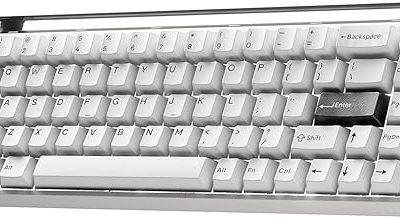
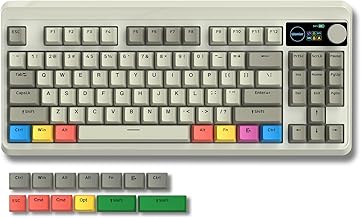
The AULA F75 Pro offers a 75% hot-swappable layout with a control knob, pre-lubed switches, PBT keycaps, and tri-mode connectivity via 2.4GHz, USB-C, and Bluetooth. Its custom feel and compact design appeal to enthusiasts who want a premium typing experience affordably. As a customizable wireless board, it delivers impressive value and flexibility.
SteelSeries Apex 3
The Apex 3 brings 10-zone RGB, IP32 water resistance, a premium magnetic wrist rest, and whisper-quiet gaming switches. It is a comfortable, durable board at a reasonable price, ideal for gamers who want reliability and comfort without going fully mechanical. The included wrist rest and spill resistance add welcome everyday practicality.
Logitech G213 Prodigy
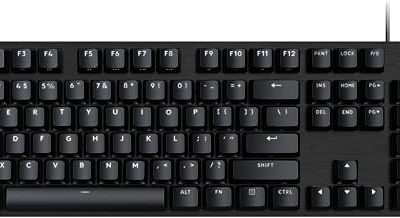
The wired Logitech G213 Prodigy uses mech-dome keys that feel snappier than standard membrane, adding a palm rest, media controls, and LIGHTSYNC RGB. It is spill-resistant and dependable, offering Logitech reliability at a budget price. For players who want a solid, comfortable board without mechanical costs, it remains a great value.
Redragon Mechanical Gaming Keyboard
This Redragon board delivers a true mechanical experience with hot-swappable red switches, 11 programmable backlit modes, anti-ghosting, and double-shot PBT keycaps. Its hot-swap capability and durable keycaps punch well above its price. For gamers who want genuine mechanical switches and customization on a budget, it is an outstanding pick.
Frequently Asked Questions
Are analog magnetic switches worth it?
For competitive players, yes. Magnetic switches enable adjustable actuation and rapid trigger, letting you fine-tune responsiveness. They cost more but offer a real performance edge.
What does hot-swappable mean?
Hot-swappable boards let you remove and replace switches without soldering, making it easy to customize the feel or replace a faulty switch. It adds flexibility and longevity.
Do I need PBT keycaps?
PBT keycaps resist the greasy shine that ABS develops over time and last longer. They are a genuine durability upgrade, though casual users may not always notice the difference.
Is wireless good enough for gaming?
Modern 2.4GHz wireless boards offer latency indistinguishable from wired for the vast majority of players. Wired still guarantees the lowest latency for the most competitive use.
Final Thoughts
The best gaming keyboard depends on your priorities. The SteelSeries Apex Pro TKL Gen 3 leads for cutting-edge adjustable switches, while the AULA F75 Pro offers customizable wireless value. The Apex 3 and Logitech G213 deliver comfort and reliability affordably, and the Redragon board brings hot-swappable mechanical switches on a budget. Match switch type and features to your play style, and your keyboard will keep up with every match.