Key takeaways
- Nine business laptops sorted by processor class, from Core Ultra 7 and Ryzen 7 down to N150, with spec checks, red flags and a CPU-to-workload table.
The best laptop processor for business is a mid-range chip, such as a Core Ultra 5, Core i5 H-series or Ryzen 5, because it handles spreadsheets, video calls and dozens of browser tabs without the heat or cost of a top-tier part. Choose a Core Ultra 7 or Ryzen 7 for heavy multitasking, and treat N150, Pentium and Core m chips as entry-level. The nine laptops below are sorted by the processor named in each listing, from strongest to lightest.
Nine business laptops, ranked by processor class
As an Amazon Associate we earn from qualifying purchases at no extra cost to you.



- ThinkPad E16 (Core Ultra 7 255H) – best for sustained heavy multitasking
- ThinkPad T14 Gen 6 (Ultra 7 255U) – best for travelling professionals who want a 14-inch business machine
- Lenovo V15 Ryzen 7, 40GB – best for memory-hungry office work, if the configuration checks out
- HP 17-inch (Ryzen 5 7430U) – best large-screen laptop with 32GB and 1TB
- Dell Pro 14 (Core Ultra 5 235U) – best for a managed-fleet style Windows 11 Pro setup
- Lenovo V15 Gen 4 (Core i5-13420H) – best mid-tier value with Ethernet
- VIGSENUP 15.6 (Pentium Gold 6500Y) – best for very light travel use
- NAIKLULU 15.6 (M3-6Y30) – best avoided unless Windows 11 support is confirmed
- HP 14 Business (N150) – best for the lightest tasks only
| Model | Processor (seller title) | RAM / storage | Best for |
|---|---|---|---|
| ThinkPad E16 | Core Ultra 7 255H | 32GB DDR5 / 1TB + 500GB HDD | Heavy multitasking |
| ThinkPad T14 Gen 6 | Ultra 7 255U, 12-core | 32GB / 1TB | Travel, security |
| Lenovo V15 (Ryzen 7) | Ryzen 7 (model not stated) | 40GB / 1TB | Large workloads |
| HP 17-inch | Ryzen 5 7430U | 32GB / 1TB | Big-screen office work |
| Dell Pro 14 | Core Ultra 5 235U, 12-core | 16GB DDR5 / 512GB | Managed business use |
| Lenovo V15 Gen 4 | Core i5-13420H | 16GB / 512GB | Mid-tier value |
| VIGSENUP 15.6 | Pentium Gold 6500Y, dual-core | 16GB / 256GB | Light travel use |
| NAIKLULU 15.6 | M3-6Y30 | 16GB / 256GB | Basic tasks |
| HP 14 Business | Intel N150, quad-core | 4GB / 128GB UFS + SD | Lightest use |
The laptops, from strongest chip to lightest
Lenovo ThinkPad E16 with Core Ultra 7 255H, 32GB DDR5, 1TB SSD
The top processor class here. The title lists a 16-inch display, a Core Ultra 7 255H, 32GB DDR5, a 1TB SSD and a 500GB external HDD, with a backlit keyboard, aimed at work and data analysis. The “H” suffix marks the performance class rather than the low-power “U” class, so expect higher sustained speed in exchange for more heat and less battery life.
The title does not state an operating system, so confirm Windows 11 Pro before buying. The external HDD is an add-on, not internal storage, and the warranty on a bundled drive may differ. Before ordering, find the exact graphics and port list in the specification table, because a 16-inch chassis normally has room for HDMI and USB-A, but the title lists none of them.
- Pros: H-class Core Ultra 7; 32GB DDR5; 1TB internal SSD.
- Cons: operating system not stated; bundled external drive muddies the storage total; 16-inch size is bulky.
Who it’s for: analysts and developers who run big spreadsheets or multiple virtual machines.
Who should skip it: frequent flyers who value light weight over raw speed.
Lenovo ThinkPad T14 Gen 6 with Ultra 7-255U, 32GB RAM, 1TB SSD
The title lists a 14-inch FHD+ display, an Ultra 7-255U (12-core), 32GB RAM, a 1TB SSD, a backlit keyboard, a fingerprint reader, a 5MP webcam, two Thunderbolt 4 ports and Windows 11 Pro. The “U” suffix means lower power and better battery behaviour than the H class, with less peak speed.
Two flags. First, the listed brand is a third-party seller, so this may be a seller-configured unit, and warranty terms could differ from a standard Lenovo order. Second, the title says “Copilot+ PC,” a label that requires a high-performance NPU; check Microsoft’s published list before relying on that claim. If you are buying for a company, ask the seller for an invoice that names the exact model, because order records matter for asset tracking and repairs.
- Pros: fingerprint reader; two Thunderbolt 4 ports; Windows 11 Pro.
- Cons: third-party seller; Copilot+ claim unverified; top-tier listing cost.
Who it’s for: consultants and managers who want a travel-friendly machine with strong security hardware.
Who should skip it: buyers who need a direct-from-brand warranty.
Lenovo V-Series V15 Business Laptop, Ryzen 7, 40GB RAM, 1TB SSD
The title shows a 15.6-inch FHD display, an AMD Ryzen 7 (the exact model is not stated), 40GB RAM, a 1TB SSD, a numeric keypad, HDMI, RJ45, a webcam, Wi-Fi and Windows 11 Pro. A Ryzen 7 beside this much memory suits heavy office work, but 40GB is an unusual amount, and it hints that the seller upgraded the module.
Ask who installed the memory, whether it is dual-channel and what the warranty says. The unnamed Ryzen 7 means you cannot judge generation or core count, so look up the specification table. A Ryzen 7 with 40GB would be well matched to a laptop that spends most of its life on a desk with an external monitor, where the RJ45 port and numeric keypad save a dock and a separate keyboard.
- Pros: 40GB RAM; RJ45 Ethernet port; numeric keypad.
- Cons: exact Ryzen model unknown; likely seller-modified memory; FHD only.
Who it’s for: data-heavy office workers on a desk.
Who should skip it: buyers who need a documented processor generation.
HP 17-inch FHD Business Laptop, AMD Ryzen 5 7430U, 32GB RAM, 1TB SSD
The listing describes a 17.3-inch FHD IPS display, an AMD R5 7430U, 32GB RAM, a 1TB SSD, Windows 11 Pro, a Copilot AI key, fast charging and Wi-Fi 6. It is the best large-screen option, and the Ryzen 5 U-series chip is a sensible mid-tier processor. The 32GB and 1TB are generous at this class.
A 17-inch laptop trades portability for screen space. Weight and battery size are not in the title. It is a desk-first laptop that can travel occasionally. U-series chips are designed for efficiency, so fan noise should stay low on routine work, though the title makes no promise about it. The Copilot key is a convenience, not a reason to buy.
- Pros: 17.3-inch IPS; 32GB and 1TB; Windows 11 Pro.
- Cons: bulky; battery and weight unstated; Wi-Fi 6, not newer.
Who it’s for: finance and operations staff who live in spreadsheets.
Who should skip it: anyone commuting daily with a small bag.
Dell Pro 14 PC14250 (Next Gen Latitude 3450), Core Ultra 5 235U
The title names a 14-inch FHD+ IPS display, a 12-core Intel Core Ultra 5 235U, 16GB DDR5, a 512GB SSD, Windows 11 Pro, a backlit keyboard and an RJ-45 port, in Silver. The seller labels it the next generation of the Latitude 3450, so the model name changed. Be careful to match the PC14250 code on Dell’s support pages.
It is a mainstream business spec: enough memory, a sensible drive and a commercial operating system. A U-series chip favors battery life over peak speed. Because the listing says Next Gen Latitude 3450, it may be sold under both names, so compare any accessory or dock compatibility against the PC14250 code. For an office that standardizes on one model, that single code makes later replacements easier to match.
- Pros: 12-core U-series; Windows 11 Pro; RJ-45 Ethernet.
- Cons: 16GB is the ceiling for heavy work; 512GB is modest.
Who it’s for: small-business staff who need a standard, manageable laptop.
Who should skip it: power users who want more than 16GB.
Lenovo V15 Gen 4 Business Laptop, Core i5-13420H, 16GB, 512GB
The title lists a 15.6-inch FHD display, a Core i5-13420H, HDMI, RJ45, a webcam, a numeric keypad, Wi-Fi, Windows 11 Pro and 16GB RAM with a 512GB SSD. It also says “(Beat i7-1355U),” a marketing comparison, not a specification. The H-class i5 is a performance part, so it is quicker than many U-class chips at sustained loads, but it also runs warmer.
Ignore the comparison line and look at the i5 name, the core count and the cooling reviews. This is a plain workhorse with ports in the right places. Full-size ports and a numeric keypad suit data entry, and Ethernet is still the most reliable connection in an office with crowded Wi-Fi. Read buyer comments on fan noise and battery life, since H-class chips run hotter than the U-class ones above.
- Pros: H-class i5; Ethernet and HDMI; Windows 11 Pro.
- Cons: older-generation chip; marketing claim in title; battery not stated.
Who it’s for: desk-bound office workers who want good value.
Who should skip it: light travelers who prioritize battery life.
VIGSENUP 15.6-inch Laptop, Pentium Gold 6500Y, 16GB RAM, 256GB SSD
This listing describes a dual-core 6500Y, “Pentium Gold” up to 3.4GHz, 16GB RAM, a 256GB SSD, USB-C and Wi-Fi 5, positioned as a travel laptop for business and students. No operating system is stated. A dual-core Y-series chip is built for low power, so it handles documents and browsing but struggles with heavier multitasking, regardless of the 16GB of memory.
Memory cannot rescue a slow processor. The unfamiliar brand also means you should read the return and support terms. A 256GB drive is workable for a thin-client style of work with cloud files, but it fills quickly once you add Office, a browser cache and a few client folders. If you want a USB-C charger, confirm whether the box includes one.
- Pros: 16GB RAM; USB-C; light-use friendly.
- Cons: dual-core; no operating system named; Wi-Fi 5.
Who it’s for: occasional document and email work.
Who should skip it: anyone running video calls with other apps open.
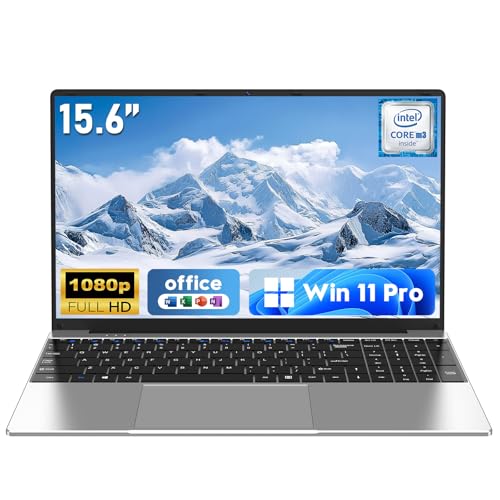
NAIKLULU 15.6-inch Laptop, M3-6Y30, 16GB RAM, 256GB SSD, Win 11 Pro
The title lists Windows 11 Pro, a 15.6-inch 1920 x 1080 display, 16GB RAM, a 256GB SSD, an M3-6Y30 processor, Wi-Fi 5, Bluetooth 4.2 and a 5000mAh battery. The M3-6Y30 looks like a sixth-generation Core m chip, and Windows 11 generally lists eighth-generation Intel or newer as its supported hardware. Check Microsoft’s supported-processor list before paying.
The “2026” in the title is a label, not a hardware generation. Bluetooth 4.2 and Wi-Fi 5 are also dated, which can cause trouble with modern wireless headsets and conference-room equipment. The 5000mAh figure is a seller claim and is not a runtime.
- Pros: 16GB RAM; stated battery capacity; FHD display.
- Cons: old processor class; Windows 11 support questionable; dated wireless.
Who it’s for: a throwaway second laptop, if support is confirmed.
Who should skip it: any business user who needs updates and security support.
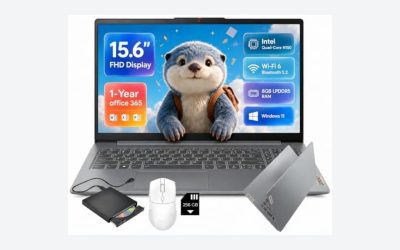
HP 14-inch Business Laptop, Intel N150, 4GB RAM, 640GB (128GB UFS + 512GB SD Card)
The title shows a 14-inch laptop with one year of Office 365, an Intel quad-core N150, 4GB RAM, Windows 11 Home, earphones and “640GB” of storage. That total adds 128GB of internal UFS and a 512GB SD card, so the internal drive is only 128GB. Home edition lacks Pro features such as BitLocker, and the “business” label does not change the hardware.
It is the lightest tier on the list: fine for email and web forms, weak for multitasking. Running Windows from 128GB of UFS storage is slower than from an SSD, and a card in the SD slot is easy to lose or remove. Treat the earphones and Office subscription as extras that do not change the core hardware.
- Pros: Office 365 for a year; quad-core N150; low entry cost.
- Cons: 4GB RAM; storage total inflated; Windows 11 Home.
Who it’s for: a basic spare laptop for email and forms.
Who should skip it: any real business workload.
How we picked these
We collected nine Amazon laptop listings that match business use and sorted them by the processor named in each title, then read every title for memory, storage, display, ports and operating system. Specs come only from those titles; missing facts are marked “check the listing”. We drew on manufacturer documentation for processor families and on general buyer-review themes. Nobody on the team used or measured these units. Seller-configured listings, inflated storage totals and marketing comparisons are flagged rather than corrected, and no model gets a battery or weight figure that its title does not provide.
Choosing a processor for business work
Reading the processor name
Intel Core Ultra and AMD Ryzen names carry suffixes. “U” generally means low power and long battery life, “H” means higher power and more sustained speed, and “Y” means very low power for thin designs. Core count matters, but a 12-core U chip is not automatically faster than an 8-core H chip. Always compare generation, suffix and cores together. AMD names work similarly: the Ryzen 5 7430U is a U-class part, and the 7000 series number tells you roughly where it sits in AMD’s range, but only the specification table gives real core counts and clock speeds. Intel’s newer Core Ultra naming adds a separate NPU for AI tasks, which matters for Copilot features but not for basic office work.
Which tier fits which job
| Business workload | Processor tier | Listings that fit |
|---|---|---|
| Email, web apps, forms | N150, Pentium, Core m | HP 14, VIGSENUP, NAIKLULU |
| Spreadsheets, Teams or Zoom, 20+ tabs | Ryzen 5, Core i5 H, Core Ultra 5 | HP 17, Lenovo V15 Gen 4, Dell Pro 14 |
| Virtual machines, large datasets, light editing | Core Ultra 7, Ryzen 7 | ThinkPad E16, T14, Lenovo V15 Ryzen 7 |
RAM and storage
Sixteen gigabytes is the practical target for a business laptop that will last several years; 32GB suits virtual machines. Four gigabytes is a handicap on Windows 11. Choose at least 512GB of internal SSD if you store client files locally, and avoid counting SD cards or external drives toward that total. Check whether the memory is a soldered or a slotted module; in a business setting, a slot lets IT add capacity later, while soldered memory means you must decide at purchase time.
Operating system and security
Windows 11 Pro adds BitLocker, Remote Desktop host and domain join for managed fleets. Home lacks them. A fingerprint reader, an IR camera and a TPM chip add security; look for them in the specification table. For related laptop buying guidance, see our list of best CPU laptops and our Windows 11 PC laptop buyer guide.
Display, ports and battery
FHD is fine for office work; FHD+ (taller) gives more room for documents. Ethernet and HDMI ports help in conference rooms and offices. Battery life is not stated in any title except the NAIKLULU’s 5000mAh claim, so check watt-hours in the specification table before assuming a full workday.
Warranty and seller
Business laptops need support. Brand-direct or authorized-reseller sales usually carry standard warranty terms. Third-party configured units may not. Keep the invoice. Ask whether the warranty includes on-site or next-business-day service, since those options are usually what business buyers need rather than basic depot repair. Check how long the manufacturer promises BIOS and driver updates for the model.
Mistakes buyers make with business laptops
- Buying on the gigahertz figure. “Up to 3.4GHz” on a dual-core Y-series chip says little about real speed.
- Counting external storage as internal. SD cards and external HDDs inflate totals in two titles here.
- Ignoring Windows 11 compatibility. Older Core m chips may not be supported.
- Assuming “business” means business hardware. A label on a title is not a spec.
- Taking comparison claims at face value. “Beat i7-1355U” is marketing.
- Skipping Pro. Home edition lacks BitLocker and domain join.
- Paying for a bigger CPU than the job needs. A mid-range chip with 16GB beats a top-tier chip with 4GB.
- Forgetting the seller. A reconfigured unit sold by a third party may not carry brand warranty terms.
Verdict
For most businesses, the Dell Pro 14 with Core Ultra 5 235U or the HP 17 with Ryzen 5 7430U gives the right balance of speed, memory and manageability. Choose the ThinkPad E16 or T14 if you need top-tier processing. Treat the N150, Pentium and Core m listings as light-duty only, and confirm seller terms on any third-party configured unit. Match the chip to the heaviest thing you do each week, not the busiest day of the year.
Related guides
- Motherboard Io Panel And Back Connectors Explained
- Motherboards For Intel Core I7 14700K
- Budget Laptop For Working From Home
Frequently asked questions
What is the best laptop processor for business use?
For most office work, a current mid-range chip such as a Core Ultra 5, Core i5 H-series or Ryzen 5 is the sweet spot, because it handles spreadsheets, video calls and many browser tabs without the cost of a top-tier part. Choose a Core Ultra 7 or Ryzen 7 only if you edit video, run virtual machines or work with large datasets. Entry chips like the N150 suit light tasks.
Is Intel or AMD better for a business laptop?
Neither is better across the board. Both make capable office processors, and the right choice depends on the specific model, the cooling design and the price. Compare the exact chip name, core count and power class rather than the brand. Also check what the manufacturer offers for security features, management tools and warranty on the business line you are considering.
How much RAM does a business laptop need?
Sixteen gigabytes is the practical target for a laptop you will use for several years, because modern browsers, Teams or Zoom, and office suites use a lot of memory together. Eight gigabytes is the minimum for light use. Four gigabytes, which appears on one listing here, is only enough for a single task at a time.
Does a business laptop need Windows 11 Pro?
Pro adds features that matter to companies and some freelancers, including BitLocker drive encryption, Remote Desktop host support and domain join for managed fleets. Home is fine for personal-style use. If your employer manages your device or you handle client data, Pro is the safer choice. Check the listing, because some titles here say Home.
Should I worry about a laptop sold by a third-party seller?
Be careful. Some listings are configured by the seller, with extra RAM, SSD or an external drive added, and warranty coverage can differ from the manufacturer’s standard terms. Look at the seller name, the return window and whether the warranty is from the brand or the reseller. Business laptops are best bought from sellers with clear support and invoice options.