Key takeaways
- Size of roughly 116 x 144 x 40.8 mm and weight of about 110 g, according to Nintendo
- USB-C port that charges the attached Joy-Con 2 controllers, with a cable included
- GL and GR buttons on the back that can be custom mapped
- Works only with Switch 2; not intended for other controller models or older versions
- Joy-Con 2 controllers are sold separately
The best Joy-Con 2 accessory for most Switch 2 owners is the Nintendo Joy-Con 2 Charging Grip. It turns the detachable Joy-Con 2 pair into a full-size handheld-style controller, includes mappable GL and GR buttons, and lets you recharge the controllers over USB-C, all without any question about fit or compatibility. If you would rather save money and still want a grip, the JEMDO and JSAUX magnetic charging grips offer the same basic idea from third parties, while the afbptek four-slot station is the smart buy for families with several Joy-Con 2 sets. Racing fans should look at the Nintendo Joy-Con 2 Wheel set, which slides your controllers into steering-wheel shells for motion-controlled driving. The key warning is that the Switch 2 Joy-Con uses a different connection from the original Joy-Con, so accessories for the first Switch will not fit. Always look for the words Switch 2 or Joy-Con 2 in the product name, and read the notes under each pick before you decide.
Top 3 Picks
Best Overall: Nintendo Joy-Con 2 Charging Grip
Nintendo’s own grip is the safest way to get a comfortable, pad-style hold on Joy-Con 2 controllers. It adds GL and GR buttons that can be custom mapped, charges the attached controllers through a USB-C cable and is built to the exact dimensions of the console’s connectors.
Best Value: JEMDO Ergonomic Magnetic Charging Grip
The JEMDO grip is sold for Switch 2 only, snaps on magnetically and comes with a USB-C cable and an LED indicator. Its textured anti-slip body and reinforced back support make it a practical alternative for anyone who does not need the first-party label.
Best for Families and Multiple Controllers: afbptek Four-Joy-Con Charging Station
The afbptek station holds four Joy-Con 2 controllers at once, shows charging status with an LED indicator and runs from USB power. It keeps two full sets topped up in one spot, which is ideal for living rooms with regular multiplayer sessions.
Quick Comparison
| Product | Best for | Key specs |
|---|---|---|
| Nintendo Joy-Con 2 Charging Grip | Best overall, first-party fit | Mappable GL/GR buttons, USB-C charging, about 110 g, Switch 2 only |
| JSAUX Magnetic Charging Grip | Magnetic grip with status lights | Magnetic attachment, LED charging indicator, cable included, Switch 2 JoyPads |
| YUYIU Charging Grip | Ergonomic grip option | Ergonomic design for Switch 2 Joy-Con; confirm button and power details |
| JEMDO Ergonomic Charging Grip | Textured, travel-ready value pick | Magnetic charger, USB-C cable, LED indicator, reinforced back support |
| Joy-Con Charging Dock and Grip 2-in-1 | One accessory for docking and gripping | Combined dock and grip design; confirm slot count and power input |
| SUPCASE Charging Dock (Black) | Desk charging with lighting | Dual-side charging, light modes, magnetic contact, USB-C power |
| afbptek Four-Joy-Con Charging Station | Families with several controllers | Four slots, LED indicator, USB powered |
| Nintendo Joy-Con 2 Wheel (set of 2) | Racing games with motion steering | Two wheel shells, no battery or cable, slides over Joy-Con 2 |
| Nintendo Switch 2 Joy-Con 2 Wheel Pair | Second route to the same wheel set | Official wheel pair for Joy-Con 2; confirm colors and contents |
| Nintendo Joy-Con 2 Wheel (set of 2), Renewed | Previously owned wheels | Same official design in refurbished condition; check seller terms |
How We Chose
This ranking comes from desk research. We read each listing name, the manufacturers’ published pages and widely reported details about how Joy-Con 2 controllers attach, charge and communicate. Then we scored the accessories on six criteria. Compatibility with Switch 2 came first, because the new Joy-Con connector is not interchangeable with the original. Next came charging approach, namely whether the accessory charges through a cable, a dock or its own battery. After that we looked at ergonomics and button access, build and attachment method, capacity for multiple controllers, and protective features such as overcurrent safeguards that manufacturers describe. We gave extra weight to accessories from Nintendo itself where they existed, and we flagged every case where the listing was thin so you know what to verify on the product page before ordering.
1. Nintendo Joy-Con 2 Charging Grip – Best for a Pad-Style Hold With Zero Guesswork
As an Amazon Associate we earn from qualifying purchases at no extra cost to you.
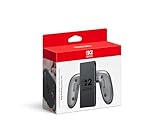
The Joy-Con 2 Charging Grip is the accessory that most closely answers the question of how to make detachable controllers feel like a proper gamepad. You slide a Joy-Con 2 into each side, and the pair becomes a single, wider controller with a comfortable handle. It is the right choice for docked play, for families who prefer a traditional hold over two loose halves, and for anyone who wants the confidence of first-party fit.
Key specs
- Size of roughly 116 x 144 x 40.8 mm and weight of about 110 g, according to Nintendo
- USB-C port that charges the attached Joy-Con 2 controllers, with a cable included
- GL and GR buttons on the back that can be custom mapped
- Works only with Switch 2; not intended for other controller models or older versions
- Joy-Con 2 controllers are sold separately
What it does well
The grip solves two common annoyances at once. First, it makes long sessions less tiring, because the larger handle spreads weight across your whole hand rather than pinching a narrow rail. Second, it keeps the controllers charged: plug in the USB-C cable and the attached Joy-Con 2 pair draws power while you keep playing. The extra GL and GR buttons are a quiet upgrade, since they let you place actions on the back of the handle in games that benefit from them. Because Nintendo designed the grip around its own connectors, fit and alignment are predictable, which is not always true for universal accessories.
It is worth understanding the limit as well. The grip is a connector and a handle, not a power bank. Nintendo describes it as charging the controllers through the USB-C cable, so you need a power source nearby and the pair is tethered while it charges. If you want cordless play with the controllers topped up in advance, you will use the grip purely as a comfort accessory and charge the Joy-Con 2 on the console or a dock between sessions. Also remember that it will not fit original Joy-Con.
Pros
- First-party design and fit
- Mappable GL and GR back buttons
- Charges attached controllers through USB-C
- Light enough for long sessions at about 110 g
- No compatibility guesswork
Cons
- No built-in battery, so charging needs a cable and a power source
- Works only with Switch 2 Joy-Con 2
- Joy-Con 2 controllers are not included
- Less storage or protection than case-style grips
Versus the nearest alternative
Third-party magnetic grips such as the JEMDO and JSAUX models borrow the same concept and often include a status light. They can be a more flexible, travel-friendly choice, but Nintendo’s version is the one to pick if you want guaranteed alignment and the mappable back buttons it advertises.
2. JSAUX Magnetic Charging Grip – Best for Snap-On Convenience With Status Lights

JSAUX is a well-known maker of console accessories, and this Magnetic Charging Grip targets Switch 2 JoyPads with a snap-on design. It is aimed at players who want a more comfortable grip without hunting for tiny rails, and who like seeing charge status at a glance. It suits docked players, couch gamers and anyone who switches between handheld-style and detached play frequently.
What the maker states
- Magnetic attachment that snaps the Joy-Con 2 into place
- LED indicators that show red while charging and green when charging is complete, according to JSAUX’s product information
- Charging cable included, listed at about 1.5 meters for the magnetic grip family
- No built-in battery in the magnetic charging grip; it passes power through from your cable
- Designed for Switch 2 Joy-Con 2 only
How it fits into your setup
Magnetic attachment is the main attraction. Instead of sliding rails with a click, the controllers meet the grip with a magnetic pull that aligns them. That can make everyday swaps faster, especially for younger players. The LED color change is a small but genuinely useful feature: you can tell at a glance whether the pair is topped up without opening the console menu. A cable of roughly a meter and a half is long enough to reach a wall adapter from the couch.
JSAUX also sells battery-equipped grip cases for Switch 2 with larger capacity, and the product pages for similar-looking accessories can be confusing. The listing for this item calls it a magnetic charging grip, which suggests a pass-through design rather than a power bank. Confirm on the product page whether the version you are buying includes a battery, whether it carries GL and GR style rear buttons, and what the warranty covers. Because we could not verify a rear-button feature for this specific model, we do not assume one.
As with any powered accessory, use a reputable USB power adapter that matches the rating in the instructions, avoid covering the grip while charging and stop using it if it becomes unusually warm, swells or the cable is damaged.
Pros
- Magnetic snap-on attachment
- LED charging indicator
- Long included cable
- Well-known accessory brand
- Light and simple
Cons
- Pass-through charging means no stored power
- Rear buttons not confirmed for this model
- Third-party accessory, so firmware or system updates could matter
- Similar JSAUX products have different features, which can confuse buyers
Versus the nearest alternative
Its closest competitor is the JEMDO grip, which also uses magnets and a cable. JEMDO emphasizes textured grip surfaces and a travel-ready body, while JSAUX leans on status lighting and brand recognition. Both sit below Nintendo’s grip in certainty but above it in some cases for flexibility.
3. YUYIU Charging Grip – Best for Shoppers Who Want an Ergonomic Alternative
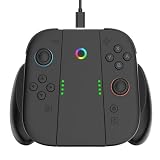
The YUYIU Charging Grip is a lesser-known entry in the accessory market, and its listing is brief: a charging grip for Nintendo Switch 2 Joy-Con with an ergonomic controller body. It suits shoppers who have already decided they want a third-party grip and are comparing designs, or who are looking for a plainer shape than premium-branded options.
What the listing tells us
- Charging grip designed for Nintendo Switch 2 Joycon
- Ergonomic controller grip body
- Third-party brand with limited public documentation
How to approach it
With limited detail available, treat the YUYIU grip as a candidate you must verify rather than a known quantity. The questions to ask are straightforward. How does it charge, and does it include a built-in battery or rely on a cable? Which connector does it use, and is the cable included? Does it have rear buttons, or only a handle? What do the dimensions and weight look like next to Nintendo’s roughly 110 g grip? Does the seller provide a warranty or return window? Answers to these questions are usually in the product images, the description and the question-and-answer section.
The ergonomic claim is plausible for any grip that gives your palms more surface than two bare Joy-Con 2 rails. If your hands are large, a wider body can reduce cramping during long sessions. If your hands are small, check the dimensions, since a very wide handle can be awkward. Magnet strength, port placement and cable quality are other details that vary widely between third-party makers and are worth confirming.
When using any unfamiliar charging accessory, stick to the supplied cable and a certified USB power adapter, do not charge unattended overnight on soft surfaces and stop using it if you notice heat, odor or swelling.
If you do buy it, compare the packaging contents with the listing straight away, test both Joy-Con 2 sides for a firm, even fit, and note the date so you can return it within the seller’s window if anything feels loose or fails to charge.
Pros
- Ergonomic grip body for Joy-Con 2
- Designed specifically for Switch 2
- Offers a third-party alternative to first-party hardware
- Simple concept that is easy to understand
Cons
- Little detail in the listing name, so more verification is needed
- Battery, rear buttons and cable specifics unconfirmed
- Less brand recognition than Nintendo or JSAUX
- Compatibility depends on exact fit with Joy-Con 2 connectors
Versus the nearest alternative
Compared with the JEMDO grip, which lists a USB-C cable, an LED indicator, a textured surface and reinforced back support, the YUYIU listing leaves more unanswered. If those details matter to you, JEMDO gives clearer information. If you find the YUYIU shape appealing and the product page answers your questions, it can still be a reasonable pick.
4. JEMDO Ergonomic Magnetic Charging Grip – Best Value Grip for Travel

The JEMDO grip is built for people who want a comfortable hold without paying for the extras of a larger case. The listing says it is for Nintendo Switch 2 only, describes a magnetic charger with a USB-C cable and LED indicator, and highlights a textured anti-slip surface with reinforced back support. It suits commuters, students and travelers who want something compact that goes in a bag without much fuss.
Key specs from the listing
- Designed for Nintendo Switch 2 Joy-Con 2 only
- Magnetic attachment with a USB-C charging cable included
- LED indicator for charging status
- Textured anti-slip surface and reinforced back support cover
- Marketed as travel-ready
- Manufacturer information describes strong magnets and a protection chip against overcharge, overvoltage, overcurrent and short circuits
Strengths
This is a compact accessory with sensible priorities. The textured surface helps if your hands get warm or you play in a moving vehicle, and the reinforced back means the shell is less likely to flex under pressure. Magnetic mounting makes it quick to attach and remove, and an LED indicator takes the guesswork out of charging. JEMDO states that the design is intended to work with the Joy-Con 2 even when protective cases are in use, which is helpful for people who already have covers on their controllers, though you should confirm compatibility with your specific case before buying.
The listed protection features are worth noting. A charging accessory that handles voltage and current safely is better than one that does nothing, though you should still treat the claim as a manufacturer statement. Pair it with a reputable USB power adapter and never leave the grip charging under a pillow or blanket.
Things to keep in mind
The listings we found do not describe a built-in battery, which suggests that the grip passes through power from a cable rather than storing its own. That means you need a power source if you want to charge while playing. Rear buttons are not mentioned either. It is a handle and a charger, not a customization tool. Because it is a third-party product, system updates and quality can vary, so keep your receipt in case of fit problems.
Pros
- Compact and travel-friendly
- Textured anti-slip body with reinforced back
- Magnetic attachment and LED indicator
- USB-C cable included
- Protection features described by the maker
Cons
- No stored power; needs a cable and power source
- No rear buttons mentioned
- Third-party quality and update considerations
- Case compatibility should be verified
Versus the nearest alternative
Compared with the JSAUX grip, JEMDO places more emphasis on grip texture and structural support, while JSAUX emphasizes status lights and brand familiarity. Against Nintendo’s grip, JEMDO gives up the mappable back buttons and first-party certainty but is easy to pack and easy to replace if it gets lost.
5. Switch 2 Joy-Con Charging Dock and Grip 2-in-1 – Best for Combining Two Jobs

A two-in-one accessory is appealing because it promises to cut down on clutter. This listing names a Switch 2 Joy-Con charging dock and grip in a single product, which suggests that the same hardware can hold the controllers for charging and also work as a handle when you play. It suits small spaces, dorm rooms and anyone who wants fewer separate accessories.
What the listing tells us
- Combines a charging dock with a grip in one product
- Designed for Switch 2 Joy-Con
- Brand and detailed specifications are limited in the listing name
How to evaluate a combo accessory
Combination products can be convenient, but they ask for compromises. A grip needs to be light and comfortable to hold, while a dock needs to be stable on a desk. When one product does both, one of the jobs is often done less well. Look at the photos to see how the controllers sit when docked: does the grip stand upright or lie flat, and can you remove the controllers with one hand?
Check the power details. A dock normally needs a USB-C or USB-A power source, and the listing should state the input rating and whether a cable is included. Look for LED indicators and, if you want to charge two controllers, confirm whether both sides charge at once. If the product also claims to charge while you play, look for a clear explanation of how power reaches the controllers during gameplay.
Because the description is brief, confirm the number of Joy-Con 2 it holds, whether it can charge a pair at once, whether any rear buttons are present and how the product handles heat. A well-designed charger should keep the controllers in contact with the connectors securely, and the listing should include a warranty or return policy. As always, use a certified power adapter and keep the accessory in a ventilated area while charging.
Also think about where it will live. A combined dock and grip is most convenient if you leave it plugged in on a desk and carry the grip portion only when you need it. If the two functions cannot be separated, you may find yourself unplugging cables more often than you expected.
Pros
- Two functions in one accessory
- Reduces desk clutter
- Designed for Switch 2 Joy-Con
- Good concept for small spaces
Cons
- Limited specification detail in the listing
- Combo designs can compromise on comfort or stability
- Slot count, power input and button details need confirmation
- Unknown brand support
Versus the nearest alternative
The SUPCASE dock is the closest dedicated option for desk charging, and it provides clearer specifications, including light modes and dual-side charging. If you want a separate, well-documented dock, SUPCASE is easier to evaluate. If you value the idea of one accessory doing both jobs, this combo product is worth considering as long as the product page answers the questions above.
6. SUPCASE Charging Dock for Joy-Con 2 – Best for Desk Charging With Lighting

SUPCASE is known for protective cases and console accessories, and its Charging Dock for Switch 2 Joy-Con is a desk-friendly station. The listing describes dual-side charging, a magnetic contact design, multiple light modes and USB-C power. It suits gamers who like a tidy shelf and want controllers topped up on a stand.
Key specs
- Magnetic charging contact for Switch 2 Joy-Con
- Dual-side charging, according to the listing
- Nine light modes with ambient lighting
- USB-C power input; a wall adapter may need to be supplied separately
- LED indicators for charging and full charge status
- Black finish
Strengths
A dedicated dock fixes the single biggest problem with detachable controllers: forgetting to charge them. Put the Joy-Con 2 on the stand when you finish playing, and they are ready next time. The magnetic mount makes placing and removing simple, and the lighting adds a bit of atmosphere that suits a gaming shelf. SUPCASE also sells a larger organizer variant that holds four controllers, game cards and the console dock, so check which version you are ordering.
Power draw matters. Because the dock takes a USB-C input, you can power it from a phone charger or a spare port. Use a reputable adapter that meets the rating in the instructions, and avoid daisy-chaining it through low-quality multi-port hubs that can reduce output. As an extra precaution, keep the dock on a hard, flat surface rather than a soft cushion, so heat can dissipate.
Things to keep in mind
Docks designed for original Joy-Con will not work with the Joy-Con 2, and the reverse is true. SUPCASE’s listing is specific to Switch 2, but double-check that the model you buy is for the Joy-Con 2. The lighting can be distracting in a dark room, though it can be turned off or changed according to the description. Also remember that a dock does not provide a grip; you still need a separate handle if you want to hold the controllers as a pad.
If your Joy-Con 2 wear a thin silicone skin, test the fit with one controller before relying on the dock overnight, since a skin can hold the magnetic contacts a fraction away from the pins. Placing the dock beside the console’s own charging spot also keeps things tidy, because the controllers always return to the same place.
Pros
- Clean desk charging with magnetic placement
- Dual-side charging described in the listing
- Light modes and status indicators
- Specific to Joy-Con 2
- Established accessory brand
Cons
- Power adapter may not be included
- Not a grip, so does not improve ergonomics
- Lighting may not suit everyone
- Does not hold more than the listed number of controllers
Versus the nearest alternative
The afbptek station holds four Joy-Con 2 controllers, making it better for households with several sets. The SUPCASE dock is more compact and visually polished, so it suits a single player or a couple who share one pair of controllers.
7. afbptek Four-Joy-Con Charging Station – Best for Households With Several Controllers

The afbptek charging station is the most capacity-focused accessory in this guide. The listing says it charges four Joy-Con controllers at once, shows status with an LED indicator and runs from USB power. It suits families, shared apartments and anyone who owns more than one pair of Joy-Con 2 and is tired of hunting for the one with a flat battery.
Key specs
- Four charging positions for Switch 2 Joy-Con L and R controllers
- LED indicator for charging status
- USB powered, so it can use an adapter, a console dock port or another suitable power source
- Designed for Switch 2 Joy-Con, not the original models
Strengths
The advantage here is simple: capacity. Two pairs of Joy-Con 2 can sit on the station at once, so one pair can be charging while another is in use. That rotation is a practical solution for multiplayer nights, where batteries seem to run down at the worst moments. With a single dedicated spot for controllers, they are also less likely to get lost between couch cushions.
Because four controllers share one power input, charging speed deserves thought. If a station takes a common 5-volt, 2-amp input, that is about 10 watts in total. Divided evenly across four Joy-Con, each gets roughly 2.5 watts when all four charge together, so a full set will take longer than a single controller on a dedicated charger. Charge them overnight rather than expecting a quick top-up, and use an adapter that meets the stated rating.
Things to keep in mind
The listing is short on dimensions and material details, so check photos for stability. A lightweight base can slide when you insert or remove controllers. Watch the LED behavior in the first few sessions so you understand the color meanings. Do not use the station with original Joy-Con, whose connectors are different. If the accessory feels hot, shows damage or charges inconsistently, unplug it and contact the seller.
A four-slot station is also a convenient way to keep family peace. Label which pair belongs to whom with small colored stickers, or place the station where the whole household can see the indicator lights, so nobody grabs a controller that is only partly charged. If you travel with the console, the station stays at home and the controllers go with you.
Pros
- Holds four Joy-Con 2 controllers
- LED status indicator
- USB powered and flexible about power source
- Keeps controllers in one place
- Good for multiplayer households
Cons
- Shared power can mean slower charging with four controllers
- Thin listing detail on materials and dimensions
- Not a grip or ergonomic aid
- Only works with Switch 2 Joy-Con
Versus the nearest alternative
The SUPCASE dock is smaller and has lighting, but it holds fewer controllers. If you own a single pair, SUPCASE is tidier. If you own two or more pairs, the afbptek station is the more practical choice.
8. Nintendo Joy-Con 2 Wheel (Set of 2) – Best for Racing With Motion Controls

The Joy-Con 2 Wheel set is a playful accessory aimed at racing games. Each wheel is a plastic shell that a Joy-Con 2 slides into, turning the small controller into a steering wheel you hold with both hands. It suits families, children and casual racers who enjoy motion steering, especially in games such as Mario Kart World that support the Joy-Con 2’s motion sensors.
Key specs
- Set of two wheel shells, one for each Joy-Con 2
- No battery, no cable and no electronics; the wheel is a passive shell
- Controller slides into the center, and you steer by tilting
- Designed for Joy-Con 2, not original Joy-Con
- Nintendo-made design in colors that match the controller set
Strengths
The wheels make motion steering easier to hold than a bare Joy-Con. A larger rim gives you something familiar to turn, which helps younger players who struggle with tiny controllers. Because the set contains two wheels, two players can race side by side with one controller each. With no power needed, there is nothing to charge and nothing to break aside from the plastic itself. It also stores flat in a drawer.
It is worth keeping expectations realistic. Motion steering is a different experience from analog stick control, and serious racers often prefer the precision of a stick. Reports from outlets that looked at the wheel describe it as a fun, casual accessory rather than a competitive tool. If you buy it for kids, treat it as a toy-like extra that makes racing more approachable.
Safety and care
Remove the controllers from the wheels before charging them on the console or a grip. Keep the wheels away from small children if they put objects in their mouths, and give players enough room to turn without hitting furniture or each other.
For the best experience, set up the wheel before the race rather than during it. Slide each Joy-Con 2 into its shell until it seats fully, check that the controller’s orientation matches the markings on the wheel, and spend one lap getting used to how far you need to tilt. Many players find that smaller, smoother turns work better than large swings. Allow some space between players so the wheels do not clash, and keep your wrists relaxed.
Pros
- Makes motion steering easier and more fun
- Two wheels in the set for two players
- No batteries or cables
- Official Nintendo design
- Great for younger or casual players
Cons
- Motion steering is less precise than a stick
- Only useful in games that support it
- Does not charge or protect the controllers
- Plastic construction can scratch
Versus the nearest alternative
The other two wheel listings in this guide are essentially the same idea. The practical difference between them is condition and the exact listing. The main alternative within charging accessories is a grip, which improves comfort for all games rather than just racing.
9. Nintendo Switch 2 Joy-Con 2 Wheel Pair – Best Alternate Route to the Official Wheels

This listing describes the Joy-Con 2 Wheel as a pair for the Nintendo Switch 2. It appears to be another route to the same official accessory covered above, and it is included because different listings can mean different stock and bundle options. It suits shoppers who have noticed the wheel set unavailable or out of stock elsewhere and want to compare a second listing.
What to check
- That the product is the official Nintendo wheel pair for Joy-Con 2
- Whether the two wheels are different colors, such as one light blue and one red
- Whether the box includes anything beyond the two shells
- Seller reputation and return terms
How to think about it
Since the listing name matches the official product, the main questions are logistical rather than technical. Does it arrive sealed? Is the seller the manufacturer or an authorized reseller? Are the wheels the correct generation? Because the Joy-Con 2 and original Joy-Con use different connectors and shapes, a wheel designed for one will not work with the other. Compare the images with the listing in the previous section and confirm the Joy-Con 2 wording before you order.
If you only play racing games occasionally, a single wheel pair is plenty for two players. If your family has frequent racing tournaments, you may also consider adding a grip so that the controllers are comfortable for other game types between races. For households with young children, remember that the wheels are passive plastic shells that do not charge the controllers, so you will still need a dock or charging grip.
It also helps to think about what else the household needs around the wheels. A set of wheels does nothing for battery life, so a charging dock or grip remains the sensible companion accessory. If you are buying as a gift, check that the recipient already owns two Joy-Con 2 controllers, since the wheels are shells rather than controllers, and consider whether the games you plan to play support motion steering. Not every racing game on the console uses tilt controls, and some give a better experience with a standard stick. When the wheels arrive, check each shell for cracks around the slot, confirm both Joy-Con 2 fit snugly and keep the packaging in case you need to return a damaged unit.
Pros
- Official wheel pair for Joy-Con 2
- Two wheels for two racers
- No charging or maintenance
- Easy to store
Cons
- Overlaps with the other wheel listings
- Contents and colors need confirmation
- Motion steering suits casual play more than competitive play
- Only compatible with Switch 2 Joy-Con
Versus the nearest alternative
Compared with the previous wheel set, nothing about the design changes; the difference is listing, availability and seller. Compared with the renewed listing below, this one is described as a standard pair, which may matter if you prefer a new item.
10. Nintendo Joy-Con 2 Wheel (Set of 2), Renewed – Best for Previously Owned Wheels
This listing is for the same official wheel design in renewed condition. Renewed items are previously owned units that have been inspected and resold, which can mean a more flexible buying option if new stock is limited. It suits shoppers who want to try motion steering without committing to a brand-new set, and families who do not mind minor cosmetic wear.
What renewed means
- The item has been owned before and resold after inspection by the seller
- Cosmetic condition varies, from like-new to visible scuffs
- Return and warranty terms depend on the seller or program
- The wheel is a passive shell, so functional risk is low compared with electronics
How to approach it
Because the wheel has no electronics, a renewed one is lower risk than a renewed controller or console. Still, check the condition grade in the listing, look for photos of the actual item where possible, and read the return terms. Make sure both wheels are included and that the Joy-Con 2 slots are not cracked or loose, since a worn slot can let the controller wobble during steering.
If the wheels arrive with scuffs, wipe them with a slightly damp cloth and let them dry, avoiding harsh cleaners that can cloud plastic. Keep them away from direct sunlight, which can fade or warp plastic over time. For anyone buying for children, a renewed set may be a practical way to introduce motion steering without worrying about scratches.
Another consideration is hygiene and storage history. Previously owned plastic can carry fingerprints, dust or pet hair, so give the shells a gentle clean as soon as they arrive. Look for any sign of discoloration, which might indicate prolonged sun exposure, and check that the two wheels match in condition, since a mismatched pair can feel uneven when you steer. Because the listing states that the item is renewed, read what the seller means by that term, including the inspection process, cosmetic grade and length of any warranty. If those details are vague, a new set from the other listings may be safer. For occasional family racing, though, a renewed pair that fits snugly works just as well as a new one.
Pros
- Official design in refurbished condition
- Low functional risk because there are no electronics
- Good for trying motion steering
- Reduces waste by reusing a product
Cons
- Cosmetic wear is likely
- Condition grade and warranty vary by seller
- Same motion-steering limits as the new set
- Only compatible with Switch 2 Joy-Con
Versus the nearest alternative
Next to the new wheel listings, this one trades guaranteed condition for flexibility. If cosmetic condition matters, pick a new set. If you mostly want to see whether your family enjoys motion steering, the renewed set is a sensible way to find out.
How to Choose Joy-Con 2 Accessories That Fit Your Habits
Joy-Con 2 accessories fall into three families: grips that improve comfort, docks and stations that keep batteries charged, and wheels that change how you steer in racing games. Start by deciding which problem you actually have. Sore hands during long sessions call for a grip. Dead controllers at the worst moment call for a dock or station. A family that loves racing games might want wheels. Many households end up with one of each, but buying in the right order avoids wasted spending.
Which problem are you solving? A quick matrix
| Reader situation | Best pick | Reason |
|---|---|---|
| You play docked for hours and want a classic pad hold | Nintendo Joy-Con 2 Charging Grip | First-party fit, mappable GL/GR buttons, USB-C charging |
| You want a lighter-on-the-wallet grip with magnets | JEMDO or JSAUX magnetic grip | Magnetic attachment, LED indicators, cable included |
| You travel and want something compact | JEMDO Ergonomic Grip | Textured, reinforced and marketed as travel-ready |
| You share a console with family and own two or more pairs | afbptek four-slot station | Holds four Joy-Con 2 at once |
| You own one pair and want a tidy desk | SUPCASE Charging Dock | Magnetic placement, light modes, USB-C power |
| You want fewer accessories | 2-in-1 dock and grip | Combines two jobs; verify details first |
| Your kids love racing games | Joy-Con 2 Wheel set | Passive shells for motion steering, two included |
| You are curious but unsure about wheels | Renewed wheel set | Lower commitment; check condition |
Check compatibility before anything else
Joy-Con 2 controllers use a different magnetic connection from the original Joy-Con. Accessories made for the first Switch, including charging docks and many grips, will not work with Joy-Con 2, and the opposite is true as well. Look for the words Switch 2 or Joy-Con 2 in the name, and be cautious with listings that say they work with both generations. Also confirm that the accessory fits if your controllers wear a silicone cover or a skin.
Understand how charging really works
Not every accessory that says charging grip stores power. Nintendo’s grip charges attached controllers through a USB-C cable. Many third-party magnetic grips behave similarly: they pass power from the cable to the controllers, and they do not include a battery. Grip cases with built-in batteries exist but are a separate product category. If you want to play away from a wall outlet, check the listing for a battery capacity rather than the word charging alone.
Here is a worked example for station users. Imagine you own two pairs of Joy-Con 2, so four controllers in total, and you plan to use a four-slot station on a 5-volt, 2-amp adapter. That adapter supplies at most 10 watts (5 volts times 2 amps). If all four controllers draw power at the same time, the best case is about 2.5 watts each (10 divided by 4), before any losses in the station. A two-slot dock on the same adapter could in principle give each controller up to 5 watts, so a pair on a smaller dock may top up faster than a full set on a big station. The practical lesson is to charge a full station overnight, rotate pairs during the week and use an adapter that meets or exceeds the rating in the instructions. Treat these figures as a planning estimate, because real charging speed depends on each controller and the accessory design.
Think about ergonomics and hand size
Grips change how the controller feels. Nintendo’s grip measures about 116 x 144 x 40.8 mm and weighs around 110 g with an ergonomic handle. Larger hands generally prefer a wider body, while smaller hands may find a very thick handle tiring over time. Textured surfaces, such as the JEMDO shell, help in warm rooms and on the go. If you game for long periods, think about wrist position as well: a lighter grip with a rounded handle will be easier on your hands than a heavy one.
Consider protection and safety
Accessories that charge a lithium-ion battery should be treated carefully. Use the supplied cable and a reputable power adapter, do not charge on soft bedding, keep liquids away and stop using any accessory that becomes hot, smells strange or looks swollen. Manufacturers such as JEMDO mention protection against overcharge and short circuits, which is reassuring, but it does not replace common sense. Replace any damaged cable straight away, and never force a controller into a slot that does not fit.
Decide whether wheels are worth it
Wheels are the only accessories in this guide that change how a game plays. They suit Mario Kart-style racing and other titles that support motion steering. If your household includes young children, they often make racing easier to grasp. If you play competitively or prefer analog stick control, you may leave them in the drawer. Because they are passive, they are also the lowest-maintenance accessories in the list.
Common mistakes
The most common mistake is buying an original Switch accessory for Joy-Con 2. The second is assuming a charging grip stores power. The third is ignoring the power adapter: a weak adapter can make any dock seem slow. Finally, many buyers forget to check what comes in the box, such as whether a USB cable is included and whether the Joy-Con themselves are part of the purchase. Joy-Con 2 controllers are usually sold separately from the grips.
Setup, Care and Storage Tips
Setting up a grip
Line up each Joy-Con 2 with its side of the grip and let the magnets or rails seat the controller fully before you let go. Plug in the USB-C cable only after both controllers are attached, and watch the indicator light for a moment to make sure charging begins. If nothing lights up, remove the controllers, check that the cable is firmly seated and try a different power adapter before assuming the accessory is faulty. If the grip has custom-mappable rear buttons, assign them in the console’s controller settings and test them in a game you know well so you can judge the layout.
Setting up a dock or station
Place the dock on a hard, level surface near a power outlet, with enough clearance that the cable is not pulled taut. Connect the cable to a power adapter that meets the accessory’s stated rating, then drop the controllers into their slots with the correct orientation. Left and right controllers usually go on opposite sides, and the magnetic contacts only work in the intended direction. Leave a little space around the dock so warm air can escape, and avoid stacking game cases or cloth on top.
Caring for wheels and shells
Wheel shells need almost no maintenance. Wipe them with a dry or barely damp cloth, store them away from direct sunlight, and take the controllers out before storing so the slots do not stay under tension. Do not use solvents or abrasive pads, which can leave plastic cloudy. If a slot becomes loose, stop using that wheel for steering, because a wobbling controller can make motion input feel inconsistent.
Keeping controllers healthy over time
Lithium-ion batteries last longest when they are not left fully drained for weeks or kept constantly hot. If you will not use your Joy-Con 2 for a while, charge them to a middle level before storing them in a cool, dry spot. Do not leave them in a hot car or beside a heater. If a controller swells, leaks or becomes unusually hot, stop using it and contact the manufacturer or a recycling facility rather than trying to open it yourself.
Grip, dock or case: choosing the technology type
Each accessory type solves a different problem. A grip changes the shape of the controller in your hands and may carry power to it while you play. A dock or station holds the controllers on a surface and charges them when you are finished, but it does nothing for comfort. A case-style grip with a battery can combine comfort, storage and portable power, but it is larger and heavier and is not part of this list. If you can only buy one thing, pick the problem that annoys you most and solve that first.
Frequently Asked Questions
Do original Joy-Con accessories work with Joy-Con 2?
Generally, no. Joy-Con 2 use a different connection and shape, so accessories made for the first Switch will not fit. Look for Switch 2 or Joy-Con 2 in the product name and check the compatibility notes on the product page.
Does a charging grip have its own battery?
Nintendo’s grip charges the attached controllers through a USB-C cable and does not act as a power bank. Many third-party magnetic grips work the same way. Models with built-in batteries exist, so check the listing for a capacity figure.
Can I charge Joy-Con 2 while I play?
Yes, if you use a grip that supports pass-through charging and connect it to power with its cable. You will be tethered to the cable, so plan the placement of your console and outlet.
How many Joy-Con 2 can a station charge?
It depends on the model. The afbptek station in this guide holds four, while SUPCASE’s dock is a smaller dual-side design. Confirm the slot count in the listing before you buy.
Do the wheels need batteries?
No. The Nintendo wheels are passive shells with no electronics. You slide a Joy-Con 2 into each one, and the controller supplies the motion sensing.
Are renewed wheels a good idea?
They can be, since wheels have no electronics. Check the condition grade, make sure both wheels are included and look for return terms that cover defects.
Will a grip fit if my Joy-Con 2 have covers on?
Sometimes. JEMDO says its grip is designed to work with some protective covers, but fit varies. Remove covers if the listing does not specifically mention compatibility.
Is it safe to leave controllers charging overnight?
Modern controllers have charge protection, but it is still wise to use a quality adapter, keep the accessory on a hard surface and avoid covering it. If anything gets unusually warm, unplug it and stop using it.
Our Recommendation by Situation
For comfort and certainty, buy the Nintendo Joy-Con 2 Charging Grip. For a lighter, travel-friendly alternative, choose the JEMDO or JSAUX magnetic grip. For multi-controller households, the afbptek station is the most practical, while the SUPCASE dock suits a single pair on a desk. Add the Joy-Con 2 Wheel set if racing is a family favorite, and consider the renewed version if you want to try motion steering with less commitment.