
Key takeaways
- Platform Support: Verify the controller explicitly lists support for your target platforms. Many gamepads claim Windows compatibility but only fully function on older versions, so check for Windows 10 and 11 certification alongside Xbox console support if you need it.
- Wired vs Wireless: Wired controllers offer zero latency and instant plug-and-play without pairing or battery concerns, which is ideal for competitive play and long sessions. Wireless options add freedom but introduce charging routines and potential signal interference.
- Ergonomics and Grip: Look for textured grips, contoured handles, and button layouts that match your hand size. Controllers with upgraded joysticks and ergonomic grips reduce fatigue during marathon sessions on desktops like the SKYESEV or YAWYORE towers.
- Software and Customization: Some controllers support button remapping and sensitivity adjustments through manufacturer software. If you play across genres ranging from retro emulation to fast-paced shooters, having D-pad switch options and programmable inputs matters.
- Build Quality and Cord Length: A 7.2-foot cord gives flexibility for desk and living room setups, and reinforced cable connectors prevent failure. Check D-pad construction and trigger durability, since these components wear fastest under heavy use.
What's inside
Finding a controller that works flawlessly across PC and multiple console ecosystems is harder than it should be. Players juggle Windows rigs, handhelds like the Lenovo Legion Go S, and compact mini PCs such as the ACEMAGIC X3 Mini, and many controllers promise broad compatibility but deliver connection drops, button-mapping headaches, or software that refuses to recognize the device. Throw in mixed use cases like retro emulation on a budget tower or competitive play on a high-refresh monitor, and the average buyer wastes hours on returns and forum troubleshooting.
This guide cuts through the noise by focusing on controllers that genuinely deliver cross-platform reliability. We cover wired gamepads with console-style layouts built for Windows and Xbox compatibility, highlight what matters when pairing with handhelds and desktops, and call out which features actually matter versus marketing fluff. Whether you are upgrading from a worn-out gamepad or setting up a secondary input device for co-op sessions, these recommendations prioritize low latency, ergonomic comfort, and software that works the moment you plug in.
As an Amazon Associate we earn from qualifying purchases.




🛒 Best Price Today on Amazon
Prime members get fast, free shipping on everything above, plus member-only deals. New members get a 30-day free trial — cancel anytime.
Watch: Best Gaming Controllers for PC and Console Compatibility — Video Review
How to Choose a Gaming Controller for PC and Console Compatibility
- Platform Support: Verify the controller explicitly lists support for your target platforms. Many gamepads claim Windows compatibility but only fully function on older versions, so check for Windows 10 and 11 certification alongside Xbox console support if you need it.
- Wired vs Wireless: Wired controllers offer zero latency and instant plug-and-play without pairing or battery concerns, which is ideal for competitive play and long sessions. Wireless options add freedom but introduce charging routines and potential signal interference.
- Ergonomics and Grip: Look for textured grips, contoured handles, and button layouts that match your hand size. Controllers with upgraded joysticks and ergonomic grips reduce fatigue during marathon sessions on desktops like the SKYESEV or YAWYORE towers.
- Software and Customization: Some controllers support button remapping and sensitivity adjustments through manufacturer software. If you play across genres ranging from retro emulation to fast-paced shooters, having D-pad switch options and programmable inputs matters.
- Build Quality and Cord Length: A 7.2-foot cord gives flexibility for desk and living room setups, and reinforced cable connectors prevent failure. Check D-pad construction and trigger durability, since these components wear fastest under heavy use.
The Best Gaming Controllers for PC and Console Compatibility Reviewed
Logitech G F310 Wired Gamepad
The Logitech G F310 delivers a console-style layout with a four-switch D-pad that excels in both fighting games and retro emulation. Its plug-and-play USB setup works immediately across Windows machines from budget towers to high-end rigs, making it one of the most reliable cross-platform wired controllers available.
VOYEE PC Controller
Built for Xbox 360 and Windows compatibility, the VOYEE PC Controller features upgraded joysticks and a 7.2-foot cord that accommodates both desk and couch setups. The ergonomic grips and dual-shock feedback provide a comfortable, responsive experience that punches well above its price point.
Lenovo Legion Go S
The Lenovo Legion Go S is a handheld gaming console rather than a traditional controller, but its built-in controls represent some of the best portable input available. With a 120Hz PureSight IPS display and AMD Ryzen Z2 Go power, it doubles as a PC-compatible device through Game Pass, blurring the line between controller and platform.
ACEMAGIC X3 Mini Gaming PC
While not a controller itself, the ACEMAGIC X3 Mini is a retro-console-style mini PC that pairs beautifully with wired gamepads like the F310 and VOYEE. Its triple-screen support and compact form make it an ideal centerpiece for a living room emulation station controlled by your favorite gamepad.
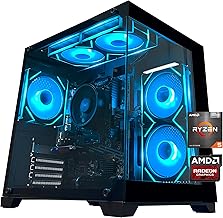
SKYESEV Gaming Desktop PC
The SKYESEV Gaming Desktop with its RTX 3050 and ARGB cooling provides a powerful foundation for any controller setup. Paired with a responsive wired gamepad, this rig handles everything from competitive shooters to co-op platformers, giving your controller of choice a capable host system.
Frequently Asked Questions
Do wired controllers work on both PC and Xbox consoles?
Only controllers with explicit Xbox console certification work on both. Products like the VOYEE PC Controller are designed for Xbox 360 compatibility and Windows, so check the specific console generation supported before buying.
What cord length should I look for in a wired controller?
A minimum of 6 feet is recommended for desk setups, and 7.2 feet, like the VOYEE controller offers, gives more flexibility for living room configurations where the PC or console sits farther from the seating position.
Can I use these controllers for retro emulation on mini PCs?
Yes. Controllers such as the Logitech G F310 with their four-switch D-pad are particularly well suited for retro emulation on compact systems like the ACEMAGIC X3 Mini or YAWYORE desktop tower.
Are gamepad controllers compatible with handheld gaming PCs?
Most wired USB controllers work with Windows-based handhelds and gaming desktops. However, devices like the Lenovo Legion Go S already feature built-in controls, so an external gamepad is mainly useful for multiplayer co-op or as a backup input method.
Final Thoughts
For buyers seeking dependable cross-platform performance, the Logitech G F310 stands out for its proven console-style layout and four-switch D-pad, while the VOYEE PC Controller offers excellent value with Xbox 360 and Windows compatibility. Pair either with a capable system like the ACEMAGIC X3 Mini or Lenovo Legion Go S, and you have a versatile gaming setup that handles everything from retro classics to modern PC titles without missing a beat.





