Key takeaways
- Fixed lumbar cushions: They may feel comfortable at first but cannot adapt if the chair is too deep or your posture changes.
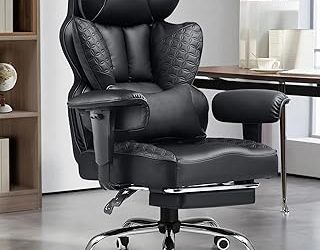
- Very thick racing-style seats: Side bolsters and dense foam can restrict movement and retain heat during study sessions.
- Headrests as a deciding feature: A headrest is useful for reclining, but it does little for typing posture if your lower back and seat depth are wrong.
- Unmeasured chair arms: Compare armrest height with the underside of your desk. This prevents buying a chair that cannot slide close enough to the keyboard.
- One-size-fits-all sizing: A chair can have excellent specifications and still cause discomfort if its seat depth or height does not match your legs.
The best ergonomic chairs for students are the IKEA JÄRVFJÄLLET for value, the Steelcase Series 1 for a compact all-rounder, the Herman Miller Sayl for small rooms, and the Steelcase Series 2 or Herman Miller Aeron for students who will study for many hours every day.
A good student chair should support your lower back without forcing you into one rigid posture, fit beneath a relatively small desk, adjust to your body, and survive years of daily use. Lumbar support matters, but so do seat depth, armrest range, recline tension, breathable materials, replacement parts, and whether the chair can fit through a dorm doorway.
Best ergonomic chairs for students compared
| Chair | Best for | Approx. market range | Seat height | Notable adjustments | Main compromise |
|---|---|---|---|---|---|
| IKEA JÄRVFJÄLLET | Budget-conscious students | Usually $200–$300 | About 17–22 inches | Seat depth, lumbar support, tilt, armrests, headrest on some versions | Less refined padding and motion than premium chairs |
| Steelcase Series 1 | Small rooms and varied users | Usually $400–$600 | About 16.5–21.5 inches | Seat depth, lumbar height, arms, recline, seat height | Narrower seat than some larger chairs |
| Herman Miller Sayl | Compact design and active sitting | Usually $500–$800 | About 15.5–20.5 inches | Seat height, depth, tilt tension, recline limiter, lumbar option, arms | Less substantial lumbar feel than a conventional padded back |
| Steelcase Series 2 | Long study sessions in a versatile chair | Usually $600–$900 | About 16.75–21.75 inches | Seat depth, lumbar height, recline, arms, tension, seat height | Costs more and needs adequate desk clearance |
| Herman Miller Aeron | Maximum long-term durability | Usually $1,000–$1,800 | Varies by size and adjustment | Size selection, lumbar or PostureFit support, arms, tilt, tension, seat height | Expensive and less forgiving if the size is wrong |
1. IKEA JÄRVFJÄLLET: best lower-cost choice
The JÄRVFJÄLLET is a practical starting point when a student needs more adjustment than a basic office chair but cannot spend several hundred dollars. Its breathable back, adjustable lumbar area, adjustable seat depth, and reclining function address the most common causes of discomfort: unsupported lower back, pressure behind the knees, and sitting completely upright for hours.
Its seat-depth adjustment is particularly useful. With your back against the backrest, you should be able to place roughly two or three fingers between the front edge of the seat and the back of your knees. If the seat is too deep, students often slide forward and lose lumbar contact; if it is too shallow, the thighs receive inadequate support.
The trade-off is refinement. The armrests and recline mechanism do not feel as polished as those on Steelcase or Herman Miller models, and the cushion may feel firm during an all-day session. It is a sensible dorm chair when value, availability, and a headrest option matter more than premium materials.
2. Steelcase Series 1: best balance for a small room
The Steelcase Series 1 is one of the strongest choices for a student who wants a compact chair that can accommodate different study positions. Its LiveBack-style back support moves with the user rather than acting like a fixed wedge, while the seat-depth adjustment helps fit both shorter and taller users.
Its relatively modest footprint works well with a narrow desk. The armrests can usually be positioned low enough to slide under many desks, although you should measure the space between the floor and the underside of your desktop before ordering. A chair that cannot slide in wastes valuable dorm floor area and encourages you to sit too far away from the keyboard.
Choose the Series 1 when you want dependable adjustability without the bulk of a large executive chair. The narrower seat can be an advantage in a cramped room, but people who prefer a wide, relaxed sitting position may find the Series 2 more comfortable.
3. Herman Miller Sayl: best for compact active sitting
The Herman Miller Sayl uses a flexible suspension back and a relatively open frame, making it visually and physically lighter than many padded office chairs. That is useful in a dorm or bedroom where a large black chair can dominate the room. The back encourages small posture changes instead of locking you into one position.
The Sayl works best for students who prefer to recline slightly, shift positions, and keep their shoulders relaxed. Select the lumbar-support option if you already know you need a more noticeable lower-back contour. Without it, the flexible back may feel too open for someone who wants firm, concentrated lumbar pressure.
Before choosing it, check the seat height against your desk. Students with shorter legs may need a footrest at the chair’s minimum height, especially when using a tall fixed desk. A footrest is not a cosmetic add-on: it prevents dangling feet from increasing pressure under the thighs.
4. Steelcase Series 2: best for long daily study sessions
The Series 2 is a stronger pick than the Series 1 for students who spend most of the day alternating between lectures, coding, writing, gaming, and video calls. Its back support, adjustable lumbar position, seat-depth range, and recline controls make it easier to change posture instead of remaining fixed in one position for six or eight hours.
It is especially suitable when two people share the chair. The wider adjustment range lets one user raise the seat and deepen the seat pan while another can lower it and bring the seat forward. That flexibility can be worth more than a softer cushion.
Measure first in a small room. Include the rearward space needed when reclining, not merely the chair’s footprint while upright. If the chair is pushed against a wall, a limited recline may cause you to stop using one of its most useful features.
5. Herman Miller Aeron: best durability, if the fit is exact
The Aeron is a premium option for students who expect intensive use for many years, such as graduate students, remote workers, or people who also use the chair for gaming. Its mesh suspension seat and back reduce heat buildup, and its size-based design is more precise than a one-size-fits-most chair.
Size is the critical decision. The Aeron is available in A, B, and C sizes, and the correct choice depends on height, weight, and body proportions. A chair that is too large can leave the lumbar support too low and the seat edge too far behind your knees; one that is too small can restrict the hips and thighs. Do not choose the Aeron solely by appearance or price.
The chair is expensive, but its repairable, replaceable components and established parts availability can improve long-term value. For a student expecting to move frequently, however, its price and size make it less convenient than a Series 1 or Sayl.
Match the chair to your room and study habits
| Your situation | Priority | Best fit | Why |
|---|---|---|---|
| Desk is under 42 inches wide | Small footprint and arms that move out of the way | Steelcase Series 1 or Herman Miller Sayl | Both avoid the oversized executive-chair shape |
| Budget is below about $300 | Core lumbar and seat adjustment | IKEA JÄRVFJÄLLET | Provides useful fitting controls without a premium price |
| You are under about 5 feet 5 inches | Low minimum seat height and shallow seat depth | Series 1, Sayl, or JÄRVFJÄLLET | More likely to support feet and avoid excessive knee pressure |
| You study eight or more hours daily | Recline, breathable materials, and durable mechanisms | Steelcase Series 2 or Herman Miller Aeron | Better suited to frequent posture changes and heavy use |
| Two people share the chair | Wide adjustment range | Steelcase Series 1 or Series 2 | Quick seat-depth, lumbar, arm, and height changes are practical |
| You run warm or lack air conditioning | Ventilated seat and back | Herman Miller Aeron or Sayl | Mesh or suspension materials generally retain less heat than thick foam |
How to set up an ergonomic student chair
-
Set seat height first. Raise or lower the chair until your feet rest flat and your knees are close to a 90–100-degree angle. If your desk is too high after this adjustment, use a footrest rather than letting your feet dangle.
-
Adjust seat depth. Sit fully back and leave approximately two or three fingers of space behind the knees. This preserves circulation while keeping your pelvis supported.
-
Position lumbar support. Place the strongest part of the support in the inward curve just above your belt line. If it pushes your stomach forward or makes you arch excessively, lower it or reduce its intensity.
-
Set armrests last. Raise them until your shoulders remain relaxed while your elbows rest near your sides. For typing, aim for an elbow angle of roughly 90–110 degrees. If the armrests prevent the chair from approaching the desk, lower them or move them aside.
-
Use the recline function. Start with moderate tension and allow a slight recline of about 100–110 degrees for reading and computer work. A completely upright locked position is not automatically healthier; changing position reduces static loading.
A useful 25-minute setup check is to work normally, then inspect three points: whether your feet remain planted, whether your shoulders are creeping upward, and whether you are sliding toward the front edge. Sliding usually indicates excessive seat depth, insufficient lumbar positioning, or a seat that is tilted too far forward.
What to avoid when buying for a dorm
- Fixed lumbar cushions: They may feel comfortable at first but cannot adapt if the chair is too deep or your posture changes.
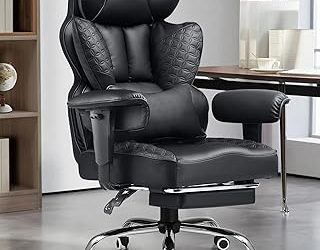
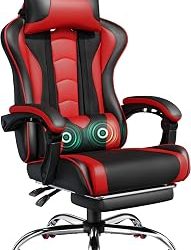
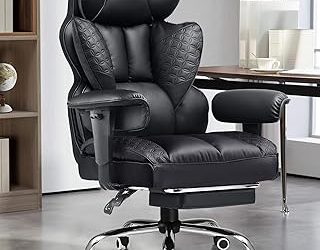
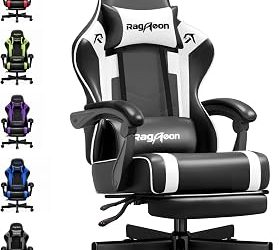
- Very thick racing-style seats: Side bolsters and dense foam can restrict movement and retain heat during study sessions.
- Headrests as a deciding feature: A headrest is useful for reclining, but it does little for typing posture if your lower back and seat depth are wrong.
- Unmeasured chair arms: Compare armrest height with the underside of your desk. This prevents buying a chair that cannot slide close enough to the keyboard.
- One-size-fits-all sizing: A chair can have excellent specifications and still cause discomfort if its seat depth or height does not match your legs.
Final recommendation
For most students, the Steelcase Series 1 is the safest overall choice because it combines useful lumbar and seat adjustments with a footprint suited to smaller rooms. Choose the IKEA JÄRVFJÄLLET when keeping costs low is the priority, the Herman Miller Sayl when space and ventilation matter most, the Steelcase Series 2 for intensive daily use, and the Herman Miller Aeron when long-term durability justifies a premium purchase. In every case, fit the chair to your body and desk before judging its comfort: correct dimensions usually matter more than an impressive feature list.